We remain fully operational. Our teams are working around the clock to ensure your deliveries continue safely.

قم بتنزيل التطبيق


معلومات عنا
حقوق الطبع والنشر © 2024 Desertcart Holdings Limited
قم بتنزيل التطبيق
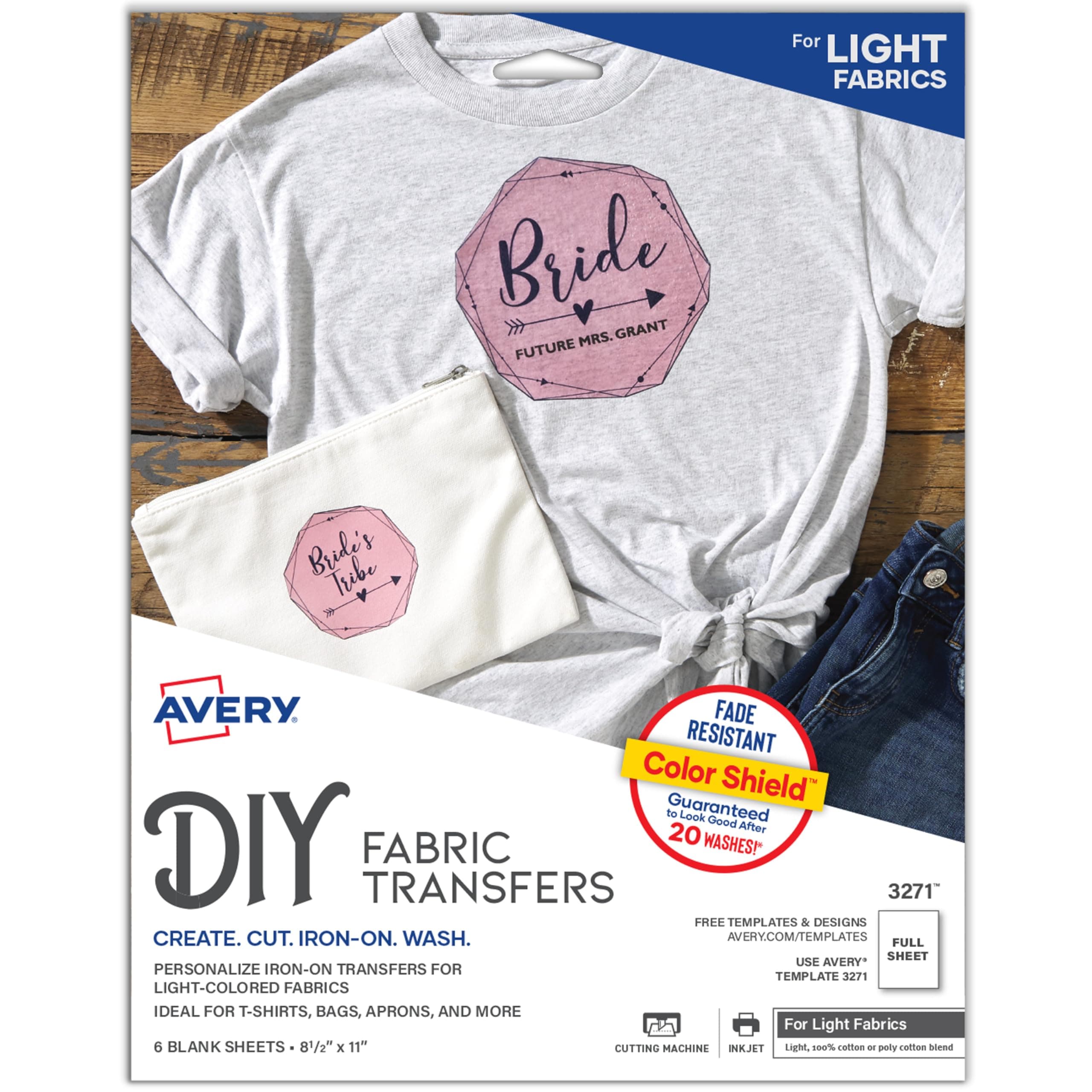
🔥 Turn your ideas into wearable art — DIY style with Avery!
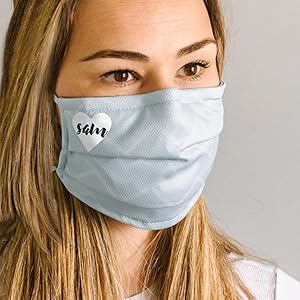
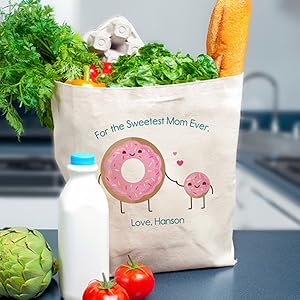
Avery Printable Heat Transfer Paper (8.5" x 11") offers 6 sheets designed for light fabrics, compatible with inkjet printers and household irons or heat presses. Featuring a Color Shield formula, it delivers vivid, fade-resistant prints that last up to 20 washes. Ideal for custom shirts, gifts, and branded apparel, it supports easy design customization via Avery’s online tools and precise cutting for professional results.


| ASIN | B00006B8FS |
| Best Sellers Rank | #10,105 in Office Products ( See Top 100 in Office Products ) #114 in Laser & Inkjet Printer Labels |
| Brand | Avery |
| Brightness Rating | Light Fabric Transfers |
| Customer Reviews | 4.3 4.3 out of 5 stars (12,490) |
| Date First Available | July 7, 2004 |
| Is Discontinued By Manufacturer | No |
| Item Weight | 3.52 ounces |
| Item model number | 3271 |
| Manufacturer | Avery |
| Manufacturer Part Number | 3271 |
| Material Type | Cotton |
| Number of Items | 1 |
| Paper Finish | Matte |
| Paper Weight | 120 |
| Product Dimensions | 11.5 x 9.31 x 0.1 inches |
| Sheet Size | 8.5"x11" |
| Size | 8.5"x11" |
W**M
Forgot to order my son's birthday shirt: Avery Transfers to the rescue!
These things are pretty amazing. This is how I stumbled upon them: I dropped the ball on making a special birthday t-shirt for for my son to wear on his birthday. I spent a bunch of time designing a shirt on a website, went to check out, and then I discovered it would not have arrived in time for the big day. Then I started browsing around websites for local print design companies, but taking into account the additional fees for the rush job, I was looking at something like $40 for a customized t-shirt for my son to wear. That seemed like an awful lot of money to spend on something that he would wear for a few hours. I ended up ordering Avery iron-on transfers from Amazon. Once again, Amazon Prime to the rescue. How the iron on transfers work: You go on their website to design whatever you want on your shirt (or tote bag, pillowcase, or whatever). You can import any photo or graphic, and you have a lot of freedom as far as image and text placement, colors, etc. Then you print the image on your inkjet printer and iron it on. It was super simple, and it turned out great. Although, I have to warn you: do not do it on a wood table. Or if you do, make sure to place sufficient buffer materials between your t-shirt and the table. I have a nice rectangular mark that appears to be a mixture of glue and fabric fibers that don't appear to be going anywhere soon. But this seems more like user error than the fault of the product itself which is why I kept the rating at 5 stars. Just be careful when you make yours. The package has 12 sheets in it and cost about $12. I bought a plain white t-shirt for $5 from a local big box store. So all in, I paid about $6 for my son's birthday shirt! I think I was looking at around $22 if I had ordered online from the first store I was looking at (more from local printing shops), and this way I was able to customize the whole thing top to bottom and use any image I wanted. Overall, I was really impressed with the quality and ease of use of the transfers. The program that you use to design the graphic is really fantastic and user friendly. It only took a few minutes to figure out, and it really gives you a lot of design options. The colors came out very crisp and clear. I recommend that you read the instructions very carefully, and if you follow them exactly, you're sure to have great results.
F**E
If I can do it, so can you!
Worked perfectly! I downloaded the image to Pages (used “flip horizontally” to mirror it) and ironed onto cotton bags to make little bank bags with chocolate coins for my daughter’s Harry Potter birthday party. I found that it was the force used rather than the amount of time when ironing that helped. The first bag was extremely difficult to remove the backing paper and the image kept pulling up and I was wondering what I’d gotten myself into. But for the rest of them, I ironed (on a wooden cutting board) for about 10 seconds pushing very hard, let them cool and then repeated the iron. After letting them cool, the paper peeled away very easily and they look great!
H**!
Time tested good product.
I'm a graphic designer, coach various kid teams & always seem to be making shirts for them. I began using the Avery transfers in 2010 & have some shirts that have been through the wash countless times since then. Never had a problem & the colors seem to last amazingly well over time. Other than using only white or light grey fabric & a good quality shirt, my tips would be: 1) pre-wash the shirt (I've used cotton & 50/50) & tumble dry. 2) Plain paper final review: ALWAYS look at your design through the back of the paper (hold it up to a window or bright light) & make sure all of your text has been mirrored & the design looks good. 3) Print the final design using the best quality your printer can output. 4) Trim close to the printed parts but leave a bit of a margin - 2mm'ish. Don't cut so close that your design falls apart or warps while you are ironing. Round off points, if even a little. 5) For fine designs that have been cut to the flimsy stage, cover with a sheet of parchment paper in the beginning of the ironing to get it stuck down. The parchment can be removed to finish the ironing. Baking parchment will not stick to this stuff & can get pretty darn hot. Do not use waxed paper or regular printer paper: they do not like to get hot. 6) Follow the package ironing instructions. Simple as that. I use a cutting board on the floor so I can apply good pressure. For sleeve designs, my hubbie made me a little block of wood that fits inside. He cut a small groove on the bottom for the seam so the wood lays flat. 7) After I peel the paper off I lay a piece of parchment over the whole design & give it a final hit with the iron. This seems to really set the transfer into the fabric & gives the most natural feel. 8) If you can plan ahead, it's good to give them a final rinse with a bit of vinegar in the water to set the dye. Line dry & tumble on low to soften the whole shirt. I've never had the nerve to do the full heat dryer before the 'event' but that's my own weird thing. My worst experiences have come from using a cheap, lightweight shirt, using transfers that were too old or had been exposed to moisture (they did work though, just needed some extra tlc), or using a shirt color other than white or light grey. Love these things, just ordered 18 more. Buy them, have fun.
L**H
Easy to use
Needed to make iron on patches for a Halloween costume and this product did the trick. It started peeling off the denim jacket, but held up long enough to win best costume! Probably better on a smooth cotton.
R**K
Worked well with great colour hold
N**A
Not that great and disappointing actually, didn’t work for me and it was really bad quality. I’m giving it one star because it’s arrived on time.
M**D
Make your dreams happen
S**A
This product is so good I used them for some bags I needed to make and the colour doesn't fade on them as long as you follow the instructions
M**N
Bought this to place a logo on T-Shirt sleeve. The results were amazing, looks very professional. Holds the ink very well (used a Brother printer).
ترست بايلوت
منذ يوم واحد
منذ شهر