Buy anything from 5,000+ international stores. One checkout price. No surprise fees. Join 2M+ shoppers on Desertcart.
Desertcart purchases this item on your behalf and handles shipping, customs, and support to KUWAIT.
🚀 Boost your WiFi game—cover every corner, connect every device, and never miss a beat!
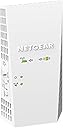
The NETGEAR EX6250 WiFi Mesh Range Extender dramatically expands your wireless coverage up to 2,100 sq.ft., supporting 35 devices with dual-band AC1750 speeds up to 1750 Mbps. Compatible with any router, it features seamless mesh smart roaming and a Gigabit Ethernet port for wired connections, making it ideal for demanding HD streaming, gaming, and smart home setups. Compact and easy to install, it ensures full bars throughout your home or office, eliminating dead zones and buffering frustrations.


| ASIN | B07MDZ8G4T |
| Best Sellers Rank | #13 in Repeaters |
| Brand | NETGEAR |
| Built-In Media | AC1750 WiFi Mesh Extender (EX2700), Quick start guide |
| Compatible Devices | fgh |
| Connector Type | RJ45 |
| Customer Reviews | 4.0 out of 5 stars 4,456 Reviews |
| Data Transfer Rate | 1750 Megabits Per Second |
| Frequency | 165.0 |
| Frequency Band Class | Dual-Band |
| Frequency Bands Supported | 2.4 GHz, 5 GHz |
| Global Trade Identification Number | 00606449136906 |
| Item Dimensions D x W x H | 1.75"D x 3.2"W x 6.34"H |
| Item Type Name | NETGEAR AC1750 Wifi Mesh Extender (EX6250) |
| Item Weight | 10.56 ounces |
| Manufacturer | NETGEAR |
| Mfr Part Number | EX6250-100NAS |
| Model Number | EX6250-100NAS |
| Range | 2100 square_feet |
| Special Feature | Remote Access |
| Special Features | Remote Access |
| UPC | 606449136906 |
| Unit Count | 1.0 Count |
| Warranty Description | 1 year warranty |
| Wireless Communication Standard | 802.11ac |
| Wireless Compability | 802.11ac |
C**S
If you have a weak wifi signal, buy this to boost it. IT WORKS!
NETGEAR WiFi Mesh Range Extender EX6250 Price as of 11/11/2020 List Price: 119.99 Discount Price I paid: $89.00 _______________________________ 2.4Ghz is slower speed wifi but the signal travels farther 5Ghz is faster speed wifi but the signal doesn't travel as far _______________________________ My Goal: Extend my verizon fios router wifi signal for both 2.4Ghz & 5Ghz to my entire NYC apartment. (Large apartment with many bedrooms, many walls, some of those walls are concrete) My Verison fios wifi router is on one end of my apartment and i need to boost the signal from that to the other end of the apartment. _______________________________ Currently: I have a Linksys wifi extender i bought years ago but it's too weak to boost both 2.4ghz & 5ghz to the other side of my apartment, it's not strong enough to penetrate all the walls. All the walls in my apartment eat up the wifi signal. _______________________________ New Setup: With this new Netgear wifi extender, i was able to remove my older wifi extender and i plugged this new Netgear wifi extender into an outlet on the other end of the apartment and now i get FULL BARS for both 2.4Ghz & 5Ghz in the ENTIRE apartment! _______________________________ The Netgear status shows me the signal strength the extender is picking up: 2.4Ghz signal strength: 162Mbps 5Ghz signal strength: 585Mbps _______________________________ INSTALLATION (setup): (It comes with a paper instructions booklet plus the instructions are online) Google: EX6250 The instructions are on the Netgear website. Very basic simple instructions. Connect to the netgear extender using a device that has wifi (i used a windows 10 PC), connect it to the netgear wifi extender and then in your web browser go enter this URL address: http://192.168.1.250 (You should be able to do this same thing on a mobile phone or tablet) That will take you to the Netgear admin page where you can follow the steps to configure your device. _______________________________ Additional options: There is an ethernet port on the device if you want to hardwire an ethernet cable to the wifi extender to configure the admin settings and as another way to connect the wifi extender to your network. Fastlane option. From what i read, that will boost your 2.4Ghz or 5Ghz signal. You have to turn this option on and then you need to pick which signal to boost. You can only do one. So have to pick 2.4Ghz or 5Ghz. So if you only need 5Ghz then you can use fastlane on the 5Ghz and the 2.4Ghz will be turned off. And now your 5Ghz will be faster. NOTE: I would not use the "fastlane" option because Amazon Alexa smart plugs use 2.4Ghz. They won't work with 5Ghz unless you can find ones that do. There is a 1 button quick setup. (WPS) but i don't use that. That basically lets you configure your home router so that if you press the WPS button on two devices (router and wifi extender). They will quickly sync together (quick setup) but you need to have that WPS option on your home router for it to work and that option needs to be enabled to allow it. NOTE: I don't use that because that will also allow anyone to walk over to your router and connect themselves to your network without needing any passwords. (bad security) Access point option. I don't plan to use that option. The wifi extender has a ethernet port on it, for the access point to work you need to use an ethernet cable and connect your router and this wifi extender together. I'm not 100% sure what the access point would be good for because the wifi extender option works really well. It's all you really need. I don't know much about how that access point would work or how you should or could use it so i wont comment much on that. In the end i ended up using the Ethernet port on the WIFI Extender to connect an ethernet cable from the WIFI Extender to my Roku. Another good option, buy a small 8 or less port Ethernet Hub. Connect an Ethernet cable from the WIFI extender into the Hub. Now you can connect devices with an Ethernet cable (laptop, ethernet printer, etc), directly to the WIFI extender (assuming you need / want a wired connection) The only reason to do this? Possibly a more stable internet connection? If all else fails. Try that. _______________________________ CONCLUSION: This Netgear wifi extender is POWERFUL while being very compact. No external antennas required. Looks very clean when installed into a wall outlet. If you install at the top outlet, the bottom outlet will NOT be blocked. I highly recommend buying it. A little pricey but it works well! Now it may be overkill if your apartment is very tiny. But if you have a ton of bedrooms with lots of walls & weak wifi signal. This should easily fix it. If you have a big home especially with a big backyard and you currently have a weak signal. This might also be useful to cover a huge range and get wifi across your whole home and yard. BUT check the specs first. The specs show the range it covers. It looks like you can connect two of these wifi extenders together if you need a bigger range but start with only 1 because it works so well you might only need 1.
P**E
Make sure to deactivate existing extenders that won't be used in new network setup
2.4G and 5.6G signals were very weak on patio and deck .. the EX6250 boosted BOTH bands by at least 20dB ! Unit is very easy to setup (as repeater using same SSID as main router) using the Netgear Nighthawk app ... BUT ... make sure to deactivate any existing extenders that you won't be using after the install (my first attempt boosted both signal bands, until I unplugged a small TPLink 2.4G unit used as a repeater, which caused problems with connections in that band. Second attempt (after hard resetting EX6250) was successful. Be patient during the setup .. it takes a few minutes for this extender to figure out your network configuration! Configuration has EX6250 about 20ft from router (thru 3 walls and highly metal populated utility room) and about 10ft to devices on patio and deck (with the 20dB signal improvement on both bands). Even the 5GHz signal is solid. Usual 2GHz wireless speed is about 80Mbps close to router .. am getting well over 40Mbps thru repeater (the 5GHz band is yielding 350Mbps via repeater!). While noting that this is an early review by a seasoned EE (time will tell), I see no indications of heat related impacts on circuit reliability (EX6250 surface temp is below 100deg F). Reviews indicating accelerated degradation in performance could be caused by other environmental factors (poor air circulation, electrical line surges and dips, and worst of all .. frequent power on/off events .. electronic devices don't like to be power cycled). The only downside .. so far .. is the amount of space this unit takes in a typical electrical outlet (I have it plugged into the upper outlet with barely enough room for a short 3 prong extension cord) . This is a tough design issue, since you need enough room below the unit to support the freestanding device with only the outlet as support (you could always use an extension cord to move the repeater out of the way of the outlet). One more note .. there's a lot of arguments made by network experts as to the advisability of using the same SSID as your main router. Be advised that the Nighthawk app sets up this EX6250 extender on the same SSID (this is a WiFi MESH extender) .. and uses the same physical RF channels for both bands. I, personally, prefer this setup to simplify device roaming connections .. and to be able to use common network resources (such as a central network drive used for general storage and video streaming) from anywhere in the house .. different extender SSID assignments will make this more difficult. Operational switchover in areas where the main router and EX6250 extender signal levels are similar is device dependent (some devices will switch over cleanly .. some will "hiccup") .. this is a function of each devices network chipset .. and the particular device drivers used. Bottom line .. after a lot of research for a capable extender that keeps my main SSID intact (on both bands) .. and avoids replacing a very nice TPLink router with an expensive mesh network setup ... the Netgear EX6250 is a perfect fit for ME! I used the "EX6250" identifier, repeatedly, throughout this review, since I have noted often confusing Amazon reviews that reference different product models ... unfairly impacting the reviews for the product model in question. There may be other WiFi extenders with setup, reliability and performance issues that have "cross-pollinated" with reviews for this device ... so take those reviews with a "grain of salt" (good, or bad reviews).
I**N
Works well if you can figure it out
I bought a Netgear EX6250 in a brick-and-mortar store about four months ago and my experience with it has been good overall...though not without its complications. Past experience with late-model Netgear products can be helpful in getting this unit set up and operating as the process is not always straightforward. It took me (who has a lot of experience with Netgear products and home networking in general) rather a few tries to get onto the right track in the Nighthawk app to set the thing up - you can run into roadblocks due to aspects of the Nighthawk app's design being less than intuitive (I know I did). I can't remember specifics now...so you know what I'm going to do? Out of lovingfriendliness for my fellow Amazon customers, I'm going to reset the extender to factory settings and set it back up, taking notes along the way, so that I can relate my experience more clearly and in greater detail. Okay, so: First you want to jump online and download the Netgear Nighthawk app to your phone. I don’t know if this unit can be set up without it. Next, plug the extender into power - somewhere where it’s in range of your router. After you first plug the unit in, or after resetting it using the little recessed paperclip button on the side, the power LED will glow orange for rather a long time - two to three minutes in my experience - before finally turning green. Green means “go” - but orange doesn’t. So you just have to wait until that light turns green in order to be able to proceed with the setup process. Good opportunity to focus on the breath. And the fact that patience is a virtue. Once the power indicator turns green, launch the Nighthawk app and check the little circle confirming that you accept Netgear’s terms and conditions and that you’ve read their privacy policy…even though you probably haven’t. Then tap “I Agree”. On an iPhone, at least, the next screen says that iOS requires that you enable local network access in order to be able to set up your extender (which at this point the Nighthawk app is calling a “router” because it doesn’t yet know any better - you haven’t yet told it what you want to set up). Obviously, since you want to set up your extender, you’re going to okay that local network access. Tap “Continue” and your phone will ask you if you want to allow the app to find and connect to devices on your local network. Tap “OK”. The next screen asks you to allow push notifications. This one’s up to you. I think I’ve always allowed them and I haven’t seen one yet, let alone been annoyed by excessive/unwanted notifications that are, in the end, just trying to sell me crap or otherwise waste my time. The next screen tells you Netgear needs access to your device’s location services to automatically connect to your wifi network. I always allow this. Next you’re told you have to create a new Netgear account or log into an existing one. Do that. Then you’ll be asked if you want to enable Face ID and you’ll also be asked…something else I forget because I just blazed past it, momentarily forgetting that I was writing this detailed description of the process. But…y’know. You can read (because you’re reading this), so…tap the things on your screen that accord with your wishes. :) At last we come to a screen that says, “Let’s set up your Nighthawk”, and tells you what to do if the unit’s been set up before. I don’t think I’ve ever had any luck using the “been set up before” option, so I always reset the extender to factory settings (by pressing and holding the paperclip/pen-point button on the side of the unit until the power light blinks orange) when I have a problem with the connection (which I seldom do, and when I do it’s usually because the power’s blinked or something else explicit has happened to make me need to set the extender up again). If this is your first time setting it up, tap “Set up a Nighthawk”. Even though I don’t think this extender is technically a Nighthawk. Doesn’t matter - you can still set it up with this app. Next you’re shown a rundown of what’s going to happen. Read that as you’re inclined, then tap “Get Started!”. On the product selection screen that comes up next, tap “Range Extender”. The app tells you where to plug in your extender. Follow its instructions and tap “Next”. The next screen just tells you to actually plug it in now, and wait (…and wait…and wait…) for a solid (green) power LED. Do that, and when you’ve got the solid green power light, tap “Next”. On the next screen, the app will ask you to let it join your extender’s network. Tap “OK”, and wait while your phone connects to your extender. When it does, the screen will change to display “Great, we found your extender”. Tap “Next”. Tap “Next” on the next screen as well. Now your phone will look for your router’s network (which is your pre-existing wifi network, the one you want to extend). I think what it’s doing now is acting as a liaison between your router and the extender - introducing them to one another, as it were. Because what happens next is that your extender looks for and - ideally - connects to your wifi network. (When you’re asked to allow…something…to join your network, tap “Join”.) And if all has gone well, that’s pretty much it. You’ll see a screen that says you’re up and running, and…there it is: you’re up and running! Obviously, all of that is how things are *supposed* to go. If they go otherwise…you’ll probably need to be able to apply a searing laser beam of logic to the process and figure out how to make it work (that’s been my personal approach and, lucky for me, it’s always worked so far), or else to contact the dread Netgear Support People. I hope for your sake the laser beam works. Good luck and enjoy!
Q**B
Not as easy or robust as it should be ****update****
This is not my first extender but I was due for an upgrade and decided to take a chance on this one, the E6250. I'll start here, it was real close to going back and still might. The app for the set up was a miss for me, didn't work any of the 5 or 6 times I tried it, I'm using an android phone with the app if that helps anyone? Plugged it in directly and went through the set-up process and it connected, everything was pretty good at this point, the frustration of the app took a backseat to the fact at least I got it. Got everything hooked up and it seemed to really be working pretty well. The next day and it wasnt broadcasting anything on the 5G band? Logged in and sure enough, nothing broadcast on 5G even though it was set to on. 2.4 Broadcast was still fine. Factory reset again and doing the same process, it worked again, 6 hrs later, no signal..... again? Repeat, go out to the trash to recover the box its going back in only to get caught up doing stuff with the kids, At this point it hasn't lost its mind or the 5g signal again so there's that. The pros to this is when it works, it seems to really works well, its nice I can pick and choose if the item needs 5.0 or 2.4. Coverage seems to be just fine and about what they claim, I have no dead spots in the house so that's great. Given the issues I've had with it so far I just can't give it a higher rating, I had a Netgear repeater for like 5 years before this and it finally dawned on me an upgrade was badly needed but had -0- issues with it the entire time. Went with another Netgear because it was so good. But, For now its working and seems to be doing ok, Should anything happen in the near future I'll stop back by and append, Hope this helps somebody. *** Okay, Update: changing my 2 star to a one star, after two tries I'm going to just say either I have no idea what I'm doing or these just are not very good. For the life of me I cant figure out why it will not stay broadcasting in 5G? I've reset, I've redone, I've even returned and gotten another one, neither would stay broadcasting in 5G? also I'm not sure how I can log onto my router wi-fi, have a 70mpbs download speed, log onto the repeater which is logged onto the router wi-fi signal and get between 20-28mpbs? same signal? even with the "Fastlane" option enabled its less than half of what its receiving? Weird to because my 6yr old netgear repeater was awesome? guess I'll go back to that.......
T**S
Works great as a Wi-Fi Extender
I bought this AC1750 version as a replacement to my previous Netgear AC750 version (the small one with the two antennas on the side). The AC1740 is a big improvement. The older AC750 had never been very reliable and fast, but lately had started to disconnect more regularly and freeze up with an orange light requiring multiple factory resets. By comparison, my new AC1750 is much more reliable and devices in my bedroom are getting a stronger signal and faster throughput. I see that many people have had issues with the setup. For me, it was very easy just pushing the WPS button on the Netgear extender and then pushing the WPS button on my router and they instantly connected (for best results when doing this initial connection make sure they are physically near each other in same room). After that, I used my PC (which didn't need to be connected to the WiFi network) and browsed to the local IP address of the extender, which in my case was something like 192.168.254.123. You can find out your extender's IP by logging into your primary router and it should show you all the connected devices and their associated IP's. From there after browsing to the IP of the router I was able to use the extender's local web interface to do the setup process including creating a name and password, update the firmware, and get it all working. After that, all my devices (Google home mini, Roku, etc) could connect to it instantly. I would strongly recommend connecting directly to the extender by its IP address instead of trying to install the Nighthawk App software which it talks about using in the documentation. So far my AC1750 extender has been running smoothly and hasn't disconnected or gotten stuck with an orange light.
D**Z
Great idea but not worth the headache
Does it extend my wifi ? Yes Does it add a wired cat5 connection in a room that I did not have one? Yes Other than that I have had a number of other issues with with my wifi network and connected devices Everytime I plug this thing in. I have reset this device several times and reworked my wifi network, but always end up having more problems than I think it is worth everything I plugged this back in and have myself working and 3 kids doing virtual schooling. At least one of us, if not two will constantly get booted from wifi or loose communication. Network troubleshooter in windows finds no errors or indicated router is unavailable. Sometimes a reboot works, sometimes it just reconnects and sometimes the unlucky one(s) are offline for an hour. Remove this device and no one ever has a problem. Wifi card on my work laptop went bad so I needed a wired connection. Instead off puking cat5 to my temporary office I plugged this back in after tossing it in a box the past 3 months it of frustration. Reset the device and set up as a new range extender set up to user the same wifi name and password. After 3 hours the troubles started back up again with one or two of the kids getting booted from wifi at any given time. This device does not seem to be worth the trouble it brings to my wifi network. This weekend I will be fishing cat5 through the walls to pull a new wired connection from my router to this new office location in the house.
T**L
Worth the money for improving my wifi coverage area.
This worked perfectly once it was set up correctly. Totally satisfied. I have a metal home with thick solid walls. It really helped to improve my coverage in some dead zones.
R**N
Price was right and it has work perfectly
Bought this some years ago. Still have it and it is and has work perfectly ever since.
H**E
Funciona bien
No es tan fácil de programar pero funciona y se ve bien.
R**N
Brilliant.
Great product. Boosted our wifi signal significantly and was able to use the Ethernet port also. Fantastic.
R**S
Estensione rete Wi-Fi
Tutto ok
L**S
Desempeño y confiabilidad
Es muy compatible con modems o routers
J**R
Tengo Internet donde no tenía
facilidad para configurar
Trustpilot
3 weeks ago
1 week ago