We remain fully operational. Our teams are working around the clock to ensure your deliveries continue safely.

قم بتنزيل التطبيق


معلومات عنا
حقوق الطبع والنشر © 2024 Desertcart Holdings Limited
قم بتنزيل التطبيق


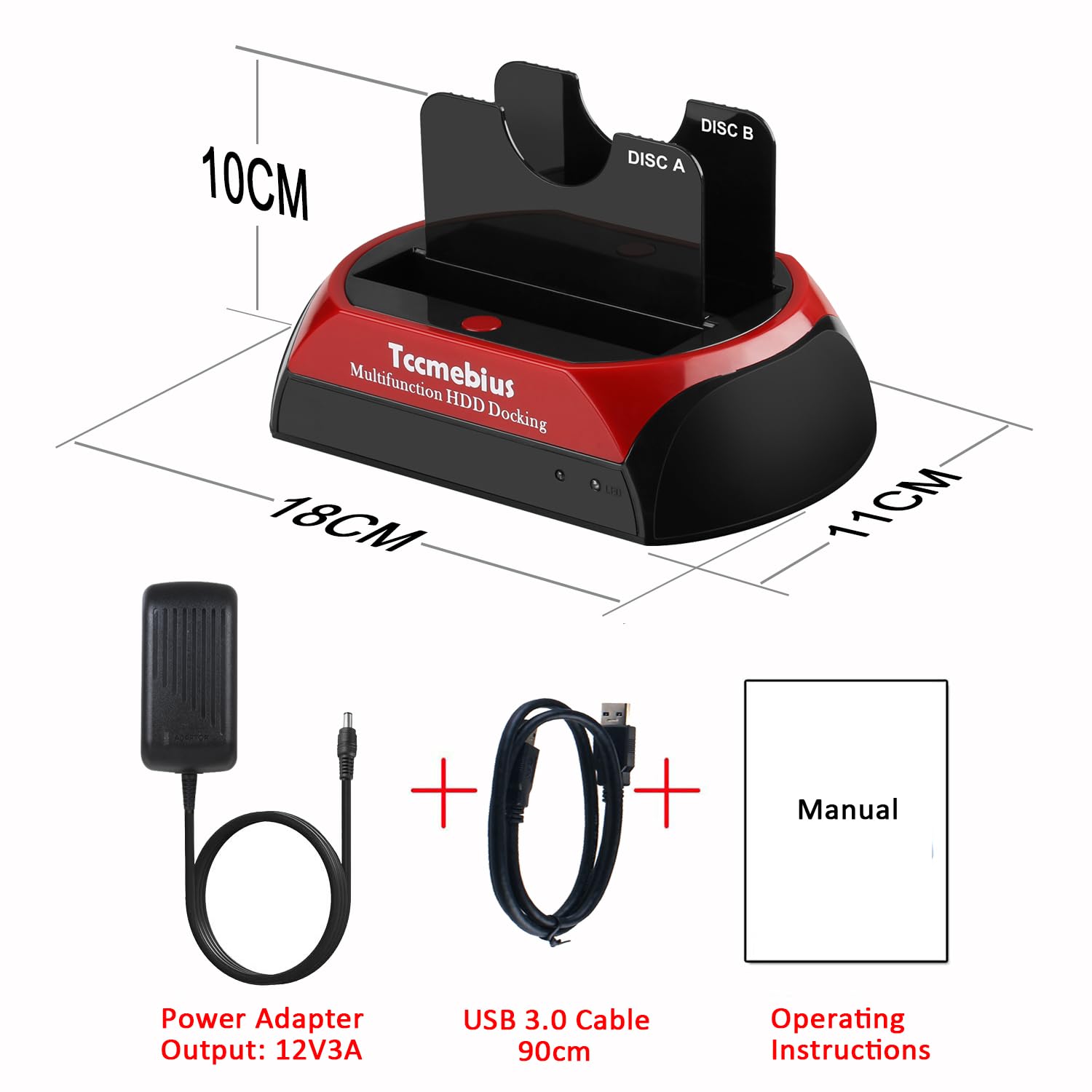
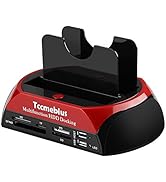
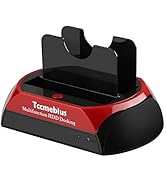
🚀 Unlock your legacy data vault with speed and style!
The TCC-S868 USB 3.0 Hard Drive Docking Station is a versatile external enclosure supporting both IDE and SATA 2.5"/3.5" HDDs and SSDs. With dual slots, tool-free installation, and USB 3.0 transfer speeds up to 5Gbps, it enables fast, easy data access and backup for drives up to 20TB SATA and 1TB IDE. Compatible with Windows and Mac OS, it includes a one-touch backup feature (Windows only) and comes with a 1-year warranty and lifetime technical support.






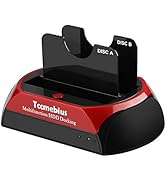
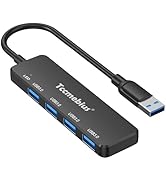


| ASIN | B07MVFPJ5K |
| Are Batteries Included | No |
| Best Sellers Rank | 22,658 in Computers & Accessories ( See Top 100 in Computers & Accessories ) 31 in Hard Drive Docking Stations |
| Compatible devices | Desktop, Hard drive, Laptop, Smartphone, Tablet |
| Customer Reviews | 4.0 4.0 out of 5 stars (1,039) |
| Data transfer rate | 5 Gigabits Per Second |
| Date First Available | 16 Jan. 2019 |
| Guaranteed software updates until | unknown |
| Hard disk form factor | 3.5 Inches |
| Item Weight | 239 g |
| Item model number | TCC-S868 |
| Item weight | 239 Grams |
| Manufacturer | Tccmebius |
| Material | Plastic |
| Max number of supported devices | 2 |
| Memory storage capacity | 22 TB |
| Product Dimensions | 18 x 11 x 10 cm; 239 g |
| UPC | 799577101066 |
C**N
Worked perfectly
Great piece of kit that allowed me to retrieve data from some old hard drives including a couple of laptop drives. Very easy to use and data transfer was fast
H**W
Works very well. Better than anything else I’ve tried.
This device works very well. I had tried a few other solutions, cables/connectors and external power supply’s but none of them actually could see an IDE drive. I knew the drives were working but these cheap cable/power supply things just don’t seem to see an IDE drive, in disk manager it just did not show up. This docking station works 100% .Absolutely I recommend it. Very happy with my purchase.
P**S
A few niggles but it serves its purpose
UPDATE: I found a USB 3 hub that allows the docking station to work at USB 3 speeds. Therefore, YMMV - try different ports/cables. Increased from 3 to 4 stars. -- The docking station is useful for accessing hard drives that I have accumulated over the years. 2.5", 3.5", SATA/IDE all work fine. Hard drives can be accessed via Windows 10, Linux and in a virtual machine. Unfortunately, it can only be accessed over USB 2, at least over my computer, which is a shame as I spent the extra money on a USB 3 model. Directly plugging it into a USB 3 port on my laptop makes drives inaccessible. Strangely, the dock works fine using a USB 2 hub plugged into a USB 3 port... Other issues - Handling of drive errors: I'm not sure whether it handles drive errors gracefully. It seems to just lock up, requiring me to turn the docking station off and on again. - Handling of multiple drives: It doesn't want to get data off two docked hard drives at once, though they are both recognised. - Fiddly docking of 3.5" IDE drives: Inserting requires some care and practice in order to line up the pins and power connector properly before docking. As a little bit of force is required for the power connector, I did bend a pin on one of the hard drives by not being careful (I was able to bend it back). Despite the complaints, it serves its purpose, which is to access my old files.
C**R
Straightforward. Does the job.
Straightforward. Does the job - used it to help recover some old HDDs and archive the data onward.
P**.
USB 3.0 with this device is useless...
I tried one of these some time ago. USB 3.0 was useless and made my computer freeze up for ages. Bad product and it was useless and came all the way from China. Tried to return it, was a complete nightmare and I learned that China don't do returns they don't want anything coming back to their country. Had a nightmare trying to get the money back and opened up a case with my credit card company so I could claim back the funds. The item probably went missing due to the poor return system and bad return address given. The guys in China were useless and demanded that I send them video footage of it not responding when it froze my PC up. USB 2.0 did work okay and there was no issues it seems the USB 3.0 connection is the problem due to badly written drivers and poorly programmed firmware issues that need addressing and taking right back to the drawing board and starting all over again. I would avoid this completely unless you want to open up a nightmare in your life. A poorly designed product that doesn't work and never will just like lots of other products the same. I was surprised it was sent from China and I had to pay to return it which wasn't cheap and wasted my money fighting to get my funds back only because the credit card people said I could have it back.
M**D
It is VERY IMPORTANT to Line up the HDD pins first
Lining up the HDD pins and the power connecter is very tricky for IDE drives. (SATA drives go in easily) I found that if I tried to insert the drive with the power connector slider where I thought it should be, one side or the other would not go in properly. I tried pushing hard but that just bent the HDD pins ( I was able to straighten them) Make sure the HDD is perfectly upright, then line up the HDD pins first then move the slider on the back VERY slightly to move the connecter socket, then push gently (If it doesn't go in easily repeat the adjustment until it goes in without excessive force) DO NOT PUSH HARD OR YOU WILL DAMAGE THE HDD
V**H
A great SATA and IDE USB 3.0 caddy. Well priced and quick.
This is a really nice hard drive caddy. It has both a SATA and an IDE connector, and a fast USB 3.0 connector. IDE connectors are pretty extinct now, but older hardware still uses them, include some older consoles and PCs, so it's worth having one at hand. This unit fortunately has a moveable power connector for the IDE drive's connections, because for some reason, not all IDE drives have their power and data connections set precisely the same distance apart, but that's no problem with this caddy. My only complaint would be that the power cable is a little short, but other than that, this is a great unit, and reasonably priced.
M**S
What a great device.
Absolutely brilliant piece of kit, that saved precious memories after an accidental folder deletion of family photos and videos. All of my kids, photos and videos, in their glorious pictorial history, are now restored from a backup i'd made, which i honestly thought i'd never have to use (arrogantly, i thought i was too smart and PC savvy to delete all my images...wrong!) My wife and I are so relieved to have our files back. This device was easy to use, efficient and frankly, worth every penny i paid for it. Thank you seller.
B**K
Diverse oude harde schijven kunnen controleren. Tevens een oude 4TB schijf gebruikt als backup die ik op een veilige plaats kan bewaren
O**N
If I use 1 SSD I can not use SATA disk. It is only 1 connection . The second connection is for old HDD
G**I
Arrivato nei tempi segnalati nell'ordine. Rispetto ad altri modelli precedenti è un po' piu' costoso, ma ha una connessione USB 3.0 Avevo un problema con un HD da 4TB che aveva perso una partizione dopo una formattazione interrotta e finita male. In poche parole vedevo solo 1,8 TB. Dopo aver connesso il cavo USB e l'alimentazione, la docking station ha funzionato egregiamente, e sono ricomparsi tutti i 4 TB! Unite le 2 partizioni (1,8 + nuova) e formattato, il mio vecchio HD è tornato in forma. Evidentemente la connessione HD-PC che usavo prima non riusciva ad andare oltre 1,8 TB La Docking Station si connette al pc velocemente ed esegue i comandi senza esitazione. Rispetto alla versione precedente mancano i plug USB e SD, ma non se ne risente della mancanza. Un po' difficoltoso è l'inserimento di HD datati (IDE) per via dell'inserimento dell'alimentazione che non ha distanze standard dalla connessione dati. C'è un pulsante scorrevole sotto la base che però non risolve bene il problema.
C**N
Fonctionne très bien : on le branche à son PC par USB, on insère un ancien disque dur et hop! il est détecté par le système.
S**S
El producto funciona perfectamente en Windows y se le pueden acoplar HD's IDE y Sata sin ningún problema. Pero, en cambio en el sistema operativo Linux, La estación de acople de HD's es expulsada al poco tiempo de estar funcionando conectada en Linux sin dejarte acceder o pasar archivos. A mi opinión, la estación de acople de HD's deja mucho que desear en formato Linux, pero en cambio en Windows va de maravilla. Por eso si estas pensando en comprar esta estación de acople para trabajar con Linux, mejor no lo hagas. Si en cambio es para trabajar con Windows te la recomiendo porque funciona de las mil maravillas.
ترست بايلوت
منذ شهر
منذ 4 أيام