Desertcart purchases this item on your behalf and handles shipping, customs, and support to KUWAIT.
⚡ Unlock your maker potential with precision and power!
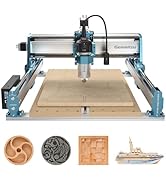
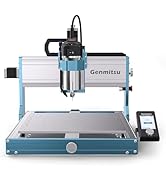
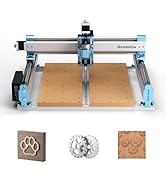
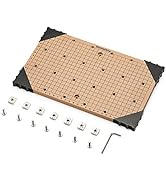
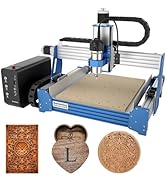
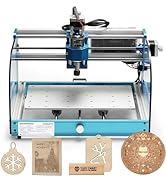
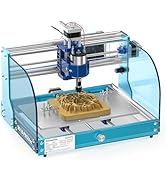
The Genmitsu CNC 3018-PRO is a robust 3-axis desktop router kit featuring a 300x180x45mm working area, UL-approved 24V power supply, and a 20,000 RPM spindle. Designed for hobbyists and professionals alike, it supports a wide range of materials including plastics, soft aluminum, wood, and PCBs. Its upgraded assembly design ensures high accuracy and stability, while open-source GRBL control offers extensive software compatibility. Expandable with optional kits, it’s the perfect gateway into CNC machining with reliable customer support.


| ASIN | B07P6K9BL3 |
| Amperage | 1.3 A |
| Base Type | Fixed |
| Best Sellers Rank | #151,281 in Tools & Home Improvement ( See Top 100 in Tools & Home Improvement ) #8 in Power Milling Machines |
| Brand | Genmitsu |
| Brand Name | Genmitsu |
| Customer Reviews | 4.0 out of 5 stars 1,693 Reviews |
| Global Trade Identification Number | 00816550021620 |
| Horsepower | 120 |
| Included Components | Wood Carving Milling Engraving Machine |
| Item Dimensions W x H | 7.09"W x 11.81"H |
| Item Type Name | CNC 3018-PRO Router Kit GRBL Control 3 Axis Plastic Acrylic PCB PVC Wood Carving Milling Engraving Machine, XYZ Working Area 300x180x45mm |
| Item Weight | 15.3 pounds |
| Manufacturer | SainSmart |
| Manufacturer Part Number | B07P6K9BL3 |
| Maximum Rotational Speed | 1000 rpm |
| Model Number | 3018-PRO |
| Power Source | Corded Electric |
| Product Dimensions | 7.09"W x 11.81"H |
| UPC | 816550021620 |
| Unit Count | 1 Count |
| Voltage | 24 volts |
C**D
Trust yourself and get this
I was just like you, reading reviews and contemplating if I should meander in to the world of CNC machines, a world that I know nothing about. If you're searching for these machines, you're already interested - so the only thing I can tell you is - get it. I have basic knowledge when it comes to electronics/hardware/software, if you're completely new to these things, the setup and usage may be slightly intimidating, but it IS easy enough that anyone can do it by following basic instructions. Like most mention - instruction manuals aren't the easiest to understand (for anything) but there are a ton of user videos all across the interwebs showing you how to set up/run the 3018. (seriously, if you need to learn anything, ever, about anything, ever, just YouTube or TikTok that ish) Out of box - I was a bit anxious. Any time you're opening a package that has hundreds of tiny parts it can seem like an uphill battle. If you dedicate a half hour or so of watching a set up video (all the way through), then setting it up while watching it again, it makes this set up a breeze. I had mine completed in about an hour, and after a minor issue was up and running. The V Bits that come with the machine are what I use most for cutting out designs. I also purchased some straight bits to use which, to me, are necessary if you're cutting out large pockets of material. As far as while this machine is running, people have mentioned noise quite often in reviews. I did not find the noise to be overwhelming. I have the 3018 set up in a room inside my house, and with the door shut, it doesn't disturb us at all. I use a Mac currently. I hate it, I was born and raised on a PC. So far I have found that Easel (it's a free application from inventables) is the easiest and most user friendly application to send G-Code, or your designs, to the machine. It's also incredibly user friendly for creating new designs for your 3018 if you're less than a novice and don't use any number of graphic suites (inkscape, illustrator, photoshop) along with Fusion 360 to create toolpaths for your designs. Windows users have a ton of more options to utilize your machine while connected to a computer, or you can upload your codes to the controller that comes with the machine to create your projects. I have used the 3018 quite often in the month I have had it. As always, there is trial and error involved. There is a learning curve when it comes to types materials to cut/carve at what speeds, and what types of bits to use. As you try a few projects here and there, you'll get much more comfortable about what to cut, and how to cut it. You can research and read about spindle speeds/materials/bits as much as you want, but you'll inevitably learn more from trial and error after having that basic knowledge from your prior research. So far I have mainly used MDF for my projects, though when attempting to use it on acrylic and copper, I can see the vast potential this machine has. CUSTOMER SERVICE for this product awesome. I had an minor issue during set up, and I was sent a replacement part incredibly quick. I was up and running the same week I received the machine. I have seen reviews complaining, but my experience reflects all of the glowing reviews about the help I received. This isn't a plug and play machine. You have to set it up. You have to learn it. At the price point, and with the capabilities this machine has - it is the PERFECT starter machine to get into the world of CNCs. All I can say is that you won't regret this if you try it. I'll upgrade the bed of the machine for larger projects, and eventually invest in the laser module to play with that as well. I would definitely recommend this machine and I would buy it again.
S**N
Insane value for the money.
The 3018 router is neither a production machine nor a toy. It is a solid hobbyist tool that is capable of producing excellent results. Assembly is straight forward with an excellent pictorial guide. Expect to put it together in an hour to a few hours depending on your experience. The unit is well designed and constructed. Tolerances are tight and there is no flex in the frame. The travel along the x and y axes measured precisely to spec out of the box. The kit comes with everything you need to get started including some bits and a disk with software. A word on software: Some reviews criticize the machine based on "software". The fact is that the firmware (the code that lives inside the controller board) is a recent version of GRBL, an open source program that is behind the vast majority of desktop routers. Every CAM program you are likely to use supports GRBL, so you will have access to a plethora of design tools to create your projects. Keep in mind that CNC is a 3 step process: 1) design the piece in CAD and export to DXF 2D format; 2) use CAM software to prepare G code by providing information on the bit, depth and order of cuts, and travel and rotation speed of the bit; 3) send the G code to the router with G code sender software. Don't be confused by the fact that some applications can combine 2 or even 3 of these steps. Like with 3D printing, it is very gratifying to start with an idea and develop it into a physical object. If you have the maker mentality this machine will provide great enjoyment and utility. UPDATE: My controller board stopped working--a very common occurrence for desktop routers due to the heat the motor drivers generate. I sent an email to Sainsmart describing the problem and within a few days they had a new board in the mail to me. After I received the board, their representative even followed up with me to make sure everything was working. This is the kind of customer service you love to have, and so rarely get. Even if you pay a few dollars more to buy from Sainsmart, it's well worth it. They will stand by their products.
I**D
Value vs Cost A Plus
I have purchased this to introduce my grandson to the world of automated machining. Given the price and general/overall high ratings of the product it looked as it would fulfill that need. Here is my first installment of rating the product. I have only opened the box and read the assembly instructions to date as I want this to be his "discovery". The product comes very well packed and ordered so first impressions are good. The assembly booklet is "picture book" oriented but because of the simplicity of the product assembly it is easily understood. There is only one measurement that seems to be called out and it is the placement of the gantry in relation to the rear mounts. There is only one caution and that is related to not over tightening the spindle motor collar. I think I read somewhere that these are 3D printed so one can over tighten and crack the mount. A driver software disc comes with the system to pair the unit to one's computer. I have not exercised that element as of yet. Once assembled we will exercise the unit with downloadable grbl code to test it out. We are in the process of choosing a design software package, preferably freeware. The candidates so far are Easel and Carbide Create. He has Solid works at school so at some point we will try and interface to that. In the back of my mind I am also looking at Corel Draw but I perceive at this point that we will have to have a converter from say DXF export to grbl. These seem to be readily available. I am not sure we will investigate the laser accessory for this unit due in part to its low power and its inability to cut through all but the thinnest stock. Ok it is a few weeks later and we have finally got this connected to a Windows 10 computer. Using the manual control functions of the grbl software handling system we are now able to control the Y, Z and X axis. That was encouraging as it did not come up the first few tries. We can't explain the failures the first few times other than to say the software is not "turn key" for the casual user ( I can say that with confidence because I was the manager of real time software development in my former life). I have never understood why the Chinese do not hire an English speaking translator to write the user manuals. Sainsmart is better than others but the grammar structure at times needs some cross outs and changes. At the moment we are going to add the necessary limit switches to protect the drive system as I didn't force the situation but I think I could have driven the Y travel into the frame using the manual control. It is now 8/17 and I have yet been unable to run any of the test code. Upon trying the Sainsmart logo all it does is turn on the spindle motor, jog a few mm shut the motor off, jog and repeat. I asked for help and the response asked me to send a video. I didn't think that was going to prove anything. I then tried the Wheel test code. It executed only the first step (downloaded the next step) and stopped aand left the spindle motor turning at what I assume is the correct speed. At that point I received an error code; “1: % <error:1” . The error windows gives a choice to ignore or abort. I never ignore error codes. And as one would have it there are no error code/clearance listings in the g code. All else works I can manually drive the X/Y/Z and spindle motor. I can also interrogate the controller for its parameters. All are as shown in the sample files. I have yet to hear from Sainsmart. A word to the wise. This is not a turn key system and maybe I can live with that if only I had sufficient support and support information. For the moment I am downgrading from 5 to a 4 rating. An update 8/25: I am amazed that few if any are having the problems I have been having. It can't be me or can it! Anyway I finally got the WHEEL test code to work by deleting the code "demarcation characters, the % symbol, at the beginning of the g code and at the end. The test code ran and it appears it followed the simulation path of the GUI. Yet I am still unable to run the Sainsmart logo. It seems to execute the code but there is no correlation between the GUI path and the actual tool path. It does not want to traverse the X axis??? Here is another data point I just noticed that the manual Y JOG function traverses opposite to what the screen UP/DOWN arrows. Any one else seeing this? I do not recall this action early on. I did not change the Y axis drive bit either, Cables are identical and connected correctly. Here it is 1/2/2020 and I am back at it. Sainsmart sent me a new board. So far it didn't work. I put the old board back in as I had wanted to try importing some DXF (laser files) through a very user friendly application called Easel. This application although simple is much more user friendly than Candle. In using it I was alerted to the fact that the Y Axis drive was reversed polarized. Through Easel I could change it and store the new value on the controlled board. Quite to my delight that has been the problem all along with the controller. It now runs the Sainsmart Logo as well as the others. I will leave the rating as a 4 for the time being although if I were to rate this system from a turn key perspective I would give it a '1'! Sainsmart has a long way to go in this area. This is an update as of 12/2020. The unit had to be put aside for more pressing work elsewhere until this period. Recall the struggle with the Y axis direction was reversed causing the unit to either operate incorrectly (reversed from the screen graphic)with such things as a circle or strangley with non symetic elements. After researching the EEPROM settings of the unit we were able to permanently reverse the sense of the Y axis motion permanently. This has cleared up all the previous issues related to this. I will leave the rating as a 4 since this points to poor quality control of the manufactured unit.
D**L
First CNC - Awesome Experience!
To set the stage, I have always been intrigued by CNC machines but have never touched or assembled one. I AM, however, very familiar with 3D printers and the overall mechanics seemed similar. For the price, the SainSmart CNC3018 Pro seemed worth trying out to gain exposure to the hobby. I have been absolutely blown away with the quality construction and ease of use! Assembly - assembly was easy; just take your time and watch one of the assembly videos available on YouTube. The included manual is straightforward, but watching the video helped me determine little things (like which way the frame pieces needed to be oriented to get the bearings in the correct places, etc.). The manual reminded me of an Ikea furniture assembly guide - lots of pictures! There were metal shavings from cutting the aluminum extrusions and some of the threads on the bolts were dirty, so I used canned area to remove all of the shavings and pre-screwed the bolts into the threads. From opening the box to powering on the machine took me about 1 1/2 hours. Build quality - this thing is sturdy! When I opened the box and saw the layers of parts, I was terrified that it would feel flimsy and be difficult to install. I took my time and it feels like a much more expensive piece of equipment. There are plenty of CNC3018 options out there, but SainSmart seems to have great quality control and really cares about customer experience. I think my only suggestion would be to include a couple extra pieces of assembly hardware (bolts, T-nuts, etc) just in case anything is damaged or missing, but I had everything I needed for a good assembly. Usage - as I mentioned, I have NEVER used a CNC before and within 10 minutes of having the machine assembled I started engraving the test files. You bring down the Z-axis (bit tip) level with your material, select the gcode file (the test files are all .nc extensions), and it gets started. Since there are no limit switches, it considers it's starting point "home", so it is easy to just move to a clean piece of wood to start another model. I haven't figured out making my own gcode files, but that certainly isn't anything to do with the machine, and as you can see in the pictures, it accurately carves the test files. Overall this thing is awesome. I already ordered the offline controller & laser and I hope to experiment with those soon. For now it is time to learn Easel so I can make my own files. Happy to help if anyone has questions about this CNC machine.
D**R
I struggled with the rating (see details). Conditionally recommended
The Genmitsu CNC 3018-PRO is one of the more polarizing products I've purchased in recent memory. In case you suffer from TLDR; syndrome, I will tell you this: the 3018-PRO is an incredible value... especially if you get it on sale. It's also a bit of DIY PITA. So, now you know the summary... time for the details. The Genmitsu CNC 3018-PRO arrives in a very compact box. That's made possible since the unit is COMPLETELY disassembled. This shouldn't be a huge surprise, considering the price point, but I'm telling you just in case. An important thing to know is that the mill's pieces appear to have come straight off of whatever machines were used to fabricate them. The aluminum extrusions are covered in metal shavings. All of the parts, including the bakelite pieces, have some machine oil on them. For best results, blow everything off with air (or brush it), and wipe down everything. If you are the DIY type (and I am), then a fully disassembled machine isn't really an issue... unless the assembly instructions aren't any good. On the plus side, the manual is pretty extensive (24 pages) considering the other types of vendors and devices in this market space. The english is clear, the diagrams are well drawn and easy to see, and the instructions of what to do with the software are clear. So what's wrong? Well, the diagrams don't explain what you're doing on any particular step. That's not necessarily a big deal, but I did miss using a spring as a brass fitting. It only took a few minutes to get it right, but it was still inconvenient. From unboxing to flipping the machine on took me about 40 minutes. TIP #1: It's not super obvious how some of the locking nuts are supposed to work, but they drop into the guide channel and spin onto locking position when almost fully screwed in. TIP #2: There are no instructions on how your working material is supposed to be secured to the table in the documentation provided. I did figure it out what to do with the hardware provided, but you should just look at the product page photos, and you'll see how the bolt + plate + screw arrangement works. Once everything was assembled and ready to go, I went to SainSmart's page to download the driver, firmware, and secondary software. No dice... I couldn't find it, so I had to copy it from the included mini-CD (but seriously... what about all of the people that don't have an optical drive?) on to a flash drive. Everything installed in a few minutes, and the mill was controlled properly from the GRBL software. The mill works, but it good to have realistic expectations. How well it works is heavily influenced by the spindle speed, the motor positioning rate, plunge depth, and the cutting tool quality. I used the mill with acrylic and wood, which are pretty much the softest materials you can use. Even with those I had to use really low step values to make sure that the side loads didn't cause too much bit deflection. I'd imagine better bits would help here. I think you'd want a more substantial machine if you want to mill some of the softer metals (aluminum, copper, and the like). As an introduction to CNCs, the 3018-PRO is a nice starting point. The polarizing thing for me is the price... I'd been looking at this item for a while, but never pulled the trigger at its normal price. A week or two ago the price dropped in a lightning deal by $50. If you can get that deal, I think it's a no-brainer. Value is a very subjective thing, though, so you may like it at the current price, too (YMMV). Conditionally recommended.
A**T
Don't do it
This will be a lengthy review .. 1. Assembly was easy. There is a very nice instructional booklet and plenty of videos on YouTube on how to do it. Took me about 40min to 1 hr. 2. The item came well packaged and gives a bit of a WOW moment when you open it. I mean you pay under $200 and everything is nicely placed inside and no parts missing :) 3. The frame is sturdy, everything pretty much self levels and squares as you put it together. Assemble slightly loose and tighten up all bolts fully at the end. Honestly, by the time I was done with assembly and played with the software, I was surprised that there were any negative reviews lol 4. The USB stick was a nice touch but you still need a service/program to convert data to gcode. There is a learning curve with getting this to work but YouTube is your best friend again. I am very tech-savvy and had no issues at all. Others might have a different experience but give yourself time and you will get it; it's easy, I promise :) 5. The problem/s- The connection created by the Coupling&Set screws!!! This is a nightmare! The issue is that they can't hold tight enough to handle the tension created by the spindle w/bits against the surface your are milling/carving. They simply come loose and the job goes to trash. 6. Also, once assembled, there is no good access to keep tightening both ends (motor and rod) on all 3 axes. For X and Y, you need to detach the motors and reattach again. For the Z axes, you need to work on the one end at an angle. When one of those coupling screws gives in, the machine can't follow the code and move in the failed direction so your project is ruined. One would say hit the Stop button, adjust/fix/tighten and continue.. hm, it doesn't work like that. By the time you hit Stop, you either get a scratch or a hole dug into the material by the bit, depending on which axes fails. 7. I only used mdf and plywood, both 1/4 inch thick. Out of maybe 20 jobs, I had only 3 successfully completed. Can't imagine if I had to do work on a walnut piece. 8. Each successful attempt came after I fully unscrewed, disassembled, reassembled and freshly tightened the coupling screws. And this to me, is totally unacceptable. At least give me 3 good cuts before I need to go through the nonsense lol 9. The machine is noisy when in operation but I didn't expect it to be quiet, its a power tool after all. it's pretty much on par with my Vacmaster. So, is this machine usable? - yes, if you are willing to tighten all coupling&ser screws and bolts between each use. This deserves 1 star only because if you are determined to make it work, you POSSIBLY can. When I was watching tips/tricks/troubleshooting on YouTube, I came across a guy who suggested that one should put a drop of superglue when tightening the screws. Perhaps that would work to a degree, it might've actually given me the 3 good cuts i want lol But let's face it, how long would the superglue metal to metal bond hold when the machine is in constant vibration during operation?!? Yep, 3 good cuts then back to point 8 above :) Save your money, time, frustration and materials, and buy something better. I can't afford the $2k price tag so decided to give Foxalien Masuter a shot next. I'm truly hoping my experience is better with it because I have so many ideas and want to open a hobby shop on etsy. I am forever grateful for Amazon and their return policy. I've disassembled the cnc and sending it back.
C**L
Great for small parts, very accurate, very well built, and reasonably priced
I have been looking for a desktop CNC router to make small parts for rc model aircraft and quadcopters. The materials which I use most often are 1/16" to 1/4" thick balsa, basswood, light-ply, aircraft grade plywood, spruce, cherry, maple, and occasionally, 3mm carbon fiber plate. I was skeptical that this machine could handle these materials, but after doing some reading on the internet, I decided to give it a try. What I like about it is this: (1) is is very well built, just use blue thread locker on the screws and grub screws holding the parts together because all machines like this are subject to vibration, not matter how well built or expensive they are. (2) Use the depth gauge on a vernier caliper to square the aluminum xy-table to the frame since this thing will, like all machines, be only as good as you put it together. Do this by measuring the distance between the xy-table and the frame on the diagonals from opposite corners of the xy-table. (3) The motor is relatively quite. Quieter than my Dremel 4000. (4) It includes an ER11 collet, and an off-line controller which is easy to use. (5) It has a variety of upgradable parts and spare parts are available. (6) It works particularly well with Easel and FreeCAD, and of course Candle. What I don't care for are the bakelite components, but they are more than strong enough for the machine and the makers had to economize somewhere. Some people complain that there is some flex in the rods supporting the motor carriage. I have not found this to be a noticable problem. In the bags of parts you will find an blue extra shaft coupling adapter. I finally realized that this is used to hold 1/8" bits to the motor's spindle if you don't use the ER11 collet. The ER11 collet is much easier to use.
M**.
Great machine on which to learn CNC, great service
Our makerspace runs a class where each person builds a Sainsmart 3018 Pro CNC router, and we have bought about a dozen so far. We've been very pleased with the quality of the parts, and we've added home switches and E-stop to provide an even better experience learning and using. Fairly rigid, seems well designed. The controller seems to have been upgraded to use JST-XP (2.5) connectors for limit switches and E-Stop. The Offline Controller is handy, but if you configure the controller to use home switches, you'll want to add a file to the Offline Controller SD card that just has "$H" (home) in it so you can home via the Offline Controller. Out of the many units we've bought, we did have one spindle that didn't work. We always have a spare kit on hand just in case, and the process of getting a replacement from Sainsmart was simple and fast, with emails updating the shipment progress. We also had a technical question about the controller and the response was also very quick and professional. So far we and our class attendees have been very pleased with the results. The CNC router shares many similarities in operation with our other CNC machines in the shop, and as the controller runs the open-source GRBL control software (which follows much of LinuxCNC's definitions), many CAM packages can target the machine quite nicely. We do like replacing the spiral cord wrap with a split-sleeve cable wrap (1/4") just for speed (we already spend about 2.5 hours, taking our time, doing the main assembly). For our classes we use a torque screwdriver so fasteners are tightened to a consistent torque, since a lot of folks may not have a good feel for just how tight things should be, but this isn't necessary. 3030-size t-nuts and M5 threaded rod are readily available to make different style clamps for the table if desired; the standard 2020-size frame allows ready use of hammerhead t-nuts for mounting switches, E-Stop, etc. Overall, impressive value and support.
A**R
Good Performance, Easy Enough to Use and Great Price
I've been on the fence about getting a CNC machine for some time now and I finally decided to give it a go. PROS: -For the price, this machine's power, precision and ease of use is quite impressive. -The parts are high quality and the spindle and stepper motors all perform well. -Putting the machine together took a little time but instructional videos provided on the included USB Stick are very helpful. -Getting started and connecting the machine to the computer was quite easy and requires only the installation of a driver and software provided on the included USB Stick. -The machine runs smoothly and cuts are made with precision (satisfactory to a beginner or intermediate CNC hobbyist). -Awesome price for a beginner who doesn't want to risk damaging a very expensive machine. CONS: -The cutters/end mills included are of one type and size only and are designed solely for engraving things like letters. I decided to purchase some additional bits from Sainsmart (a whole set of HSS bits and V-Bits for around 40$) and I'm now able to do some pretty awesome cuts. -The software recommended by Sainsmart is "Candle" but I found it quite cumbersome to use. Thankfully, there are several alternate programs available online. I recommend "Easel" - I was up and running, designing my own cuts and carving within minutes. -The Clamps included with machine are a pain to use and are awkward to set up. I decided to buy a 2-pack of clamps from Sainsmart and now I have no issues at all. Having had the machine only for a couple of days, I'm already up and running and have carved multiple designs, most of which turned out quite well. I'm happy with my purchase and I'm motivated to continue with my new hobby! UPDATE: I've now been doing CNC as a hobby for a couple of years and I love it. I am happy I started with the 3018PRO so that I could decide whether the hobby was for me without spending a lot of money. Since my original purchase, I bought the extension kit for the 3018 Pro. From there, I moved up to the 4040Pro and added a Makita Router with 1/4 Shank bits. Now I can carve a wide range of gifts, crafts, signs, dishes, etc. Starting with the 3018Pro was a great idea.
B**N
Genmitsu
Funciona a la perfección lo recomiendo trabaja muy bien la madera
G**S
Supera las expectativas
Excelente precio Muy buenos resultados
M**R
Good machine for learning
Machine works very well. Too be honest I was/am surprised at how much detail you can get out of this little guy. Assembly took a fair amount of time but was not difficult at all. Instructions are similar to LEGO. They give a small area to gather all the parts for that step then a blown out photo showing where to attach the parts. Take your time to distinguish the parts and screws. (I recommend a tape measure to verify the right lengths) I estimate it took between 1.5 - 2 hours for full assembly. I had some minor issues getting started so I contacted Sainsmart for assistance. Although there is a time difference they were quite helpful in getting me sorted out. They helped me solve my problem and then a few days later, reached out, again, to ensure all was well. Good customer service, they really do seem to care. Getting started can be a daunting task, finding usable patterns, or software to create your own can be EXPENSIVE. Keep in mind this is not a cheap or easy hobby to get into, however the projects you can create are endless and amazing quality. Time and patience are key, if you don't have BOTH avoid this hobby but if you do then you will not be disappointed.
O**R
Buen router para principiantes.
Buena calidad del producto, podrian esforzarse un poquito mas en la calidad del material del módulo del eje Z; obtienes lo que pagas. La calidad del ensamble es regular. Mi equipo venia con un error de 1.3mm entre el Spindle y la base de aluminio (lo cual lo podias ver a la hora de hacer algun corte ya que de un lado casi no penetraba y del otro entraba demasiado). Tuve que calibrar la mesa y lo mejor que logre fueron 0.14mm de error; básicamante el error de planitud del perfil de aluminio. El software es basico pero funcional. Es una gran ventaja que incluya el módulo para correr los programas offline sin necesidad de conectarlo a la PC.
Trustpilot
4 days ago
1 month ago