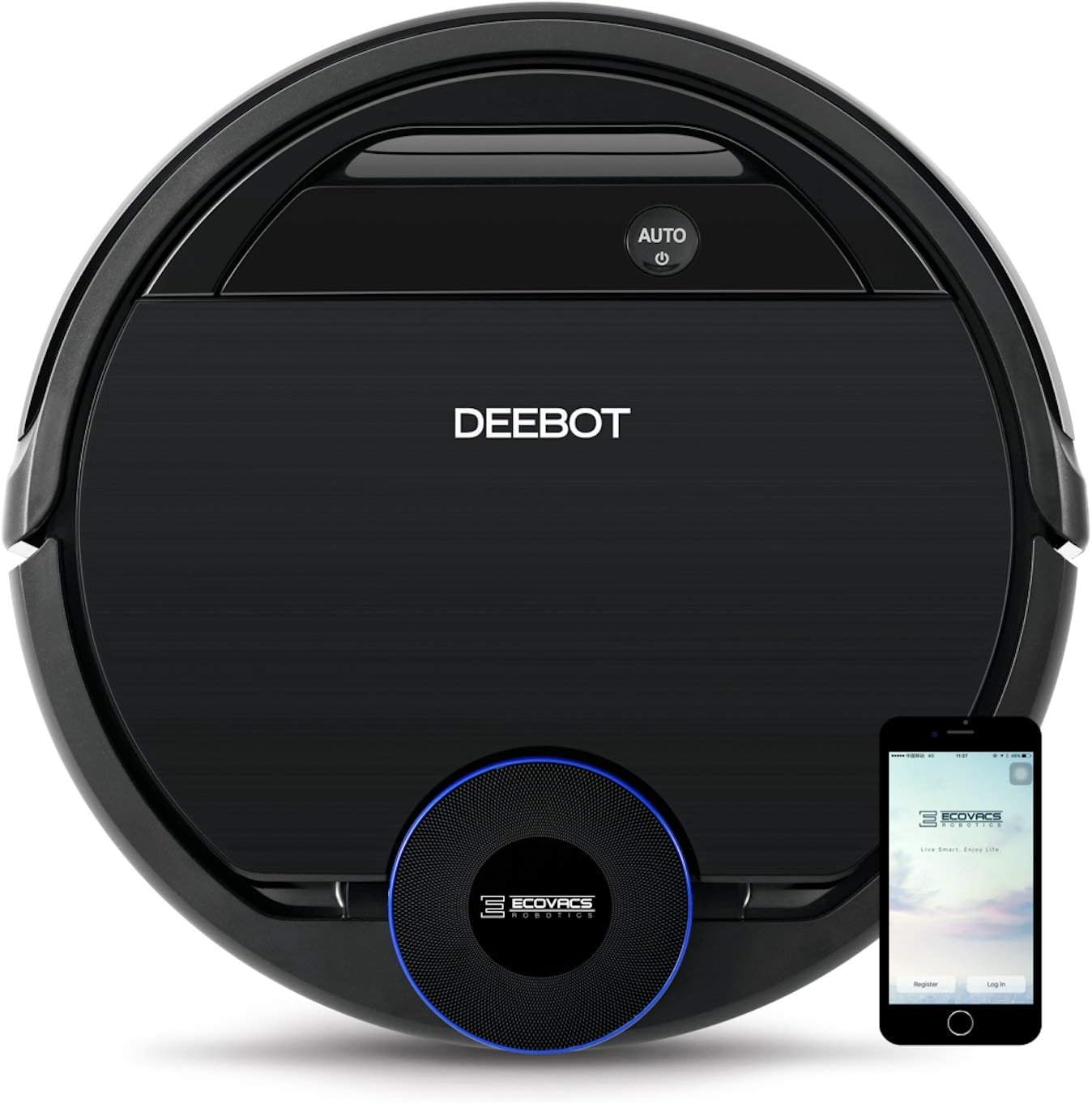


ECOVACS DEEBOT 930, Smart Robotic Vacuum, Carpet, Bare, Pet Hair plus Intelligent Mapping, OZMO Mopping, Adaptive Floor Sensing Technology, with Alexa Navi, Black (Renewed)
Product ID: 121017236
Buy anything from 5,000+ international stores. One checkout price. No surprise fees. Join 2M+ shoppers on Desertcart.
Desertcart purchases this item on your behalf and handles shipping, customs, and support to KUWAIT.
ECOVACS DEEBOT OZMO 930, Smart Robotic Vacuum, Carpet, Bare Floors, Pet Hair + Intelligent Mapping, OZMO Mopping Technology, Adaptive Floor Sensing Technology, with Alexa (Renewed) Review: Great Robot Vacuum with all the stops! - This is for the Ecovas Deebot 930 Smart Robotic Vauum. I have had this for about 9 months and so far it does exactly what I wanted it to do. The set up wasn't bad at all. I had a bit of trouble getting wifi to connect to it, but when I changed it to a different frequency, then it connected quick and easy. The app helped me through certain things and the set up. I would suggest taking some time just looking through the app and seeing what exactly you can do with it. Doesn't hurt to play around with it. I got this vacuum after looking at all the other robot vacuums and what they offered for my price point. All I have is hardwood floors so I knew that this wouldn't have any problem at all with sucking up any crumb or hair (I have 2 cats) at all. The suction power works great with the roller to help get almost all of the crumbs/dust/hair on the ground(about 90%). The thickness of this machine is pretty thick. It can go under some chairs but not my couch. I didn't expect it to but you may want to make sure your furniture is tall enough for this to go under if that is on your check list. Each run of the upstairs takes about 35-45 minutes for me, and it usually still has about 60% left of battery life. Which shows that there claims of 110 minutes per charge stands up. From the features, my favorite one is the auto mapping feature. It makes a floor plan map when it runs through its first or second cycle. This is all from the phone app that it tells you to download in the beginning set up portion. The mapping is pretty accurate. It is even better that you can mark places in pink boxes so that the robot wont vacuum it. I use this especially for door ways or any air grates. You can also watch where your vacuum travels and what it has cleaned or not on the app. Cleaned areas will be in white, while the areas that it has not gotten to will be in grey. It is easy to take the dust compartment out and clean it. It comes with a little brush/cutting tool and I use that to clean the roller/main brush underneath which gets caught up with cat hair(but does not stop the roller from working). It helps take care of it and lets the roller/main brush clean for longer use. For the mopping section of the vacuum I have not used it, nor have I used this on carpet. It has gone on some rugs before but those were low profile and not super long hair/fluffy. The auto run mode is what I use the majority of the time. Press it and away it goes. When it gets done it goes to the charging dock. That's about it. If you put the charging dock out of the way or under something, it may be hard to get it out or lift up to do it daily clean/maintenance. You can buy a whole kit with all the brushes and filters for 50$ which should last you a year or two. Depending on how often you use it and clean it. On the app there is a section where it shows what % you are at on your brushes/filters so you can make an educated guess on when they will need to be replaced. Over all this was one of my best purchases in a while. I am glad I went with this option. For the money you are getting wifi, mapping, mopping, vacuuming, and a phone app that tracks your vacuum, its a no brainer. Review: It's a mixed bag when buying refurbished. - I've been on the look out for a robot vacuum for a long time. Finally after much research settled on this model and with the price I couldn't pass it up. It finally came in yesterday and set up was pretty straight forward. Everything is clearly marked and there is little to do as far as putting it together. Attach the side brushes which are color coded and you're pretty much done. I plugged in the charging base and set the 930 onto it. While it was charging I installed the app on my phone (Android) and proceeded to set that up. This was also fairly straightforward. I selected the appropriate device I wanted to set up and it walked me through step by step on what to do and how to do it. I had to make a couple attempts to connect it to my WiFi but after the 4th attempt it finally connected and immediately downloaded an update. I was able to rename by Deebot with no problem at all and then left it alone to charge in peace. Now once it was charged it was ready for the maiden voyage and I'm not gonna lie both me and my 8 year old son were excited to see what this thing would do. I opened the app and set it to work. It responded almost immediately and set to work. Here's where things started going sideways. I noticed as it left it's dock that it appeared to be tilted slightly to one side but I wasn't sure. I watched on the app as it started mapping my house in real time. But it kept bumping into things over and over again and getting stuck. It was obviously mapping my house but it's almost like it couldn't read it's own map. Sometimes it would be in the middle of a room and say there was a problem with the wheels. I would check the wheels and then send it back on it's way. It eventually found it's way under my couch but ended up getting stuck in the corner once again saying there was a problem with the wheels. I had to fish it out and while I was at it emptied the dustbin. I will say it had picked up a ton of stuff. The filter I noticed had been shoved in backwards and so when I fixed that and put it in the correct way it no longer stays in due to the section the filter sit into the dustbin is slightly bowed out (I will look into getting that part replaced). I also did a closer inspection of the wheels and noticed that while one wheel will almost fully depress into the robot the other had much more resistance and would not. Almost like something was blocking it. I got a flash light and saw there was something wedged into the wheel well that almost looked like a sponge. I grabbed a pair of needle nose pliers and proceeded to pull out a very small black sock. This had been stuck in there the whole time. Now I will say at this time the Deebot had only been in my dining room and family room and not in any of the bedrooms where all the laundry is. The sock was also wedged in there pretty tightly and had probably been in there from the beginning and more than likely was the original cause for this particularly item being refurbished although I honestly can't say for sure as to what the original problem was. I proceeded to set the Deebot back on it's home base and cleared the map. I then restarted it and it began mapping the house again from scratch. This time however it rarely bumped into anything more than once and was able to easily navigate the room. It also seemed to be working much faster through the room. It got through about 3/4 of my house before the battery ran low and it returned to it's home base which it did with no problem. By this time it was almost midnight and I was tired. Knowing that it would take a while to charge I decided to head to bed. When I woke up this morning I opened the app to see how the charging went. Imagine my surprise to see that it had apparently not only fully charged but had gone back to where it left off last night and finished mapping and cleaning my house. It even went back under my couch that it had gotten stuck under last night and thoroughly cleaned under there with no problem. Now as far as the app goes it is pretty easy to navigate. The map makes sense and it even sectioned off my house into area's. That being said it only sectioned my house into two areas. Not sure if I can section it off further using the app or if I'm just stuck with the way it is. I absolutely loved watching the real time mapping and the little Deebot moving across the map showing where it had cleaned and where it still needed to go. There are also plenty of settings as far as scheduling, amount of water for mopping, continuous cleaning, do not disturb, a cleaning log, accessories usage, and more. I haven't had the chance yet to try out the mopping feature but I'm very interested to see how that works. Overall I would say this is an excellent purchase and once I figured out what was wrong with the wheels it operated better than I expected. You always run the risk of buying a lemon when you buy something refurbished and that easily could have been the case here. But I was able to find the problem and thankfully it was an easy fix. As far as getting the dustbin replaced due to the filter being jammed into it the wrong way. Well we'll see what happens there. But honestly it still fits into it. There just isn't any tension to it so It just falls right back out when you are putting it back into the robot unless you hold it into place when putting it back or removing it from the device. So more of an annoyance than anything else.
| ASIN | B07PJ111TZ |
| Batteries are Included | Yes |
| Battery Life | 110 minutes |
| Battery Type | Lithium Ion |
| Best Sellers Rank | #12,515 in Amazon Renewed ( See Top 100 in Amazon Renewed ) #683 in Renewed Home & Kitchen #1,054 in Robotic Vacuums |
| Brand | ECOVACS |
| Brand Name | ECOVACS |
| Color | Black |
| Compatible Devices | Amazon Echo |
| Control Method | Voice |
| Controller Type | amazon_alexa, google_assistant, vera |
| Customer Reviews | 3.6 out of 5 stars 298 Reviews |
| Filter Type | Disk |
| Form Factor | Robotic |
| Global Trade Identification Number | 00647213876925 |
| Included Components | robot^charging dock^main brush (2)^side brushes (4)^ air filter (2)^ |
| Indoor Outdoor Usage | Indoor |
| Item Type Name | ECOVACS DEEBOT OZMO 930, Smart Robotic Vacuum, Carpet, Bare Floors, Pet Hair + Intelligent Mapping, OZMO Mopping Technology, Adaptive Floor Sensing Technology, with Alexa (Renewed) |
| Item Weight | 3.2 Pounds |
| Lithium Battery Voltage | 14.8 Volts |
| Manufacturer | Ecovacs Robotics |
| Manufacturer Warranty Description | 90 days limited warranty. |
| Model Name | ECOVACS DEEBOT |
| Model Number | OZMO 930 |
| Number of Items | 1 |
| Other Special Features of the Product | Smart Mapping |
| Portable | No |
| Power Source | Battery Powered |
| Recommended Uses For Product | Cleaning floors and carpets, Mopping floors, Voice-controlled cleaning |
| Special Feature | Smart Mapping |
| Surface Recommendation | Carpet,Floor |
| UPC | 647213876925 |
| Unit Count | 1.0 Count |
R**N
Great Robot Vacuum with all the stops!
This is for the Ecovas Deebot 930 Smart Robotic Vauum. I have had this for about 9 months and so far it does exactly what I wanted it to do. The set up wasn't bad at all. I had a bit of trouble getting wifi to connect to it, but when I changed it to a different frequency, then it connected quick and easy. The app helped me through certain things and the set up. I would suggest taking some time just looking through the app and seeing what exactly you can do with it. Doesn't hurt to play around with it. I got this vacuum after looking at all the other robot vacuums and what they offered for my price point. All I have is hardwood floors so I knew that this wouldn't have any problem at all with sucking up any crumb or hair (I have 2 cats) at all. The suction power works great with the roller to help get almost all of the crumbs/dust/hair on the ground(about 90%). The thickness of this machine is pretty thick. It can go under some chairs but not my couch. I didn't expect it to but you may want to make sure your furniture is tall enough for this to go under if that is on your check list. Each run of the upstairs takes about 35-45 minutes for me, and it usually still has about 60% left of battery life. Which shows that there claims of 110 minutes per charge stands up. From the features, my favorite one is the auto mapping feature. It makes a floor plan map when it runs through its first or second cycle. This is all from the phone app that it tells you to download in the beginning set up portion. The mapping is pretty accurate. It is even better that you can mark places in pink boxes so that the robot wont vacuum it. I use this especially for door ways or any air grates. You can also watch where your vacuum travels and what it has cleaned or not on the app. Cleaned areas will be in white, while the areas that it has not gotten to will be in grey. It is easy to take the dust compartment out and clean it. It comes with a little brush/cutting tool and I use that to clean the roller/main brush underneath which gets caught up with cat hair(but does not stop the roller from working). It helps take care of it and lets the roller/main brush clean for longer use. For the mopping section of the vacuum I have not used it, nor have I used this on carpet. It has gone on some rugs before but those were low profile and not super long hair/fluffy. The auto run mode is what I use the majority of the time. Press it and away it goes. When it gets done it goes to the charging dock. That's about it. If you put the charging dock out of the way or under something, it may be hard to get it out or lift up to do it daily clean/maintenance. You can buy a whole kit with all the brushes and filters for 50$ which should last you a year or two. Depending on how often you use it and clean it. On the app there is a section where it shows what % you are at on your brushes/filters so you can make an educated guess on when they will need to be replaced. Over all this was one of my best purchases in a while. I am glad I went with this option. For the money you are getting wifi, mapping, mopping, vacuuming, and a phone app that tracks your vacuum, its a no brainer.
C**S
It's a mixed bag when buying refurbished.
I've been on the look out for a robot vacuum for a long time. Finally after much research settled on this model and with the price I couldn't pass it up. It finally came in yesterday and set up was pretty straight forward. Everything is clearly marked and there is little to do as far as putting it together. Attach the side brushes which are color coded and you're pretty much done. I plugged in the charging base and set the 930 onto it. While it was charging I installed the app on my phone (Android) and proceeded to set that up. This was also fairly straightforward. I selected the appropriate device I wanted to set up and it walked me through step by step on what to do and how to do it. I had to make a couple attempts to connect it to my WiFi but after the 4th attempt it finally connected and immediately downloaded an update. I was able to rename by Deebot with no problem at all and then left it alone to charge in peace. Now once it was charged it was ready for the maiden voyage and I'm not gonna lie both me and my 8 year old son were excited to see what this thing would do. I opened the app and set it to work. It responded almost immediately and set to work. Here's where things started going sideways. I noticed as it left it's dock that it appeared to be tilted slightly to one side but I wasn't sure. I watched on the app as it started mapping my house in real time. But it kept bumping into things over and over again and getting stuck. It was obviously mapping my house but it's almost like it couldn't read it's own map. Sometimes it would be in the middle of a room and say there was a problem with the wheels. I would check the wheels and then send it back on it's way. It eventually found it's way under my couch but ended up getting stuck in the corner once again saying there was a problem with the wheels. I had to fish it out and while I was at it emptied the dustbin. I will say it had picked up a ton of stuff. The filter I noticed had been shoved in backwards and so when I fixed that and put it in the correct way it no longer stays in due to the section the filter sit into the dustbin is slightly bowed out (I will look into getting that part replaced). I also did a closer inspection of the wheels and noticed that while one wheel will almost fully depress into the robot the other had much more resistance and would not. Almost like something was blocking it. I got a flash light and saw there was something wedged into the wheel well that almost looked like a sponge. I grabbed a pair of needle nose pliers and proceeded to pull out a very small black sock. This had been stuck in there the whole time. Now I will say at this time the Deebot had only been in my dining room and family room and not in any of the bedrooms where all the laundry is. The sock was also wedged in there pretty tightly and had probably been in there from the beginning and more than likely was the original cause for this particularly item being refurbished although I honestly can't say for sure as to what the original problem was. I proceeded to set the Deebot back on it's home base and cleared the map. I then restarted it and it began mapping the house again from scratch. This time however it rarely bumped into anything more than once and was able to easily navigate the room. It also seemed to be working much faster through the room. It got through about 3/4 of my house before the battery ran low and it returned to it's home base which it did with no problem. By this time it was almost midnight and I was tired. Knowing that it would take a while to charge I decided to head to bed. When I woke up this morning I opened the app to see how the charging went. Imagine my surprise to see that it had apparently not only fully charged but had gone back to where it left off last night and finished mapping and cleaning my house. It even went back under my couch that it had gotten stuck under last night and thoroughly cleaned under there with no problem. Now as far as the app goes it is pretty easy to navigate. The map makes sense and it even sectioned off my house into area's. That being said it only sectioned my house into two areas. Not sure if I can section it off further using the app or if I'm just stuck with the way it is. I absolutely loved watching the real time mapping and the little Deebot moving across the map showing where it had cleaned and where it still needed to go. There are also plenty of settings as far as scheduling, amount of water for mopping, continuous cleaning, do not disturb, a cleaning log, accessories usage, and more. I haven't had the chance yet to try out the mopping feature but I'm very interested to see how that works. Overall I would say this is an excellent purchase and once I figured out what was wrong with the wheels it operated better than I expected. You always run the risk of buying a lemon when you buy something refurbished and that easily could have been the case here. But I was able to find the problem and thankfully it was an easy fix. As far as getting the dustbin replaced due to the filter being jammed into it the wrong way. Well we'll see what happens there. But honestly it still fits into it. There just isn't any tension to it so It just falls right back out when you are putting it back into the robot unless you hold it into place when putting it back or removing it from the device. So more of an annoyance than anything else.
R**B
Disappointingly this is one two skip
Okay where to begin this is not a off-the-cuff open the box oh my gosh this thing is awesome this is a year in with the product so let me start first and foremost great idea a vacuum and a mop in one unit you can relate this to a spork it's not a fork or a spoon and doesn't really do either job that well Run time good mapping system is a total nightmare if you happen to pick it up or move it it has to go through a relocating process sometimes it works sometimes it doesn't so you lose the entire map of your house all the barriers that you put up so you have to pick it back up put it back on the charging base and then it will reload the map then you can try again this is been consistent with the to I have had let me get to that The first one after about 2 to 3 months it's carpet detection started failing it would see carpet on hardwood floors so it wouldn't mop that area I included a picture above of my living room the only carpet in it is the circled areas in red you can see that it's detecting carpet in places there's not it's so bad sometimes I can't even get back to the charging station with a mop on because it thinks there's carpet in the way Let's talk about customer service for me personally total run around what the end result of me sending it in after doing a bunch of the do a reset do this do that remove the battery reinstall finally they send me a replacement that one works for a few more months started the same thing also stopped pumping water the solution of the water pumping with simple a small rubber gasket for which I called and tried to purchase not get for free purchase with my own money and they told me they couldn't sell me that part because it was a liability okay so you just had me take out a battery of the last one and reinstall it but I can't pull off a piece of rubber and put a new one on okay so off it goes again received it back rather quickly Within week and a half both times it's been sent for repair. p Presently I've got to the point I could care less I am over dealing with this thing I think the strong a camel's back was they had a recent app update trying to make it look fancier and totally screwed it up can't communicate half the time thank God there is an older version of the DEEBOT from 2017 that works perfect not so fancy but does the job prior to deebot I owned I robots from when they first came out they were never a problem and I recently checked and you literally can buy parts for them this thing not so much if you're trying to repair something on it especially after warranty or looking at sending it in and I have no idea what the cost is I'm going to buy an iRobot i7 which I should have done the beginning I have already bought and I Robot mop which believe it or not just works so to conclude I would seriously suggest coming up with an extra couple hundred and buying a better quality unit
R**A
GREAT ROBOVAC but simply terrible Customer Support!
So far, so good! I had the Ozmo up and vacuuming yesterday without a problem. Today, I was able to set-up the Ozmo on my WIFI network so that I could program it from my cellphone. CUSTOMER SUPPORT: I did have to reach out to Ecovacs Technical Support as I was having problems registering the software. They were USELESS in trying to resolve even basic interface issues. My simple questions and issues should have been easy for them to understand without sending screenshots of the registration page on my cellphone. Dealing with Ecovacs Technical Support was an ordeal that did not resolve the problem, and I don't want to ever have to deal with them again! Apple was able to help share my screen and help me solve the issue in a very short time. Once I had completed the registration, I was easily able to set-up WIFI to work between Ozmo and my cellphone. The software installation was easy and the map of my living space was already completed and Ozmo's schedule and it's initial programing complete. PROS: I am VERY pleased with this little robovac's vacuum cleaning abilities. It easily navigates between hard surfaces and a thick Persian area rug, both surfaces were well cleaned. It cannot get into corners, but no robovac can, and I did not expect it to. Ozmo is daily maintenance tool. I will still have to do a deeper weekly of bi-monthly cleaning with a regular vacuum. But, that's far less often and only in the corners and under things where the robovac can't travel. I have not tried the floor wash pad yet, however, I expect that it will be as thorough and adequate as the vacuuming Ozmo does. There are 4 water settings: Light, Medium, Heavy and Max, and I am sure one of them will be right for my floor's spot maintenance. CONS: The dirt collection chamber is not very big. However, it is easy to empty and if Ozmo is used regularly, it should be large enough to hold the dirt it picks up off the floor for at least 2-3 cleanings. It did snag a fairly heavy electric cord under my adjustable bed and pulled the cord from the base. I will either have to section that area as off limits to Ozmo, or simply rearrange my cable so that it does not catch in the bush again. Still, that's a big enough cable for Ozmo to have backed away from once it began to snag in its brushes. CONCLUSION: A very good product that I would not hesitate to recommend, or buy again! : )
⭐**E
Was Hoping for More
Despite some inconsistencies, the Ecovacs Deebot Ozmo 930 is the pace car for all other robotic vacuums. First, the setup was very easy. Eventhough the quick start directions are vague, they aren't really needed to get you up and running. All you really need to do is snap on a couple pieces that are easy to determine where they go, place the vacuum on its charger base, turn it on, and download the app. The instructions give you specific dimensions that it says you need to have clear around the dock, but it appears they are exaggerated a bit as the Vacuum is very good at finding its home. For the first use, pick up debris in the area of the house the vacuum will be navigating and make sure that there is a clear path everywhere the vacuum needs to go. Also open any doors to any room so that the vacuum can map the house, which will be very helpful for future use. After the first use, you will see a very detailed map of your house in the app, which even divides the map into sections by room, which you can custom name (i.e. Kitchen, Master Bedroom, etc). This is especially handy because you can then select a room you want Deebot ti clean in the app and it will head straight there. The live view in the app of where the vacuum has cleaned and is currently located Is pretty neat too. The cleaning ability, as a vacuum, is VERY impressive. Even in rooms recently vacuumed by my name brand full size vacuum the Deebot is able to pull out filth from what I thought was a clean room. The mopping function works ok, but I think could use some improvement. Not much water is used by the vacuum, which would be nice, if it was enough. I also wish that they would have implemented oscillating scrubbers into this vacuum for a more thorough mopping, but overall it does a good job. The downsides to this vacuum is that it is a little temperamental. On occassion it will have issues with an area rug (not shaggy) and give a fault code for needing its drop sensors cleaned. They don't need cleaned, the vacuum just got stuck on the transition from wood to rug. But when you lift the vacuum to correct the error, the whole map is lost and you need to do it all over. If the vacuum wouldn't get amnesia every time it was lifted off the ground, I would give this vacuum 5 stars and immediately buy another for family members to use and enjoy all of the cool features. Hopefully this is correctable in a firmware update, and if so, I will sing Ecovacs praises to anyone within earshot.
O**S
Save yourself the headache,get the roborock S5
I don’t usually write reviews but i just had to. This robot is DUMB. An absolute idiot. i have 3 robot vacuums, an Xiaomi S5, a dumb Anker one and this. And this is by far the least intelligent one. It often loses its bearings, does random things like stop in its track and go in circles. You can’t change the suction force (and it’s weak to begin with). I think the only reason this has any decent ratings is because this is the first robot for many. The mapping algorithm is nice, somewhat accurate but the navigation algorithm is straight trash. I tasked it to clean my 9sqm room, and that was too much to ask. It’ll often get stuck in carpets and can’t find it’s way home. i’m on firmware 1.9.9 (the latest as of today) and you would think with that many firmware iterations this thing would be smarter. well it’s not. The first picture, 10mins after ‘cleaning’ it got stuck. So i restarted the cycle, and it got stuck at that same place again! it’s literally a couch. the attached video shows how it just goes in circles losing it’s programming sometimes.
L**H
Dont give up if you have problem connecting to Wifi
A pain trying to connect to wifi but it will be worth it. I have used many robots and bought quite a few for friends and family. This one can both mob and vacuum, and can sense and avoid carpet . So you can use it to mob hard floor and use the vacuum only function to clean the whole house with carpet. I am Asian so no shoes in house so I prefer hard floor over carpet (with carpet i feel all the stains got stuck and mold accumulated underneath the carpet, not good for my asthma) With hardwood floor i need mobbing frequently so my feet wont get black. Thus these automatic scheduled mob+vacuum robots are perfect. I used two robots before, one pushed our carpets and bath mats against the wall all the times, another one did not have virtual wall function so it every time it runs we have to rush out to close the balcony doors or it will get tangled on the plants of the balcony. This models meet our need. With the virtual wall we can set it to avoid certain problematic areas such as balcony or underneath the desk where we often neglect and let wire and charger's hanging loose. I had to spend over almost 200USD more to get the models with virtual wall but it was worth it. Now we got two for our two places, both from Ecovacs. They work so hard, moving around and can respond to command, and are quite smart that we treat them like pets, i named one Muffin and one Pancake. They can clean under bed and couch so you dont have dust accumulating. This model is also more quiet that previous Ecovacs models. I used Xiaomi brand before, in America it is Roborock, but Roborock does not have a big water tank so mopping is not as good. Ok back to the wifi problems, These ecovacs robots dont accept 5G wifi network, only 2.4G. And most wifi networks recently installed now are default 5G. You need to go into router setting to set it 2.4G only or both 5G and 2.4G. Search your wifi router manual on the internet, just type router name and type + manual. Then go to a webpage address in the manual to access router settings, the password to your router is often on the router itself. Once logged in you can reset your router to 2.4 G. The manual said to install Ecovacs app, you can also install the Ecovacs home, a better version. Ecovacs app would not tell you it is a 5g wifi problem, instead it keeps trying to connect for a long time.
M**N
My floors have never been cleaner
I got my house built brand new in 2008. Since then my floors have never been cleaner even with a previous robot vacuum albeit a cheaper one. My 11 year old niece even thought I put in new carpet. The setup was easy and seamless. It connected to the app and my wifi as instructed with no problems and was off to clean moments later. I followed it around my house the first time as I wondered if it was even doing anything besides making my house look nicer with perfect vacuum lines. It is so quiet and only hits every area one time unless specifically instructed in the app to go somewhere twice. When I pulled out the dust bin I was surprised to see how much stuff it picked up. It still picks up plenty of stuff everytime and leaves a beautiful floor when it is done it's scheduled 9 o'clock cleaning. My only job is to empty the bin or go get the robot if it gets stuck on a band or wire. It always goes pack to the charging dock. The app is not the best but it works. It drew a great picture of my house which it always trys to update during a cleaning that I can use to clean certain areas if I need to. It also tells me the life of the filter, the roller and the side brushes. I ordered a replacement kit with plenty of replacements for about 20 dollars on Amazon. The vacuum also comes with a replacement filter and side brushes. The mopping function is not as good as my Swiffer as others mentioned it was and made me contemplate buying a robot mop. It's better than nothing but I have gotten to the point of not using it at all. For me too much effort goes in to setting it up for almost a non existent job. One of the reasons why I bought this model was for the mopping. Now I wish that it didn't have the feature so that I could give it 5 stars. I would have easily paid the same money for this vacuum without it. It is worth the price. Since having this I decided to buy a deebot 901 for upstairs and one for my moms house. I no longer have to take my 930 upstairs when it's needs to be cleaned. They're both on schedules. My mother couldn't get over how clean my house was and now knows my secret. I bought the 900 for my grandmother. They love their vacuums. So far the 901 does an amazing job as well, even though the quality of the machine is not the same as the 930. It may be a great alternative, especially if you are thinking about getting this for the mopping function. Without out the mop this gets a 5 along with the other deebot vacuums I have purchased. I enjoy having my 930 downstairs and 901 upstairs. They are a great combo and could be the best investments I've made for my house. My recommendation is buy one of these vacuums.
M**R
Très Silencieux!
Très très très silencieux , après plusieurs robots aspirateur Roomba, neato etc celui -ci est le meilleur que j’ai eu !
R**O
No compren este artículo
La batería no funciona, no dura mas de un minuto funcionando y se agota la batería y se regresa a cargar
Trustpilot
2 weeks ago
2 weeks ago