Desert Online General Trading LLC
Dubai, United Arab Emirates
Desert Online General Trading LLC
Dubai, United Arab Emirates


🚀 Elevate your content game with speed and resilience!
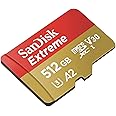
The SanDisk Extreme 512GB microSDXC card delivers ultra-fast 160MB/s read and 90MB/s write speeds, perfect for 4K UHD video and high-res photography. Engineered for durability with drop, water, temperature, and x-ray proof features, it ensures reliable performance in any environment. Its A2 rating boosts app performance on compatible devices, making it an essential upgrade for professionals and creators who demand speed, capacity, and toughness.


| Color | Red |
| Special Feature | Drop Proof, Temperature Proof, Water Proof, X Ray Proof |
| Read Speed | 160 Megabytes Per Second |
| Item Weight | 4.54 Grams |
| Write Speed | 90 MB |
| Hardware Interface | microSDXC |
| Secure Digital Association Speed Class | Class 10 |
| Product Dimensions | 0.59"L x 0.43"W |
| Manufacturer | Western Digital Technologies, Inc. |
| UPC | 619659173760 |
| Global Trade Identification Number | 00619659173760 |
| Item model number | 6.19659E+11 |
| Item Weight | 0.16 ounces |
| Item Dimensions LxWxH | 0.04 x 0.59 x 0.43 inches |
| Language | English, English, English, English |
| ASIN | B07P7M6K35 |
| Is Discontinued By Manufacturer | No |
| Date First Available | April 15, 2019 |
J**I
One of the Best of Its Kind!
This is one of the fastest traditional MicroSD cards on the market if not THE fastest and performs great at a lot of tasks. I use this in my Asus ROG Ally X(the updated one that doesn't cook MicroSDs) and it is more than enough for emulation up to PS3 as well as older PC games. This is a great way to expand my Ally X's storage without needing an even more expensive SSD than I've already put in it. That it's removable makes it infinitely useful for transferring material from my main PC.I cannot speak for its speed for other uses, however it is the fastest MicroSD card I've ever owned by far. Pretty expensive for the capacity and speed but there is literally almost nothing better for this specific application. Good stuff!
S**W
Good durability. speed and quality
SanDisk memory cards became a standard for my choice when there is a requirement for durability, functionality and just right money value. I am using the card in my car DVR and it works there for 10 years in a row already. Works in my PC card reader too when I need to download videos from it on a high speed.
R**Y
Works great!!
Great price, works great, what more could you ask for. Came with the micro sd card, the micro to standard sd adapter, and a small protective case.
A**R
Works great.
Use this in my Nintendo Switch and it is great. The expanded storage allows for the kids to save games, video clips, and screenshots.
A**Z
Good Card, Accurate Speeds
In short this is a great card and it's speed falls close to it's advertised speeds.ADVERTISED ACTUALREAD: 160 MB/s 149 MB/s (93.13% of advertised speed)WRITE: 90 MB/s 109 MB/s (121.11% of advertised speed)The results above are from the SanDisk Extreme 128 GB card, SDSQXA1-128G-GN6MA bought in Q1 of 2021.Unfortunately, there are MANY fake SanDisk cards on the market everywhere and they can be very problematic if bought and used. I highly suggest you test ANY sd card that you buy. In general, I always want to get at least 90% of claimed speeds. Different hardware or software optimizations can make it to where you may not get speeds as high as claimed, but if you are close to them, close is good enough.Only read on if you are researching SD cards and verification or are just a nerdy person like myself.When looking up SD cards it's important to keep a few things in mind:* Investigate the claims for speed if it is important to you. The card may say xxx MB/s write speed* That asterisk may reference that the speed is only guaranteed when using a certain software. Since you might be like me and installing the card into a phone, that phone will most likely not use that software so the speeds will be lower. For a more real-world speed, look at reviews who have verified the speeds either in the device that you plan to use it in, or by other software to benchmark it.* Always test the speed of the card once you get it (The speeds above come from a program known as H2testw)* Always test the storage capacity of the card.* I highly recommend that you test your card using H2testw. It tests the two most important things about your storage: actual speeds, and actual storage. Fake or faulty cards cannot hit their advertised speeds. Fake cards often are edited to report a false storage to your computer. Say you buy a 128GB card and you read the size in Windows, 119 GB. Seems close enough right? Well this is not a guarantee of the real storage capacity. The card could be a 4 GB card that is written to report itself as 119 GB. For the first 4 GB of space or so there will be no issues with the card, aside from likely slow speeds, since fake cards often use slower, cheaper memory. After writing these 4 gigabytes however, you will inevitably have data corruption. The original 4 GB stored on the card will start to be overwritten by the next data to come. This can result in a total loss of date. This is the big danger with fake cards. It's one thing to have a slow card, but another thing entirely to lose your data. You could lose valuable data and there are times when this data cannot be recovered.* Know that your storage space will always be less than advertised. In my case, my 128 GB card has an actual storage space of 119 GB. This is in mainly due to the fact that the advertised capacity is often the unformatted, "RAW" size in decimal (base 10) storage. However, your computer reads storage in binary (base 2) storage. In this case, if we take 128 GB of decimal gigabytes and convert it to binary gigabytes, we get 119.21 binary gigabytes. When your card is formatted, it is formatted using base 2 since your computer understands binary. Decimal is essentially only used for advertising as far as us typical consumers are concerned. H2testw will test the true capacity by filling the entire card with however much information it can put into it, then reading it back and verifying that the information stored is correct. A fake card may be 4GB and allow 119GB to be written to it, but when the information is checked, there will be discontinuities in the data and the fake card will be exposed as such.Good luck finding a card that works for you.
D**W
S d card review
I always love a good s d card.And this is a wonderful one works cameras, phone computer everywhere, that you need a micro sd card highly recommend
P**G
Great price and works.👍
Great price and great for my Gopro videos.
S**R
Works fast with Steam Deck
Got the 512 GB model to expand on the Steam Deck's admittedly limited storage. Even if you got the largest storage model of the Deck (512 GB) it can fill up quickly. Games are just bigger nowadays. I think the newest Call of Duty is like 150 gigs.Just like every storage manufacturer, they advertise the storage in "GB" instead of "GiB", so when you actually plug it into a computer you lose some space in the conversion. In this case, after you format it on the Steam Deck (ext4 I believe) you end up with 468.2 GB of usable space. Which admittedly is a tiny bit bigger than the Deck's own 465.3 GB of usable space on the 512 model. It seems like every storage mfr. has their own way of making this GB/GiB calculation, and it's just plain annoying how they always favor giving you less storage than it says on the label. It's so common now it's pretty much standard practice with them, so what can you do. But losing 9% of your storage space is never fun, so it's always worth complaining about again.The largest game I have loaded on this card is Horizon Zero Dawn Complete Edition, which is 73.48 GB. And the stories are true, it loads pretty much just as fast as the Steam Deck's own SSD. The game's intro comes with a few somewhat lengthy cutscenes, and game developers have gotten pretty good at hiding the loading screens in the background now, but still there was absolutely no wait at all between gameplay sections. In fact, I have another older game "Destroy All Humans!" (2005) on the Deck's SSD that has more hard loading screens, and it just "feels" like it takes longer to launch and load new levels than Horizon Zero Dawn on the micro SD card. HZD had a few times where it would stutter during the intro cutscenes, and drop to 20 FPS very momentarily, but for some reason this seemed to clear up after about 30 mins in, and otherwise ran at around 35-45 FPS. Definitely watchable. Gameplay was much smoother, had absolutely no stutters, and ran really consistently at around 40 FPS. Definitely playable.And not all of that may be down to the card. I'm not sure if Horizon Zero Dawn uses pre-rendered cutscenes or not (basically a video file), but it might explain the odd stuttering that only happened during cutscenes, and not during gameplay. However you would think streaming even a 4k video file should be easy, stutter-less task for this card. Another reason could be Steam's own weird download behavior: if you want to download multiple games at the same time to load your new card up, each time you click "Install" on a new game, Steam will interrupt whatever download it was currently working on and immediately start downloading the game you just clicked on, putting whatever it was downloading before into a queue. As far as I know, there's no way to just add games directly to the queue, to have them each download 1-at-a-time uninterrupted. If there is that option I haven't found it yet. (You would think this would be the default behavior anyway.) This means when I clicked on 8 different games to start downloading at the same time, each time I clicked on the next one it would pause the current download at around 1% complete, and only pick it back up again once the last one I clicked on completed. This causes pretty bad fragmentation in your game data, with the first 1% of 8 different games stored at the beginning of the card. But it could explain the rare stuttering in the intro cutscenes that somehow miraculously cleared up after a little while. Solid-state storage is supposed to have much better random IOPS read performance than HDDs, but no matter what when you've got fragmented data you're going to get slower speeds than continuous reads.FYI, you can transfer games between 2 different micro SD cards directly on the Deck. I was using a temporary 64 GB card while waiting until this one arrived, and my Windows computer couldn't read the ext4 or whatever filesystem Deck uses, and I didn't want to mess around with new drivers to get that to work. But with a few USB-C to USB-A adapters and micro SD card reader, it's easy to do on the Deck itself. It won't show up on the Deck's Storage menu of the main interface, so you have to hold the power button down and switch to Desktop mode, where you can use the standard file browser to copy things over. Keep this in mind before you start troubleshooting your wonky series of daisy-chained adapters/card readers because you think they aren't working. And make sure you format the new card first.Another FYI: I had a little scare thinking I bricked my Deck or something when I first installed this card. I made sure to completely shut down the Deck before swapping SD cards, but I think that confused the bootloader. When I turned it back on the Deck had a completely blank, black screen, and Steam didn't load. It turned out the boot order somehow got switched, and it was trying to find the Steam OS on the new microSD card instead of the Deck's SSD. To fix this is easy, while it's off hold 'Volume Down' and click the Power Button - when you hear the chime, let go of the Volume Down button, and you'll be booted into the Boot Manager. There you can fix the boot order, and I haven't had it happen again since. Just search "steam deck recovery" online for more info, Valve has great instructions.
ترست بايلوت
منذ أسبوعين
منذ شهرين
منذ 3 أسابيع
منذ شهر