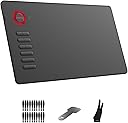
🎨 Unlock your creative edge with VEIKK A15 — where pro precision meets ultimate freedom!
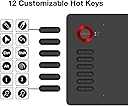
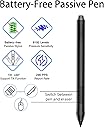
The VEIKK A15 is a sleek, lightweight 10x6 inch drawing tablet featuring 8192 levels of pressure sensitivity and ±60° tilt support for natural pen strokes. It offers 12 customizable shortcut keys and 2 programmable pen buttons to streamline your workflow. Compatible with Windows, Mac, Linux, and Android (6.0+) devices, it connects via a durable Type-C port for easy plug-and-play use. Ideal for professional artists and digital creators seeking a versatile, affordable, and portable graphic tablet.


| ASIN | B07NYQDZZL |
| Active Surface Area | 10 inches x 6 inches |
| Additional Features | 60° Tilt Support, Programmable Press Key |
| Best Sellers Rank | #175 in Computer Graphics Tablets |
| Brand | VEIKK |
| Built-In Media | Digital Pen, Glove, Pen Nib Clip, Quick Start Guide, Replacement Nib |
| Color | A15 Red |
| Compatible Devices | Personal Computer |
| Connectivity Technology | Interface |
| Customer Reviews | 4.4 4.4 out of 5 stars (3,157) |
| Display Type | LCD |
| Item Dimensions L x W | 14"L x 7.8"W |
| Item Weight | 547 Grams |
| Manufacturer | VEIKK |
| Model Name | A15 |
| Model Number | A15 |
| Native Resolution | 5080 |
| Operating System | Linux,Android |
| Pressure Sensitivity | 8192 Levels |
| Screen Size | 6 Inches |
| Specific Uses For Product | Drawing |
| Target Audience | Student, Teacher |
| UPC | 601707034543 601707035083 |
| Warranty Description | 1 year |
T**M
Great tablet for all artists at a very affordable price!
As someone who had been using Wacom tablets for over 15 years, I finally got frustrated enough with their constant driver issues and decided to try out a new type of tablet. The VEIKK A15 tablet stood out to me because of it's affordable price and sleek design. Of course I was hesitant to try out a new brand, but to my surprise I'm really enjoying it. Just as the description stated, the product came with the tablet, tablet pen (and sleeve for it), an artist glove, replacement nibs, nib remover, usb cable, and installation guide. Packaging was compact and no fuss to get to the product. We all have experienced receiving a product and it's just packaged with a ton of unnecessary filler. The VEIKK A15 had none of that. The first thing you see is the tablet and glove laid out in front of you and then the rest of the items underneath supported with a carboard piece. The installation process was actually fairly simple. I downloaded the driver, plugged in my new tablet, and it was ready to go! I had expected to run into driver complications, since I had issues with my Wacom Intuos Art on multiple occasions but so far nothing. Unfortunately I am unsure if others, who had other art tablet drivers installed, would have the same smooth experience as I did (I recently got a new computer so I didn't have my Wacom driver installed anymore), but the recommendation of uninstalling any previous tablet drivers is a fairly simple process so others shouldn't have much difficulties with that. Onto the tablet itself! So far I'm loving it. It's actually extremely light for it's size and I can comfortably carry it with one hand if needed. Since this tablet is a much larger size than my old one and it takes up a lot more space on my desk I have to move my keyboard around and therefore don't have access to my ctrl+z... and as you know as an artist having that undo is essential! Well, that's no problem since I can simply assign the undo to one of the 12 buttons to the left. It's super easy to customize your buttons too! Just open the VEIKK tablet settings and it's under the 'function' tab. Super easy. The pen is also very lightweight and has two buttons which you can also assign to any shortcut you want. I know most people would probably want to shortcut it to their undo, but since I'm used to an intuos pen I kept the first button as it's default right click. The texture of the tablet is very similar to my intuos art and so it gives a slight sense of you drawing on paper vs a glass screen like some other tablets have. I prefer the slight texture since that's what I'm used to so it works out perfectly for me. Overall? This tablet is a good for anyone, whether you're an artist who had been drawing for years or are just starting out. I would highly recommend this tablet to someone who is looking for a cheap, but good tablet to use.
S**S
Competitively priced tablet accessible for beginner digital artists and online students
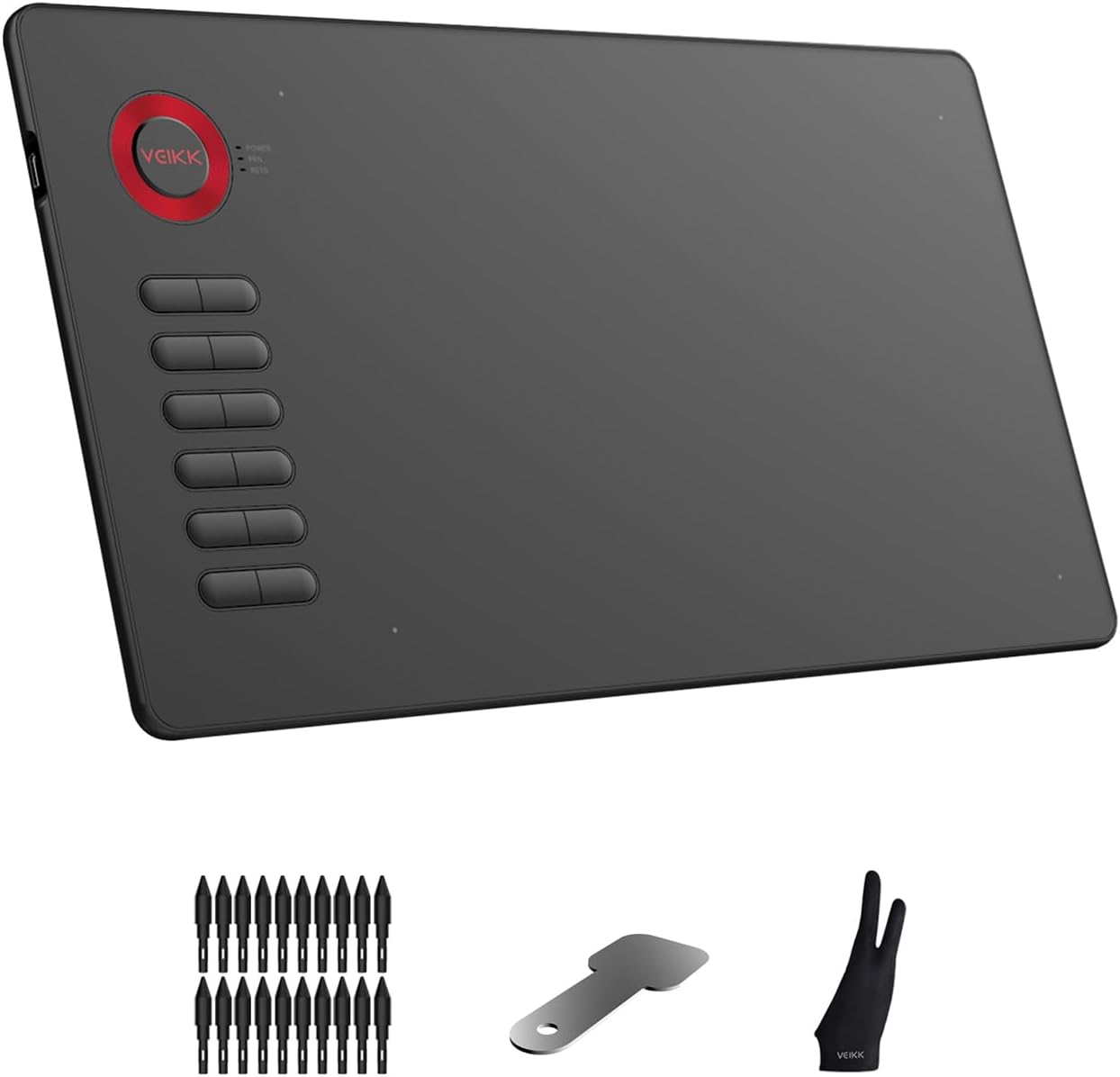
I am a digital artist who has been experimenting with various drawing tablets throughout the years. For reference, I am using Clip Studio Pro as my drawing program of choice. I am very impressed with the A15 by VEIKK. As someone who routinely engages in digital illustration, I have found that this tablet is very easy to use and offers a very robust assortment of shortcut options. Before purchasing, I read through many of the reviews on this tablet and have confidence going in that I would receive a quality product. I do not normally write reviews for items that I purchase on Amazon, however, I was so impressed by the performance and easy to use interface of this tablet that I cannot help but recommend it. Over the last few years, I have grown accustomed to using the display graphics tablets because I found it be traditional tablet to be clunky and tedious to use. Generally, I have found that traditional drawing tablets have few shortcut options which results in a sloppy workflow costing time and energy unnecessarily. However, the A15 is very intuitive and the easy-to-use because of its programmable shortcut options. The A15 has 12 programmable buttons on the tap away itself and 2 of programmable buttons on the pen. Once setup, these buttons serve to improve your workflow efficiency because it reduces the number of times you will have to reach for your keyboard or mouse to change settings or tools while drawing. I have my buttons set up two rotates my canvas left and right, to zoom in and out, to undo and redo, and to toggle through my most used tools. Thus, I can keep my keyboard and mouse off of my desk reducing distractions and clearing my desk of the unnecessary tools. The A15 is the only auxiliary tool you need to complete an illustration from start to finish. When it comes to pressure sensitivity, I have found that the A15 does an excellent job. I have ran several pressure sensitivity tests and have had zero issues. It picks up the lightest of touches and the heaviest of pressures. The pressure sensitivity is on par with my old Wacom Intuos drawing tablet. This is a very thin and lightly drawing tablets with lots of drawing surface that allows for an easy and comfortable drawing experience. If you’re in anything like me, you spend hours in front of your computer drawing and it be a bigger tablets can the bulky, unwieldy, and uncomfortable to use over long periods of time. However, I have found that the A15 is very comfortable, versatile, and the easy-to-use regardless of how long I am working in front of my computer. Because it is long cable, I am a able to pull away into my lap to comfortably draw for hours and hours at a time. It is also very comfortable to draw on while it is flat on your desk, however, I wish it had a stand in order to more effectively you set on a desktop. In addition, one of the things that I find that most alluring is the texture of the drawing surface. It is neither two rough like my old Wacom Intuos, nor is it too smooth like the glass on the display graphics tablets. The surface of the A15 combined with the material of the pen nib creates a comfortable drawing experience. And In summary, this is a great tablet that is competitively priced making it more accessible for beginner digital artists and online students. It’s lightweight design is perfect for those with a limited space and those who travel or draw on the go. This tablet has now become my go to over my more expensive display graphics tablets because of the it’s design, shortcut accessibility, and the comfortable texture of the drawing surface. If you’re looking for a reasonably priced drawing tablet that boasts a generous sized drawing surface, this may be the tablet for you. Video: The video demonstrates the pen sensitivity on the stock settings. No settings have been changed, just plug and play after downloading drivers from the VEIKK website. The pen is very sensitive and very easy to use.
D**M
Good starter tablet
My order arrived quickly and was shipped to me with no damages and everything in the box was in perfect condition. One thing I was really appreciative of was they not only include a bunch of free pen nibs they also give you a drawing glove which is a nice surprise especially for artists who hate smearing their hands on their tablets. Installation was fine and easy enough but be sure to uninstall other drawing tablet drivers. After that the tablet works just fine. Drawing wise the tablet works just fine good size to move around the canvas, pen is very light which I found different from other tablet pens and is pretty comfy and easy to use. Pressure sensitivity is easy to adjust and you can tinker with it all you like to fit your style of drawing. I also enjoyed the texture of the tablet? Usually wacom and others I've used are smoother but this one was a little grainier and I found it was nice to draw on and sort of reminded me of when I draw with my iPad and bought a "paper texture" sheet to emulate just that feel. Overall this tablet is a good affordable tablet and I think perfect for anyone starting out in digital art! Real easy to use and get a handle of.
J**S
Buen producto
R**M
It's a gud product I have used it about 3 days. I don't know about long term realibility but it's easy to used, it's very interactive. I am a new pen tablet user but I feel like I have used it enough as it's user friendly, easy connectivity, size is good and enough for a teacher, writing in the tablet is smooth and very sensitive also palm rejection is there for better experience.
S**R
I love this tablet, easy to manage, pen sensitivity is impressive given the price, as a digital artist i find it handy and efficient.
A**R
This will be my review of the Veikk A15 Tablet! Im glad that I gave this tablet a chance! I wasnt too sure if Id like the tablet given that it was from a brand I had never heard from before. But I can honestky say I had been pleasantly surprised and impressed by the tablet so far. Now on to the review! To give some context on my experience with digital drawing tablets, I have used Wacom, and the Huion brand before prior to using Veikk now. I had a Huion 1060 tablet, and Huion 950p. They have served me well in the years of digital painting and art Ive used it for, and for most of my time using it Ive had minor complaints First to explain what the tablet comes with! It is a drawing tablet with a working area of 10 by 6 inches with a wheel, and 12 programmable buttons. It came with a battery free pen and a handy dandy drawing glove, which makes drawing a much more seamless smooth experience! It makes dragging your hand over the tablet smooth and quick. Driver Installation: I installed and initially downloaded the drivers flawlessly. Although their site is down on my end, a quick consultation with the Veikk twitter had it easily resolved with a direct link to the tablet drivers. From there it was smooth sailing. The download and usage of the drivers were simple and easy to use. And aside from minor hiccups, a quick reinstall of the tablet drivers made it a quick fix. But forewarned, you must uninstall any previous tablet drivers you may have on your computer before installing and using the Veikk tablet drivers. It conflicts with each other. Aside from that you should have no problem at all with using and installing the drivers. My experience with this drawing tablet has been smooth and seamless. It certainly has met the high expectations Ive had of it! Im glad this drawing tablet has impressed me. After using Veikk and having it produce satisfying results, I will for sure take an interest in their other products in the future. Despite being a brand I have rarely if not ever heard of, it served to be a great alternative to the well known tablet brands such as Wacom and Huion that Ive used prior. Its quality nearly lives up to the quality that of the high quality wacom serves with its drawing tablets and devices. In my experience as a digital hobby artist, it is perfect for my use, and has been a perfect little device for what I intend to use it for. And Ive only used it for a couple of days, but its durability and easy accessibility has been a delight and a joy to use! The buttons on the side of the tablet are perfect for those that are still unaccustomed to keyboard shortcuts, and makes it very easy and simple to get right into drawing! I have used them for a bit and they served me just as well as the buttons on tablets Ive used before. Very clicky, and easy to use, I have no complaints! The pen is perfect for what Im looking for. Its battery free, and although it doesnt have an eraser on the back I find it much easier for the eraser to be a simple push of a button which is made easy by the capabilities of reprogrammble buttons. The pen took a bit to really get used to but it has ben a joy to use. Its not too heavy or too light for my liking and was well suited for my relatively smaller hands. It being battery free there was no hassle at all with trying to get it all charged up at all times or fear of it running out of charge at anytime. It was great all around and im glad that I dont have to horde more batteries incase it would to ever run out. Hassle free when it comes to all that which is a nice welcome change! It surprised me to find that it was battery free, but no complaints at all. This is a great feature. The one issue I had with this tablet is the drivers! It certainly works, but sometimes it wouldnt work on me. The simple solution however is a simple reinstall. So I dont have too much of a problem with it. The pressure sensitivity never faltered. I could truly feel and see all the levels of pressure presented. I really enjoyed playing around with all the 8000+ levels of pen pressure. And it was easily adjustable for how you enjoy to draw. I tend to draw with a more lighter hand so it was very easy to adjust it to myself and my drawing habits and Im sure that it will be very easily adjustable for you as well. Drawing in general was great. It was quick to get used to the grainy texture of the tablet surface. And having only used tablets that had smooth surfaces, the feedback of the texture of the tablet was a nice change. It truly replicated the experience of using a pencil and paper for me. With the additional gloves included in the package, I glided over the tablet while drawing with ease. To conclude! The Veikk tablet is a great affordable quality tablet that I have come to love and enjoy in my time of using it. I would happily recommend this to newer beginner artists that want to get into digital drawing! Its price is a great entry point into the realm of digital drawing and animation and is well worth its price. You're getting a seamless experience with this drawing tablet, and I would recommend this to pro artists and beginner artists easily! It was a joy having the opportunity to review this brand tablet. I guarantee you that I will be on the lookout for their tablets! Their tablets are a hidden gem and is very underrated! I hope you choose to pick up the Veikk for your drawing tablet needs. It for sure fulfilled mine and I could guarantee you that Veikk A15 did not disappoint and continues to surpass all the expectations Ive had! Thank you for taking the time to read my review, and I hope I was able to help you make your decision.
A**N
Es genial, sin embargo, mi hermana ha tenido problemas para conectarla a su dispositivo Apple. No da esos problemas con sistema operativo Windows.
ترست بايلوت
منذ 3 أيام
منذ 5 أيام