We remain fully operational. Our teams are working around the clock to ensure your deliveries continue safely.

قم بتنزيل التطبيق


معلومات عنا
حقوق الطبع والنشر © 2024 Desertcart Holdings Limited
قم بتنزيل التطبيق
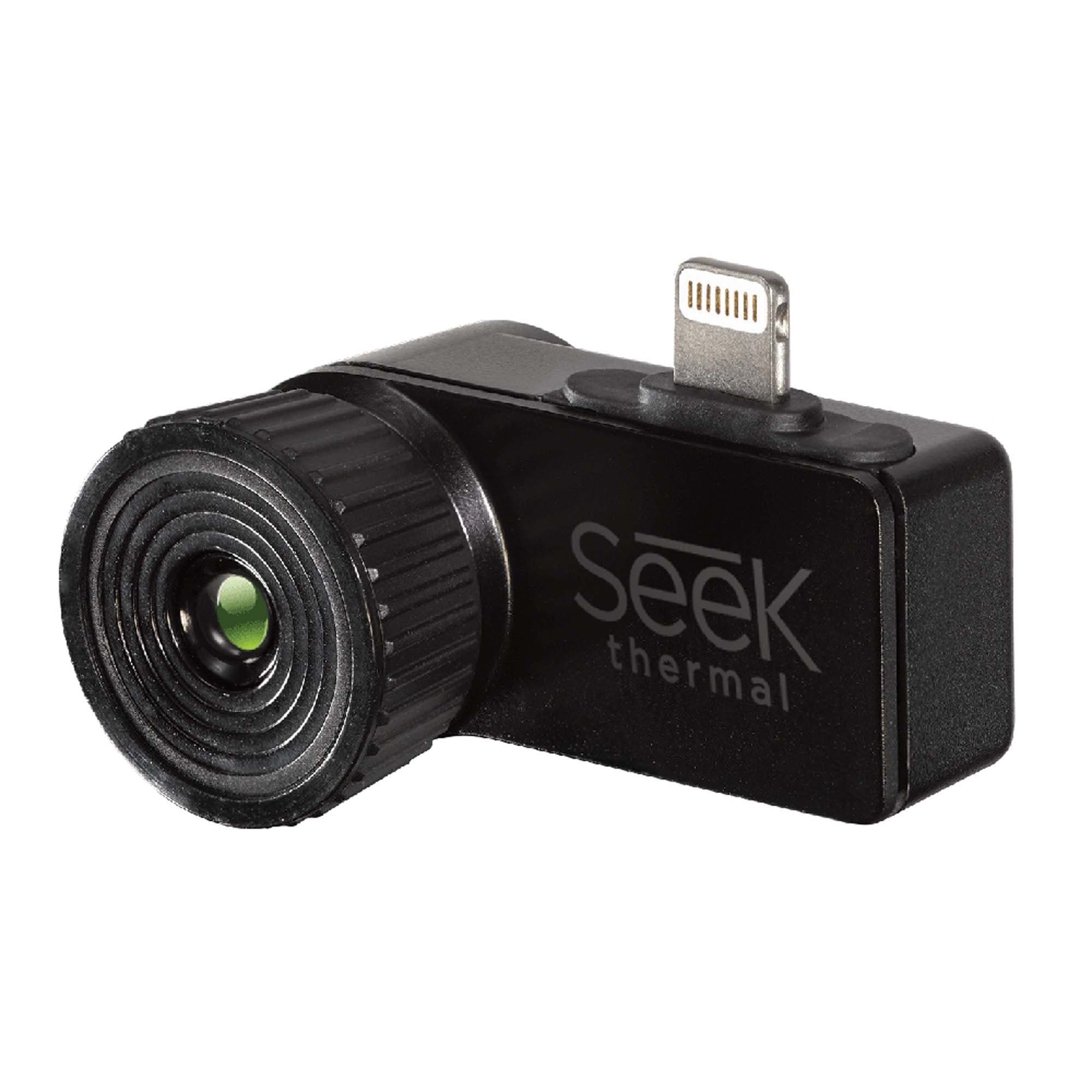
🌟 Unlock the unseen world—thermal vision in your pocket!
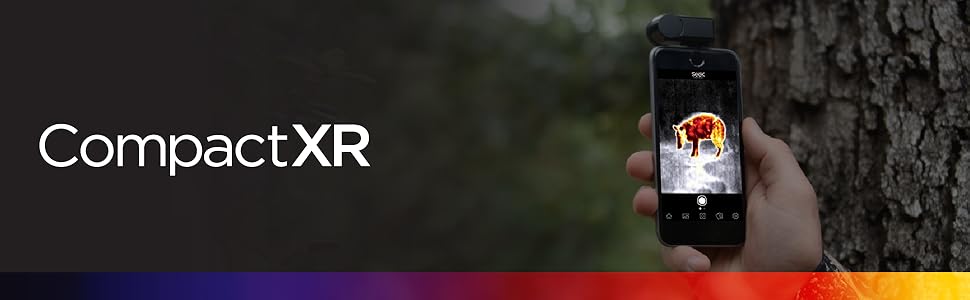
The Seek Thermal CompactXR is a compact, rugged thermal imaging camera designed for iOS devices. Featuring a 206x156 thermal sensor with a 20° field of view, it detects temperatures from –40°F to 626°F and offers a detection range up to 1800 feet. It requires no batteries, plugs directly into your smartphone, and includes a waterproof carrying case. Ideal for outdoor enthusiasts and professionals, it provides detailed thermal imaging with manual focus, multiple color palettes, and temperature measurement modes.



| ASIN | B00SSZ5KPY |
| Autofocus | No |
| Best Sellers Rank | #95,761 in Industrial & Scientific ( See Top 100 in Industrial & Scientific ) #65 in Thermal Imagers |
| Brand | Seek Thermal |
| Built-In Media | 206 x 156 Thermal Sensor, Focusable Lens, Waterproof Case Included |
| Color | Black |
| Compatible Devices | Smartphone, Tablet |
| Connectivity Technology | Wireless |
| Customer Reviews | 4.0 out of 5 stars 1,844 Reviews |
| Effective Still Resolution | 156 Pixels |
| Exposure Control Type | Automatic |
| File Format | MP4, JPEG |
| Focus Type | Manual Focus |
| Global Trade Identification Number | 00855753005068 |
| Has Self-Timer | No |
| Item Type Name | Thermal imager. |
| Item Weight | 0.52 Pounds |
| Manufacturer | Seek Thermal |
| Maximum Aperture | 2.8 f |
| Media Type | ProductImage, EnhancedContent |
| Model Name | Seek Thermal - XR Extended Range Thermal Imager For iOS, Black |
| Optical Zoom | 2 x |
| Photo Sensor Resolution | 32000 Pixels |
| Photo Sensor Technology | CMOS |
| Sensor Type | Infrared, CMOS |
| UPC | 855753005068 |
| Unit Count | 1.0 Count |
| Video Capture Format | MPEG-4 |
| Video Capture Resolution | 720p |
| Viewfinder Type | Optical |
| Warranty Description | 1 Year Warranty for Manufacturer Defects |
| Water Resistance Level | Waterproof |
| Wireless Communication Technology | Wi-Fi |
| Zoom Type | Optical Zoom (Ring) |
E**T
Amazing tool at DIY-friendly price
Two years ago I had a home energy audit. The contractor had a wicked cool FLIR thermal camera. He could point the FLIR at different surfaces and see a real-time color-enhanced thermal image showing places where cold air was infiltrating, where ducts were under-insulated, etc. For someone looking to make their home more comfortable and efficient, it was an amazing tool. Unfortunately, it also cost well over a thousand dollars. FLIR later came out with a device that worked with an iPhone, but because of it's snap-around design it would only work until Apple changed the physical shape of the phone, which they do regularly. So I settled for a thirty dollar Black & Decker devices that shines a blue or red dot on a surface based on its temperature. It was better than nothing, but not nearly as useful as a real thermal imaging camera -- not even close. Then I discovered the Seek Thermal imaging camera. It uses your iPhone for the processing, display, battery, etc., which means you're only paying for the incremental hardware. This means the device is only a couple hundred bucks instead of a couple thousand dollars. Brilliant! But does it work? I have to say that this is one of those devices that has actually exceeded my expectations. Installation is a non event. You just download the app, plug in the camera, and go. The thermal images are false-color coded so that hot and cold surfaces really stand out. Walking around my pitch black basement I could identify every pipe and piece of equipment just from their thermal images. Upstairs and in the attic, I could see areas that were leaking air based on the sharp color differences. The resolution is better than I expected. It really is amazing to see the world in infrared instead of visible light. The app turns your iOS device into the display for the device. The interface is incredibly simple and easy to use. It also has some very nice features, like being able to display the temperatures of the hottest and coldest spots in the image. One feature that the dedicated FLIR cameras have that the Seek doesn't have is image overlay. With the FLIR, you can overlay the thermal image on top of a regular visible light image to make it a bit easier to identify what's emitting the heat. I thought I would want this feature (although not enough to pay ten times more), but having now used the Seek I find the pure thermal image to be completely adequate. This really is an amazing device. It's great for any homeowner who wants to make their house more efficient and comfortable by identifying air leaks or under-insulated areas. And I have to admit it's just plain fun to explore the world in infrared!
S**N
Read the specs online before you buy and you won't be surprised.
Now I may be biased as I've been waiting for a price effective thermal camera for years. But I don't need it enough to pay more than $300. I searched the web thoroughly before I decided what to buy. I considered the Flir One and Therm-App and read all I could about them as well. The first thing I noticed was that temperature range is way better on the Seek. Thermal-App can't detect high and low temperatures (from 5°C to +90°C (41°F to +194°F)) so that limits the usefulness for me and the price is quite high (almost 6 times the Seek). Flir doesn't go subzero at all (32 °F to 212 °F (0°C to 100°C)) So with (much) better range and a good price the choice was easy (I live way up north and intended to use it outside some of the time and it actually gets that cold here sometimes) When I got the camera I liked the retail packaging. Feels as a good product even before you open it. (My seal was broken by Amazon for "inspection purposes" - I expect someone couldn't help themselves to try it out - I'm not complaining and I understand - hope you had fun). The camera was much smaller than I had anticipated (I knew the specs but never thought of size as an issue). The carrying case was sturdy and watertight (I removed the camera and held the case under 2 feet of water for 45 minutes without any leaks - I floats by the way also with the camera inside). The camera itself felt rough as well, nice magnesium body and very light. There's no instructions what so ever other than to get the app and plug in the camera. The app has a reasonable size and I had downloaded it before I got the camera. If you buy directly from Seek you will have to setup an account (I got cameras directly from Seek and from Amazon). When you attach the camera you can setup another account (not the same as the one you setup for a buy). And if you want to ask questions on their support site - you've guessed it - you have to setup a third account. If you worry about privacy don't setup accounts just press an extra button when you start the app to accept the terms of use. I use a wallet type case for my phone and had no problem fitting the Seek without the case getting in the way. It seated just fine. I realize that this may not be the case (no pun intended) with all case types but depends on design of your specific type of case. First thing I realized using the camera was that 20° FOV (Field Of View) is very narrow. I had to keep my distance from objects if I wanted an overview of things. It was the cause of a little irritation to begin with but now I'm used to it and it works fine both indoors and outdoors. It's not that I have to stand 20 feet away as other reviewers has claimed. I was able to take reasonable pictures in a small room 6 × 6 feet. Next thing was the software. It's not intuitive at all. Often you have to look for the right button and while in changing settings you have to go through 2 steps to get back before you can take a picture or movie (not sound on the movies by the way - but you know that if you read the specs). That is a constant source of irritation together with the fact that some controls switch places and gets mirrored when the camera (phone) tilts. I hope an update will change that one day (updates can update your camera's firmware by the way). The focus lens (not a zoom lens) works as expected. I've successfully focused on objects as close as 4 inches and as far as 1500 feet. On short ranges a picture can get very detailed because of the good resolution. On a distance it makes a difference as to how small and how far you can detect a heat source. Pictures from afar does not get sharp but you would know that if you researched just a little (you still "only" have 32,000 measuring points). Focusing on most objects with just a little texture shows how accurate this camera is. It's possible to get very detailed pictures. Most low resolution thermals produce blurry picture and Flir introduced the msx technology to outline the picture so you can see what it was you took a picture of, but in most cases the Seek pictures are very clear and objects are easily distinguished. Provided there's enough contrast in temperatures. Therm App (384 × 288 gives more than 110,000 temperature measurements in a picture) has a higher resolution than Seek but as mentioned the price is way up and temperature detection is much narrower than the Seek. I bought an extension cable for my camera because I'm lazy and won't bother to get out of my car. I can hold the camera out the window and it works fine. It can be a little difficult to point but it does work. Only thing you have to take in to account is that the app orient itself according to the phones position and not the cameras. (You can take pictures that shows upside down on your computer, but even native programs on any Mac or pc can easily turn them). I wrote to Seek regarding EXIF and thermal data in the pictures. There's no data stored with the pictures and what you see is what you get (other companies saves thermal data with pictures thus making it possible to process the pictures later on a computer - change the color scheme for instance). Seek wrote to me that they might update firmware later to include this data witch would be a major improvement but not necessarily something all users need. In the settings you can change what temperature scale to use (Fahrenheit, Celsius and Kelvin). Aspect ratio can be set to 4:3 or 16:9. The first will utilize more of the thermal sensor and the latter fits better on modern screens (but be advised that what really happens is that the 4:3 picture is cut to fit) It's possible to ad watermarks to your pictures. You'll find 3 options in the settings: "Date & Time", Location and Seek Logo. They can be chosen individually and the fact that you can turn off the Seek Logo is a plus (not possible on Flir cameras - don't know about Therm App).. The date, time and location is taken from your phone so if the date or time is off so will the watermark be. If your location on the phone is turned off you won't be able to get a precise location on the picture (I don't know why I have to tell you this but apparently not all think about this) The camera I heavily relying on the phones cpu and that's what keeps the price down. The software allows you to change between 9 different color palettes: white, black, iron, cool, amber, indigo, tyrian, glory and envy. They will each show temperatures in a mix of gradient and different colors. I've found that the same motive can be more or less clear/obvious depending on the palette used. it's possible to have the temperature shown on the picture either in spot mode (temperature measured and shown in the middle of the picture) and High/Low mode where highest and lowest temperature within the frame is shown. There is a search mode where you can have the camera highlight temperatures higher, lower or exactly a given temperature. In the thermal+ mode you can use the camera together with the phones camera and slide between the 2. If you double press on the normal picture you'll be able to zoom and pan the picture so it fits the thermal picture. With a little practice the 2 pictures can be lined up to almost perfection a feature that is very useful. When you take a picture in this mode 2 pictures will be saved to the phone. An ordinary and a thermal. Within the app you can still slide between the two but that is not the case when you export the pictures or see them in your phones image viewer (goes without saying, but still saying it) If you take the picture in one of the temperature modes the temperature will be shown on both pictures. All in all I'm very satisfied with this camera. I have both ios and android version and this review goes for both. Only difference I've noted is that the ios version seems to fit firmer in the phone and can be set both ways in the phone. For the android version, on a phone with the micro usb turned the "wrong" way a small cable works fine. The narrow field of view can be irritating at first but when you get used to it it's not a problem. I'd say that the fixed focus on the regular version would be a greater source of irritation to me. Pros: price , temperature range (-40C to 330C), adjustable focus, size (smaller than expected), sturdy carrying case, build quality, app has many useful features, range of detection (from macro to long distance), ability to adjust normal and thermal picture to line up (thermal+ function) Cons: flat photos (no exif or thermal data saved with the photos, thus no possibility of tweaking the photos on computer later), fov is very narrow, (20 degrees compared to regular versions 36), app is messy and not intuitive (some controls even move around on the screen when entering functions or tilting the unit),
T**S
Practically Unusable
I bought this and a FLIR pro at the same time, as both had some questionable reviews. TLDR: Get the FLIR. This camera clicks every second or two, resetting the color scheme, and making it very hard to tell whats going on. The image is incredibly grainy, and the UI for setting custom color scales is poorly made. Because this camera re-calibrates every second or so (with a really loud annoying click sound I may add), the only way to make it even somewhat usable is to set a custom temperature range. However, you cant expand the temperature range past what is in the current picture, so youre stuck until you can find something hotter or colder than whats in view instead of just being able to manually set a max and min with numbers. The only thing it has going for it over the FLIR is that it will run off of power from the iphone, but it doesnt matter ultimately if the camera is completely useless due to design flaws. The image quality in the FLIR is 10x better than the Seek, and much easier to follow. Their software is better, and easier to customize. With the FLIR being cheaper, there is no reason to use this camera. Its a nightmare, especially for the cost.
C**N
Good price for a decent clip on thermal camera
Im very happy with this camera. The pictures show how well my radiators are heating up. The vertical red line is the steam riser inside my wall. Fuzzy? yeah. This isn't a photograph. It's a thermograph. I use this for analyzing heat differences. I find where heat is leaking out of my house, heating systems and even for finding shorted electronic components. It's small and comes with a small case when you're not using it. The camera app works well with my iPhone and is easy to use and capture images. This unit is limited to phones or iPads that have lightning connectors. My only complaints, it won't fit when you have a case on your phone. You have to remove the case to use it. (I have an old iPhone 5 that I use it with no case) There is a function in the app to show the image from the sensor and the phones camera. It's a nice idea but bad in function. They don't match up at all, so pretty much worthless. The other functions in the app work well. Good for the price and useful for the non professional.
B**L
I am impressed with this product.
This review is for the IOS Compact version. I have used thermal devices since the 1980's (military) when they were the size of a beer keg and needed coolant cylinders to operate. More recently, I've used large handheld devices for my job. These devices have run in the 3 -10 thousand dollar range. As technology has progressed, the science of thermal devices has matured and become very inexpensive and user friendly. Unfortunately, the reduced price and increased access to this technology has created an atmosphere of disappointment in the devices available. This stems from a misunderstanding of what the technology actually is. People who have watched too much TV have a misguided view of the technology. Just so we understand, here are a few things that thermal imaging technology is not. It is specifically NOT a night vision device, although it can be used as such in a limited fashion. It is not a light amplifying device. It is NOT an optical device. Optical devices manipulate light. It does NOT see objects. It detects thermal signatures in the environment. It cannot see through walls. It is not connected to an optical magnifier like a scope so you must understand it has limits for discerning detail at a distance. It cannot educate the user as to it's capabilities and functions. The user must do so on his/her own. Having said all of that, It can do plenty. I use thermals to detect electrical and mechanical problems that cause excess heat. I can also use the device to find heat loss or cold infiltration in an environment. These uses are useful and necessary in my job so I have learned their capabilities and limitations. It will "detect' thermal variances out to 1000 feet although it is limited to a 1x magnification and detail degrades in proportion to distance. The focus works within a few inches and focuses out to the limits of its detection range (Once again, IT DOES NOT MAGNIFY) The DEVICE is definitely worth the price. The SOFTWARE is free with the device and as an app is an excellent tool. Video, camera, time and date stamp, gps stamp, multiple temperature tags and gradients, multiple color formats, temperature hi/low/averaging and inversion. Many useful tools. Because it is an APP, it is able to be upgraded continuously and value maximized by continued development. There are some very minor differences and limitations based on your phone and operating system. Download the app to your phone before you order the product. Go through the available menus and learn about the product. If this isn't what you need, put the money towards another product. Ghost hunting? I really don't know.
K**.
A useful toy
I've had this for a couple months and it's been very handy in helping me determine areas of my house that need more insulation. The build quality seems ok for item at this price, it comes in a nice little protective case, has an adjustable lens to help with focusing. PRO It's compact and has a nice little case. It uses my iPhones battery so I don't have to worry whether it's charged or not after sitting for a couple weeks. It has a focus ring to help with focusing on objects at different distances. CON Only works with SEEK software as far as I can tell, and they require you to register an email address, and ask for other information before you can use it. Keep this in mind, if they stop developing the software or do a poor job, it directly affects this item. The seek sofware runs fine on an old iphone 5s, but won't run on my iPad 4th generation, it locks up. Temperature is not accurate. Mine is off by 8 degrees Fahrenheit, while it's easy to just add another 8 degrees in my head, it's a tad annoying. My cheap laser thermometer can get it right, so I expect this device to be accurate as well. Image quality is "so so". I'm not expecting the quality of an expensive FLIR, but there are times I can barely make out what the images are. Thankfully, for my purposes, it works ok and the focus ring helps. SUMMARY Overall, I'm fairly pleased with the purchase. It's been useful for my purposes, but keep your expectations in check... it's not a tool you'll have for many years, the software is buggy, and the images are "so so". If like me, you're going to use it to find air leaks and "cold spots" in your home, then I think it's very useful despite it's shortcomings.
E**T
Really great and for the price there are special features that a really expensive Thermal Imager doesn't have.
Customer service was really great. They worked with me when I purchased the wrong one. Everything was smooth. They are on top of it and really great to work with if you run into any problems at all. I'm happy with them. I explain below about the differences between high quality TI and this TI. It looks great if you change some settings. When you get it, I recommend going into settings and put it on 4:3 instead of 16:9. Just my opinion. Switch between them and decide for yourself. I also disabled smoothing. I think it looks better that way. It really isn't bad at all ..quite nice after you change some settings. The camera quality on that 16:98 setting just didn't seem to be very compatible and didn't work together. I'll start off by saying that on the phone there is so much more programming going on than with $3,000 TI's and I know that sounds very odd but it's true. Showing different color palates and displaying temperatures is just incredible features and really makes this device worth it over any quality discrepancies. It does look great and quite clear after changing the settings. Very close to an expensive professional one that is $3,000. Frame rate is definitely slower, looks almost like 3 frames per second *cough* versus 30 frames per second on a $3,000 one and not As Pixelated. I must add that this is going to be quittte Pixelated while the professional TI is not pixelated at all, but still quite clear on the phone. Lastly, as I was saying before ...the expensive TI has no color palates ..It's only white/black or black/white. On the phone it has an incredible feature for targeting Set temperatures and coloring while leaving everything else chrome/black/white. Really Amazing feature, Love it. Those things make this device stand out a lot.
K**.
Great camera!!
Been wanting a thermal imaging camera for some time and was considering the FLIROne, but not interested in a product that works ONLY for a single phone (what were they thinking?) so held off. I know FLIR is making a model similar to the Seek's design, but as we were getting new windows in our house, I had the perfect rationalization to buy one! :) First, this thing is small and sturdy, and the case is likely bulletproof. Once I started inspecting things around the house, I just ended up keeping it in my pocket (in the case) pretty much all the time. It's not much bigger than some of the "smart" car keys, and a camera isn't any good if you don't have it with you. My wife and friends have commented on the geekiness of having a thermal camera with me at all times, but I think they're just jealous. Image quality is very good, though you can clearly see how low the actual resolution of the sensor is, and you can see small details well. Checking the insulation around a newly installed large, double window from about 10 ft away, I could easily see where they missed the foam insulation in a thin layer about 1 inch long. That's not a big deal as far as the windows go, but I may as well seal it up completely as long as we've got things apart. On a cold night, I've scanned the new windows and the old single-pane windows and the inside of the glass is about 5 degrees colder on the old panes. Useful for checking electrical systems. See the photos of an extension cord I was using with my electric car charger. During charging, the plug was heating up to 161 degrees, even though it was rated for the load it was using. Removing it from the chain, the charger plug only heated to 89 degrees. I also found two circuit breakers that run hotter than the others in the box - not scary hot, but just hotter - so I'll be investigating the load on them. At a commercial building, I was able to see the steel studs through the drywall in an uninsulated interior wall. Can't see the wooden studs in my house though. Software isn't perfect, but has been reliable (has crashed the phone once, and I've got to restart occasionally, but only when I've been putting the camera on and off many times in the day). The split-screen mode that uses the regular camera at the same time as the thermal also captures both images when you take a shot and you can use the split-screen capability when viewing later too, not just in the live mode. The high/low temperature boxes are a little bit large and it would be nice for them to be off to the side of the actual hot/cold spot with a connecting arrow or line, but that's a nit-picky detail. One thing I'd like to use this for is locating owls that we hear in our back yard woods. Technically, I think it would work, but the lens is a little too wide angle for this to be realistic for the distance and even a big owl is going to be pretty small and hard to see. It would probably work with larger wildlife though. The refresh rate for video is not very fast though, so something moving fairly rapidly across the image will display multiple ghosts. The only time this was really glaringly obvious was when I was taking video of a train out the window of a slowly moving car - people on the sidewalk showed up as 4 or 5 ghosts of themselves - not exactly a major limitation. Overall, I haven't regretted buying this for a second. It works well, is a terrific design, and lets me see a view of the world I can't get otherwise. As silly as it sounds, the well designed case makes this a massively more useful/enjoyable camera since I can comfortably and easily have it with me all the time.
ترست بايلوت
منذ شهر
منذ يومين