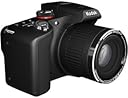
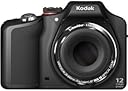
📷 Zoom in, share out, and never miss a moment!
The Kodak EasyShare Z990 is a versatile 12 MP digital camera featuring a back-illuminated CMOS sensor for superior low-light performance, a powerful 30x Schneider-Kreuznach optical zoom lens with image stabilization, and a bright 3.0-inch LCD. It offers full 1080p HD video recording, multiple scene and color modes, and an intuitive Share Button for instant social media uploads. Ideal for millennials seeking a step-up from point-and-shoots, it balances manual controls with smart automatic features, making it perfect for capturing everything from wildlife close-ups to vibrant landscapes.
| Aspect Ratio | 4:3 |
| Best Sellers Rank | #427,079 in Electronics ( See Top 100 in Electronics ) #3,832 in Digital Point & Shoot Cameras |
| Compatible Mountings | KODAK |
| Customer Reviews | 3.9 out of 5 stars 415 Reviews |
| Image Stabilization | Optical |
| Maximum Focal Length | 840 Millimeters |
| Photo Sensor Technology | BSI CMOS |
| Supported File Format | JPEG |
H**2
Some Useful Tips
As with most powerful cameras there are 3things to get right - batteriesz, batteries, batteries. Once I tossed the 1800 maH (like cold cranking amps for car batteries)and bought some 3000 mah online, The camera has never "hung up" or slowed down. Update- when on day long shooting events, I now have bought an external 5000 mAh Battery. It powers or recharges the camera all day worn on a strap arund my neck, but will also recharge or extend the life of my Ipad and cell phone or any Usb port chargeable device on long trips. It is not much bigger than a cell phone itself but is 90% battery inside. Also, Do Not use micro sd cards- get a class 10 (fast saves) SD card. If you ever get a corrupted memory, go to Radio shack and buy a tube of contact enhancedment liquid. Put a thin film on the Sd card contacts and transfer it to the camera by inserting and removing the card several times. Do the same on your batteries, and be amazed at the performance this great Kodak swan song camera consistently delivers! HOW2 Create a high quality HD movie from slides and movies, and post the resulting very large file on the internet for your family and freinds FOR FREE using the Z990 1. set pictures to be saved not as RAW, but to "fine" jpeg. While JPEG can be "losy" the fine setting jpeg is the full 3000x4000 (12 megapixels) of a RAW, and as a bonus, can be used by movie maker and slide viewing software without problems. 2. Download ATube Catcher at CNET or other free software distributor who makes sure they are malware and virus free. It has a "video converter" tab that will allow you to fix whatever is wrong with the Kodak mp4 movies, and combine the audio and video into a single file that is fully .mp4 compliant. 3. Download Windows movie maker (it is part of a "five" suite, but you can choose it alone if you want. 4. Use the cable that came with the camera to open the DCIM file on the camera and download the pix and videos you want to edit into a movie. YOu can also (with camera turned off) extract the SDHC card and use a card reader adapter to open and copy the files to a folder on your PC. DO NOT erase them using the PC- use the camera review and trash functions to delete the date folders involved- there is a database the camera uses that it needs to keep straight. Take care of the media and it will take care of you. 5. All of the jpg slides are ok, but I like to use the IFRAN free (try CNET) photo software to look at them and crop, adjust exposure if needed, and print the ones I want as photos, as well as convert some into cell phone and ipad "PHOTO" slide frame shots (set it on the coffee table and let the frame rotate the pix as a slideshow. Use the instructions for your phone or Ipad, pod phone, etc to convert and load them.Don;t replace the originals with the conversions, make spare copies. The same with croping. This is a good time to get rid of the duplicates with eyes closed, etc. 6. Open Atube Cathcer and select the video convert tab. use the browser that opens to find and load the videos that Kodak says are .mp4 (they bomb on most devices). No need to include the .THM sound file, Atube takes care of it automatically. Save as .mp4 to a tmeprary folder, then replace the cameras .mp4 and .thm files with the good ones you made. 7. Open Windows movie maker software and select all the files now in the folder that will be used to make the movie. (click on the first file and the last file while olding donw on the shift key.) Once loaded, they will form a timeline on the right side of the screen. select all using the same shift key click technique and go to the edit tab and set the slide time from the default 7 seconds to a more reasonable 3 seconds. While you are at it, go to the Project tab and indicate that the movie format size is 16:9. Now save the project settings to date by creating a project file (.wlpm) in the workng folder. Save the project info ever few minutes- it is like using a word processor- if you get to far ahead, it tends to start crashing, and you have to dedo everything that was not yet saved. The software is well behaved if you do these regular saves. 8. Edit the video protions (trim out bad parts) by manually dragging the cursor along the .mp4 you are editing. (the play function requires at least a fast dual core, graphic card, and lots of memory to work well, but the manual drag is great, and gives better control than playing does. 9. Drag pix and movie clips to new locations, add titles etc. If you want sound with the jpegs, use the atube catcher mp3 download button to open mp3 dwonloader and type in the name of a song, artist or topic. You will get great stuff to preview and download to the working folder. Save it at 320 bit rate for high sound quallity and set the timeline cursor where you want the music to start and add the music at the "current point". Set the cursor on the last frame you want the music for and set audio to fast fade. You can then start a new song at that point by adding at current point. 10.Play the slide portions manually to see how the random Ken burns effects look. Most will be fine, but stop the preview and change the type of animation for any pix that seems to have people walking backword or is reading the sign in the window from right to left, etc. 11, Under File, Make the movie as an 1080p HD. 12. .wmv is not supported by apple, and some of your friends will be using apple, so open atube catcher again and use the video converter tab to select the .wmv as the input and output it to the same filder as .mp4. If you made the .wmv movie 16:9, the frame size will auto correct for different jpg (4:3) and .mp4 (16:9) players, and you won't get lots of fat people and long cars, in the slide parts, and the movies will be great too. 12. Now for free distribution to your friends. You tube will let you set up a private video, and Phanfare will cover you for $100 per year, but most cloud services limit file size, and these movies are BIG. I like CX>COm it is easy to sgn up and use the 10 gig free account, and it will keep track of friends in goups and send them a link when you post a new file or folder. Best of all, individual file sizes and types are unlimited, and they have an app to make it easy for friends with ipads, etc to view the files in stunning sharpness. If you have more than one email account, you can open more than one CX.COM ccount, and use each one you different things. (keep that set of girlfreind1 pix away from girlfreind2). The email invitatins they get come from the specific account set up with that email. That is enough to get you making and sharing really good videos. There is a lot more, but this should help get first time success without any major frustration.
E**I
Great camera if you want to move up from a point-and-shoot without investing in a dSLR!
I bought this camera because I was looking for something with manual settings for great macro shots. I was definitely not disappointed! I love it! Until now, I had been a point-and-shoot girl, and this is a great camera for you to get if you want to: a) move up from a point-and-shoot camera, b) learn to use manual camera settings without spending a fortune on a dSLR and lenses, and c) still own a camera that lets you take awesome point-and-shoot pictures. Especially if you are just learning, it can take a while to learn how to adjust the manual settings, and if you're in a "take a picture - NOW!" situation, it's nice to be able to still use this camera as a great point-and-shoot. First of all, if you are buying this because you think the $180-ish price tag is a great deal from Amazon's list price of $450, that's not quite right. This camera retailed for somewhere around the mid-$300s range when it was introduced last year, so the savings on Amazon are good, but not as spectacular as Amazon leads you to believe. That said, this camera is worth every bit of the $180 I paid for it, and then some. Also, the lens on this thing is pretty big, so take that into consideration when you are buying a tripod (the lens shifts the center of gravity, and it will tip some tabletop tripods) and a camera bag. Another thing that is a bit misleading is that the lens looks like it can be rotated to adjust the focus - but the lens on this camera is fixed! The manual focus is adjustable via button settings ONLY. Now... on to the good news! This camera captures AMAZING colors. I found reports of some similar-level cameras doing weird things with bright purples, but this is not an issue with this camera. The only thing that might suggest a problem with color levels is that I think the LCD screen tends to show colors on the images as overly bright, but when you download images to a computer and view them or print them, they look fine. The 30X optical zoom is incredible. I call it my "stalker lens" - I like to take pictures of outdoorsy things, and a zoom lens is invaluable when you are trying to sneak up on wildlife. The resolution on the digital zoom is also high enough that if you have to utilize the digital zoom in addition to the optical zoom, the image quality is still pretty good. I submitted a couple of photos to the gallery above - a brown anole (http://www.amazon.com/gp/customer-media/permalink/mo13YTLHFYK9UEY/B004FLL53Q/ref=cm_ciu_images_pl_link) and a redbellied turtle (http://www.amazon.com/gp/customer-media/permalink/mo30K4ISUUR2FXH/B004FLL53Q/ref=cm_ciu_images_pl_link). The colors are great and the images are sharp, even though I took both of them in "program" mode and only adjusted the focus. The camera does a great job of compensating for lack of knowledge on the photographer's part! The macro mode and super macro mode are terrific. I photograph small needlework items up close to show details, and I am actually a little cautious with macro mode because it shows EVERYTHING - not only my beautiful embroidery, but also lint and cat hair. I posted an example to the image library (http://www.amazon.com/gp/customer-media/permalink/mo1XJIQWWKTMCHA/B004FLL53Q/ref=cm_ciu_images_pl_link). The camera uses rechargeable AA batteries, which are nice because they are relatively inexpensive, but it would be nice to be able to plug in and charge the camera. The battery life on the included batteries is good, though - about 100 pictures' worth. The HD video is surprisingly good, too. I used this to take video at a high school graduation, and the camera did a good job of recognizing where the focus should be. The videos are crisp and look great, and the sound is pretty good. Overall, I am not a real photographer, but if you are looking to hone your skills and learn more about photography, this is a great intermediate camera for you, especially at this price point. I definitely recommend it!
B**T
Amazing value: good camera
Used it extensively this summer for vacation, event, talent show, sports (some weakness here) and casual shots. Did two slideshows with video clips using a Mac. Bought this camera mainly after reading the Photography Blog review. I had outgrown my point and shoot and really wanted a SLR class digital camera but that was not in the budget this year. The camera worked well and all these conditions. What I liked: it's low light performance was especially notable, I did attach monopod to steady the camera during a talent show, used the live performance mode; stills and video clips in the low light were surprisingly good for such a low cost unit. Also I was pleased with the flash shots, many look surprising natural. Unlike some of the reviews; I had good results with the panorama feature. It took a little practice to figure out but now it's a snap (I think the firmware update helped). It's well made, took a fall but work fine afterwards. The image quality is excellent, I toned it down to 6 MP for most of my shooting. Of course the 30X zoom to wide-angle lens is amazing; the built-in camera steadying helped when zoomed out but keep a tripod handy. The batteries last long enough but keep an extra set on hand. Bought extra rechargeable to charge. I really like that it uses standard AA, so in a pinch they are easy to buy. Note that he standard disposable batteries do not last long as the rechargeable. Areas for improvement: The computer/digital processing of images can easily bog down the camera. For example; if your shooting video there will be a delay immediately following. Three to six second delay before you can start shooting photos. Also a noticeable delay after using the rapid-shot option in "sports" mode feature; I would not recommended extended use of rapid-shot due to delays and I even had to reboot the device a few times. With that in mind; I do get great video and sports (mode) shots, but with some effort. If you need it be ready instantly for a lot of your photography (Sports); you should consider a different camera. Hopefully Kodak will address this in a future firmware update. Overall the camera exceeds my expectations, especially when I consider I paid about $250 from Amazon. Picture quality is top notch. Low light performance is very good; better than the other "bridge cameras" I have looked at much higher cost. I have gotten amazing sports action shots with the above mentioned caveats. To understand and make full use of the vast number of features - and use them correctly - I spent a fair amount of time with both the PDF manual and Kodak website. There are some quirks with the interface and settings, so give your yourself a little time to get accustomed. There is a small printed manual that is helpful but it cover just the basic functions. Have fun. Tip: download and install the firmware update from Kodak. Lots of improvements. I think that was fixed the Panorama issues some users were having.
K**.
Kodak's Last Hurrah...
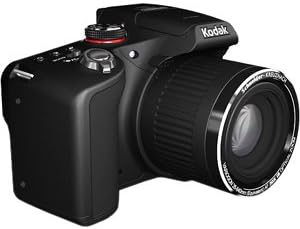
Years ago I bought a little 2MP 3X Zoom digital camera. It was a Kodak and it took great pictures. Several years after that I won a Kodak Z650 in an online contest and flat out loved the pictures it took. So when the stars aligned and Amazon had the Kodak Z990 on sale and my gift card balance was enough to afford it I jumped at the opportunity. I really LIKE the Kodak Z990 and I'm sad that it will probably be the last Kodak camera I ever buy... I LIKE this camera... I almost love this camera. While my Z650 almost never came out of Auto mode I find myself accessing the PASM controls and bracketing the exposure compensation when I use this camera. It isn't that the Z990 doesn't take great pictures. It does. It just takes a little work to get them. The camera is hefty, weighing in at 1 LB. 5 OZ. (593g) and feels substantial. To me it feels like what a camera should. The gripping areas on the front handgrip and rear thumb rest are lightly rubberized and the non-movable ring on the lens has a sturdy ribbed rubber covering. The controls are reasonably easy to access and use. I like that you can use either the 5-way controller (similar to a Kindle's) or the clickable toggle wheel next to the thumb rest to access and control many of the camera settings. I like having the zoom controls on a ring around the shutter button. It feels easier to use than those cameras that have this control on the back. It also requires a very light touch as with 30x total optical zoom the lens and controls are very sensitive. At first you will find yourself zooming or going wide-angle past the point you wanted but with a little practice it becomes much easier to control. The Z990 uses AA batteries (4) which, personally, I think is great. You can, in a pinch, get replacements at any convenience store, gas station or mega-mart in the US. It also comes with a serviceable if feature free slow battery charger and four Kodak brand rechargeable NiMH batteries. I've since replaced these with a smart charger and better batteries but out of the box they're enough to get you started. Another great addition is the Optical View Finder. This is incredibly handy when shooting outdoors in bright sunlight. The 3" LCD screen is great but in direct sun it, like all LCD screens, becomes almost impossible to see. I've, as of the time of this review, taken a bit over a thousand images and a handful of videos with my Z990 and I've barely scratched the surface of experiencing all the features and functions it has to offer. Some notable features are: Two panoramic image modes. One has the camera stitching two or three images together to produce the image and the other allows you to hold the shutter button and 'sweep' the camera to produce the panoramic image. Multiple Kodak film time emulations - Kodacolor, Kodachrome, Ektachrome, T-MAX, TRI-X as well as standard B&W and Sepia modes. In camera HDR mode. Multiple burst modes. Full 1080p video in stereo. The camera can even emulates a Photo Booth taking four images in quick succession and stitching them together. Nothing being perfect the Z990 has a few cons I feel need to be mentioned: The memory card is stored in the battery compartment and the battery door is one of the few things I worry about breaking on this camera. It is light plastic and not easy to close with batteries installed. To use a USB cable to transfer images from the camera to a computer the camera needs to be powered up requiring removal of the lens cap (because the cap mounts on the body not the lens). I don't like that it needs to sit with the lens exposed for no reason. The lens isn't threaded so you cannot use any filters with this camera. Preview mode, where the camera shows you the last image taken, cannot be disabled on this model, you can bypass it somewhat by 1/2 pressing the shutter once the preview displays but it would have been nice to be able to turn off this feature. In conclusion: While the Kodak Z990 Max isn't perfect it is an affordable bridge camera that takes excellent pictures day or night with an extremely powerful zoom lens, a host of useful features and controls that can only be topped by DSLR cameras. As Kodak's last hurrah, it's a pretty good note to go out on.
K**R
Camera FAIL. Adios Kodak.
Edit: After just over a year, the viewfinder died. Kodak offered to let me pay to have it repaired. As it turned out, the camera was bulky to carry, often froze, and sometimes refused to focus. Waste of money, waste of time. This is my third EasyShare camera and my second in the Z series. I waited out a couple of generations of Z cameras due to the reviews of the versions after Z612. I used my Z612 even after its flash was broken and it wouldn't sync via USB... I liked it that much. Overall I am delighted with this camera. I had wanted something smaller, so I purchased and then a week later returned a Panasonic ZS10. I liked the size, but the indoor image quality was hugely disappointing, the viewfinder was dim, the menus were clumsy, and the outdoor pictures were ok but not amazing. I decided that I would continue with a larger camera in order to have a point-and-shoot with excellent zoom and indoor picture quality. The Max is what I have been waiting for. The electronic viewfinder is clear and bright (and it's very easy to toggle to the other viewfinder if conditions require). The big-a** zoom is awesome--I have a close-up of the Golden Gate Bridge, miles from where I live. The colors have that brilliant Kodak "pop" I have come to expect. I also like how Kodak figured out that the buttons need to be intuitive to casual users. (Have you ever handed a Z612 to someone and then had to point out where the shutter release is?) The indoor picture quality is exemplary (as is the outdoor picture quality). The preset scenes are useful. It looks sharp. Even little things, like the included neck band, are nice touches. If I could fix anything, I would reduce its footprint by at least 10% (it's just large enough that my small hands have a little trouble grasping it), make it easy to recharge batteries internally, provide an option for turning off automatic picture preview (I know I can depress the shutter release, but I'd just like to turn it off completely), and find a more compact battery (the batteries are currently consuming a lot of its space and weight). But after my experience with the Panasonic, I'm willing to compromise--especially for the price, which is quite reasonable for the features (did I mention image stabilization? I am lefthanded and have to press shutter releases with my slower hand). Kodak is a very undervalued digital-camera company... the quality of the EasyShare line is one of the world's best-kept secrets. Well-done, Kodak. I'm loving my Max.
J**Y
Great Camera (If You're Patient)
I bought this camera a while ago to replace one I had previously returned (look up my other review if you're curious about which model that one was). Initially, I was very pleased with it. Right out of the box, it performed admirably, taking great pics. That said: ***DISCLAIMER** I don't consider myself an avid/experienced/knowledgeable photographer. What constitutes a "good" picture in my opinion may look like crap to a pro or seasoned amateur. YMMV The Good: The feature set was highly attractive (HDR, panorama, viewfinder- great for sunny days, etc). I found the menu interface functional, if not exactly intuitive. The flash is good, and the LCD screen doesn't leave much to be desired. Overall, due to its faux SLR body, it feels pretty good in the hands as well. In my limited experience, it has produced quality photos in a myriad of lighting conditions. I also enjoy the freedom of its use of AA batteries, as you don't have to sit around waiting for a battery pack to charge if it gets depleted. The Not-So-Good: The chief complaint I have against this camera is its speed (or lack thereof). I'm not referring to shutter speed, but the speed at which it captures photos. It's slow to react to the shutter button, it's slow to write the image to the memory card, and it's slow to return for the next shot. With regard to the initial shutter press, I've tried fooling with AF settings, face detection, flash, and a few others to see if I could get a better response. Nothing seemed to help much. When it comes to writing the photos to the memory card, I diligently ensured that I had nothing slower than a Class 10 SD card (name-brand, at that) on deck. After looking around some camera sites and forums, I discovered that this is a normal aspect of this camera (perhaps one of the concessions made to keep the price point low). Concerning setting the camera up for the next pic, I learned that half-pressing the shutter button would interrupt the standard after-shot-preview and ready the camera for another shot. However, this can be hit-or-miss. I've found that when the camera's busy, it caches your actions and fulfills them later (shutter presses, zooming, menu button presses, etc). The Point: In all reality, were it not for the soul-crushing slowness of this camera, I'd be completely and utterly satisfied with it. However, that not-so-insignificant drawback is what has me looking for something else. The final straw came in when, on several occasions, I sought to capture a moment (planned or otherwise), and I simply could not because of how long it would take this thing to fire off a picture. Imagine trying to get a few pictures of kids (whom you know won't sit still for long), and it takes upwards of 10-15 seconds to capture subsequent pictures of a pose or scene. I would often end up having to whip out my phone, which defeats the purpose of having a dedicated camera device. Phone cameras are nice and all, but they can't hold a candle to the real thing. If you're considering purchasing this camera, be very aware of its speed issues. But don't just take my word for it, read plenty of reviews (and not just here on Amazon). I *thought* I had done my homework, but it's apparent that I missed a page or two.
K**E
Discover the snapper in you!!!
This is one GREAT Camera!! Got my Z990 couple of weeks back and have been totally in awe of its performance. I had a few Canon point/shoots before and wanted to take this one before i 'graduated' to a DSLR. But after spending over 1000 snaps with this Z990 i dont think i want to go for a DSLR for the next 3-4 years. Will wait for the mirrorless revolution in DSLRs to go evolve further. This is a wonderful camera and dont think you need to go for a DSLR unless you are serious professional photographer (meaning someone who makes real $ from his pics). You can do pretty much everything with this camera that you want to do with a DSLR without the hassle of lugging a large bag and the array of lenses. My friends have DSLRs (T1 and T4i) but they are amazed at the versatility of this compact package!! Just sharing a few highlights of my experience with this camera: - Great zoom. Yes the zoom was always its plus. however, the optics used make it even more wonderful to capture pictures in its full clarity and use the effects. Good IS but a tripod would make it easier to snap, as with any super zooms. - Color look amazingly natural. I never got this kind of natural colors from my earlier digicams - Lots of options to practice your creative photography. The modes are easy to use and easy to access and they actually WORK! - One of the reviews mentioned that the custom settings are not saved if you change the mode. e.g. exposure settings in program mode. However, it was not true in my case. The custom settings were the same even when i toggled between modes. - The zoom in macro mode is absolutely amazing and you can take really crisp close up shots for objects around 10 feet away and get perfect background fading effect. This is a really versatile feature and you can also use it for some realy close up portrait snaps without actually shoving the camera in subjects face! - Greats presets which are actually tuned to perfection. Like the night landscape mode. Took a snap well past midnight of landscape and these came with dusk kinda light - One of the reviews mentioned they were not able to take snaps with background light and get the silhotte effect as the objects in front came out with details....but i could easily get it in program mode without much of change in settings..except for reducing the exposure. - Great non-flash photography: Though it has a really awesome flash, but this camera gives give superb performance in low light. - Multiple focus options lets you focus on the areas you want to choose and fade the others.. almost a DSLR feature. Along with HDR and RAW capture this comes as close to a DSLR except for the sensor size. - Commendable performance in burst mode thanks to the fast backlit CMOS sensor. - Great full HD videos: Though the focusing while taking videos can be a lil slow, but it does an amazing job for 90% of the time considering its not a full blown camcorder. Snapping while recording video is a really smart option :) lets capture the still images as well while recording the video. Some of the things which could have been improved on this great camera: - They could have put in a bigger processor as the one in the cam right now lets you know its being pushed to the limits very often - Recording speeds are better than what i expected but could be bettered further (though class 10 SD HC may give better results than my class 6 SD HC) - Manual focus would have boosted its ability for really creative snapping Overall i am really really happy with this camera and the bundle i got. (8 rechargeable batteries+ charger + hdmi cable + 8gb class 6 SD HC Card). For this price i would say it one of the best deal and great bargain......and definetly not a CHEAP camera!! Go for it and be the snapper you always wanted to be :) Update: I have uploaded a few snaps which showcase the cameras capability. you can check them out.
S**R
A Decent Camera with Certain Strong Points
I've used digital cameras since 1998 and currently own 6 or 7 Canon cameras from pocket to semi-pro DSLR (5D), I went off brand to try this Kodak camera because of the phenomenal optical zoom range of 30x, equivalent to over 800mm on a 35mm camera. The camera has the typical small sized sensor of its ilk which creates a tendency to noise at low light levels. As is increasingly common with newer cameras the Easyshare Max uses a backlight on the sensor to flatten noise, and it works well, but nonetheless if you zoom to the actual pixel level noise is visible even in some well lit shots. The automatic white balance works very well in a variety of lighting conditions. It does a good job with flash on indoor low light shots, but the stunning performance of this camera at full zoom is amazing and well worth the price for that alone. A family of hawks have been hanging out on a tall tree outside my house, already on top of a hill, using this camera I got shots of them from inside my house through a dirty plate glass window while the hawks were about 150 feet away. Sample photos @ [...] The image stabilization feature works very well, the lag time between fully pressing the shutter from a pre-focused state is negligible, usually undetectable. While using this camera it may seem it saves to the SDHC card very slowly, but in fact what it does by default is show the last image until a timeout is reached, this was an opportunity for improvement never taken. Just press the shutter button slightly when you think the last image should have been saved and you will find it already was when the camera immediately reverts to showing you the current view through the lens. I very much like the electronic viewfinder on this camera. I use it instead of the LCD panel and suspect that has contributed to the battery life being so good, easily over 200 photos. Many of the images from this camera seem quite soft on focus, no doubt in part because of the agressive noise reduction in the firmware, they benefit from sharpening in post production. My camera came from Amazon with an included Kodak NiMH AA charger and a set of 4 Kodak NiMH batteries. **See edit below** I (originally) gave this camera 4 stars, I'm glad I did not let this bargain slip by. EDITED LATER After using this camera more I find that there is clearly visible noise even in very bright scenes. I have reduced my rating to two stars because this is completely unlike other cameras I have used. Since buying this camera I obtained a very similar Canon model SX-40, the difference in image quality is like night and day.
ترست بايلوت
منذ شهر
منذ 4 أيام