Buy anything from 5,000+ international stores. One checkout price. No surprise fees. Join 2M+ shoppers on Desertcart.
Desertcart purchases this item on your behalf and handles shipping, customs, and support to KUWAIT.
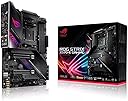
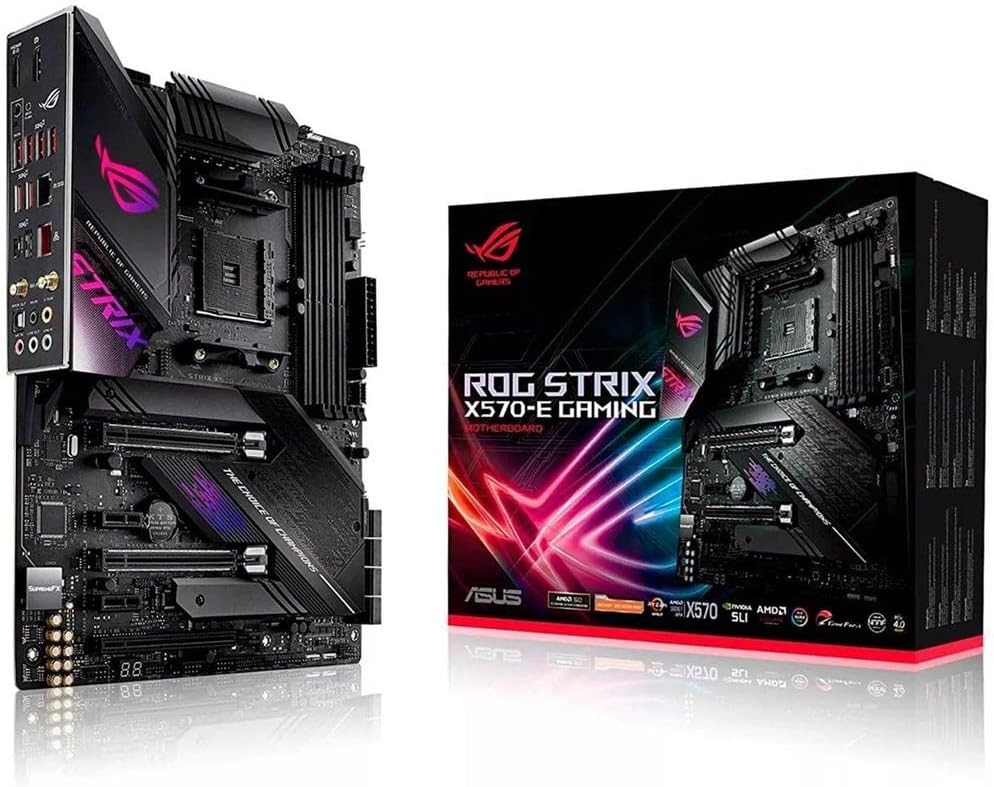
⚡ Elevate your build with ASUS ROG Strix X570-E — where speed meets style and power meets precision.
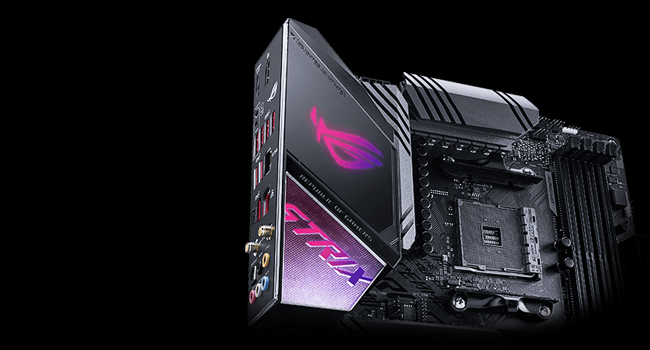
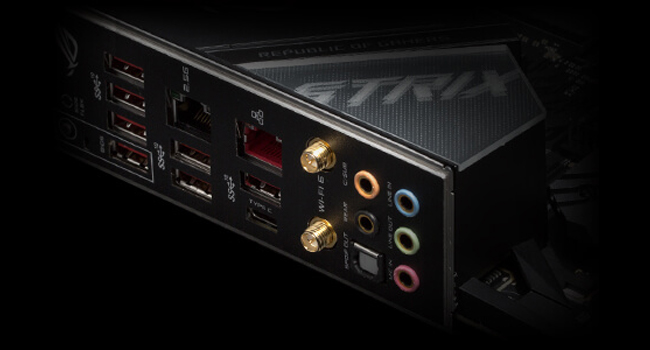
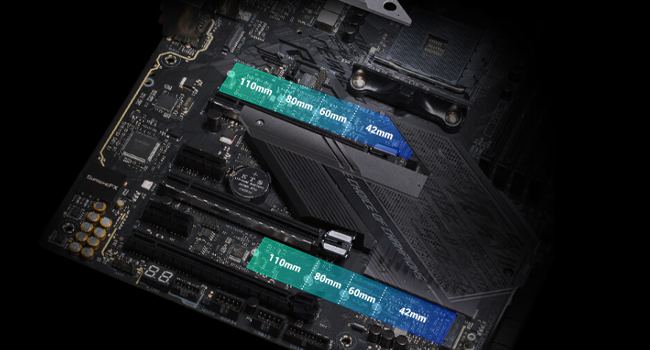
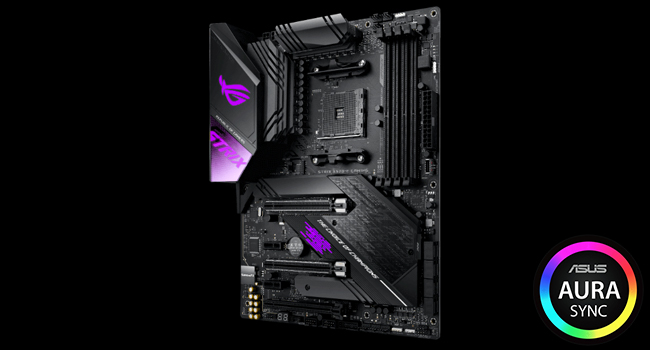
The ASUS ROG Strix X570-E Gaming ATX motherboard is engineered for AMD Ryzen 3rd and 5th Gen processors, featuring PCIe 4.0 for ultra-fast data transfer, Aura Sync RGB lighting for personalized aesthetics, and cutting-edge networking with WiFi 6 and dual 2.5Gbps LAN. It offers robust cooling solutions including dual M.2 heatsinks and a water pump header, alongside 5-Way Optimization for effortless overclocking and SupremeFX audio technology for premium sound. Designed for gamers and professionals seeking high performance and customizable flair, it supports up to 128GB DDR4 RAM and multiple PCIe slots with flexible configurations.


| ASIN | B07SW8DQVL |
| Best Sellers Rank | #676 in Computer Motherboards |
| Brand | ASUS |
| CPU Model | Others |
| Chipset Type | AMD 570X |
| Compatible Devices | Gaming Console |
| Compatible Processors | AMD 3rd Generation Ryzen |
| Customer Reviews | 4.6 4.6 out of 5 stars (3,316) |
| Global Trade Identification Number | 00192876380512 |
| Graphics Card Interface | PCI Express |
| Item Dimensions L x W x H | 10.75"L x 3.03"W x 13.5"H |
| Item Type Name | ASUS ROG Strix X570-E Gaming ATX motherboard with PCIe 4.0, Aura Sync RGB lighting, 2.5 Gbps and Intel Gigabit LAN, WiFi 6 (802.11ax), dual M.2 with heatsinks, SATA 6Gb/s and USB 3.2 Gen 2 |
| Item Weight | 2.5 Pounds |
| Main Power Connector Type | 24-Pin |
| Manufacturer | Asus |
| Memory Clock Speed | 2133 MHz |
| Memory Slots Available | 4 |
| Memory Storage Capacity | 128 GB |
| Model Name | ROG STRIX X570-E GAMING |
| Model Number | ROG STRIX X570-E GAMING |
| Number of Ethernet Ports | 2 |
| Number of Ports | 19 |
| Platform | Windows 10 |
| Processor Socket | Socket AM4 |
| RAM Memory Technology | DIMM |
| Ram Memory Maximum Size | 128 GB |
| S/PDIF Connector Type | Optical |
| System Bus Standard Supported | SATA 3 |
| Total Number of HDMI Ports | 1 |
| Total PCIe Ports | 3 |
| Total SATA Ports | 2 |
| Total Usb Ports | 8 |
| UPC | 192876380512 |
| USB 2.0 | 2 |
| Warranty Description | 3 years |
J**E
Working perfectly for me - a first-time builder
As the title says this is my very first build even though I'm 29 yrs old. I have a good working knowledge of pc hardware and software, I've just not had the means to build a pc the way I want to build it until now. Since I was able to do just that, I told myself I wanted to get the best mobo I could find and this board is definitely delivering. It has a good instruction manual which I just made sure to follow very closely. The manual has a very good detailed diagram of the mobo with all of the inputs and headers clearly labeled and in the instances where there are multiple similar headers or slots (for instance it has 3 pcie slots for multiple graphics cards support) it details which slots are recommended for particular setups. I POSTed first try with no problems at all and got it booted up and running with only 1 minor issue (it was detecting that my cpu fan was not running, which is correct because I'm using a corsair water cooler instead) and wouldn't let me boot because of that. A simple fix - just rebooted to the BIOS menu and disabled the cpu fan and all was good after that....which leads me to my next point. The BIOS software is very easy to navigate and use. Once again the manual is up to par here...detailing what each of the options in the BIOS controls. I was able to set all of my preferences exactly how I wanted (fan control, boot priorites, cpu and memory control etc.). I've never messed around with overclocking before, but was able to figure out how to slightly OC my Ryzen 9 cpu and my G.Skill Trident Z RAM pretty easily. The BIOS is an absolute star for this product in my opinion. The one thing I say is an absolute *must-do" in my opinion is go to the Asus website after you're all booted and connected to the internet and download all of the latest drivers and bios software. After my first boot I was not able to get my system to produce any sound at all or connect any bluetooth devices (like my wireless earbuds and wireless keyboard). A quick check of the BIOS version showed I had version 1005 and the latest version (1405) had just been released a few days prior. So I updated the BIOS via the ex bios update tool that is in the BIOS software itself (the mobo also has a bios flash USB header but from what I understand using this improperly can lead to a completely crashed system). After updating to the newest version and downloading a the driver updates for that version from Asus, everything is now working at 100%. Also a small side note that could be very important for some or many, the RGB lighting control software by ASUS, known as Aura Sync, works very well. It's run by a program called Amory Crate and gives you very nice control over the lighting scheme you want to set up in your case. I used the Aura Creator to make my own lighting effects, which allows you to take control of specific colors and effects for each of your individual rgb devices, and I'm very happy with the result. My Build: This board (obviously) Ryzen 9 3900x CPU Radeon RX 5700 GPU G.Skill TridentZ 32BG RAM Seasonic Focus Gold 750w PSU WD Blue 1TB SSD Seagate Firecuda 2TB SSHD Corsair H150i Water Cooler Phanteks Eclipse P600s case w/ fans
M**A
Great feature filled board with decent overclocking options.
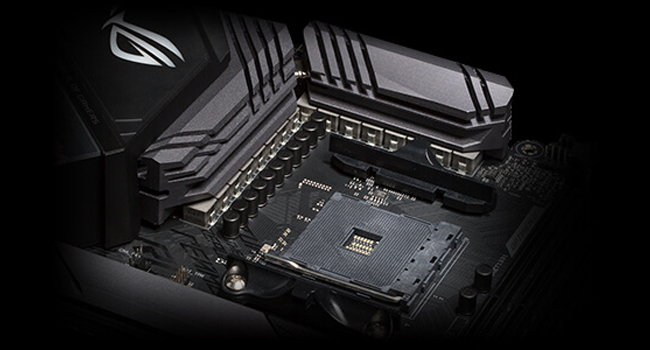
After using the board for the past 8 months, I feel confident in saying that it is one of the best AM4 boards when it comes to featurset and value. While it is fairly expensive (nearly $300 at the time or purchase), the money is going to more of the utilitarian parts that impact performance and usability. Since all of the PCIe slots have PCIe switches on them, the board is very flexibility in how the various ports can be used without running into issues such as some ports being unusable when others are populated. As the board is laid out and connected, the first PCIe X16 slot is connected directly to the CPU, and has a switcher to send 8 lanes to the second PCIe X16 slot (this slot is wired only for X8) if a device is installed in that slot. The first m.2 slot is wired directly to the CPU as well (has 4 PCIe 4.0 lanes that is not shared with anything else). The remaining slots make use of the PCIe 4.0 lanes from the chipset, and best of all, all of them can be used at the same time, including the 2nd m.2 slot. The only catch here is if the 2nd PCIe X1 slot is populated, then the 3rd full length slot that is wired for X4, will run at X2 speeds instead. The board comes with a built in Intel AX200 WiFi adapter. The WiFi adapter and the Bluetooth feature can be enabled or disabled individually, thus if you do not need WiFi, you can disable it at the bios level, while keeping the Bluetooth part of the AX200 enabled. For Ethernet, the motherboard uses the Realtek RTL 8125 which performs as expedited for a 2.5GbE connection. When connected to a multi-gig switch. A throughput test using TCP between 2 2.5GbE clients, gets a sustained speed of 2380.952Mbps after the TCP overhead, thus it is effectively providing the full throughput of the standard. The Intel AX200 performs as expected, and identically to that of laptops equipped with it. When connected to an 802.11ax AP in a urban environment with some congestion on the 5GHz band; at 160MHz channel width, the AX200 provides a real world throughput hovering around 1.8 to 2Gbps. The VRMs remain relatively cool during heavy operation when used with a Ryzen 7 5800x. At full load, the CPU pulls 147 watts which is being powered via a 16 phase 12+4 config that uses 60 amp power stages for each phase (International Rectifier IR3555). Every 2 phases share a signal from the controller, thus in practice, it behaves more like a 6+2 phase, but with twice the current handling capability. Aside from the standard 24 pin ATX power connector, the EPS 12V connector near the CPU area uses an 8+4 pin connector. a single 8 pin EPS 12V cable will run the board just fine, but if you use multiple PCIe slots at once, especially with SLI, then the 4 pin is also needed. Aside from the above mentioned aspects, everything else performs similarly to any other X570 board, since everything else performance related is tightly controlled by AMD. The board also has a number of RGB LEDs along with 4 RGB headers for addressable RGB strips, but thankfully, all of the RGB can be turned off. -------------------- Pros: Great VRM design with good transient response. Good set of bios options. First PCIe X16 slot is spaced low enough to allow ample room for an NH-D15 cooler. Good use of PCIe switchers, allows for all PCIe slots (including the m.2 ones) to be used at the same time, along with every SATA port with nothing being disabled. Intel AX200 WiFi module can be disabled in bios while keeping its Bluetooth 5.2 module enabled. ------------------ Cons: It has many RGB LEDs that are enabled by default, thus adding an extra setup step to disable them. The 2 coax cables for the WiFi/ Bluetooth antenna are longer than I would like. Ideally it is best to keep any cable carrying RF to be as short as possible for where you would like to place the antenna, as RF is gradually attenuated as it travels to more and more length of cable. While the range is still great for WiFi and Bluetooth, in terms of Bluetooth, the range is a little shorter than on my laptop which uses the same WiFi adapter. The 2 screws holding on the cover for the chipset heatsink needs to be removed before you can remove the 2 m.2 slot heatsinks. --------- As a final overall rating, I am still giving it 5 stars as the cons that personally effected me are not major, and the RGB one can be easily solved (for those of us who do not like having RGB lighting on our builds. Beyond that, since my use cases are more utilitarian, it meets those needs without issue.
S**P
Product look wise its was great but had issue with dual channel memory giving 0d error.
A**B
C'est une superbe carte mère ultra stable et d'aspect solide. On sent la qualité de fabrication, et que tout est conçu pour durer. Couplé avec un Ryzen 3900X et 64Go de DDR4 à 3200, dans un boitier Evolv X, RAS. Le Bios est très bien fait, tout est clair et facile à configurer. Aucun problème de stabilité, tout fonctionne. Je recommande vivement cette carte mère ASUS. X570-E Gaming. Préférez la à la version F même si vous ne comptez pas utiliser le Wi-Fi car elle a le port ethernet 2.5Gb/s en plus.
B**N
Esta placa base tiene un diseño precioso, en un principio no me convencía, pero después de verla en vídeos y más imágenes, me enamoré. Tiene todo lo que necesitaba, ya venía actualizada para la 3ra generación de AMD, por lo que no me hizo falta comprar un procesador de 2da generación para actualizarla. La calidad de la placa se siente muy premium y los puntos de iluminación RGB que tiene, estéticamente son muy bonitos y precisos, llaman la atención, pero no son ese tipo de RGB que destaca más que otros componentes. Por último quería añadir que es compatible con el sofware ICUE de Corsair, por lo que si tienes más periféricos de la marca, podrás sincronizar la iluminación de la placa con los demás periféricos de Corsair. No es algo que aporte al uso o al rendimiento de la placa, pero es algo que se agradece.
E**O
Es una excelente tarjeta madre y muy bonita, sinceramente aún no la pruebo hace falta que me lleguen otras cosas para poder armar la pc pero una vez que la prueba actualizare mi reseña, de momento todo bien llego súper rápido, pero la caja llego maltratada , en la parte de abajo , fuera de eso todo parace excelente
B**K
An amazing board, came with the second latest bios and didn't have a single issue installing the Ryzen 5800x. Everything just works from the very first power up and has all the features and overclocking settings that anybody could ask for.
ترست بايلوت
منذ شهرين
منذ أسبوعين