We remain fully operational. Our teams are working around the clock to ensure your deliveries continue safely.

قم بتنزيل التطبيق


معلومات عنا
حقوق الطبع والنشر © 2024 Desertcart Holdings Limited
قم بتنزيل التطبيق



Buy anything from 5,000+ international stores. One checkout price. No surprise fees. Join 2M+ shoppers on Desertcart.
Desertcart purchases this item on your behalf and handles shipping, customs, and support to KUWAIT.
🔥 Elevate your game, protect your wrist, and never miss a beat!
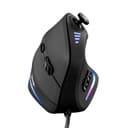
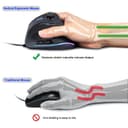
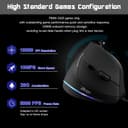
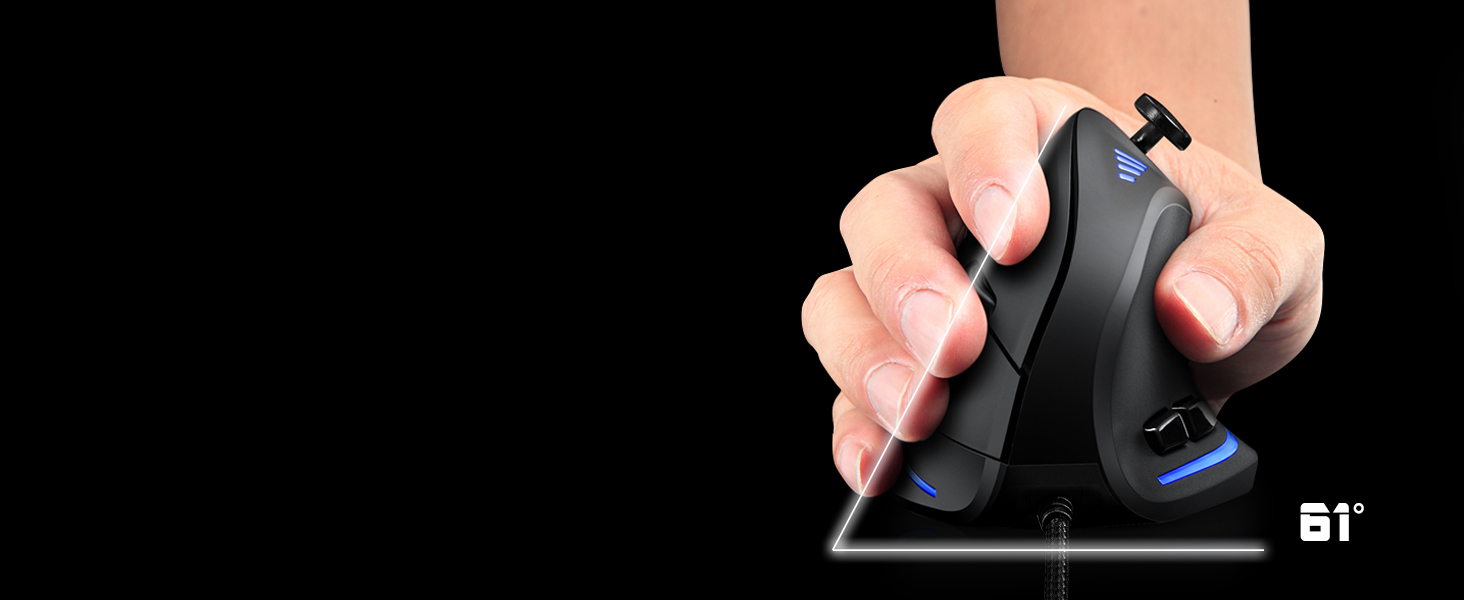
The TRELC Gaming Mouse combines ergonomic vertical design with a powerful 5D rocker and 11 programmable buttons, delivering up to 10,000 DPI precision. Engineered to reduce wrist strain and enhance gameplay, it features customizable RGB lighting and onboard memory for seamless profile switching—ideal for professional gamers and multitasking pros alike.





| ASIN | B07THFMNQ2 |
| Additional Features | 5D Rocker, Ergonomic Design, LED Lights, Programmable Buttons |
| Antenna Location | Gaming, Office |
| Are Batteries Included | No |
| Are Batteries Required | No |
| Best Sellers Rank | #1,979 in Video Games ( See Top 100 in Video Games ) #109 in PC Gaming Mice |
| Brand | TRELC |
| Built-In Media | 1 Ergonomic Mouse, 1 Instruction Manual, 1 Foot Mat |
| Button Quantity | 11 |
| Color | Wired (10000 DPI) |
| Compatible Devices | Laptop, Personal Computer, Tablet |
| Connectivity Technology | Wired, 10000 DPI |
| Customer Reviews | 4.2 4.2 out of 5 stars (2,008) |
| Embellishment Feature | LED |
| Enclosure Material | Plastic |
| Hand Orientation | Right |
| Hardware Platform | PC |
| Item Dimensions L x W | 4.33"L x 2.83"W |
| Item Weight | 5.76 ounces |
| Manufacturer | TRELC |
| Model Number | ffa9f2bc-df4c-43d8-b09b-b9ba1c59d13a |
| Mouse Maximum Sensitivity | 10000 Dots per Inch |
| Movement Detection | Optical |
| Number of Batteries | 1 AAA batteries required. |
| Operating System | Windows/Mac/Linux |
| Power Source | Corded Electric |
| Range | 5.0 meters |
| Style Name | Modern |
| UPC | 787446991061 |
| Unit Count | 1.0 Count |
| Warranty Description | 1 Year Manufacturer |
A**I
Budget Ergonomic Mouse that doesn't compromise on quality.
Vertical mice saved my wrists. As someone who works on a computer all day, I was getting severe wrist pain. Made the jump a few years ago and just reordered same product after four years and have only positive things to say. First, the ergonomics. I can use this all day without tiring or pain. I even use the vertical mouse for some casual gaming (hence also prefer wired so no latency delays), and it works great. You get used to it very quickly and the customization between DPI is great! Turns out the extra buttons are also a great feature as well, often using it to go back and forth between history (or even custom mapping in games). All in all, great product if you care about your health while not spending $50+
A**Z
Really Cool
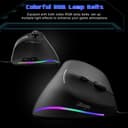
This is a great mouse; it feels great in the hand, and just looks really cool. The resolution indicitaor lights on top look cool, and the flowing multicolor lightbars on the bottom look really slick as well. The thumbstick on top is especially nice, and is really great for easily adjusting the map in RTS and tactical wargames (such as BattleTech, which I play A LOT.) The bottom two thumb buttons are placed just a bit too far forward and can be a little hard to reach, but that will depend on the angle of your arm and how you hold the mouse (they would be much better if they were positioned just a bit further back, closer to the palm.) I got this mouse because about two months ago I suddenly developed a really bad case of tendonitis in the middle two fingers of my mouse hand, to the point that my finger knuckle went *CLUNK* every time I bent my finger, and eventually I couldn't even close my fist. I had seen upright ergonomic mice like this before and thought they looked cool but I never had a reason to justify the cost of buying one before, but when I developed the tendonitis I decided I'd give one a try to see if it helped. And thankfully after starting to use this mouse instead it cleared up after a few weeks. I had initially worried that it would be hard to get accustomed to this new style of mouse with my hand in a different position, but I quickly realized that it was actually easier for me and gave me even more control than with a standard mouse; the position of your hand on the mouse allows you to rest the heel of your palm on the mousepad, allowing you fine precision control over the movement of the mouse. You just need to make sure that your mousepad has a surface that isn't too slick or the mouse can slide all over the place the moment you take your hand off it. I only wish it was wireless, since I use a laptop that I literally sit on my lap and the cable can get in the way, but that isn't any kind of complaint against this mouse in particular; the cable is actually really nice and coated in a woven fabric material that keeps it from getting all tangled and knotted up. Overall it's a really nice mouse, and I consider it well worth the price.
Q**A
Analog Stick is Just a D-Pad on a Stick
This is my first vertical mouse and I'm surprised at how quickly I was able to adapt to odd shape. I was in the market for a new gaming mouse and this interested me greatly because of the inclusion of the analog stick. It was very comfortable to hold compared to traditional horizontal mice and I don't think I can ever go back to using horizontal mice again. However when I got this mouse, I had to look for the website to download the mouse drivers to fully utilize it. Unfortunately the drivers are in bad English and it was very confusing to navigate through. Figuring what everything did was trial and error as nothing is explained well. For example: "Application" in the bottom right corner of the program actually means "Apply" but I originally thought it meant launch a certain profile with a certain program. I later found out that to do that, there's a check mark box that's called "Correlation program". The program is quite limited as well as you're stuck with only TWO profiles. I would've liked way more than this. I tried to make the analog stick and use it to move the mouse cursor but doing so took me about three hours of trial and error. And in the end it was all for nothing because the analog stick was a lie. It's actually not an analog stick. It's more like a D-pad with a stick. So you have to move the stick all the way in one of the 4 directions you want in order to trigger the key or macro. This made the mouse endeavor a complete waste of time and it also made using the default WASD configuration almost useless in FPS games as you have to take time to move the stick all the way for it to register your key. The analog stick was a really cool concept I just wish it could actually be used as an analog stick instead of a D- pad with a stick. The forward side button was also something I had a gripe with. It's a bit too far for my small hand to comfortably reach, so I have to shift the entire mouse just so my thumb can access it. RGB was something I didn't really care about. It's there and the program you download with the mouse has the basic options to change the colors. I also tried to use the "Armoury" feature which I had no idea what it was about since again, there is no documentation on it. Basically you use it in FPS games to make the mouse cancel out the recoil of the gun which sounds great but in actuality I tried and tried to get it to work. It just didn't work well for me. Some games probably detect that as a cheat or something and it flat out doens't do anything. In others it does move the mouse down, but since recoil pattern is sort of randomized and you have to individually "correct" every bullet, it just isn't worth using. Unless you play FPS games with guns that have the same recoil every time. All in all, it's a great vertical mouse with a gimmicky analog stick that doesn't really work well in games or at all. Note: i have Driver Ver 1.0 and there may be an updated version that fixes all of these issues I have with it.
B**B
I was sceptical about this type of mouse but it is good. Works really well for general use and also for games like TTW or Starcraft
T**N
色々マクロ機能が豊富で良いが、サイドボタンは下過ぎて押しづらい、あと日本人や女性の手には奥側のサイドボタンが遠すぎて使い物にならない。もっと小ぶりなサイズで、サイドボタンは下側でなく中央付近のほうが使いやすいと思った
J**.
Buen producto, de buena calidad a buen precio; sin embargo, no me gustó que el joystick no se puede configurar para mover el cursor, solamente te permite asignar teclas hacia las 4 direcciones, para un gamer podría ser útil por las teclas W, A, S, D que es como viene configurado. Creo que le faltó al menos uno o dos botones adicionales para funciones adicionales. También no me parece que sea más cómodo que un mouse común. La iluminación del mouse excelente.
A**R
Very comfortable High Material touch in hand feeling LED RGB very good The navigation button needs to be more stronger Material Overall very good comparison of price
P**N
Firstly, it takes a while to become accustomed to the different format. If you can get past this then the mouse is as easy to use as the normal configuration. The mini joystick may as well not be there. I never use it and it just feels clumsy. It is easy to program and set up. Is it 'better' than a normal mouse? Ultimately it comes down to personal preference. On the other hand, no one else is going to 'borrow' it so that's a plus!
ترست بايلوت
منذ شهر
منذ 4 أيام