We remain fully operational. Our teams are working around the clock to ensure your deliveries continue safely.

قم بتنزيل التطبيق


معلومات عنا
حقوق الطبع والنشر © 2024 Desertcart Holdings Limited
قم بتنزيل التطبيق





Buy anything from 5,000+ international stores. One checkout price. No surprise fees. Join 2M+ shoppers on Desertcart.
Desertcart purchases this item on your behalf and handles shipping, customs, and support to KUWAIT.
⚡ Unlock your MacBook’s full potential with one sleek hub!
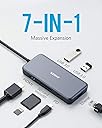
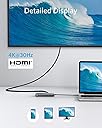
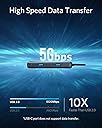
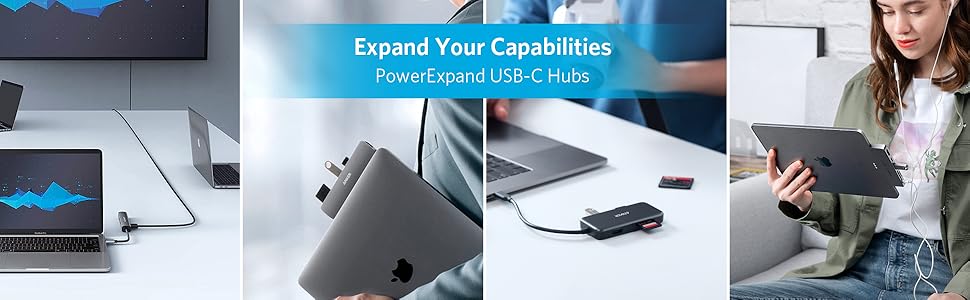
The Anker 7-in-1 USB-C Hub transforms a single USB-C port into a powerhouse of connectivity, featuring 4K HDMI output, 1Gbps Ethernet, dual USB 3.0 ports, and SD/microSD card readers. With 60W Power Delivery, it charges your laptop while delivering ultra-fast 5Gbps data transfer speeds, all housed in a compact, durable aluminum shell. Perfect for professionals seeking streamlined, high-performance expansion for MacBook Pro and other USB-C laptops.



| ASIN | B07PPGWQ15 |
| Additional Features | HDMI™️, Powered |
| Best Sellers Rank | #11 in USB Hubs |
| Brand | Anker |
| Color | Gray |
| Compatible Devices | Card Readers |
| Customer Reviews | 4.7 4.7 out of 5 stars (6,188) |
| Data Transfer Rate | 5 Gigabits Per Second |
| Enclosure Material | Aluminum |
| Global Trade Identification Number | 00848061024395 |
| Hardware Interface | Ethernet |
| Item Dimensions L x W x H | 4.61"L x 2.09"W x 0.63"H |
| Item Weight | 0.34 Pounds |
| Manufacturer | Anker |
| Mfr Part Number | AK-848061024395 |
| Minimum Required Operating System Version | Mac OS X 10.6 Snow Leopard, Windows 10 |
| Model Number | AK-A83520A1 |
| Number of Ports | 7 |
| Operating System | Windows 10 |
| Total Usb Ports | 2 |
| UPC | 848061024395 |
| Warranty Description | 18-month warranty |
C**N
Initial impressions: fully functional and well-made.
As you can see in the quick video demo, I am using this hub to connect two mission-critical items to my M2 MacBook Air via a single USB-C connection: a 4k monitor, and a Digidesign/Focusrite Control 24 digital mixer (now repurposed as a control surface for Logic Pro with Neyrinck's V-Control software) via an RJ45 Ethernet connection. I have tried less expensive hubs, but they failed to run the 4k monitor and the Control 24 at the same time. This one worked perfectly out of the box. The unit is smaller than I was expecting, but feels hefty and solid. Clutter on my desk has been minimized and it's wonderful to have everything running in a stable manner, all from one USB-C port. M2 Macbook Airs only have two USB-C ports on them, and if I were to run separate adapters for the Ethernet and HDMI connections (which I had been doing) I'm left with no further expansion possibilities. This hub fees up possibilities of further peripherals as needed. So long as the Ethernet port doesn't crap out on me (the most common Achilles's heel to these types of hubs) this looks like a great solution. I have to give this unit five stars for initial quality. If problems arise, I'll modify this review accordingly. Great solution. Highly recommended.
L**A
Works Well with My New Laptop
I knew that when I got a new laptop, I would probably need a USB-C hub. When I got a new Lenovo Yoga 6 to replace my old Yoga 2 (2014), I needed the hub because the new laptop did not have the HDMI port and SD card reader that the Yoga 2 had. I thought about getting the more expensive 8-in-1 hub that had a USB-C data port and higher video refresh rate. But I don't have any accessories that require a USB-C connection, and I don't currently have a 4K TV or monitor. So, this 7-in-1 hub met my needs for $20 less. (And this hub had slightly better ratings than the 8-in-1 hub.) So far, I have tested the Ethernet port, the SD card reader, and the 2 USB-A ports. All work well. I can play music files on the SD card with no problems. I can use a wireless mouse with its connector in one of the USB-A ports. I used the ethernet connection for the initial setup of the laptop, which required a lot of data updating. I streamed a 2.5 hour movie through the HDMI port to my TV with no problem. I have not tested charging through the hub because the Yoga 6 has 2 USB-C ports (and 2 USB-A ports). So, I can plug the charger into one port and the hub into the other port. I have not done any data transfer rate tests, but I have had no problems reading data from the SD card or the USB-A flash drive. I have not noticed any temperature issues so far. The hub is barely warm to the touch while in use. For me, the short connector cable is adequate. I don't have to deal with any extra cord length. For me, the main benefit of this hub is having the SD card reader and the HDMI port missing from the new laptop. I know some laptops have only one USB-C port that must be used for charging and for data transfer. So, that might be an issue for some folks using this hub. I think the key there is having the right sized charging adapter.
N**1
Quality and Price are killer
I find Anker products are well made, so picking them over other vendors is easy. Easier when their price is the lowest. I bought this (again) because my wife stole mine to replace her crappy knock-off that failed. The most effective adapter to extend ports and provide a dual monitor port for my Macbook Air
J**E
excellent Gadget
USB-C Hub – A Must-Have for Mac Users! I recently purchased this USB-C hub for my MacBook, and I am extremely satisfied with its performance. It offers a great variety of ports, including USB-A, HDMI, SD card reader, and USB-C with Power Delivery, making it a perfect solution for expanding connectivity. Pros: ✅ Fast and Reliable: No lag or connection issues when transferring files or using external devices. ✅ Compact and Lightweight: Easy to carry around without adding bulk. ✅ Plug & Play: Works instantly without needing extra drivers. ✅ Great Build Quality: Feels durable and well-made. Cons: 🔸 Can get slightly warm after extended use (which is normal for hubs). 🔸 Would be great if it had an extra USB-C port for added flexibility. Overall, this USB-C hub is an excellent accessory for Mac users who need more ports. Highly recommended! 🔥💻
O**N
Great PC and Mac docking option
We bought this to plug our Dell laptop into our keyboard, mouse, and monitor at home, as well as a USB Hub, that way we could use the laptop at the desk with a full setup, then easily disconnect and use the laptop in another room. We used velcro to attach it to the side of our laptop stand, so we can quickly attach it and detach it, and it works great. We also plugged a USB-C charger into it and it charges our laptop just fine as well. As an added bonus, I have a MacBook Pro at work and can easily swap out my home PC for my work Mac and this same Anker adapter works for both, so I can use my keyboard mouse and monitor with my Mac as well. I do wish it had a headphone jack so I could plug my headphones in, but I knew it didn't before ordering, so not worth losing a star over. I haven't had any connectivity issues with it since we purchased it a few months ago.
A**S
Llevo ya unos meses usándolo todos los días y va genial! No puedo poner ninguna pega, lo volvería a comprar sin duda
J**C
Short Version: - Good build quality, nice packaging, carry pouch is a nice touch. - Connects wired USB mouse, wired USB keyboard, HDMI monitor and ethernet without problems - Works (for the above) with or without laptop charger plugged into it. - With charger plugged in, powers and charges Thinkpad X390 (using 65w Lenovo charger) - Nice alternative to a larger, less portable dock - Anker customer service is excellent Gripes: - I don't use the card reader, and would have another USB port or HDMI port in its place I'm using this with a Thinkpad X390. In my setup, it connects a wired USB keyboard, wired USB mouse, an HDMI monitor and my ethernet network to the laptop. I wasn't certain from the description whether the product would power the laptop as well (but wasn't too worried as I have two USB-C ports, and figured, if it came to it, I would charge the laptop via one, and connect the hub via the other. It does charge and power the laptop via the PD socket though, using the 65w Lenovo charger supplied with this Thinkpad model. Taking the charger power cable out of the hub will briefly pause operation of the connected items, but they spring back into life without problems. UPDATE - this no longer happens - I'm not sure why, but operation of the connected peripherals continues uninterrupted if the charger power cable is removed or plugged in. As ever with Anker, the product arrives nicely packed, and has a reassuring, quality feel to it. The pass through charging works nicely with Lenovo's 65w charger, and the hub works whether plugged into the pass through charging or not. I use it as a more portable laptop dock, with only one thing to unplug should I need to move away from my desk. Using this also frees up the laptop's USB ports (previously taken up by the wired keyboard and mouse). Personally, I don't use the card readers - while it's sort of nice to have them available, more USB or HDMI capability would have been better, I think. In all, an excellent product.
K**N
Currently using the ethernet port, HDMI, and USB C ports and it works well!
P**E
Cinque stelle piene. Uso questo prodotto Anker tutti i giorni da più di tre anni e continua a funzionare come il primo giorno. Le porte non hanno mai dato segni di cedimento. La scocca è ancora perfetta: niente graffi evidenti, niente plastiche che si staccano. Lo infilo e sfilo dallo zaino di continuo, lo porto in viaggio, e non ha mai fatto una piega. In sintesi: compatto, costruito bene, affidabile nel tempo. Se cercate un hub che “lo compri una volta e te lo dimentichi”, questo è quello giusto.
D**R
I'm working with an M1 Air, another success but a review of that is of course beyond this review. I mention this because it has two thunderbolt 3 ports, and that's it. Essentially, this device enables you to have a mains connection if you need it, and then gives you full functionality of all seven inputs. It's well made, it works, it's inexpensive and unobtrusive.
ترست بايلوت
منذ أسبوعين
منذ 3 أيام