


🚀 Elevate Your WiFi Game!
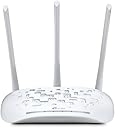
The TP-Link N450 Wireless Access Point is a versatile desktop WiFi bridge that supports multiple operating modes, ensuring seamless connectivity and robust performance. With a maximum wireless transmission rate of 450Mbps and easy setup via WPA encryption, this device is perfect for both indoor and outdoor use. Its detachable antennas and Power over Ethernet capability provide flexible deployment options, making it an ideal choice for modern networking needs.


| Number of Ports | 1 |
| Control Method | App |
| Data Transfer Rate | 300 Megabits Per Second |
| LAN Port Bandwidth | 10/100 megabits_per_second |
| Voltage | 12 Volts |
| Maximum Upstream Data Transfer Rate | 450 Megabits Per Second |
| Recommended Uses For Product | Indoor/Outdoor |
| Connectivity Technology | wireless |
| Operating System | Microsoft Windows XP, Vista, Windows 7, 8, 10 |
| Security Protocol | WPA-PSK |
| Additional Features | Access Point Mode, WPS |
| Frequency Band Class | Single-Band |
| Wireless Compability | 802.11bgn |
| Compatible Devices | Gaming Console, Printer |
| Frequency | 2.4 GHz |
| Item Weight | 280 Grams |
| Color | White |
D**S
This May Be Your Answer!
I upgraded from a pair of Buffalo Air Station access points, one set up as a repeater for my back yard. They were a real pain to setup and so were these. The Buffalo's were "G's" and with a house full of streaming video, were long in the tooth.The only problems I really had with these over the Buffalo's, were the huge power these put out. I have them set for maximum output. The repeater's only problem, if you can call it that, is you really need to need it. LOL My last repeater was in the kitchen looking out the window. This one actually had to be outside in the hot tub room. (another 20 feet going through EV glass and the hot tub room's roof, really) Otherwise, it would flood the house and the devices could never decide what to work with, so would work with nothing. In other words, no internet access. If you have 2 1/2 to 3 bars, on your wireless device, add the repeater at that point. Don't go under two bars as your throughput won't support 1080p streaming. (regular internet access is fine, however) It has to be pretty exact. If you set the repeater with four bars showing from the access point, you'll flood the house. Maybe using low power would help this, but what's the point in that? You don't really need the repeater at all then. Remember? You really need to need it. I want power and need range, that's why I'm doing this in the first place. I didn't try auto. I never use auto anything.Once the repeater was setup outside, everything settled down and man, are these baby's fast. I've always had trouble with the hot tub room HD TV. (again, outside, but under roof) I was using dual long length Cat 6 cables with powered converters and powered splitters, HDMI converters etc,etc, ad nausea! And as you can imagine, watching ball games outside was always hit and miss.Not anymore! After years of hassle, tech has finally caught me. Now I just stream it via my TiVo app from my tablet and waa laa, instant Yankees game in 1080p. NICE! REALLY NICE! FINALLY!!!After reading all the negative reviews here, and not being an expert on these things, I was hesitant, especially with the really cheap price; but reasoned these people just don't know how to set these things up and I was right. These units work extremely well, if you have them set at 40Mhz, they'll blow your house away. And my back yard. LOLIf you set up a repeater, remember, in "Wireless Mac Filtering" the main access point HAS to have the mac address of the repeater. And, the repeater MUST have the mac address of the main access point. They WILL need permissions while keeping main permissions at default, (disabled, and deny) While this will seem counter intuitive, this step will "marry" them. This used to be done with Mac cloning. Also, setup as a universal repeater, keep WMA off. (this has nothing to do with your security setup.) I think that's where people lose it. None of this can be done in quick setup, you have to come back and fine tune it. Repeaters are tricky.Set up in this way, your wireless devices will switch between them seamlessly with very little lag; just like cell phone towers do and they won't try to interfere with one another. I set both mine up wireless using my laptop. Set one up, turn it off and set the other up. You may wind up changing the wrong one if they're both on. (yeah, like 10 times! gasp) And, know where the reset button is, you'll need it a few times. LOL I'm telling you guys this now, because in a week, I'll forget how I did it. LOLStick with it, it's worth it and my oh my, do these things really work great. I've never had anything even close to these. My Laptop and tablets connect between 170, and 300Mbps. My computer off the wired router doesn't have that speed.If they don't hold up, I'll update this post.By the way, forget Buffalo, they're not the same company, I sent theirs back.
T**Y
Pretty much the perfect product
Just received this product yesterday - it's one of those things that just does 100% of everything I wanted it to do!My tech knowledge: I could use my router to setup simple things with the firewall, port forwarding, and wireless MAC filtering. That's about the extent of my abilities.Why I bought the product: I have Verizon FiOS, and they give you a router with wireless. I was having two problems with it. First, reception on the wireless was not very strong in parts of my house and therefore HD video over WiFi was not that great. Second, I am using MAC filtering instead of a WEP key for the WiFi (I have two devices that cannot use WEP keys) and the FiOS router wasn't letting me add certain devices to the list of allowed devices, which was very odd.Setup: Product was a cinch to setup. Plug it in and it just works. The only problem was that you need to configure it by going to a URL in your browser, which didn't work for me. I had to type in the IP address of the access point in order to access the web interface. Annoying, but not a problem. Menus were very easy to use and it was easy to setup the MAC filtering that wasn't working correctly on the FiOS box.Did it work?: Absolutely! I had originally planned to use this as a bridge and install it somewhere between the FiOS router and the spotty reception areas upstairs. But I plugged it in and installed it as a wireless access point right next to the FiOS router just to test it out - and the range was so great that it reached all parts of my house, my driveway, and my backyard! So there was no need to even move it. But if I choose, I could use this for other purposes, as explained in the literature.I highly recommend this product. It completely solved my problems, all for only $40. So you really can't go wrong.
S**5
Easy (mostly) to set up! Works great so far.
I set this up in "client" mode. It was very easy to set up. The wizard did all of the work.There was a slight glitch when connecting the first time. It lost connectivity after I changed the password (as was to be expected) and again after I tried to set it up in client mode. I would suggest changing the username/password AFTER you get it configured. Doing both (as prompted) at the same time just introduced one to many potential glitches.After it connected to my wireless network, my PC said the connection was limited (I was hard wired into the unit). After a minute or two my computer showed a normal connection, but I still couldn't get anything to come up. I waited a bit longer and my computer showed a limited connection again... but only for about 10-20 seconds. Then it showed a normal connection and then I had connectivity.I unplugged the WAP and moved it to a new location. Turned it back on and it acted the same way (limited connectivity - no internet... then showed a normal connection... but nothing... PC showed limited connectivity, again for a short period of time and then... it worked). I tested the speed and my connection was fast and solid.
ترست بايلوت
منذ شهر
منذ 3 أسابيع