Desertcart purchases this item on your behalf and handles shipping, customs, and support to KUWAIT.
⌨️ Elevate your desk game with the Keychron K2 — compact power meets wireless freedom!
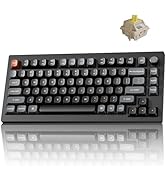
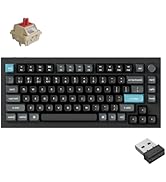
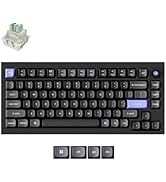
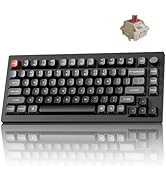
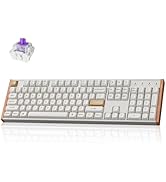
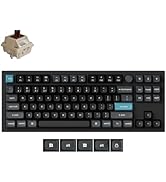
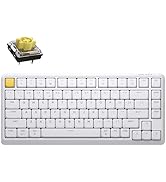
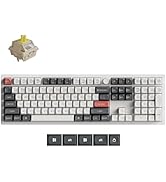
The Keychron K2 is a premium 75% mechanical keyboard featuring 84 keys with white LED backlighting, Bluetooth 5.1 connectivity supporting up to 3 devices, and a robust 4000mAh battery offering up to 7 days of use. Designed for Mac and Windows users, it includes tactile Super Mechanical Brown switches rated for 50 million keystrokes, anti-ghosting N-key rollover, and dual wired/wireless modes via USB-C. Its compact layout retains essential shortcut and arrow keys, making it ideal for professionals seeking a stylish, durable, and versatile keyboard for home, office, and light gaming.


| ASIN | B07QBPDWLS |
| Additional Features | Bluetooth USB C Wired dual mode, LED Backlit, Keychron Super Switch, Mac layout, Windows, Mechanical Keyboard |
| Antenna Location | Home,Office |
| Best Sellers Rank | #2,560 in Video Games ( See Top 100 in Video Games ) #13 in Mac Gaming Keyboards #242 in PC Gaming Keyboards |
| Brand | Keychron |
| Built-In Media | USB Cable |
| Button Quantity | 84 |
| Color | Brown Switch |
| Compatible Devices | Gaming Console |
| Compatible Operating System Family | MacOS, Windows |
| Connectivity Technology | Bluetooth, wired |
| Customer Reviews | 4.4 out of 5 stars 1,636 Reviews |
| Enclosure Material | Plastic |
| Generation | 2nd Generation |
| Hand Orientation | Ambidextrous |
| Item Dimensions L x W x H | 12.32"L x 4.84"W x 1.52"H |
| Item Weight | 1.9 pounds |
| Keyboard Backlighting Color Support | Single Color |
| Keyboard Description | Mechanical |
| Keyboard Layout | QWERTY |
| Language | English |
| Manufacturer | Keychron |
| Mfr Part Number | Brown-A3 |
| Model Number | Keychron K2A3 |
| Number of Items | 1 |
| Number of Keys | 84 |
| Number of Packs | 1 |
| Power Source | Battery Powered |
| Recommended Uses For Product | Home,Office |
| Series Number | 24174368456844 |
| Special Feature | Bluetooth USB C Wired dual mode, LED Backlit, Keychron Super Switch, Mac layout, Windows, Mechanical Keyboard Special Feature Bluetooth USB C Wired dual mode, LED Backlit, Keychron Super Switch, Mac layout, Windows, Mechanical Keyboard See more |
| Style Name | Contemporary |
| Switch Type | Gateron G Pro Mechanical Brown |
| UPC | 757450959289 |
| Unit Count | 1 Count |
| Water Resistance Level | Not Water Resistant |
M**Y
Awesome first time mechanical keyboard!
So first off, a few disclaimers. One, I am no mechanical keyboard expert so take everything I say as experience, not expertise. Two, this is my very first mechanical keyboard purchase so I have no other mechanical keyboards I can compare this to. Three, if you know nothing about mechanical keyboards - go and read at least a couple articles about what the different aspects to them are. Especially the different types of switches. Depending on what type of sound and feel you want, knowing the switches will potentially make the difference between a happy purchase and an unhappy one. I’m glad I did the research because I ended up very happy with both the sound and the feel. Ok, all that said… on to the review. After using my last keyboard for about three years, I decided it was time to replace it. I had been hearing a lot about mechanical keyboards for a while and had been talking to others about their experience. I decided it was time to take the plunge. The challenge here is that there are A LOT of options out there. Here’s how I chose. I’m a big fan of the folks at the Wirecutter (don’t love that they sold out to NYT, but whatevs). So I read their research and testing on best options. Their pick felt way over my head, both in terms of acquisition (had to go some mechanical keyboard online shop), costs, options, and wait time. Their budget pick, the Keychron C1 caught my eye. But this was a wired KB and I wanted wireless. I also noticed that their upgrade pick was also a Keychron - so when I found this one, I thought it couldn’t be too bad. Plus it had the two main features I wanted (bluetooth and backlight). Plus it looked pretty awesome. The overall package - I have to admit for a brand I had never heard of before, the whole package - keyboard and all - was made with a considerable amount of quality. The construction feels solid and sturdy. The instructions were understandable and clear. It included extra keycaps if you wanted to use this keyboard with a windows machine. You could even change the keys in the corner to gray or orange. Your choice. But the most important question - how does it feel to type? Mind you I’m not wildly picky nor a typing snob - but I thought it was great. I love the feel of it and it has just the right amount of feedback and sound. I got the brown switches for just this reason. Again, I will stress the importance of knowing what kind of switches you want. What I like - Typing feels awesome. It looks amazing on my desk and blends well with my Mac and all my accessories. Holds a charge for a long time. Lots of fun backlight options. Easy to configure. Can use as wired or wireless. Everything is high quality. What I don’t like - It goes to sleep a little too frequently for my taste. Mind you, this is configurable and you can change the amount of idle time before sleep or turn off auto sleep altogether.I tried this, but I think I got something wrong and now it seems to go to sleep even faster. But this is truly a PEBKAC and not a problem with the keyboard itself. Who would I recommend this for - I would definitely recommend this keyboard for anyone looking for their first foray into the mechanical world. Nothing to overthink here. Just pick the type of switches you want (thank goodness there are only three available as opposed to the dozen or so that are out there) and order and you’re on your way to clickety-clackety nirvana.
B**.
Keychron is just, flat out, a good product.
Solid and Sturdy! If you already have a Keychron, you'll know how to connect it / work the lights. :P Switches were quieter, slightly thonkier, and had a stiffer press than gateron browns, which I was looking for! 2nd Keychron, in my travel load out for work. Love it.
P**R
A great keyboard if it fits your needs
I bought this for a home office that occupies a niche off the family living space and therefore should be as neat and minimal as possible. I especially want to avoid a tangle of cables. For years I used a Unicomp Model M at work, which I loved, but it was way too loud for home. I wondered how I would do with the Gateron blue switches, but in practice I like them just fine. The touch is lighter than the buckling springs of the Unicomp, but I have adjusted quickly and may soon prefer them. Anyway, after years of being forced much of the time to use laptop keyboards or the mushy junk at various offices this is quite satisfactory. I was also worried about using a Bluetooth connection, since other people have sometimes reported trouble, but it has worked like a charm. The connection was easy to establish and easy to restore after using the keyboard with other devices. I see no lag, no dropped characters, and no repeated characters. I don't game, so there may be a degree of responsiveness others need that I don't, but as far as I'm concerned each stroke has an instant result. It probably helps that I'm using this with a new NUC that has up-to-date Bluetooth 4.0. The keyboard goes to sleep after ten minutes and requires a keystroke to wake up. I realize that some sleep algorithm is necessary for battery life, but I wish that it were adjustable -- I would trade more frequent charging for longer wakefulness. However, I have quickly developed the habit of hitting the shift key after returning to typing. I was already acclimated to that from using laptops on dark airplanes to restore back-lighting. Speaking of which, I have found the back-lighting to be more useful than I thought I would. I got the model with the plain white LEDs and only the use the most boring, straightforward setting. I makes it easier to work in the dark, which I often do, and it serves as a reminder that the keyboard is asleep. The biggest bonus for me has been how well the keyboard works with other devices, like my iPhone and a smart Samsung television, filling a need I didn't know I had. I dislike typing long emails and texts with my thumbs. If the keyboard is in reach function-1, -2, or -3 quickly lets me switch with no problems. It has also spared me the tedium on text entry using the television remote when I am trying to search for a movie on Netflix or enter a password. My only objection to the keyboard is that, in practice, I don't love the form factor. That is not a design criticism. I thought I would, but now I think I would prefer a more expansive tenkeyless design, with the conventional layout for arrow keys and a little gap between the numbers and the function keys. This is perfectly designed for someone who wants to able to toss this in a backpack and use it in many places, but for pure keyboarding in one place, it is more compressed than I need. It also stands slightly higher than I would prefer, but that is really just a matter of the right wrist rest. The build quality is excellent, the keyboard feels solid and inflexible, and the weight (though far less than the good old Unicomp) is enough to keep it firmly in one place. I will definitely keep this keyboard, even if I end up buying a larger one for daily use. I know now how well Bluetooth and blue keys work for me. I recommend this to others for quality, but always subject to subjective preference and the job at hand.
O**S
Has weird quirks, but one of the best keyboard designs
I got the K2 because most mechanical keyboards are designed with the "gamer aesthetic", and I needed multi-device support, similar to what Logitech has on their keyboards. Unfortunately compared to the K1, the base K2 does not have an aluminum backplate, which makes you question why you're paying so much for a keyboard. However, the plastic is pretty well constructed, and the features really makes this keyboard shine. First, multi-device support over cable and bluetooth. I use multiple devices between Windows and macOS, so having OS-specific modes was a really nice experience. The cable is type C, which is a really nice touch. Typing is what you would expect. I have the brown switches (wanted to get the red but the brown was on sale), so both typing and gaming are pretty good experiences. The backlight is great, but when I bought the non-RGB version of the K2, I wasn't expecting it to contain the same flash patterns as the RGB version, which is annoying for me since I was expecting the backlight to be only a off-on affair. It's not as big of an issue compared to the K1 though, since it's not as low profile and it's harder to bump into the backlight key. I think there's a firmware upgrade that gives you a feature to lock light patterns, so that probably solves this problem. I have found some weird things going on with this keyboard though. It doesn't play nicely on bluetooth with some macOS devices, and it seems to "keep" my 2008 Macbook pro constantly awake, which really annoying. A firmware update might fix this in the future. With power savings on the backlight, I got more than 2 days on battery with the backlight on when active. I normally keep it plugged in because I need the cable connection, but I wouldn't say battery life is too bad, given the backlight. Overall, there's not that many keyboards that is both mechanical and looks professional, let alone have both and multi-device support. I do feel the K2 is a bit overpriced, but if you can get a good deal on it, it's a very good keyboard. Just be sure you do want to invest in using mechanical keys, they might not be the best typing experience for some people.
T**E
Great keyboard! It's a keeper.
I really love this keyboard. The white backlight is enough for me, I don't need all the RGB color flashing everywhere. I got the model with the Brown Switches which provide perfect tactile feedback that feels amazing, it keeps wanting me to want to type and type more. I've been having a hard time finding a perfect keyboard that I want to keep, and I gotta say this one is a keeper. It comes with keycaps for an Apple computer, but they also include all the keycaps for Windows. Since I'm a Windows user, they were very easy to remove with the included key removal tool and pop on. Some other things that are great: It's light, it has keyboard title legs which I always need. (I actually purchased a keyboard a couple of months ago that didn't have these legs which left me puzzled.) The only alternative keycap colors are orange. There are two of these. One is for the ESC key and the other is for the far right of the keyboard where there is a button for toggling the lighting effect the keyboard backlight displays. The absolute only con is I wish they included colored keys for W, A, S, and D. Unfortunately they didn't. This is something I wish they did. I might email them and ask if there is any way I can get orange keycaps for those keys. Or there might be alternative keys you can buy that will fit on the keyboard perfectly. This is for a new computer I just built and it pairs perfectly with it. On my other system, I have cherry red switches, and they're just a little too clicky and loud. The brown switches make the sound just a little more muted and softer. The only other thing I'd have to say is I think the price point should be more around 80 dollars for this keyboard, so you're paying a premium price for this, however, there are much more expensive keyboards so it's hard to complain. If you're looking for an amazing keyboard I highly recommend this. I also want to mention it does come with a cable in case you don't want to go Bluetooth. That's what I'm doing at the moment, but I might try the BT later. Good luck!
J**E
Great budget board, with some issues
Great keyboard with a few issues. Switches work fine. Plastic case has a not too cheap feel, with a great color scheme. Biggest issue is the cable connection not working like half of the time, I was going to use it in Bluetooth mode 99% of the time so not a big deal. Software is a mess though, it will not register my keyboard despite it being actively connected. But having a Keychron on sale for about 60 dollars can’t be beat.
L**E
Very good and reliable.
Being using for over a year and it's fully woeking. No issues at all. Totally recommended.
K**I
Lighting never works and keyboard has to be power cycled a lot to function properly.
the WORST thing about this keyboard is the fact that after being on for a while it doesn't light up. when working in a dim light video editing room, this is really annoying when you have to turn it off and on multiple times a day the time adds up. on my previous model Mark I the power switch ended up stopping working because of this I stupidly gave this company a second chance buying the Mark II. I tried to return this product but it was a couple days too late, so learn for me and save yourself the hassle. keyboard Disconnects when mac or PC goes to sleep causing you to have to reconnect the keyboard, but if you are on the login screen, you'll have to hardwire it to put in your password or you will have to use your laptop's keyboard if possible. this gets really annoying when it happens multiple times a day. once you do get your keyboard working again after sleep mode, you will now be on the default lighting setting which is a seizure inducing flashing. ridiculous lighting setting that no one would ever use unless they have a fetish for causing themselves seizures. you then have to proceed to push the lighting button a bunch of times until you get to probably the last setting in order which is a basic plane, solid lit up keyboard. and if you were wondering oh that would be cool because I could have different colors and everything. nope. this version Mark II of the keyboard does not have any different colors of lighting. just a bunch of stupid motion that does nothing but distract you while you are trying to work and it's all in a beautiful white color. This is a small thing but when added to the other inconveniences forcing you to think about your keyboard 5 to 10 times a day is ridiculous. My keyboard at work doesn't force me to ever have to think about it, I don't remember the last time I thought about my keyboard. When's the last time you thought about your keyboard? what if 5 to 10 times a day your keyboard made you deal with some s***? that would be hella annoying right? (Yes, I tried all the troubleshooting techniques and none of them worked.)
J**A
Es bueno
El teclado es bueno, suena bien, pero en mi caso siento que las teclas son un poquito más grandes de lo normal lo que al principio es un poco incómodo escribir (al menos en mi caso), Pero fuera de eso está bien
M**.
Top
Perfetta . e basta 👍😂
S**L
Tuerie
Très bon clavier, fonctionne très bien depuis 5 mois
J**N
Muito bom
Gostei de tudo no teclado. Ele ainda vem com as teclas extras, caso eu preciso usá-los em um notebook que não seja da Apple. É confortável, macio e o som das teclas é muito agradável.
J**N
Absolutely Amazing Keyboard!
I've been hearing so much buzz about this keyboard, especially from YouTubers, which initially put me off on ordering it. However, I'm so glad I finally gave in and ordered it. It has been an amazing typing experience! I use it with my Macbook Air and the connection is great, the battery life is so long, and the sounds of the clicky keys is so satisfying. I think I actually enjoy responding to lengthy work emails now! Be cautious though if you use this for work, especially if you have virtual meetings. I forgot to mute my mic while taking notes and everyone was shocked at how loud it was over mic. Lol.
Trustpilot
3 days ago
1 month ago