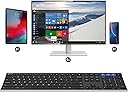
⌨️ Elevate your workspace: one keyboard, three devices, zero compromises.
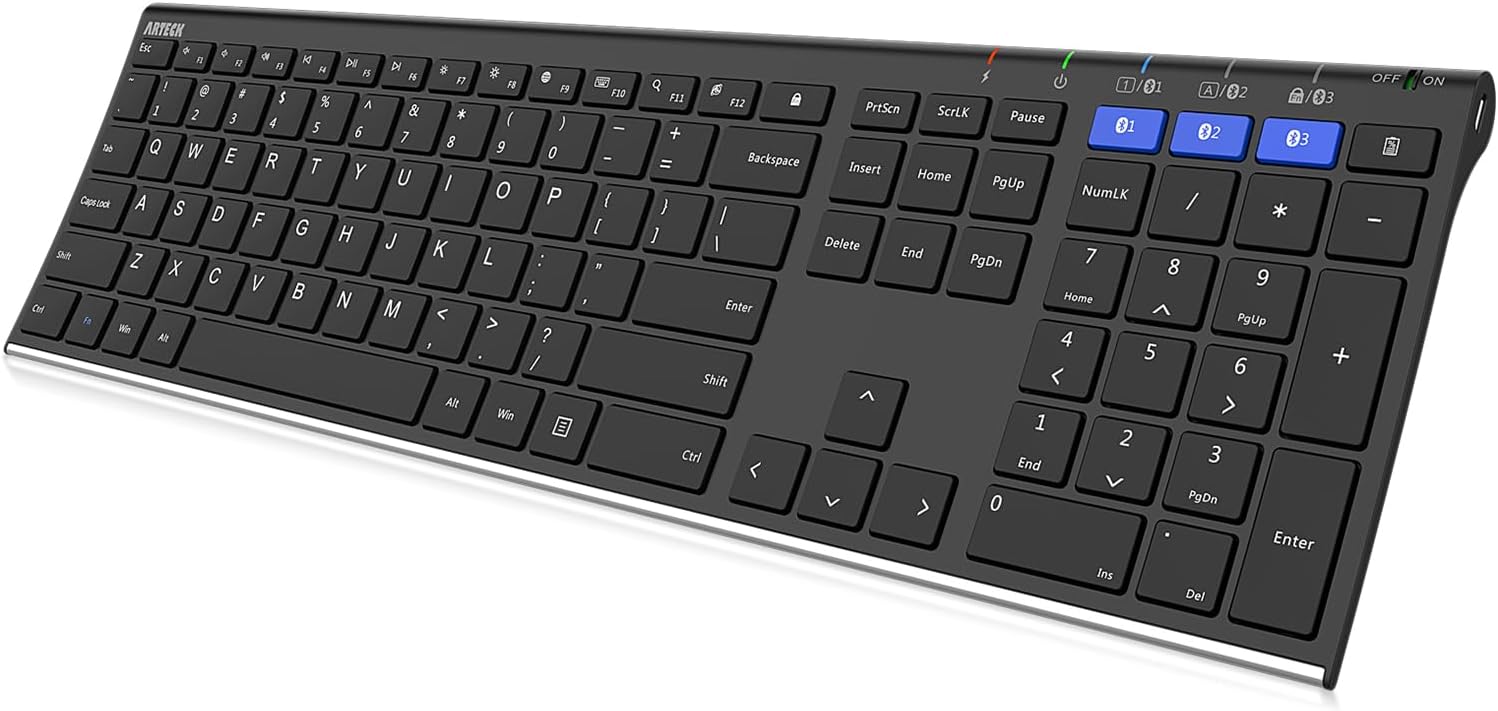
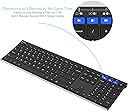
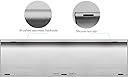
The Arteck HB192 is a premium full-size Bluetooth keyboard crafted from stainless steel, designed for professionals juggling multiple devices. It supports simultaneous connection to three devices with instant switching, offers broad compatibility across all major operating systems, and boasts an industry-leading 6-month rechargeable battery life. Its ergonomic low-profile keys and numeric keypad ensure comfortable, quiet typing, while the included USB charging cable and 24-month warranty provide lasting reliability.


| ASIN | B07VN47CYW |
| Additional Features | Ergonomic, Lightweight, Low-Profile Key, Rechargeable, Volume Roller |
| Antenna Location | Business, Education, Everyday Use, Multimedia, Personal |
| Best Sellers Rank | #109 in Computer Keyboards |
| Brand | Arteck |
| Built-In Media | USB Cable |
| Button Quantity | 110 |
| Compatible Devices | Laptop, PC, Smartphone, Tablet, iPad |
| Connectivity Technology | Bluetooth |
| Customer Reviews | 4.2 out of 5 stars 5,345 Reviews |
| EU Spare Part Availability Duration | 2 Years |
| Enclosure Material | Stainless Steel |
| External Testing Certification | Não aplicável |
| Hand Orientation | Ambidextrous |
| Item Dimensions L x W x H | 16.9"L x 4.9"W x 0.16"H |
| Keyboard Description | Multimedia, Bluetooth Multi Device, Slim, Full Size |
| Keyboard Layout | QWERTY |
| Manufacturer | Arteck |
| Mechanical Keyboard Switch Model | Linear |
| Number of Keys | 110 |
| Number of Sections | 3 |
| Power Source | Battery Powered |
| Recommended Uses For Product | Business, Education, Everyday Use, Multimedia, Personal |
| Special Feature | Ergonomic, Lightweight, Low-Profile Key, Rechargeable, Volume Roller |
| Style Name | Modern |
| Switch Type | Linear |
| Unit Count | 1.0 Count |
| Warranty Description | 2 years warranty |
U**E
Poor Connectivity...Looks nice UPDATED REVIEW!
4-21-22 First my apologies to Artek for the delay in updating my review. I promised myself and them I would do so. After I wrote my initial review below, Arteck immediately contacted me through Amazon and offered to send me a replacement keyboard free. They sent me a code for one on Amazon and it arrived a day later. It was fully charged, which surprised me as not all of these do arrive this way. This keyboard worked amazing. No issues what so ever. It connected to all 3 of devices (my windows 10 PC, laptop and android phone) without a hitch. I've been using it non-stop since April 1st and been able to switch between all 3 devices seemlessly. There is a bit of a delay in the connection, but honestly, the 2 second delay occasionally that occurs is nothing. I've learned to adjust my habits a bit and wait and I'm good to go. I'm pretty sure most Bluetooth muliconnect keyboards suffer from this glitch... but either way I'm happy with this one. The customer service of this company alone has been outstanding and they have done everything they could to make sure I was happy. I would not only purchase this keyboard again, especially with the warranty it has, but I would purchase any product that Arteck sells and give it a chance. Initial impressions out of the box is that it's a nice looking and feeling keyboard. It doesn't feel cheap. They give you a micro USB cable to charge the keyboard with. It doesn't illuminate other than the LEDs above the buttons for multidevice. It's fairly easy to connect your devices to. Which is good, because you'll be reconnecting them often in an attempt to troubleshoot this device. I owned this product for less than a week. 3 days is all I had of a honeymoon period before it started giving me trouble. After that, it would randomly start going to sleep on me and refused to reconnect to my devices properly when it woke up. I checked all of my device settings (I'm in IT support for a living so yes I know what I'm doing). In an effort to be thorough, I even reinstalled my Bluetooth drivers on my 2 devices etc. It was a fruitless effort. This keyboard just didn't want to work properly. I even thought that it could be an issue with the distance of my pcs. Considering that both pcs were less than 5 feet from the keyboard already, I moved both of them so I was typing almost on top of them. Still problems with connecting and switching. So for the value and looks, please do be deceived. Have this company pull their stock and fix their product. Go with something a bit more established and with reviews much more positive. Returning this one and spending quite a bit more instead like I probably should have for a full sized keyboard, but I want one that works. Going for a Logitech with stellar reviews and no connection issues when it comes to PCs.
T**A
Good! If PC Connection Erratic, Try Different BT Adapter
This Arteck HB192 Universal Bluetooth Keyboard was purchased mainly for use with an HP Envy Windows 10 laptop PC. Connection to Samsung phone, tablet and TV was without issue and worked well. Unfortunately, my HP Envy didn't play nice and had an erratic connection. It seems the internal Intel Bluetooth module in the PC was not compatible with this keyboard. Updating drivers did not help. However, I was provided another Bluetooth adapter (external adapter by Ugreen) which worked perfectly with the keyboard. I first had to disable the PC's internal Bluetooth module to get the Ugreen to work. The Ugreen used a generic Windows driver. With the new Bluetooth adapter this keyboard's behavior has been very stable thus far. Keyboard is low profile and light with a full compliment of keys. Switching between devices is very easy and fast by my standards. Supposedly these Bluetooth devices put out less emfs than the Wi-Fi connected devices, which is important if you place the device on your lap.
A**R
If Your Looking For A Bluetooth Keyboard That Is Both Full Sized & Minimalistic, This Is It!
Most of my life, I have used wired based keyboards. As a gamer, mechanical wired keyboards are a must! However, when it comes to portable on the go, where you need a keyboard for a notebook or tablet computer, bluetooth is the way to go. The first wireless based keyboard I tried, was a Roswell brand about 10-years ago, it was a serious piece of junk, keystrokes wouldn't register half the time, so I gave up on wireless keyboards, until now. Recently, I bought a new tablet. Unlike most people who prefer a 100% minimalistic approach to the use of tablet computers, I however like to get full functionality out of them. While I am at home, I like to use the tablet as a desktop computer, so I like to connect both a wireless keyboard and a mouse to it. I decided I'd try out this Arteck keyboard. Turns out, this was exactly what I needed. To begin with, packaging was pretty basic as could be for this unit, but it was interestingly done. Using a long box to store the USB charge cable, that also doubles as a movement preventer for the keyboard, while in shipping. Comes with the manual as well, which is most certainly needed, if you've never paired bluetooth devices before. The keyboard came somewhat charged, but it needed to be topped off anyways, so I charged it up. On the top right is the on/off slide switch. Slide it to the right to turn the keyboard on. Then choose which blue button you want to pair a device to, there are 3 buttons. Then just press and hold the blue button for 3-seconds, until the blue light begins to flash. Go to your bluetooth connections on either your tablet, or your notebook, search for new devices. You will see your new bluetooth keyboard show up in the list, click on it to pair. What is great about this keyboard, as it allows you to pair it with up to 3-devices. To select which device after pairing, you just press the corresponding blue button, that you paired that device up with. The process is super simple and intuitive, even a beginner could do it. I have button 1 setup with my tablet, and button 2, is setup with my notebook. This keyboard has very decent reception, I am typing this review on this keyboard right now as we speak, and I am making very little errors. The keyboard uses scissor lift keys, and because of that, is why the keyboard can be so incredibly thin, as opposed to standard mechanical keyboards. The key presses are very soft, nothing like standard mechanical, so you don't have to worry about bothering people in your home, or room dorm. But the keys are not mushy like membrane keyboards either, its literally the best of both worlds. While this is a full sized keyboard, and I appreciate that, as I like to use the NUM-PAD keys, it is however condensed for portable use. As such, this keyboard doesn't use the natural spacing that you might be used to. It will cause you to have to re-train your hand typing a little bit. However, having said that, I do find this keyboard easy to type on most of the time, and I am able to maintain a solid 30 words per minute average. The keyboard has a surprisingly light weight construction, despite having a stainless steel backing! The top of the keyboard is plastic, probably ABS. But everything about this keyboard just speaks quality to me. I love the thin minimalistic profile of it, and the durability as well. The weight feels like only 400 grams, so you shouldn't have any trouble carrying this around. And if you do, I suggest you begin lifting 5-pound weights every-day till you reach competency levels. This keyboard comes with an auto sleep mode, apparently common to all bluetooth based keyboards. Don't worry though, it takes 10-minutes of inactivity, to cause it to enter sleep mode. But once it has, all you have to do is press a key, wait 5-seconds, and the keyboard is ready to go again. I had no trouble connecting it up to my devices, and typing this review on this keyboard, only proves to me how awesome it is. If your looking for a keyboard that is bluetooth wireless, minimalistic profile design, quiet, durable, with great reception, this is the keyboard for you. I can't recommend this keyboard enough, I'm giving it a whopping 5-STARS!
S**L
Works Well in Mac, Not So Well in Linux
** UPDATE 12/4/2020: ** Shortly after writing the original product review, I was contacted by support from Artek. They offered an immediate replacement for my Bluetooth keyboard. Apparently they have a comprehensive warranty program, and they're proactive in monitoring these product reviews. The Artek support staff was very helpful, and quickly guided me through the replacement order process (this was made simpler by virtue of being an Amazon Prime member) I am typing this updated review using Artek's replacement keyboard on my Linux PC, and so far, it's performing much better than the previous one. I've yet to encounter any instances where they keyboard key strokes lag r delay. Key presses seem to be immediately updating text input fields for whatever application I'm typing in. Even more encouraging, when I inspect the Bluetooth signal parameters for the replacement keyboard in Linux's blueman application, I now see that the "link quality" parameter is in a much better state. It's hovering right around 100%, and this seems to be the reason the key input isn't encountering any delays. So it appears that this replacement keyboard's Bluetooth radio is performing better than the previous one. Overall, I bumped up the review rating to 4 starts, mostly accounting for Arteck's stellar customer support. So, if you're on the fence regarding this keyboard for Linux, I'd say give it a shot, knowing that their customer support will assist you if you end up with a unit that is under-powered or defective. Original Review ------------------------------------------- I purchased this for combination use between a Macbook and a Linux desktop PC, which was my primary device. For the Macbook, this device worked pretty flawlessly. No issues pairing and connecting, and when I switched away and back to the Macbook, the keyboard always reconnected and typing worked perfectly. For the Linux PC, it was a mess. Difficult to pair, the connection would never persist between reboots, and even when connected, after some time, the typing would gradually get slower and slower, until several seconds needed to elapse to complete the words you typed. Now, Linux's bluetooth ecosystem is kind poor, granted. However, I used a utility called blueman, and this program's interface shows parameters of the connection, signal strength, link quality, etc. I compared this devices signal parameters to a LogiTech bluetooth mouse, and while the mouse had 100% rating in all connection categories, the Arteck was routinely below 50%, and the link quality in particular would hover around 12%, and that presumably led to the typing latency. While my Logitech bluetooth mouse worked flawlessly on my Linux PC, the Arteck keyboard struggled mightily, which tells me that the Linux bluetooth stack is not completely non-functional, as the Logitech mouse worked fine. My conclusion from this is that the Arteck's bluetooth radio is on the weak/underpowered side. The bluetooth stack in Mac seems to be able to cope with low powered devices; Linux bluetooth stack seems not so tolerant. TL;DR I would recommend this for a Mac user, I would not recommend for Linux user. I feel the main reason for poor function in Linux was the low powered bluetooth radio in this keyboard,
D**L
No dongles, excellent keyboard, 3 device connection, great price
Wasn't sure about this keyboard but I'm glad I got it. First- no dongles! My work laptop won't accept dongles, so this was necessary. Second- 3 connections! One button push to switch from my computer to my tablet to my phone for typing. Incredibly helpful. Third- easy cleaning with a mini vac. Just turn it off, vacuum, and turn it back on. Very fast reconnecting times. Fourth- looks great, excellent profile and height, no wobbly legs or any nonsense like that, feels fantastic when typing. Fifth- easy recharge (I keep mine plugged in anyway) Sixth- PRICE! Excellent price. Phenomenal value.
B**N
Does not pair with Linux. Battery status button doesn't work
Does not pair with Linux. I was able to pair it with my phone, but when I try pairing it to laptops running Linux, it always fails. I tried with two separate laptops running different distributions of Linux (Ubuntu and Arch). In every case I attempted to pair (using any of the three connections), The pairing process failed with the same error: "Authentication Failed (0x05)". Changing various bluetooth settings did not fix it. Further inspection (with btmon) showed that everything was working up to when the Linux PC advertised the pairing methods that it supports: < ACL Data TX: Handle 2048 flags 0x00 dlen 11 #31 [hci0] 29.986002 SMP: Pairing Request (0x01) len 6 IO capability: KeyboardDisplay (0x04) OOB data: Authentication data not present (0x00) Authentication requirement: Bonding, MITM, SC, No Keypresses, CT2 (0x2d) Then the device immediately after responded saying that pairing failed: > ACL Data RX: Handle 2048 flags 0x02 dlen 6 #35 [hci0] 30.076564 SMP: Pairing Failed (0x05) len 1 Reason: Pairing not supported (0x05) This is not a hardware failure. This is the keyboard explicitly telling my PC that pairing is impossible. I don't know why pairing with my phone works, and it doesn't matter. Linux's bluetooth stack follows the Bluetooth standard and I have never had an issue with any other bluetooth device before this, so if it isn't working that means this device is not compliant with the bluetooth standard As a side note, the battery status button also does nothing. Not that it really matters. I know the light works because it turns on when plugged in, but pressing or holding the button doesn't make it flash to indicate the battery level
D**Y
Worked great for a year and a half, then died
I purchased the keyboard in February, 2020. It worked great for a year and a half. Now it stopped working. I noticed recently that the keyboard was having intermittent problems connecting to my computer. Sometimes I would have to restart the computer or plug in the USB cable to get the keyboard to connect. The problem seemed to get worse over time. Now it doesn't connect at all. The power status light does not come on and neither do the bluetooth lights. The charging cycle still seems to work - I plug in the USB cable and the charging light goes through its normal red-to-green sequence. But otherwise the keyboard seems as dead as a piece of lumber. I don't think the problem is with my computer because I also have an Artek mini-size HB030B bluetooth keyboard and it works fine. I prefer the full-size keyboard because the small size of the HB030B is hard for me to get used to. For example while I was typing this review on it, I somehow fat-fingered some sort of function key that wiped out my first copy of this review by causing my browser to go to another site, and I had to start over. I'd give this keyboard five stars if it worked. For the low price it's a great value. I like the full-size key layout, and the width is enough to keep the keyboard from falling off my lap. My only complaint might be that I'd like the back of the keyboard to be less slippery, but I could probably fix that with some friction tape on the back. However, only a year and a half of use before dying is not acceptable. I may have gotten a bad unit. I have no idea of how reliable this keyboard model is generally. Maybe you'll get a better one. Update (August 4, 2021): Arteck support contacted me by email after seeing my review, offering to send me a replacement keyboard without need to return my defective unit as it's still under warranty. Therefore for now I will upgrade this review to 5 stars on the assumption that the replacement will arrive and work. I could add that I did get the keyboard to work again, by cycling the power switch a large number of times, restarting the computer, plugging and unplugging the USB cable, and so on. It's hard to know exactly what worked, only that it seemed to take many tries. Then I unwisely turned the power switch off and had to go through the same exercise to get it working again - so I taped over the power switch to keep it always on. It seems to be working for now although there's clearly something wrong with this unit so I will appreciate getting the replacement. On the plus side, even with the power switch always on, the keyboard seems to have an efficient sleep mode so the battery doesn't drain too fast. My Artek mini-size HB030B bluetooth keyboard continues to be rock-solid.
W**S
Almost perfect.
Design and function of the keyboard is great. I really love that bluetooth doesn't require the dongle. I always seem to get occasional lag when using mouse/keyboard/controller which needs the dongle. The problem I have is it has built in batteries and uses a USB micro connector for charging. That is the one that is a isosceles trapezoid shape. I would probably prefer separate batteries I could change out. That would make the life of the product be longer than the batteries. But barring that, USB C would be a big improvement. USB micro just always seems to have problems with cables getting bent pins or the charging port getting pushed in because its hard to line up when you can't see it well. That is what happened with mine. Its a common USB micro problem I am sure. USB C seems to have this sort of issue far less since it lines up with much less effort and doesn't have those two little pins on the connector. If this model keyboard came with either changeable batteries or usb c charging I would get it again in a heartbeat, but since I expect to have the same problem again I will have to look for a different one to replace this one. Anyone know if a different model of this keyboard is like that?
ترست بايلوت
منذ شهرين
منذ يوم واحد