We remain fully operational. Our teams are working around the clock to ensure your deliveries continue safely.

قم بتنزيل التطبيق


معلومات عنا
حقوق الطبع والنشر © 2024 Desertcart Holdings Limited
قم بتنزيل التطبيق
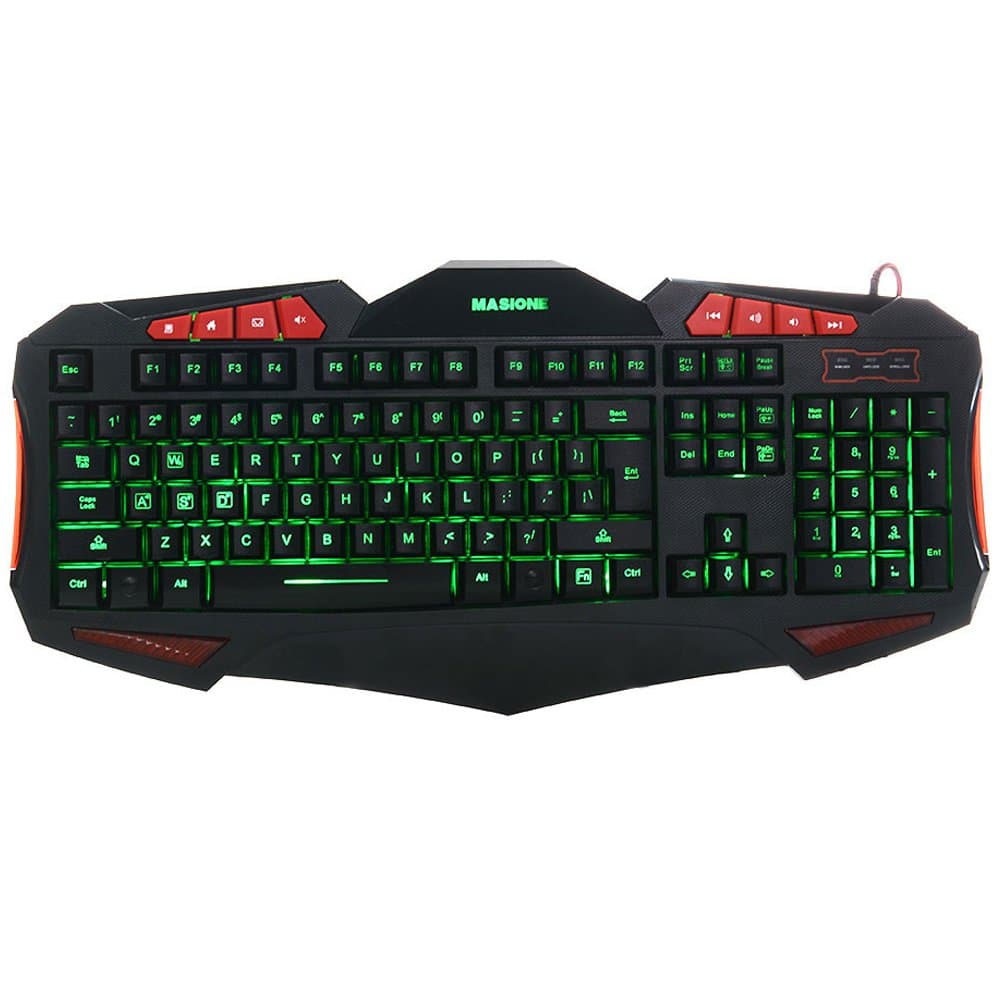

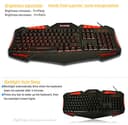
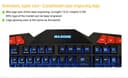
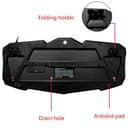
🎮 Dominate your game with style and precision — light up your setup, level up your play!
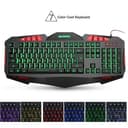
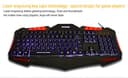
The Masione® Domineering LED USB Gaming Keyboard combines a sleek, tech-inspired design with 7 customizable LED backlights and 8 brightness settings. Engineered for serious gamers, it features 19-key anti-ghosting for flawless multi-key input, durable ABS keycaps rated for over 10 million presses, and an ergonomic anti-skid hand holder to reduce fatigue. Its waterproof construction ensures durability and reliability, making it the ultimate wired gaming keyboard for PC enthusiasts seeking both performance and style.
| ASIN | B0111ZC4OC |
| Additional Features | Backlit |
| Brand | Masione |
| Built-In Media | Keycap Puller |
| Button Quantity | 19 |
| Compatible Devices | Gaming Console |
| Connectivity Technology | USB |
| Customer Reviews | 4.0 4.0 out of 5 stars (497) |
| Enclosure Material | Acrylonitrile Butadiene Styrene, Plastic |
| Hand Orientation | Ambidextrous |
| Item Weight | 2.14 Pounds |
| Keyboard Description | Gaming |
| Manufacturer | Masione |
| Number of Keys | 19 |
| Style Name | Modern |
B**S
A five star keyboard in my opinion!
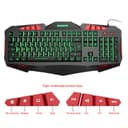
Thus far I am really liking this keyboard. The keys have a great touch to them and I like the way the settings to change the colors work. The seven different back lights on the keyboard give a a pretty good range of colors but I use all the colors except red which is a little to dark for my aging eyes. Even the fading mode for color to color is very pleasing when not typing. The one thing I really like about this keyboard the most are the durability of the key cap tops. I say this because I play Bass Guitar and I have very calloused fingertips. I was using another brand of lighted keyboard before I tried this one and I wore the WASD keys paint right off the key caps in a few weeks all I had was the light showing thru the whole top of the key. I have been using this Masione Keyboard steadily (Hours per day) for a month now and have not noticed any wear whatsoever on the key caps, This is a big plus for me. The built in special keys (Not programmable) at the top of the keyboard all work great for volume (up,down and mute), opening default email, File explorer and internet browser on my Windows 10 system. I have not used the forward and reverse buttons as of yet. All that said I do have one small thing that I wish there was a setting for and that is the keyboard back light cuts off after a minutes or so of non-use ( did not time it), and you have to hit a key to turn it back on. Keep in mind the keyboard itself is still active so whatever key you hit will still send that keys code to the computer. To be on the safe side I use the CTRL key so I have not had any issues with typing any wrong letter or messing up any games I am currently playing. It would be nice to have the option to keep the light on and at least delay the shutoff fo a longer period of time. I still rate this keyboard a five star as it is so much better that the last brand I used, and I am getting used to turning the light back on. My kudos to the manufacturer.
P**E
Full Summary
Summary: I have used a lot of computers and a lot of accessories in my years. I have used cheap things and I have used over priced things. This keyboard here, the Masione Domineering LED USB Gaming Keyboard, is going to fall into the cheap category, and I'll explain why that is a good thing. Firstly, I love the keyboard. I wanted a secondary keyboard for my other computer. I wanted lights, I wanted function keys, and I wanted it to be cheap. Pros: Cheap, most other "gaming" keyboards from name brands are going to cost you $100.00+ The lighting is very good Function keys allow you to increase, decrease, and mute sound Function keys have one that takes you to your default browser home page, very handy if you lose your cursor a lot Light weight, but fairly durable Has multiple colors Responsive keys Cons: It doesn't have the thickness of expensive name brand keyboards The rubber on the bottom doesn't allow much sticky, so it can slide around a little bit I don't like the shape of the enter key, but that's just preference I'm not sure how I feel about the design of the point at the bottom, hasn't caused any problems though I have no tried to press many keys at the same time, can't confirm or deny their claim I don't think there is any warranty, but honestly when it is just roughly $20.00, who cares? Conclusion: I really like this product. It met my expectations and exceeded them in the brightness. The reason I said I would consider this a cheap product though, is that anyone who is serious about video games probably wouldn't have much use for this keyboard based solely on the fact that it inst name brand. For my main keyboard, I use a Razor Chroma Keyboard. I know I'm a fanboy, and I know I overpaid for it. It definitely has its problems, especially with the Synapse software associated with it, but I digress. This would honestly be a great gift for anyone though, aside from the workplace. It may be considered unprofessional. It makes a perfect backup keyboard because you can just plug it in and you're good to go. My review has been a bit of a mess and all over the place, so I'll end it with a bang. I LIKE THIS PRODUCT AND I RECOMMEND IT TO ANYONE THAT IS HESITANT. Pictures are comparing the lighting of the two, Razor Chroma (yellow and purple) and Masione (Red and Blue)
J**O
Good keyboard, but you can get better for around the same price.
This keyboard is exactly what you pay for. It's better than some cheap Dell keyboard straight out of a ten year old office, but it's not golden quality. But then, for the price that it is listed for, you wouldn't really expect that. I like the extra buttons that are on the keyboard, but they're pretty basic. Just volume control and multimedia keys like rewind and fast forward, the latter I will probably never use. I mean, you can press a button to send emails with it, but the email program that came with my computer by default isn't that good anyway, so it's useless as well. These concerns pale, however, in comparison to the awful nature of the enter button. The enter button is much further to the right than normal, is much smaller, and just feels WRONG. When I type in Skype chat with it, I typically accidentally press the backslash key, and then the enter button by accident. That said, the keys feel good, probably about as good as you're going to get before you start venturing into mechanical keyboard territory. The brightness on the keyboard is variable, and has a multitude of colors. I can't really say I dislike any of the colors. It feels very good when I'm gaming. I rate this four stars because the keyboard works, and is a bit better than ok. Still, there are other ones that can do this much, and have a sane enter key. Buy those ones instead.
ترست بايلوت
منذ أسبوع
منذ شهر