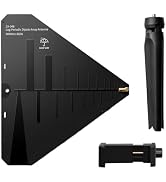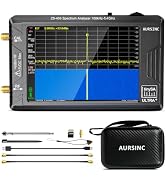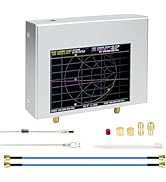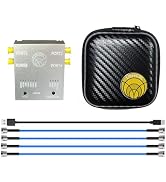

Desertcart purchases this item on your behalf and handles shipping, customs, and support to KUWAIT.
📡 Elevate your antenna game with precision and portability — don’t get left behind!
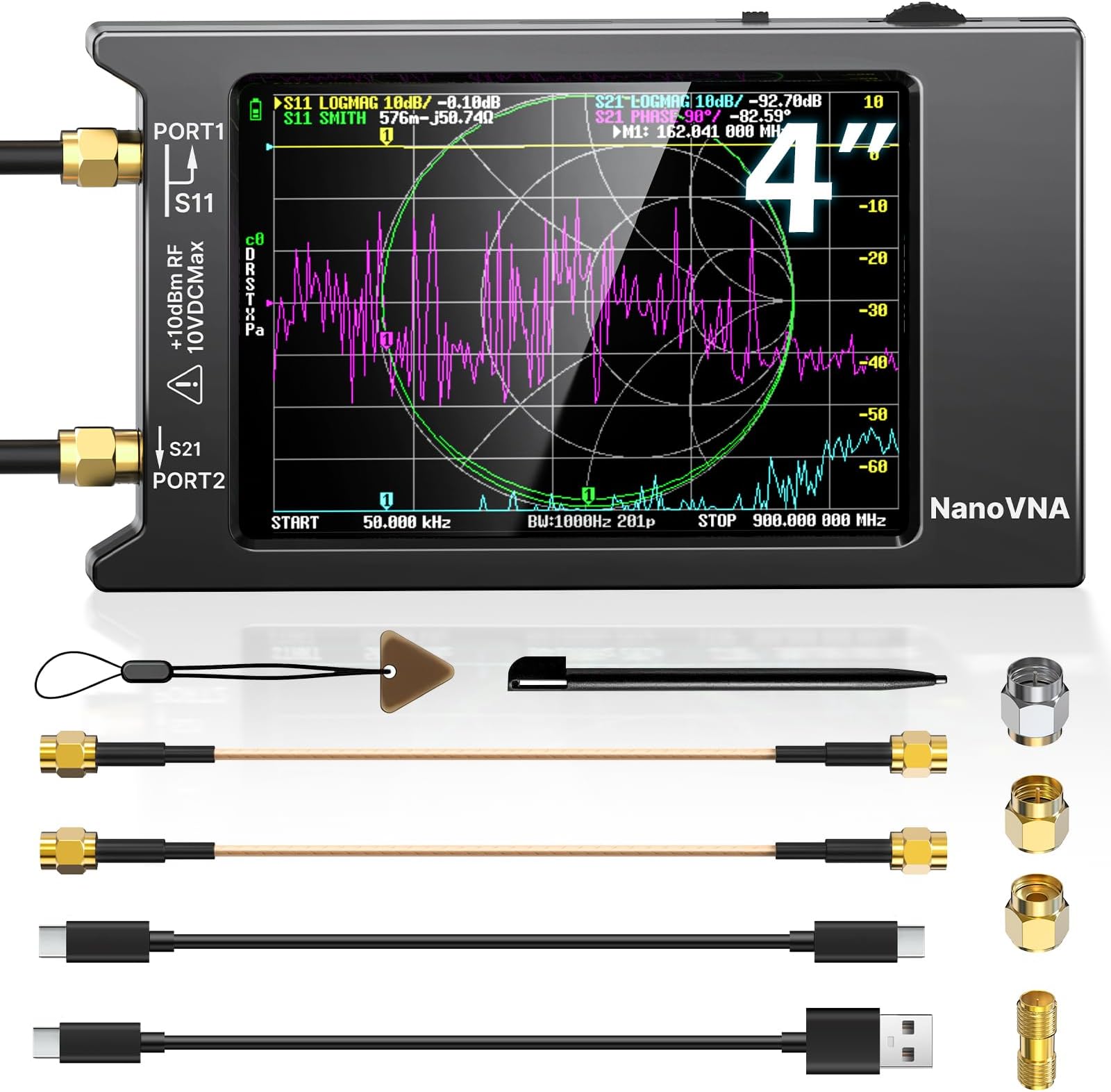
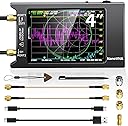
The AURSINC NanoVNA-H4 is a cutting-edge vector network analyzer featuring the latest V4.4 firmware, a broad 9kHz to 1.5GHz frequency range, and a crisp 4-inch touchscreen. Designed for engineers, ham radio operators, and RF enthusiasts, it offers advanced S-parameter, SWR, Smith chart, and TDR measurements. With built-in micro-SD storage, PC/Android connectivity, and a powerful 1950mAh battery, it delivers professional-grade antenna and cable testing in a compact, portable form factor.


| ASIN | B083PQ4RXZ |
| Best Sellers Rank | #33,594 in Industrial & Scientific ( See Top 100 in Industrial & Scientific ) #5 in Spectrum Analyzers |
| Brand | AURSINC |
| Brand Name | AURSINC |
| Color | Black |
| Compatible Devices | PC, Android |
| Customer Reviews | 4.6 out of 5 stars 468 Reviews |
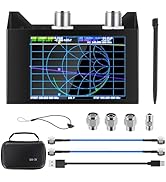
| Included Components | NanoVNA-H4 antenna analyzer host (with 4inch touch screen and 1950mAh battery) |
| Item Dimensions | 5.2 x 2.91 x 0.7 inches |
| Item dimensions L x W x H | 5.2 x 2.91 x 0.7 inches |
| Manufacturer | AURSINC |
| Model | NanoVNA-H4 |
| Number of Items | 1 |
| Number of Packs | 1 |
| Part Number | 2021092401 |
| Power Source | Battery Powered |
| Style | Compact |
| Style Name | Compact |
| Unit Count | 1 Count |
| Warranty Description | 2 Year Manufacturer |
K**L
Finally coverage for 1296 band
I had been sitting on the fence to acquire one of these for a long time primarily because it did not cover 1296MHz where I have and will be spending more time on antennas. A few days ago I took another look and noticed V3.4 2.8 and 4” versions released on Alibaba and now here. Yesterday I received the 4” version NanoVNA-H4. It came nicely packaged as shown in the pictures. It had a Jan 1, 2020 build date using the hugen79 branch, one of the 3 main builds I spotted so far for NanoVNA, and the one specifically developed for this new version hardware. Jan 18th a new build of firmware was released. There is a known bug that if you use a center frequency above 1GHz it may lock up. If this happens you can power cycle to return to normal. Use start and stop rather than center to work around this for now. It is already fixed in another branch’s build as of Feb 2, I suspect it will be fixed soon enough and is an easy thing to avoid. One of the concerns is what device are you buying, a clone or the real thing. Being very recently released I do not think the clones of this model have had time to show up yet, and the photos and text seemed legit so I bit. Looking at the device packaging, paperwork, PCB and the one small case clearance issue existing on my unit, it appears to match the original overseas listing and Hugen79’s own description and seems like the real thing to me. It can be hard to tell sometimes. The firmware upgrade also worked as expected. There is another build of this running in parallel but uses a different BIOS and is more targeted to developers for now but promises to expand future capabilities. BTW the “-H” designation identifies the hugen79 hardware variation from the original edy555 hardware design. The H4 is a 4” version. I ran it through several tests on a commercial 116-174Mhz 75Watt Tx filter, the SG-Labs 1296 PCB 2 element yagi, some dummy loads, various length of cables and it seems to work as expected. I also downloaded and used the NanoVNA-Saver V2.2-1 PC program (I am on Windows 10). All works well there also. The NanoSaver has a lot more real estate so separates charts with configurable sweeps, trace widths, and colors so it can give you a cleaner results display. Additionally it can perform multiple sweeps and average the results. SWR, TDR, and all the usual parameters are shown for each marker. For the cables I tested the TDR function and it worked well also. I have a Samsung Galaxy S10 so has a USB C connector. I used the supplied short USB cable and ran the NanoVNA Web App on my phone and that worked well also. Again, more display real estate, clearer charts. As mentioned earlier there is a known issue with touch screen clearance on front case section (as of this date). You may experience random menu operation. It is due to the lack of clearance between the right edge of the display case cutout and the touch screen edge. This can happen due to variable air gap between the LCD base and the PCB and/or case flexing/warpage, or if you squeeze the case on the right side. I worked around this by slightly warping the case along the right side display edge outward a bit and then holding the unit by the edges while in use. Some put tape on the far right edge of the screen as a spacer. I also tend to use an old stylus pen from an Ancient pocketPC I still have as a museum piece. A suggested fix is small thin plastic washers on each case screw on the PCB between the 2 case halves. No doubt future case production will be adjusted. Was an easy fix once I figured out the problem. Hugen79 released a new build on Jan 18, 2020. I installed that and all works fine still. It is easy to do once you fine the right tool. I tried the most commonly suggested method using a command line tool called dfu-util.exe. It was able to see the VNA USB parameters but it claimed it was not in DFU mode (though it actually was). The latest build lets you go into DFU mode easily (a bootloader mode to update firmware). Just power off, press and hold the switch paddle in, turn the power on, and let go. The screen will be black but you will hear/see the USB device enable on your PC. You can see the device as the “STM Device in DFU Mode” in device manager under USB controllers. Some procedures suggest you run Zadig to install a Libusb driver which I did. I used the LibUSBk version. Not finding a way to make dfu-util work, I found DfuSe_Demo V3.06 from ST Microelectronics. It is a GUI based version of the tool and it worked no problem and easier as well. I have seen web posts were some folks are attempting to use the changes in hardware version 3.4 to update their pre 3.4 devices, particularly in the shielding area, some changing out resistor values and lowering noise by adding more caps inside. The NanoVNA-H4 arrived with the battery fully charged according to the on screen indicator. I plugged it in to ensure it was topped off. I used it for quite some time running on the battery and it still showed full. I believe the previous version batteries were 450-650mAH, at least for the 2.8 versions. This one at 1950mAH give a long operating time. Software mentioned: Zadig.exe Libusb driver NanoVNA-H firmware dated January 18, 2020 V4.0.4.5-12-gea578a2 NanoVNA-Saver.exe NanoVNA Web App for Android, maybe iOS also. Dfu-util.exe (did not work for me) Dfu_Se Demo V3.06.exe (worked well) In conclusion, for me this was worth hopping off the fence and is a great value covering the all the HF through 1296 bands. Well done to the project creators and contributors.
A**G
Excellent Vector Network Analyzer – Perfect for Antenna Testing
I purchased the AURSINC Upgraded NanoVNA-H4 (Latest V4.4) to test some antennas I was building, including EFHW, linked EFHW, and dipole designs. I’m very happy with this product. It’s accurate, easy to use, and the 4" touch screen makes navigating measurements a breeze. *Note* I did go back and forth with buying the smaller screen version or even the next version up, but the VNA-H4 screen size is nicer than the small and I really don't need the features of the next version up or the added cost. Having also used AURSINC’s TinySA Ultra, I can confidently say that AURSINC and SEESII are the only vendors I trust on Amazon for this kind of precision test equipment. The NanoVNA-H4 worked great for measuring SWR, S-parameters, phase, delay, and Smith charts on my antennas. It helped me verify and optimize my antenna setups with my Yaesu FT-891 radio. Overall, I’m very satisfied and would definitely buy more products from this vendor in the future. 📐 Key Features: Frequency range: 9 kHz – 1.5 GHz (HF, VHF, UHF) 4" color touch screen for intuitive control Measures S-parameters, SWR, phase, delay, and Smith charts Compact, portable, and reliable for field or bench use Ideal for ham radio antenna testing and tuning ⚠️ Disclaimer: This review reflects my personal experience and is provided for informational purposes only. I am not liable for how others use this product or interpret this review. Always follow manufacturer guidelines and safety practices when using electronic test equipment.
M**S
Amazing tool for the price.
What an amazing tool for the price. Not the easiest analyzer to figure out and there is a lack of included instructions. However, plenty of youtube videos will get you going. Screen is easy to read indoors, but lacking a bit in full sun. I've used it to build and tune antennas a fair bit and the results have been very good. The size is easy to carry out into the field for use with the adjustable whip on pota activations. Battery life is pretty good, but do remember to charge it somewhat regularly.
A**R
Best Antenna Analyzer at the Best Price
I saw this in a YouTube video when I was studying for my Extra Class Licence and for the price I though I'd give it a try. Once you figure out how to use it, the NanoVNA will give you very precise measurement on your antennas, baluns and UNUNs. I used it to work the bugs out of the 49:1 UNUN I built for my 80m EFHW antenna. It has much more range than my MFJ-255C, antenna analyzer for 25% the price. (NanoVNA covers all bands from 2200m up to 23cm) It can can plot out the entire frequency range of an antenna or just look at one band at a time. The software for the PC is easy to use and gives you a bigger graphical view of what is going on. It saves the results or a screen shot to an mico SD card. Now looking at the spectrum analyzer for future addition to my shack.
D**K
Antenna test equipment has come a long ways.
Antenna test equipment has come a long ways. This is cheaper and does more than the excalibur of test equipment a couple decades ago. Worth having. I recommend that every NanoVNA owner should look up videos on how to use it as an antenna analyzer. I also view this as an essential piece of gear for anyone who uses a two-way radio.
P**A
Love it so far
So I had the smaller version of this - the H model without any case and after a few years it failed, so I went with the SAA-2N, but found it not as accurate and it was not upgradable by me. This is the H4 and although the print on the case is barely readable, it appears to work fine and appears to be close in accuracy to my 2 HF Antenna analyzers (MFJ 269 and RigExpert AA55). The software is updated to the latest version and works great with VNA Saver. It comes in plastic case (not metal as implied in the description). I assume the metal the description is referring to is on the board around the RF section as this case is all ABS plastic. No matter, it still seems to do what I need it to do. I am still learning to use this, but one takeaway from my previous device is make sure you discharge any outside antenna before you connect it to your device as I suspect that is what happened to my first unit - probably had static on the antenna that damaged the input of S11. The screen is easy to read and the device is fast! much faster than the SAA-2N and the H device. Haven't tested the battery operating time yet, as the longest time on battery so far has been an hour. This device is feature rich compared to the H device, so for 45 or so more dollars, a good value.
4**U
Make tuning an antenna MUCH easier.
I got the nano VNA to tune my antennas. And WOW, it is soooo much easier and faster than the old method of dialing in the frequency, throw a carrier, write down the SWR, then repeat and repeat and repeat. Adjust the antenna, and repeat that process again. Using the SMA connectors is fiddly, but N connectors with their stiffer cables is hard to handle. So it seems to be a workable compromise.
D**R
Perfect analyzer
Works perfect. Cost effective. Performance is flawless. Meets my needs.
Trustpilot
2 weeks ago
1 day ago