We remain fully operational. Our teams are working around the clock to ensure your deliveries continue safely.

قم بتنزيل التطبيق


معلومات عنا
حقوق الطبع والنشر © 2024 Desertcart Holdings Limited
قم بتنزيل التطبيق
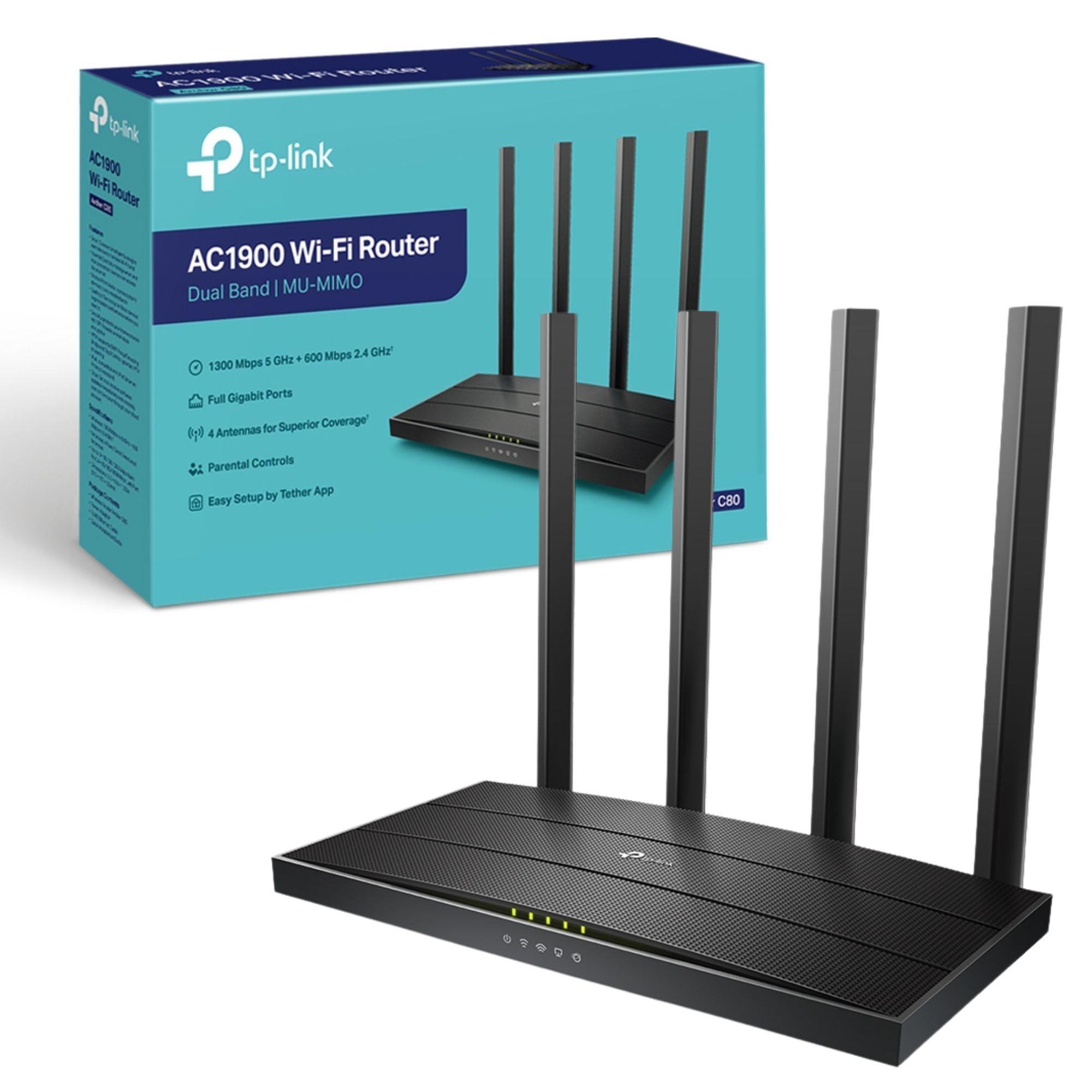
🚀 Upgrade Your Wi-Fi Game — Stay Connected, Stay Ahead!
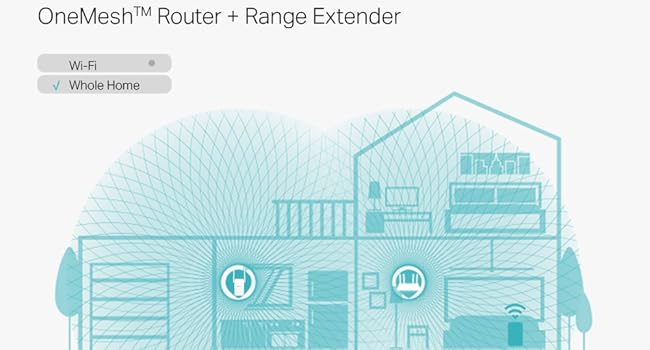
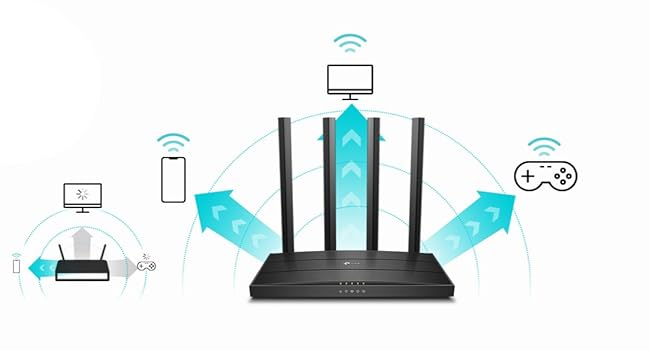
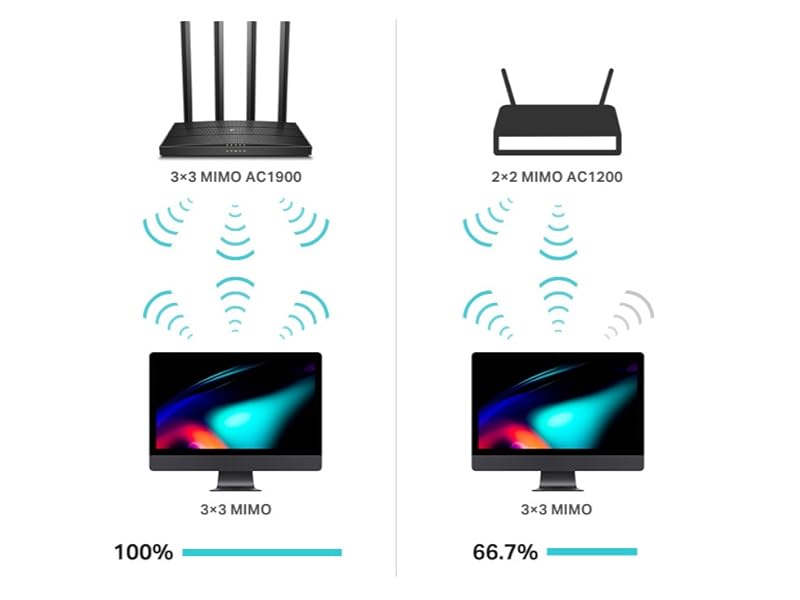
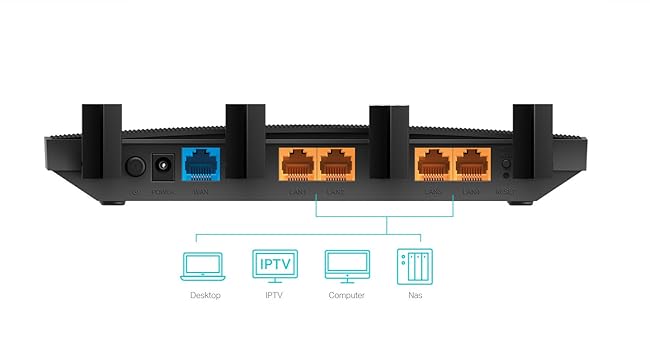
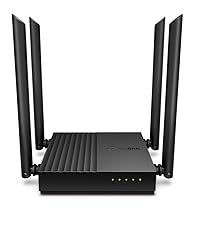
The TP-Link Archer C80 AC1900 is a powerful dual-band wireless router delivering combined speeds up to 1900 Mbps. Featuring 3×3 MU-MIMO and beamforming technology, it optimizes simultaneous connections and extends coverage for large homes. Smart Connect intelligently balances device load across bands, while advanced parental controls and guest Wi-Fi provide secure, customizable network management. Ideal for gaming, streaming, and smart home setups, this router offers a reliable, high-performance upgrade for modern households.






| ASIN | B0845XD62P |
| Antenna Location | Gaming |
| Antenna Type | Fixed |
| Best Sellers Rank | 1,794 in Computers & Accessories ( See Top 100 in Computers & Accessories ) 36 in Routers |
| Box Contents | Archer C80 |
| Brand | TP-Link |
| Brand Name | TP-Link |
| Colour | Black |
| Compatible Devices | Laptop, Personal Computer, Smart Television, Tablet |
| Compatible devices | Laptop, Personal Computer, Smart Television, Tablet |
| Connectivity Protocol | Wi-Fi, Ethernet |
| Connectivity Technology | Ethernet, Wi-Fi |
| Control Method | App |
| Controller Type | App Control |
| Country of Origin | China |
| Coverage | big house |
| Customer Reviews | 4.4 out of 5 stars 1,184 Reviews |
| Data Transfer Rate | 600 Megabits Per Second |
| Frequency | 5 GHz |
| Frequency Band Class | Dual-Band |
| Frequency band class | Dual-Band |
| Has Internet Connectivity | Yes |
| Is Modem Compatible | No |
| Item Dimensions L x W x H | 21.5L x 12.5W x 3H centimetres |
| Item Weight | 600 Grams |
| LAN Port Bandwidth | 1000 Mbps |
| Manufacturer | TP-Link |
| Manufacturer Part Number | C80 |
| Maximum Upstream Data Transfer Rate | 600 Megabits Per Second |
| Model Name | Archer C80 |
| Model Number | Archer C80 |
| Model name | Archer C80 |
| Number of Antennas | 4 |
| Number of Ports | 4 |
| Operating System | RouterOS |
| Other Special Features of the Product | Guest Mode |
| Product Warranty | 3 year manufacturer |
| Router Network Type | Wireless |
| Security Protocol | WPA, WPA2, WPA3, WPA/WPA2-Enterprise (802.1x) |
| Special feature | Guest Mode |
| Unit Count | 1.0 Count |
| Voltage | 12 Volts (DC) |
| Wireless Compability | 802.11ac |
| Wireless communication standard | 802.11ac |
S**M
Amazing! Replaced my messy powerline setup and offers super-fast performance.
I acquired this TP-Link Archer C80 router with a specific goal in mind: to simplify my home network and finally get rid of the messy powerline adapters and excessive Ethernet cabling I had running through the house. I am thrilled to say this router has done the job perfectly and exceeded my expectations for speed and stability. The performance boost has been incredible. This AC1900 router delivers speeds up to 1300 Mbps on the 5 GHz band, and I've verified that the super-fast speeds are noticeable across all my devices—both over Wi-Fi and via the Gigabit Ethernet ports. Whether I'm gaming, streaming 4K video, or downloading large files, the connection is rock-solid and fast, which is a massive relief compared to the unpredictable performance of my old powerline setup. The technology inside is clearly working hard. Features like 3×3 MIMO and Beamforming ensure that the Wi-Fi coverage is highly efficient, sending a stronger, more focused signal throughout the house. The Smart Connect feature is also brilliant, automatically directing devices to the best available band. For the price, especially considering the Black Friday deal, this is unbeatable value. It’s a high-performance, dual-band router that offers excellent coverage, fantastic features like Parental Controls and Guest Wi-Fi, and is an incredibly simple, clean, and reliable solution for a modern home network. It’s an easy 5-star recommendation and a must-buy for anyone looking to upgrade their Wi-Fi game.
S**N
My WiFi now works
This product has vastly improved my vigin media hub 3 performance issues. When speed testing my WiFi from various points in home I have had increased range,speed and reliability. The hub 3 has been shocking for years. The WiFi speed has increased by 100+Mbps (no other alterations have been made other than the introduction of the router) when in the same room and has a better range over all. I can trottle the children's internet so they don't hog the whole bandwidth while on there xbox's etc each item added to the router can be allocated an amount of bandwidth and with the added bonus of profiles for each child I can set different bedtimes. So all there technology looses Access at bed time. No more sneaky kids watching YouTube under the bed covers.the router is very easy to set up and has a great app that allows access directly into the router to achieve the desired bedtimes and throttling.
R**E
Decent everyday use router.
Purchased to replace ISP router which was flaky at best and had relatively poor coverage. This new router works well, gives me good coverage to my 4 bedroom house, has gigabit ports and is easy to setup.
M**N
Great value
Nice item, great value and delivered quickly. Easy to set up and reasonably fast download speeds.
J**N
Stunning performance!
I don't often write reviews on products I have purchased from Amazon. However on this occasion I have to. If you are wondering if this router is any good, quite simply it has surpassed my expectations ten times over. I have recently switched to BT Full Fibre to the premises. The supplied router (Smart Hub 2) which you are supplied with is quite simply ...RUBBISH! Not worth setting it up. I was previously using a four year old TP-Link AC1200 Router/Modem ( Archer 400) which I thought was doing a pretty decent job until I found out that only ONE of the ethernet ports ( the WAN/LAN port) allows the full potential of a 1Gb connection. That and the Wifi signal beyond 20 feet down my garden was poor and had to be boosted by an external POe wifi access point .The other three LAN ports only allow UPTO 100 Mbps. So hence my purchase of this new router. After configuring the new router I am able to use the 5Ghz frequency at the bottom of my 100 foot garden while streaming Netflix...no delays at all, and this done using my Android phone! This new router has made my TP-Link EAP110 Outdoor access point redundant. I get a better signal from the new router than I do standing right next to the outdoor access point. I was in a Skype conversation with my partner and she said the video image was crystal clear now , where as before even using the 2.4Ghz frequency, the image was pixilated. So if anyone reading this has any doubts whether to purchase this item....JUST DO IT! You will not be disappointed, It has transformed my whole house wifi network 100 times over! An absolute bargain!
A**R
Solved issues with poor Virgin Hub 3 signal.
Bought this after reading others’ successful experiences. Easy to set up with our Virgin Hub 3 in modem mode. Signal much better throughout the house with no need for a mesh network. Wish I’d known about this method earlier. Great tip from another user - set network name and password on the new router to match what was on the Virgin Hub - all devices re-connect automatically! Very pleased.
T**E
TP-Link Archer C80
Great Value and Quality combine in this Router / Access Point with 4 built in LANs
A**I
WI-Fi signal is strong but not stable
Bought to improve a terrible wifi coverage of the default Virgin Media router. It it improved it a lot. I got 15-20Mbps in the bedroom where the Virgin Media router could barely give 1-2. But the signal is not as reliable as I expected. I work from home, from that bedroom and sometimes the download speed drops to 0.5Mbps, I can't use the Internet for the calls and tools don't work. That's upsetting and pisses me. The signal gets better when go the living room close the router. Probably, it's worth playing with wifi channels and some other router's config, but for that price I expected something that would just work and works fine, but it doesn't...
ترست بايلوت
منذ شهر
منذ أسبوعين