We remain fully operational. Our teams are working around the clock to ensure your deliveries continue safely.

قم بتنزيل التطبيق


معلومات عنا
حقوق الطبع والنشر © 2024 Desertcart Holdings Limited
قم بتنزيل التطبيق
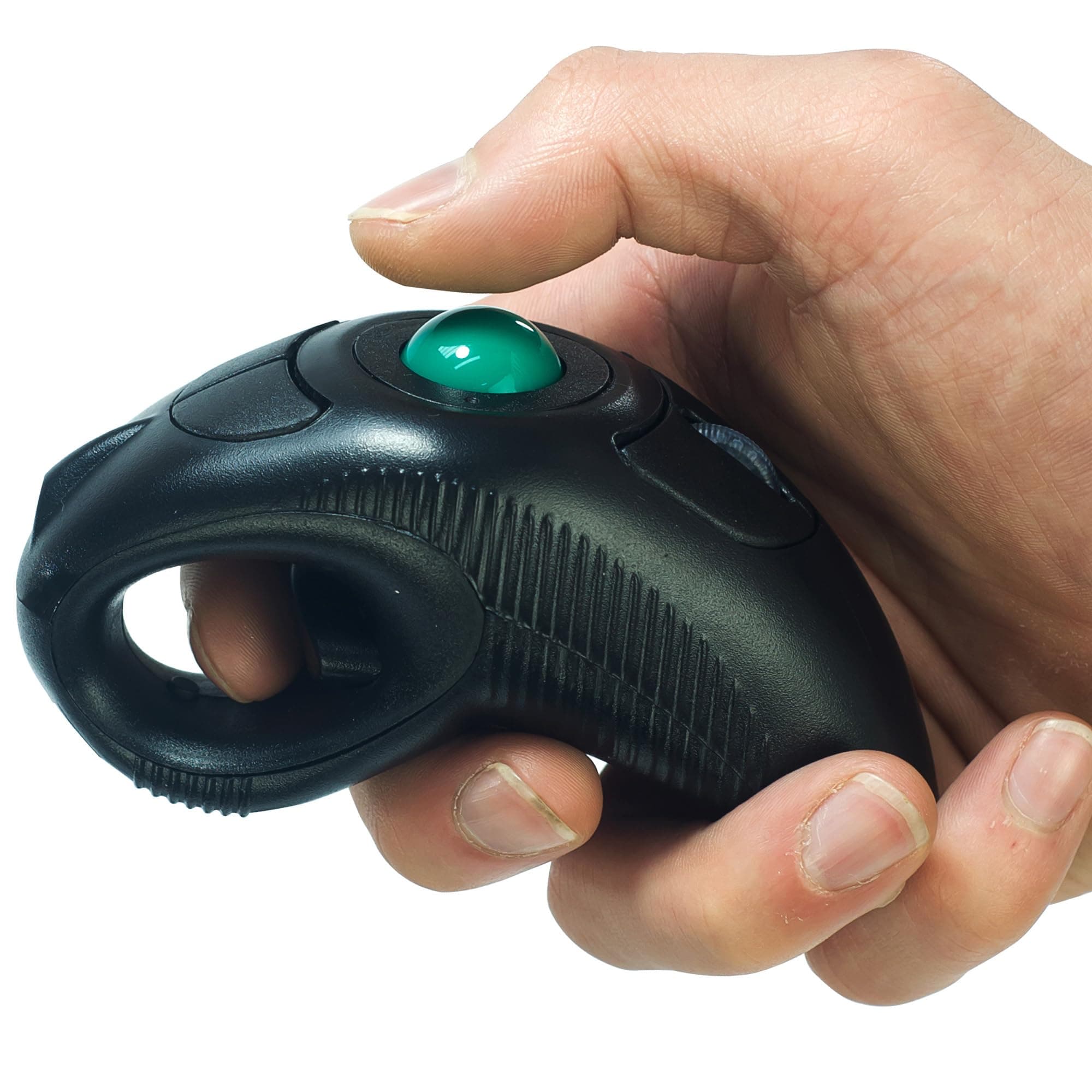
🖱️ Elevate your workflow with fingertip freedom—because your mouse should move as fast as you do!
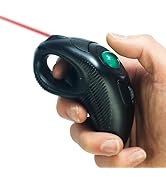
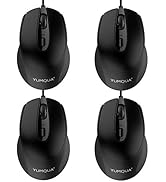
The YUMQUA Finger Handheld Trackball Mouse offers wireless 2.4GHz connectivity with a 10-meter range, four adjustable DPI settings for precision, and an ergonomic ambidextrous design that reduces hand strain. Compatible across all major operating systems, this compact, portable mouse is ideal for professionals seeking versatile, comfortable control whether at a desk or on the move.







| ASIN | B015O8V8CQ |
| Best Sellers Rank | #870 in Computer Mice |
| Brand | YUMQUA |
| Color | Black |
| Customer Reviews | 3.8 3.8 out of 5 stars (611) |
| Date First Available | September 22, 2015 |
| Hardware Platform | PC, Mac, Linux |
| Is Discontinued By Manufacturer | No |
| Item Dimensions LxWxH | 4.33 x 2.36 x 0.04 inches |
| Item Weight | 3.52 ounces |
| Item model number | Y-10W |
| Manufacturer | YUMQUA |
| Operating System | Windows version / ME / 2000 / XP /NT/WIN7/WIN10 operating systems, including MAC OS,Android OS |
| Power Source | Battery Powered |
| Product Dimensions | 4.33 x 2.36 x 0.04 inches |
| Series | FBA_Y-10W-US |
L**S
Smooth operation, comfortable grip, good for large hands
This works really well for something so unusual. As the picture suggests, it works well for larger hands (e.g. large and extra large nitrile glove sizes). The grip is pretty comfortable, though it will slip if your hands get sweaty. The trackball is a little looser than I'd like, but with a little practice it's just like a normal desk mouse. It didn't take long to get used to even without using my dominant hand. Its only real drawbacks are related to the trackball and the USB receiver dock. Since the trackball is kinda loose, reaching over to the opposite-side, upper thumb button can cause your hand to move the cursor a smidge. A little practice can help you avoid this problem. The USB dock on the mouse is magnetic, but it's not very strong. Bumping the mouse can jostle the receiver loose in your pocket without much effort. If you're like me, you will be using it so often that dock won't be a problem either though.
K**.
Portable finger handheld wireless trackball mouse is nice
On looking to replace my last rollerball mouse I stumbled upon this little gem. I love it. I can switch quickly and easily from one hand to the other when a kitty is in need of attention. It works well and has easily accessible controls. It would be nice to have a back page and forward page option. And every once in a while it stops working and I have to switch USB ports to get it working again. A lovely little glitch that started only a couple weeks ago. Its worst feature is that it eats batteries like I eat popcorn (1 AAA battery every 10-14 days). I started trying to remember to turn it off whenever I set it down and that has the batteries lasting 1-2 weeks longer (so 1 AAA every 3-4 weeks). I don't think 1 battery is strong enough to run everything correctly, but only has space for 1 in this tiny mouse. I would like to see it enlarged a bit to fit 2 batteries, but I have exceptionally large paws. Overall, I would recommend this mouse to anyone looking for a flexible mouse.
G**R
Hand held roller ball mouse.
This hand held roller ball mouse is great. I can run in a treadmill while playing heroes of might and magic three. Of course there is the occasional fail and I fall but hey life isn’t worth living without a few laughs.
D**R
Wouldn't Recommend. Stopped Working After 6 Weeks.
This worked great for about six weeks. It did burn the battery quickly (I was using it about 8 hours 3 times a week, doing an office job from home and had to change the AAA battery after every 2 days of use, despite turning it off when not in use). This morning, it wasn't working. I changed the battery, no luck. Changed it again with a battery from a brand new pack bought this week. It still doesn't work. I've tried unplugging and plugging the little dongle. Even tried plugging into a different USB port. I've tried pressing all of the buttons. Still no luck. Of course, I'm about a week away from the return cutoff date, so I'm out of luck. I DEFINITELY would not recommend this product.
M**I
-2 stars for NO Software and Not Rechargable other than that it works amazing, worth 15$ IMO though, Would buy again for sure
absolutely great concept !! i bought this so that i can lay down in the bed with the wife with a wireless keyboard and this product and use my gaming PC as a pseudo console ....ish... Even though it doesn't look very ergonomic it actually is oddly comfortable to use and almost feels natural enough to play FPS games and i have huge hands 6.1in 280ibs . All the buttons are in a easy to reach place with acceptation of the 2 button use as a default ESC macro at the top froward of the ball but i never need to use it being as i have a keyboard with an ESC. the instruction are pretty straight forward and tells you what each button corresponded to. it uses a singe AAA battery which seems to last a decent amount of time, which brings me to my few and only complaints.... This mouse badly needs software!!, to my knowledge it has no ability to remap or change any of the button functionality and DPI Scales other than pushing the tiny dpi select button inside the trigger well (3 modes) which doesn't help with ease of access or personal ergonomics, it doesnt need razor synapse but it does need the ability to scale dpi and change button configurations. It has no brand name on it or on its packaging or even a website you can check for said software. The scroll wheel depress is a little stiff for scroll click. (could be because its new) Just a personal opinion the left click and the right click should be on the same trigger left side depress for left click then right side depress for right click then both depress for both, not use thumb for right click and use a big trigger for left alot of unuse potentual there on the trigger, and lastly it should be rechargeable with a moderate long battery life if it wants to call it self worth 35$ Logitech has rechargeable lazer optic mappable mouse for like 20$
D**L
Best I could find for the price point
Works great some pros and cons Pros Low price Wireless USB dongle for easy connection Ergonomic and comfortable design Dpi button for sensitivity control On off switch so it doesn't drain battery Compact size Cons Track ball is little loose in its place, a lot of jiggle when you move it Low durability, the whole thing is a little light and unbalanced feeling in your hand so I don't think it would survive a drop. Color is a little washed out looking All in all it's worth the money if you need something like it.
R**Y
100% buy it
I use it for Dex into my smart TV. The connection may not be the best if it's at the end of the room behind a TV, I use an extension USB. But you can adjust the scroll speed (dpi) easy to suit your needs or display size. Very accurate and gives you great control. It's 2.4 usb dongle only, not Bluetooth.
J**K
Good idea... poor quality
The track ball sits in a pocket with 3 rollers. Mine was very grainy and jumpy from day 1 so I took the ball out and found the recessed area around one of the rollers is all torn up. It kind of looks like when super glue eats into plastic. Part of this is clearly in the area that needs to be smooth for the ball to roll smoothly. I tried it for a while to see if I could get used to it but it's just too difficult to click on things precisely when it keeps jumping past them. The design itself might be better for someone with small hands but it does help with wrist pain if you get one that actually rolls smoothly.
A**R
I use my computer through the living room television and use this mouse with a wireless keyboard, it's highly ergonomic and comfortable. Takes a small amount of practice with the trackball but becomes intuitive very quickly. I developed tendinitis from using a conventional mouse on the couch next to me. This trackball allows the forearm and wrist to stay relaxed sideways instead of rotated downward and takes the strain off arm muscles, using only the thumb to control the mouse. Great customer service - mine had an issue with dropping the wireless signal intermittently. After messaging the seller they shipped me a new one free of charge. New mouse works without issue. Fully recommended and well worth the price.
J**N
Works perfectly at 3m, comfortable to use, ideal if you suffer wrist ache from prolonged mouse use. Very responsive and accurate with an intuitive design, I'm surprised the big boys haven't already copied this. I use at home but imagine it's perfect for travelling, and for presentations. My only criticism is that it takes aaa batteries (included) - USB charging would have been far preferable, and the plastic feels a bit cheap, but still I'd give it 9 out of 10
J**Z
Fue una muy buena compra por el aspecto de movilidad es cómodo ya que no tengo ningún escritorio y trabajo al aire libre de la mayor parte del tiempo y sin embargo la estabilidad de apoyarse siempre son muy buen aspecto a considerar ya qué la canica del control del Mouse se siente un poco inestable por lo mismo de qué no está apoyada. Fuera de eso que es un hecho no considerado al momento de hacer la compra el producto es perfecto aunque se siente un poco burdo.
M**O
Cela fait deux jours que je l'utilise a la place de ma souris traditionnelle. J'adore le concept, cela me permet de travailler bien distant de mon écran et avec le bras détendu et en toute position. Seul point faible la précision sur les tout petit mouvement, quand vous êtes déjà proche de la cible et vous voulez vous approcher a peine plus. Aucun souci en venant de loin car la balle prends de l'inertie. J'ai commande une bille en acier plus lourde comme sugerait un utilisateur sur amazon.com. a voir si cela ressoude ce petit problème.
D**O
me fué muy util
ترست بايلوت
منذ يومين
منذ 3 أسابيع