We remain fully operational. Our teams are working around the clock to ensure your deliveries continue safely.

قم بتنزيل التطبيق


معلومات عنا
حقوق الطبع والنشر © 2024 Desertcart Holdings Limited
قم بتنزيل التطبيق
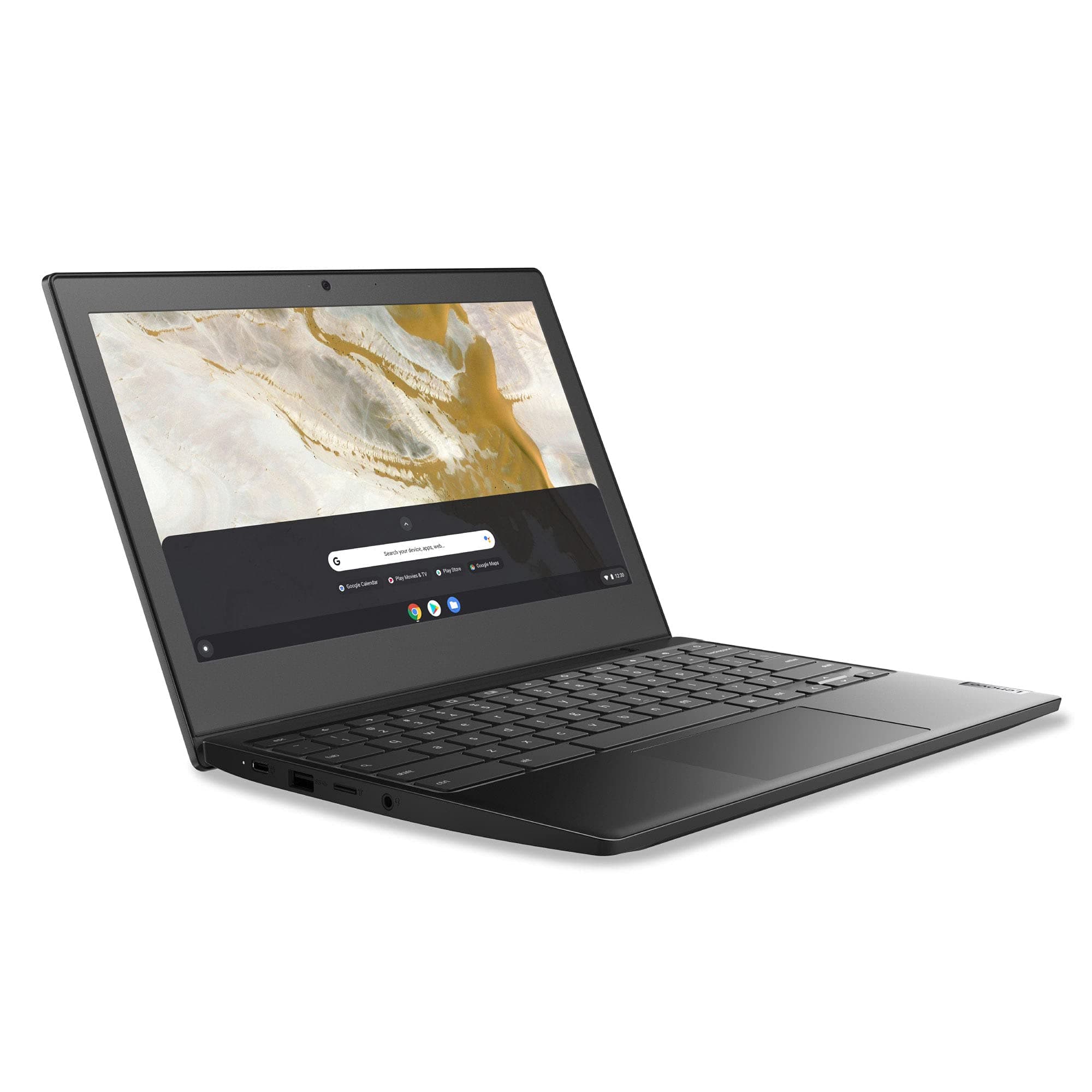
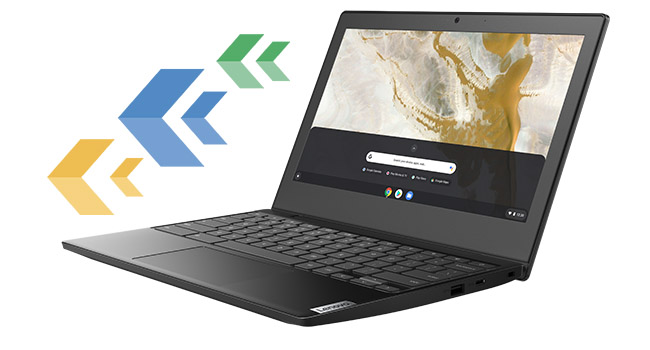
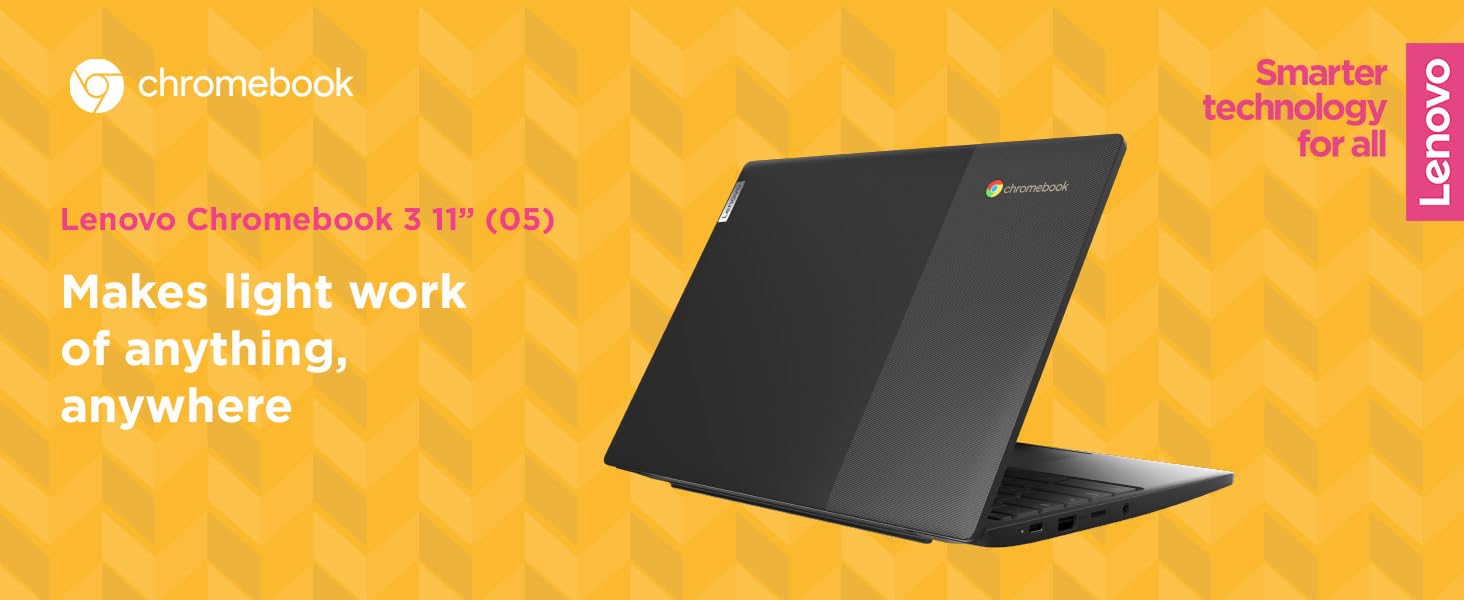
🚀 Power up your productivity with the Lenovo IdeaPad 3 Chromebook!
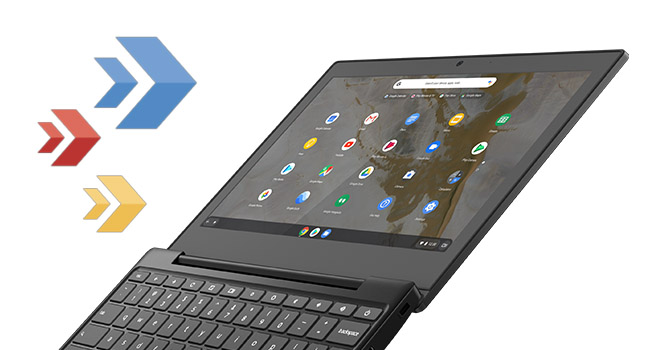
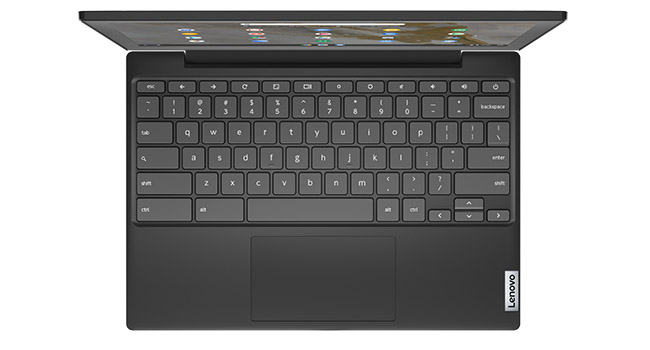
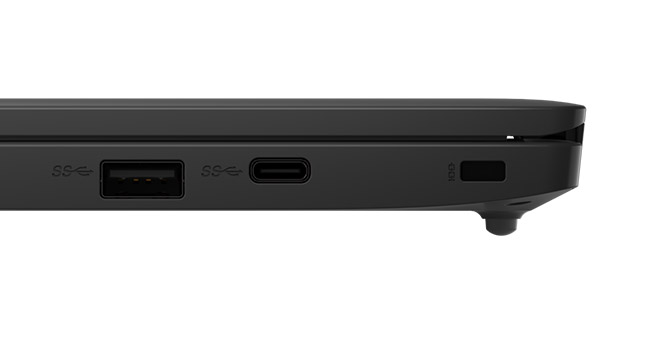
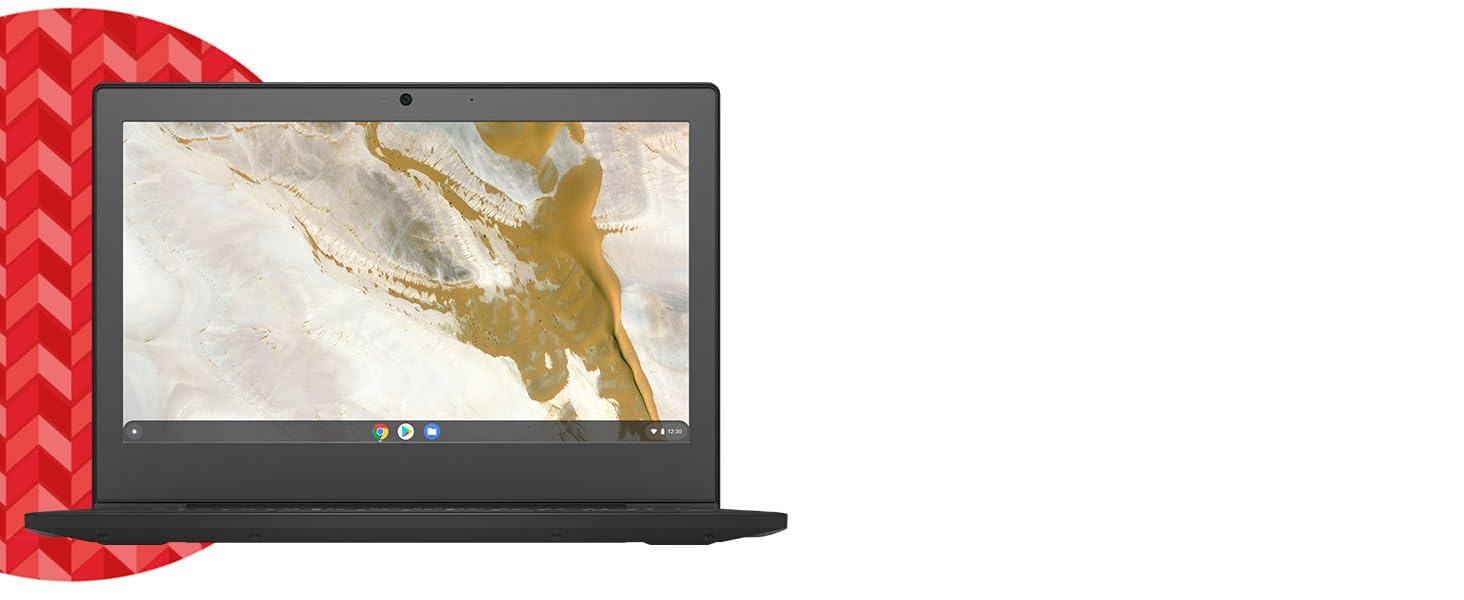
The Lenovo IdeaPad 3 11 Chromebook is a sleek, ultra-portable laptop featuring an 11.6-inch HD narrow bezel display, Intel Celeron N4020 processor, 4GB DDR4 RAM, and 64GB eMMC storage. Running on fast, secure Chrome OS, it offers up to 10 hours of battery life, multiple USB ports including USB-C, microSD card reader, and built-in WiFi 5 and Bluetooth 4.2. Perfect for professionals seeking a lightweight, no-fuss device optimized for Google apps and cloud collaboration.



| ASIN | B087YW8FQB |
| Audio Output Type | Speakers |
| Automatic Backup Software Included | Webcam,Google Play |
| Battery Average Life Standby | 10 Hours |
| Battery Cell Type | Lithium Ion |
| Battery Life | 10 Hours |
| Best Sellers Rank | #43,529 in Computers & Accessories ( See Top 100 in Computers & Accessories ) #6,611 in Traditional Laptop Computers |
| Bluetooth support? | Yes |
| Brand | Lenovo |
| Built-In Media | AC Adapter, User Guide |
| CPU Model Number | Celeron N4020 |
| Camera Description | Front |
| Color | Onyx Black |
| Connectivity Technology | Bluetooth, USB, Wi-Fi |
| Customer Reviews | 4.3 4.3 out of 5 stars (5,272) |
| Display Resolution Maximum | 1366x768 Pixels |
| Display Technology | LCD |
| Display Type | LED |
| Form Factor | Chromebook |
| Graphics Coprocessor | Intel Integrated Graphics |
| Graphics Description | Integrated |
| Graphics Ram Type | L2 cache |
| Hard Disk Description | SSD |
| Hard Disk Interface | eSATA |
| Hard-Drive Size | 64 GB |
| Hardware Interface | Bluetooth, Lightning, MicroSD, USB |
| Has Color Screen | Yes |
| Human-Interface Input | Keyboard, Touch Pad |
| Item Dimensions L x W x Thickness | 5.6"L x 10.1"W x 0.71"Th |
| Item Type Name | Chromebook |
| Item Weight | 2.42 Pounds |
| Keyboard Description | Qwerty |
| Keyboard Layout | QWERTY |
| Lithium-Battery Energy Content | 42 Watt Hours |
| Manufacturer | Lenovo |
| Memory Clock Speed | 2400 MHz |
| Memory Slots Available | 1 |
| Memory Speed | 2400 MHz |
| Microphone Form Factor | Built-In |
| Model Name | Chromebook 3 11" |
| Model Number | 82BA0003US |
| Model Year | 2020 |
| Native Resolution | 1366 x 768 pixels |
| Number of Ports | 2 |
| Operating System | Chrome OS |
| Optical Storage Device | CD-R |
| Other Special Features of the Product | Narrow Bezel |
| Processor Brand | Intel |
| Processor Count | 1 |
| Processor Series | Celeron N4020 |
| Processor Speed | 1.1 GHz |
| RAM Memory Installed | 4 GB |
| RAM Memory Slot Total Count | 4 |
| RAM Memory Technology | DDR4 |
| RAM Type | DDR4 SDRAM |
| Ram Memory Maximum Size | 4 GB |
| Resolution | 720p |
| Screen Size | 11.6 Inches |
| Specific Uses For Product | Personal |
| Total Usb Ports | 4 |
| UPC | 194778330190 |
| Video Processor | Intel |
| Voltage | 3.7 Volts |
| Warranty Description | 1 Year Limited Manufacturer |
| Webcam Capability | Yes |
| Wireless Compability | 802.11ac, Bluetooth |
| Wireless Technology | Bluetooth, Wi-Fi |
T**I
A Hidden Gem Among the Bargain Chromebooks
SUMMARY A surprisingly well-rounded and well equipped budget chromebook that doesn't get the attention it deserves. LEAD-UP TO THE PURCHASE Having recently given my Google Pixelbook to a friend who was in desperate need of a computer, I was in the market for another chromebook... just in time for Prime Day June 2021. I didn't need a powerhouse since I have learned firsthand that running Linux on a chromebook sounds better on paper than it does in real life use. The 2-in-1 form-factor was fun to tinker with but in practical day-to-day use, I found it better to use a dedicated Android tablet (Samsung Galaxy Tab S6) for touch and pen tasks. A traditional clamshell design would be fine for those "laptop-y" things... and an 11" or so screen would allow for a very portable device. PRIME DAY HUNTING With those requirements in mind, I went hunting in the Amazon (see what I did there? ;-) ) for a suitable chromebook. I found that most of the deals were for devices that had been released two or more years ago. A few other "deals" weren't any cheaper than the regular prices at other stores (for the same processor/RAM/storage configurations). I ran across the Lenovo Chromebook 3 (LCB3 for short) and it really intrigued me. Not only was it quite inexpensive, but it had a decent processor (Celeron N4020), decent storage (64GB), and more ports (2-USBC, 2 USBA 3.0, microSD card slot, and headphone/mic jack) than my old Google Pixelbook (2 USBC, headphone/mic jack). I watched some reviews on Youtube for this device and only one gave it a half-decent review. In spite of the lack of glowing reviews, I purchased it. UNBOXING AND USE When the LCB3 arrived and I opened the box, I was impressed with the look and feel of this chromebook. I don't have to qualify this comment with (...for a $170 chromebook). No, it is legitimately a good looking and feeling chromebook, period. The lid has a tasteful Lenovo branding plate on it and a section of the lid has a fine gray hash pattern stenciled on that gives it an interesting and attractive look. The screen is a matte screen... yes! I've always been a fan of matte screens (especially on Thinkpads) and although the reviewers complained that it wasn't a bright display, I found it to be just fine in the places I typically use a notebook-type device. The keyboard isn't the same as that found on Lenovo's other laptops, but it feels stable and quite acceptable for long typing sessions. The trackpad works well and is consistent. Battery life is extremely good. I haven't run it all the way down yet, but on multiple occasions, I've run it on battery mostly surfing and typing for 3-4 hours and the projected battery life remaining registered 10+ hours. I don't know how true that is, but I'll try to run it all the way down and update with the results. Performance is more than adequate. The combination of the Celeron N4020 and the lower screen resolution results in a very smooth and responsive experience. TAKE THE EXPERT REVIEWERS' OPINIONS WITH A GRAIN OF SALT Because expert reviewers have access to a wide variety of devices, (many of them high-end), they can have their perspectives skewed a bit. It's nothing personal against them, it's how we're all wired. That seems to be evident in their review and coverage of the LCB3. Lenovo has been "killing it" (in a good way) lately in the chromebook space. Their Chromebook Duet gets most of the attention, but this LCB3 is the hidden gem in their recently released chromebooks. I've owned the older Lenovo ThinkPad chromebooks in the past, but the LCB3 feels more like a ThinkPad than those officially branded ThinkPad chromebooks were. I'm baffled as to why expert reviewers haven't given this device more attention. I was initially concerned about how well the few Android apps I rely on would work on a non-touchscreen chromebook, but so far, they work as expected. I'm delighted with the LCB3 and it will fit nicely with how I use my chromebooks. I hope this is helpful to those who are considering purchasing the Chromebook 3.
A**R
It's worth the money!
The quality, look, capabilities, performance is really good! There are some perks I would like for it to have. And that is an easier way to add a printer. I had a hard time connecting my printer to this laptop, and repeat notifications that my Google Chrome browser is outdated. When I access the internet or web, but i got an updated Google Chrome browser. It is also more of a student laptop (that's in elementary to high school). I bought 3 ChromeBooks for my family. I enjoy it even with the complicated moments and functions They are really good,durable and good quality. It's especially helpful to my children. I will buy it again as a gift for family or friends. One more thing the first one I ordered has a charger like most laptops. But the last 2 I bought have a plug that charges like a cellphone. That charger is super fast charging. Way AWESOME!. I can use it to charge my phone.
B**L
You Really Can't Beat the Price
This is a cheap laptop, which is exactly why I bought it. I use it when I travel for work since it's really lightweight, and by running linux on it I can do anything I would need it to. The screen is blurry, and it can sometimes do a weird thing where it doesn't turn on while outside, but it gets the job done and is no frills. The built in chrome os has major training wheels but that may be desirable for some users. A note on running linux on this: your best bet is using Crouton to set up a chroot. This chromebook has a Gemini Lake processor, so trying to do anything more fancy like a dualboot or replacing the chromeos completely with linux or windows doesn't really work sadly. If you decide to go ahead with the chroot, my advice is to use a simple desktop like xfce if you run ubuntu. I tried to get unity working and you may have better luck (or skills xD) than me, but when I tried booting the initial setup never ran, and doing tricks like opening the terminal via a shortcut just didn't work. In short, though, it's a fun little computer and is really good for the purposes of travel.
A**T
Simple, well rounded chromebook.
I got this computer for work. I needed something cheap and highly portable, and having used a chromebook in school I knew I wanted one. This chromebook is great for the price and needs I needed met. ChromeOS is a pretty smooth and well rounded system, and this particular laptop is sleek, thin, lightweight, and visually pleasing. It does have Linux built in, but I can't comment on that because I'm not the most tech savvy. The good thing about chromebooks is you don't really have to be. Keep in mind if you want a chromebook, most of the time the apps are meant for a phone or tablet. As far as I know, most games won't work or will be hard to play, and some apps have diminished usage because of how tapping vs. Clicking works. Not that big of a deal to me, but it could be frustrating to someone who wants a regular laptop for casual use. The touchpad on this particular one is pretty good, and large enough to use given the size of the laptop. The keys are a little thin and small so sometimes I miss them or mistype when going fast. The screen is perfectly acceptable, vibrant and it fills most of the bezel. Overall, 8/10.
M**A
La compré hace mas de 3 años. Sigue conmigo funcionando perfecto. La amo con todo mi corazón cibernético
A**D
Set up took only a few minutes and the laptop is all ready for simple everyday tasks including surfing, watching videos and typing documents. Reasonably fast and surprisingly loud speakers. Long-lasting battery. Has 2 USB-A and 2 USB-C ports. Great laptop!
F**Y
Once received the order I felt very upset due to the fact that there is a picture showing detachable keyboard option, and I was looking for this specific option because I figured out that this will b very practical for my 10-years old child, but unfortunately it wasn't there. I was under this impression based on the published picture showing a space between the screen and the keyboard !
R**Z
Item from Amazon AU but sent from USA and had USA power point plug had to buy a converter. If Amazon is selling on an AU site they might sell it with the AU plug lucky we live near city so no long trip to get .. no mention in sales information could cause a long delay for remote buyers so be aware extra cost. Item works as expected once able to charge!!!!!
V**I
Chromebook is useless, as it can't run executable files. Buy Windows based laptop, say from ASUS for lightweight 1 kg. and at the same price. It doesn't print on my Canon G2010 printer.
ترست بايلوت
منذ أسبوع
منذ شهر