We remain fully operational. Our teams are working around the clock to ensure your deliveries continue safely.

قم بتنزيل التطبيق


معلومات عنا
حقوق الطبع والنشر © 2024 Desertcart Holdings Limited
قم بتنزيل التطبيق


Buy anything from 5,000+ international stores. One checkout price. No surprise fees. Join 2M+ shoppers on Desertcart.
Desertcart purchases this item on your behalf and handles shipping, customs, and support to KUWAIT.
🚀 Triple your productivity, not your clutter!
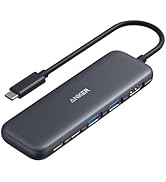
The Anker 13-in-1 USB-C Docking Station is a powerhouse hub designed for professionals craving seamless multi-device connectivity. Featuring 85W laptop charging, triple 1080p display support via 2 HDMI and 1 DisplayPort, and ultra-fast 10 Gbps USB-C data transfer, it’s compatible with a wide range of laptops including Dell, HP, Lenovo, and MacBooks. Its compact, quiet design with an intuitive power button and extensive port selection makes it the ultimate desk upgrade for millennial managers who demand efficiency and style.






| ASIN | B088F7SY6S |
| Best Sellers Rank | #1,269 in Electronics ( See Top 100 in Electronics ) #11 in Laptop Docking Stations |
| Brand | Anker |
| Color | Gray |
| Compatible Devices | Full Functional USB C/Thunderbolt3/4/5 Lenovo/HP/Dell laptops, Macbook(For macOS, the displays on the external monitors are identical) |
| Customer Reviews | 4.1 4.1 out of 5 stars (2,341) |
| Hardware Interface | HDMI, MicroSD, USB |
| Item Dimensions L x W x H | 3.5"L x 1.6"W x 4.9"H |
| Item Weight | 13.12 ounces |
| Manufacturer | Anker |
| Number of Ports | 13 |
| Total Number of HDMI Ports | 2 |
| Total Usb Ports | 4 |
| UPC | 194644033583 |
| Warranty Description | 18-month warranty |
| Wattage | 85 |
J**T
OMFG I finally found a dock that works with... everything. Thank you!
FINALLY! I have a lenovo laptop for work. I have a different lenovo laptop for personal use. My old dock was a thunderbolt 3 and with the latest teams update on my work laptop my audio would cut out when I could screen share on teams. I also noticed suddenly the keyboard and mouse got wonky on registering activity. well turns out my old doc was just dying. that's all there was to it. so I bought an expensive $$$$$ lenovo universal dock. and then all of a sudden the 2nd monitor would not display no matter WHICH laptop was plugged in. Updated drivers. Updated firmware. Power cycled. Nope. Returned. Bought another off brand dock. Monitor would work with my personal lenovo laptop but not with my work laptop. WTF am I going insane here? What happened to plug and play. Returned. Bought another off brand and now the speakerphone for conference didn't work. Bought a new conference speaker phone (which I was going to do anyways) but it still didn't work and it wouldn't charge if I hot plugged in. Returned. Bought this dock. FINALLY EVERYTHING WORKS! NO ONE BREATHE! Although admittedly now the SD card is stuck in the SD card slot.. and I fear I may need a pair of pliers later to resolve that issue.. so maybe the SD slot is not okay. It's 135w power supply that comes with the dock (nice for the price!) the USB Ports all work and there is one on the front for your keyboard/mouse - the rest are on the back. it's quiet. Anker is good about not having whining USB ports. So if you're one of those that thinks you have tenitus all the time because your electronics whine... you'll appreciate that their USB ports do not. HDMI port works!!!!!! So if you're using an old school cheap a$$ monitor that doesn't have Display Port Tech, you're good still. Power button is a nice touch because now you can power off the dock which will turn the external display off and any additional devices that have lights will turn off also.. so if you're home office is in your bedroom, this is a value add for you. It is compact enough to travel with but it's more block or brick style than slim pocket style. Rubber slip pad on the bottom is a nice touch to keep the power cord from pulling it off the back of your desk when you're not looking. Ethernet port also works Oh and my USB Hub extension that's plugged into the dock also seems to be working just fine although it has it's own external power supply so if you're daisy chaining just keep in mind you may need more than one power supply here.
A**R
Works Great with Windows and Ubuntu/Linux
I have had no issues running this with my work laptop HP Laptop running Windows 10 and my Dell Inspiron 17 running Ubuntu 20.10/Windows 10. Both laptops charge, and all ports seem to work well. In general, the worst part of the USB-C format is the confusing amount of different laptops that seem to implement it in different ways. Not this product's fault; as I said, it works well with Dell and HP while my HP Laptop dock runs with both laptops, but under Ubuntu or Windows 10 on my Dell, it falls short. The HP Dock is a Thunderbolt dock, and my Dell is a Display port marked with a DP; the DP Port on my Dell does charge and allows all ports to work with this dock. I mention it because USB-C gets confusing, and mileage may vary depending on the laptop itself. My Hp is marked as Thunderbolt, and my Dell as Display Port, and this product runs wonderfully with both. I found I could get a 4k Display using the DP port on the back of the dock in Ubuntu, but I found it a little problem some and instead switched to using the two HDMI ports instead. Sometimes 4k would flicker, but that can be my older KVM Switch (1080P KVM). I don't mind the two 1080p screens as the dock makes it so easy to switch computers. I wonder why the HDMI port only seems to pump out 1080P and the display port 4k from my experience. Still, my HP dock didn't do 4k at all, so this dock outperformed it. I have even booted my Dell and HP Laptops with a live USB of MX Linux, and with no configuration, it worked. I just changed the display settings a bit. So to sum it up. 1) Easy to use - NO Drivers to install! 2) Works across Windows and Linux. 3) Affordable and better than my work HP Thunderbolt dock. 4) Works with USB-C marked PD or Thunderbolt. Finally, I would like to say the PD port can get confusing another port format for USB-C. At first, I thought it did not work as I plugged in USB-C devices, and it was not recognized. Then I upgraded to a new Samsung phone with USB-C PD charging support, and it charged and was recognized from the PD port on the dock. So the device has to support USB-C PD. As I said, USB-C is confusing. Now, what are you waiting for? Buy this best Dock on Amazon; it is excellent for Windows and, more importantly, great with Linux. If you have Thunderbolt, the big thing you get from a Thunderbolt dock is the quicker data transfer speeds, but you need to know your laptop supports it. For me, I don't care about my work laptop having maximum data transfer speed. As I said, Thunderbolt does work with this also from what I can tell. 1/26/2024 - I am updating this because I also wanted to note that this works great with the Surface Pro 7. The only exception is the built in wired network does not seem to get recognized, but I don't care. I am using WIFI anyway. So Sound, video, and all other devices work perfectly.
I**R
No funciona al 100%, no es compatible con mi PC de HP, no funciona para el Monitor, todo lo demás como teclados externos, micrófono funciona bien, pero lo principal que es la conexión entre laptop y monitor no funciona bien.
C**D
This is for the "Anker Docking Station, PowerExpand 13-in-1 USB-C Dock, 85W Charging for Laptop" ** Update March 9th, 2023 ** So pretty much everything in the original review stands, but there is one issue that I touched on originally about the display refresh rate and resolution that I can clarify now. To get the resolution how you want it, you need to set the monitors to the same refresh rate first, then once the resolution is set and applied, change the refresh rate. That being said, I'm not sure if the refresh rate actually changes or if it just says it does. ** End of update ** So I just got this about an hour ago, and everything just worked! Both in Ubuntu 22.04 and Windows 10. Here's my setup. Everything is plugged into the dock and only the single USB-C dock cable is plugged into the laptop. Laptop: Dell XPS 13 9370 1TB SanDisk USB-C SSD (for booting into Ubuntu) 2x Monitors + laptop monitor (One monitor is Ultra Wide 2560x1080 144Hz, other is 1080p 60Hz) - Note: I'm using one DP port and one HDMI port Wireless keyboard/mouse Speakers Ethernet connection for Internet First of all, I was using a Dell TB16 dock before this but I had multiple issues with it. Long story short, I don't recommend the Dell docks, especially if you use Linux. ** Long story about Dell TB16 Dock ** Using the Dell dock, my monitor would randomly go out, and the network only connected at 100mbps, the soundcard is super quiet (even at max volume), it's always on and can get noisy when it heats up (it has a fan), the cable is built into the unit (non-replaceable) and is only about a foot and a half long (coming out of the left side of the unit) and the unit itself is rather large. Also, I boot off a USB-C SSD drive for Linux (which allows me to plug the USB SSD into almost any computer and boot into my Ubuntu OS); For whatever reason, I could never get it to show up as a boot option when plugged into the dock, even with ThunderBolt boot support and pre-module stuff enabled. ** End of the Long story about Dell TB16 Dock ** Now the Anker dock on the other hand is about a 1/4 of the size of the Dell dock, connects @ 1GB with no problem, allows me to boot off my USB-C SSD, has a power button to turn it off when not in use, it's silent, works without having to install any drivers on either Windows or Ubuntu, comes with a decently long USB-C cable (3 ft?) to plug into the computer (which can also be replaced and yes it charges my laptop too) and the sound volume is great. There is one oddity that happened, but I was able to fix it easily enough and it's likely not a problem with the dock but a software issue in Ubuntu. When changing the resolution + refresh rate in Ubuntu, it didn't properly scale the resolution (the resolution was right, but much of it was cut off or shrunk down as if the monitor itself didn't change resolutions but the computer did), I had to change the resolution + refresh rate to something else, then to what I wanted to make it work. To be clear, it worked when I plugged it in initially, but changing it to my preference required multiple changes to set it in properly. Once set, it worked as normal. I highly recommend this dock!
D**N
Fantastic! Worked flawlessly with my HP Omen 14 and two additional monitors and three external drives. Not a single blip! I love it! Highly recommended!
R**H
This docking station has proved to be perfect for my MacBook Pro, especially because it permits the connection of multiple displays. I am able to have all of my external devices: drives, controllers etc. connected and ready to go as soon as I hook up my laptop.
A**R
I was quite excited to get this. Unfortunately, HDMI disconnects and reconnects regularly when my screen is on. It happens multiple times an hour for only a couple of seconds but happens too often. Not sure if it's a unit issue or general problem with the product. Not Happy!
ترست بايلوت
منذ 5 أيام
منذ 4 أيام