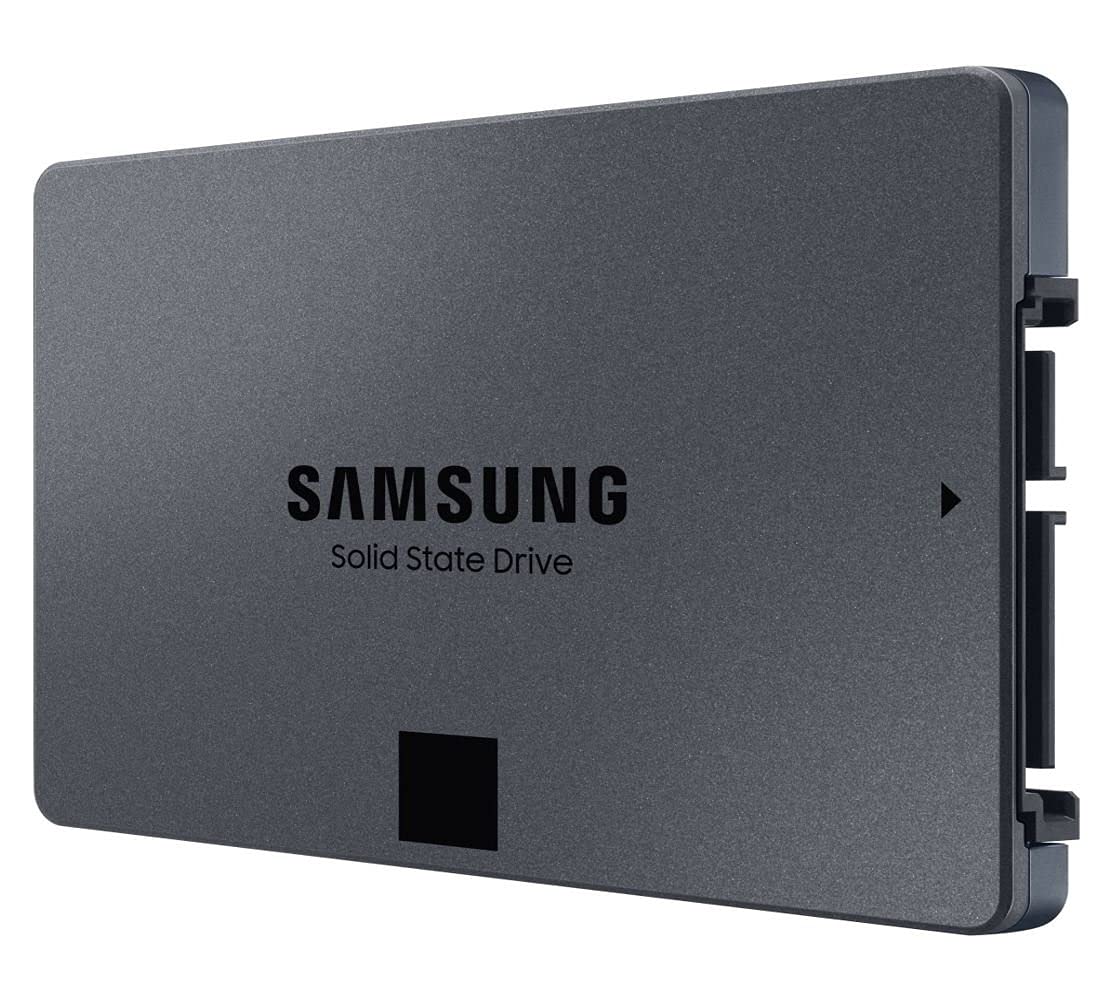

🚀 Upgrade your storage, upgrade your game.
The Samsung 870 QVO 4TB SATA 2.5-inch SSD delivers high-speed sequential read/write performance up to 560/530 MB/s, leveraging a SATA 6 Gb/s interface for broad compatibility. Designed for mainstream PCs and laptops, it offers massive storage capacity ideal for gaming, business, and personal use, all while maintaining quiet, cool operation and Samsung’s renowned reliability.


| ASIN | B089QYSMJT |
| Are Batteries Included | No |
| Batteries | 1 Lithium Ion batteries required. |
| Best Sellers Rank | 10,839 in Computers & Accessories ( See Top 100 in Computers & Accessories ) 85 in Internal Solid State Drives |
| Brand | Samsung |
| Colour | Black |
| Computer Memory Type | DDR5 SDRAM |
| Customer Reviews | 4.8 4.8 out of 5 stars (49,722) |
| Date First Available | 30 Jun. 2020 |
| Form Factor | 2.5-inch |
| Graphics Coprocessor | INTEL/NVIDIA/AMD |
| Guaranteed software updates until | unknown |
| Hard Disk Description | Solid State Hard Drive |
| Hard Drive Interface | SATA 6 GB/s |
| Hard Drive Size | 4 TB |
| Hardware Platform | x86_64 |
| Item Weight | 46 g |
| Item model number | MZ-77Q4T0BW |
| Lithium Battery Energy Content | 2 Kilowatt Hours |
| Lithium Battery Packaging | Batteries packed with equipment |
| Lithium Battery Weight | 2 Grams |
| Manufacturer | SAMSUNG |
| Number Of Lithium Ion Cells | 5 |
| Number of Lithium Metal Cells | 5 |
| Operating System | Windows |
| Power Source | Hand-operated |
| Product Dimensions | 10 x 6.98 x 0.68 cm; 46 g |
| RAM Size | 4 TB |
| Series | 870 QVO |
| Standing screen display size | 16 Inches |
| Wattage | 4 watts |
W**F
this was a gift.
i had bought one for someone who bought me the exact same drive. we nerding out in sync. ANYWAY! even for the lower spec that samsung does, i would easily recommend this. have had it for around 2 years and not had a single issue. Faster then a hard drive, for mass storage of games you wont know the different between this varient and the qvo and evo (in my opinion) good quality. definately recommend.
E**I
Great!
I recently upgraded to the Samsung 870 QVO 2 TB SATA 2.5 and it's been a fantastic addition to my computer setup. The drive is lightning-fast and I've noticed a significant improvement in boot times and overall system performance. The 2 TB capacity is more than enough for my needs and allows me to store all of my important files, photos, and videos in one place. Installation was a breeze and the Samsung Magician software made it easy to clone my old drive and transfer all of my files over without any issues. The drive is also very quiet and doesn't generate any noticeable heat, which is a plus. Overall, I'm very happy with my purchase and would definitely recommend the Samsung 870 QVO 2 TB SATA 2.5 to anyone looking for a high-performance and reliable SSD. The price is a bit higher than some other drives on the market, but in my opinion, the speed and reliability are well worth the investment.
D**.
Great upgrade.
My laptop (3 years old Pentium 2 core, 4GB RAM, 1 TB HDD Acer aspire es1-571-p1vn) was disappointingly slow from day one. As it got older and more programs and updates installed it got painfully slow. Although I use an android tablet for most things nowadays, I still need a windows platform PC laptop for some things like editing my website. After reading reviews about the difference increasing memory and changing HDD storage to SSD can make i decided to do the same. So glad I did, the difference is like night and day. I first just upgraded the RAM from 4GB to 16GB which although improved the speed and range of usable programs it still had painfully slow start-up times and usability. The RAM installation was a bit of a pain having to strip down the laptop and remove the motherboard to insert the memory boards to the underside. The SSD drive installation however was quite easy. After cloning the HDD drive to the new SSD all that was needed was to remove all the screws on the base of the laptop, lift the keyboard sufficiently and slightly move to the side without needing to remove its cables and wedge up with a none conductive pack. Then just remove the retaining screw on the bracket on the back end of the drive. Slide the drive away from the motherboard to unplug it, easy. Swap the securing bracket from old drive to the new, slide in new drive and screw in the retaining screw to bracket. Clip the keyboard back on, shut laptop and put the screws back in the bass of laptop and your done. When booting you are prompted to select the new drive as boot drive and that's the installation done. The cloning software downloaded free from samsung.com was easy to use and it took a couple of hours to copy 250GB from my old HDD to the new SSD using usb3. Extremely pleased with better than new laptop. Cheap laptop now performs like a high end. Bootup, logged in and start using in about 25 seconds now as apposed to 9 minutes. Much quieter with no HDD as well. I should think battery will last longer too but wrote this review straight away as so impressed with SSD. In fact I think I will be using the laptop more often now as a pleasure to use. Note. If you are also upgrading RAM which is a more time consuming process you may wish to consider if the bios battery will need replacing soon as that also is on the underside of the motherboard.
P**S
Storage
Good value
T**U
Why the SSD is a Great Value for Money Option for Upgrading Your System
If you are looking for a fast, reliable, and spacious solid-state drive (SSD) to upgrade your PC or laptop, you might want to consider the Samsung 870 QVO 1 TB SATA 2.5 Inch Internal Solid State Drive. This SSD is the latest model in Samsung’s QVO series, which stands for Quality and Value Optimized. It offers a great balance of performance, capacity, and price for mainstream users who want to enjoy the benefits of SSD technology. ---Pros--- +The Samsung 870 QVO has a sequential read/write speed of up to 560/530 MB/s, which is much faster than traditional hard disk drives (HDDs) and comparable to some of the higher-end SSDs on the market. This means you can boot up your system, load applications, and transfer files in a matter of seconds. +The Samsung 870 QVO has a large capacity of 1TB, which can store plenty of games, photos, videos, and other files. You can also choose from other capacities ranging from 2 TB to 8 TB, depending on your needs and budget. +The 870 QVO has a long lifespan and reliability, thanks to its advanced QLC NAND flash memory technology and Samsung’s Intelligent TurboWrite technology. The SSD has a terabytes written (TBW) rating of 360 TB, which means you can write up to 360 TB of data before the SSD wears out. That’s equivalent to writing 98 GB of data every day for 10 years. +The Samsung 870 QVO is compatible with most PCs and laptops that have a SATA interface and a 2.5-inch drive bay. It also comes with Samsung’s Magician software, which helps you monitor the SSD’s health, optimize its performance, and update its firmware. ---Cons--- -The Samsung 870 QVO is not the fastest SSD on the market, especially when it comes to random read/write speeds, which are more relevant for multitasking and heavy workloads. If you are looking for the best performance possible, you might want to consider other SSDs that use NVMe or PCIe interfaces, which are faster but also more expensive than SATA SSDs. -The Samsung 870 QVO is not the cheapest SSD on the market, either. You can find other SSDs that offer similar or slightly lower performance and capacity for a lower price. However, you might also compromise on quality and durability if you opt for cheaper SSDs from less reputable brands. ---Reasons to Buy--- *You should buy the Samsung 870 QVO if you want to upgrade your PC or laptop with a fast, reliable, and spacious SSD that offers great value for money. You will notice a significant improvement in your system’s responsiveness, boot time, loading time, and overall performance. You will also enjoy more storage space for your files and less noise and heat from your system. *You should buy the Samsung 870 QVO if you are a mainstream user who mainly uses your PC or laptop for browsing the web, watching videos, playing games, or doing office work. *You will get enough speed and capacity for your everyday needs without breaking the bank. ---Reasons to Avoid--- *You should avoid the Samsung 870 QVO if you are looking for the fastest or the cheapest SSD on the market. You might be disappointed by its random read/write speeds or its price tag compared to other SSDs that use NVMe or PCIe interfaces or that have lower quality and durability. *You should avoid the Samsung 870 QVO if you are a power user who frequently runs multiple applications or heavy workloads that require high performance and endurance. You might experience slowdowns or reduced lifespan of the SSD due to its QLC NAND flash memory technology and its limited cache size. ----------Conclusion---------- The Samsung 870 QVO is a great SSD for upgrading your PC or laptop with a fast, reliable, and spacious storage device that offers great value for money. It is suitable for mainstream users who want to enjoy the benefits of SSD technology without spending too much or compromising on quality and durability. However, it is not the best choice for power users who need the highest performance and endurance possible from their SSDs.
T**N
Hard working lil guy
Had this for a couple years now and genuinely a work horse had some problems with steam not recognising it I did use the Samsung wizard to see if anything was wrong but apart from that hiccup that eventually sorted its self out don't know if it was on steams side or Samsung's or my own messing around it's been a great boot drive
A**.
Ho acquistato questo Hard disk da 1Tb da affiancare a un SSD M2 . Sostanzialmente l'ho preso per installare i giochi e i vari programmi , lasciando il piu possibile libero l'M2 dove ho deciso di installare solo il sistema operativo ! A distanza di due anni , lo trovo eccellente . Non ho mai riscontrato problemi o cali di trasferimento . Per il monitoraggio e diagnosi uso Samsung Magician , facilmente scaricabile sul sito ufficiale Samsung . Riguardo l'installazione nessun problema , molto facile , pochi collegamenti e subito operativo ! Velocità di lettura sequenziale fino a 550 MB/s e velocità di scrittura sequenziale fino a 520 MB/s Interfaccia SATA 6 Gb/s compatibile con interfacce SATA 3 Gb/s e SATA 1.5 Gb/s Fattore di forma: 2.5 pollici (verificate che il case abbia lo scomparto dedicato) Insomma , lo consiglio anche a distanza di due anni soprattutto per il rapporto qualità prezzo !
Y**H
كان المنتج كما في الوصف وتغليف الشركة المصنعة الهارد مناسب للاستخدام في السيرفرات و خصوصا الداتا بيز في الاجمال الجوده حلوة جدا السعر مناسب جدا ليا و يمكن اقل سعر لقيته في الوثت ده
E**Y
Funciona direitinho.
F**ᵀ
I replaced by HDD on my MbPro mid 2012 which was 5400 rpm using Samsung Mac Users would know the Problem of 1.Boot Times 2. Lag times after launching a certain app 3. Photo and Video Editing 4. Running Parrallel VM ( MS windows 10 , Linux, Kali etc ) 5. And sluggish response of Mouse pointer All this faded after I replaced with 1TB SSD Samsung Drive. I have attached the video for the Stress Test. HOPE IT HELPS YOU ALL. Note 1.BlackMagicDesk used by me(PAID) 2. Stress Parameters 5GB (Maximum as per Tool ) 3. AVG Read now is 518 MB/s 4. AVG Write now is 484 MB/s Now my boot time for MbPro mid 2012 is less than 10 seconds And I don't see any lags, I miss colorful mouse pointer by Mac OS 😉 and you know the reasons why !! Authentic, Genuine and Best Options for Older Laptops to breathe a new life , whether you are multi tasking using Dual Boot, running VMs (Virtual Machines, I use Fusion Pro and just 5 seconds too boot VM too ) I use Evo Plus too, however that's another write up for my verified purchase. If this helps, please I would encourage to like and share the knowledge information with everyone.
L**E
This product has nearly identical speeds to an m.2, is a lot cheaper and has 1 tb of storage. Nothing else can be said really. Easy to install if you know your way around computers although it should be known you need a sata data and sata power cable, which isn't provided with the product. (its like 9 aud on amazon so its fine though)
ترست بايلوت
منذ أسبوعين
منذ أسبوع



