Desertcart purchases this item on your behalf and handles shipping, customs, and support to KUWAIT.
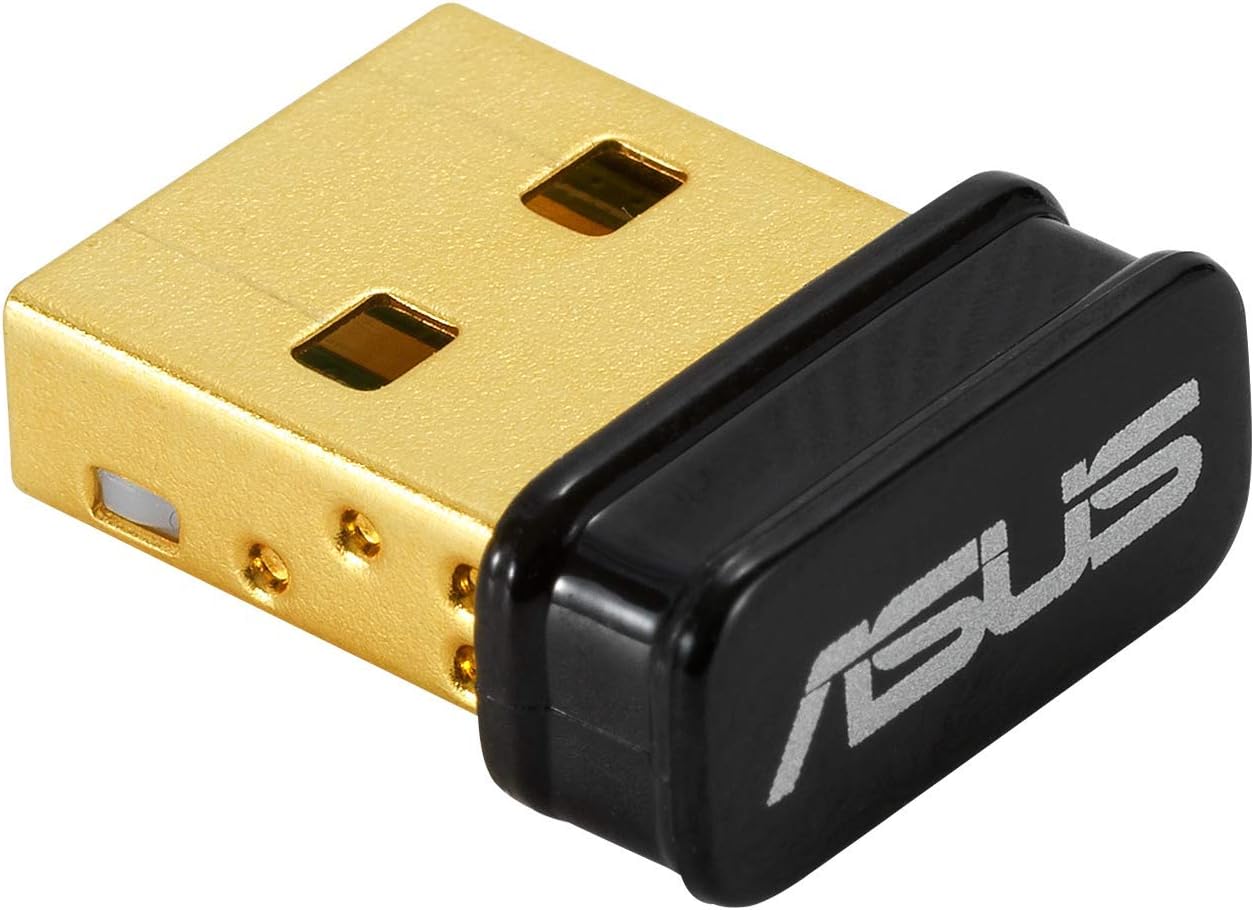
🚀 Elevate your wireless game with ASUS USB-BT500 – small size, massive reach!
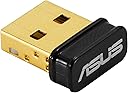
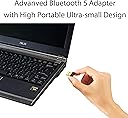
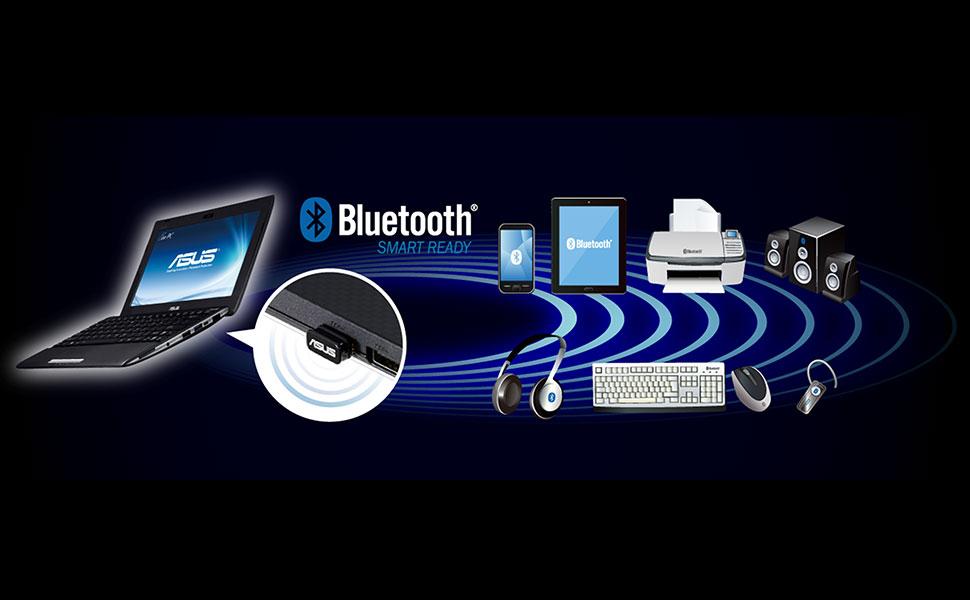
The ASUS USB-BT500 is a sleek, ultra-compact USB Bluetooth 5.0 adapter delivering up to twice the data transfer speed and four times the wireless range compared to previous Bluetooth versions. Backward compatible with older Bluetooth standards and optimized for energy efficiency, it ensures seamless, reliable wireless connections across a wide range of devices, all backed by a 3-year warranty.


| Asin | B08DFBNG7F |
| Best Sellers Rank | #14 in Bluetooth Network Adapters |
| Brand | ASUS |
| Built In Media | USB-BT500 Adapter, Warranty card |
| Color | Black |
| Compatible Devices | Desktop, Headphone, Laptop, Speaker |
| Compatible Operating System Family | Windows |
| Customer Reviews | 4.5 4.5 out of 5 stars (6,480) 4.5 out of 5 stars |
| Data Link Protocol | Bluetooth |
| Data Transfer Rate | 4 megabits_per_second |
| Hardware Interface | Bluetooth, USB |
| Item Dimensions L X W X H | 0.59"L x 0.28"W x 0.69"H |
| Item Type Name | ASUS USB-BT500 Bluetooth 5.0 USB Adapter with Ultra small Design, Backward compatible with Bluetooth 2.1/3.x/4.x |
| Item Weight | 4.54 g |
| Manufacturer | ASUS |
| Mfr Part Number | USB-BT500 |
| Minimum Required Operating System Version | Windows 10 |
| Model Number | USB-BT500 |
| Number Of Items | 1 |
| Unit Count | 1 Count |
| Upc | 192876476772 |
| Warranty Description | 3 Years |
User
High quality product
Worked perfectly and instantly. I plugged it in and had my brand new device paired within 30 seconds. Very intuitive.
User
Works good in Linux with some effort
I bought this to interact specifically with ble 5.0 devices from my PC and possibly some SBCs.This was a huge pain to install but here's what I did which will hopefully spare someone else the agony.The documentation on the Asus site is pretty abhorrent. It's mostly Windows oriented, and even for Windows the documentation is awful and you are pretty much on your own. It's a "plug and pray" situation with this thing until you get it setup correctly.Yes, it's supported in Linux so should work on Raspberry Pi as well.Once it's running it's actually really nice so far.Also the drivers include the source which is a win.How I got it working (old Ubuntu 18.04 with kernel version 5.4.0):First, download the driver from the Asus website.Second, blacklist all default bt drivers by creating the file /etc/modprobe.d/bluetooth-blacklist.confthen add this to it:blacklist btrtlblacklist btusbblacklist btintelblacklist btbcmThis was necessary for me as the two devices were fighting for attention so to speak.It may not be needed for you (you can skip this and try it later if needed).Third, reload the kernel module settings (part of the above step):sudo systemctl restart systemd-modules-load.serviceNote that you will probably lose your bluetooth control panel, but you can undo this later by deleting the conf file then reloading the settings again.Fourth, install the driver after unzipping it and cd'ing to the folder:sudo make install INTERFACE=usbFifth, you must copy the firmware to the correct location.Go into the folder /rtkbt-firmware/lib/firmware inside the driver folder and copy these two files to /lib/firmware/ on your system:rtl8761bu_configrtl8761bu_fwNow see if the device is listed:hciconfig -athe device should appear there.If not, unplug the device then turn bluetooth off then on.Depending on your distro, it could one of these (Deb/Ubuntu/fedora):sudo service bluetooth stopsudo systemctl stop bluetoothPlug it back in, run hciconfig -a again and it should be working.If still nothing, run:lsmod | grep bluetoothand see if 'rtk_btusb' is listed next to bluetooth (with some others, probably).If so then the driver is probably installed.Now let's see if your firmware is correct:Type dmesg and see if there are any errors there.If you are seeing a cryptic message in dmesg like:rtk_btusb: fw name is rtl8761bu_fwrtk_btusb: This is not 8723a, use new patch style!then the firmware has not been copied to the correct folder which will prevent it from working.Locate the correct firmware folder for your distro then redo the steps from that point again.Hopefully it should be running now.Now you can play with it in bluetoothctl.Type bluetoothctl then type scan on and see if there are any devices.Type help for a list of commands... have fun!If all else has failed, remember to register your device on the Asus website then you should beeligible for support (didn't try this, your mileage may vary).
User
Must have
Life saver flawless setup and use had this a or so
User
Works great once installed correctly
Installed on Windows 10 64bit OS. Definitely had to download/install the driver but that wasn't difficult, it prompted me to do it and I just had a few clicks and it was done. I have not noticed any lag issues, but I'm not using it for audio at this time so I can't rightly speak to that. File transfers are OK and it works great for mouse & keyboard.The rest of this won't apply to like 99% of people but I'm putting it here in case anyone encounters the one gotcha I experienced with this device, which was starting up the PC cold (from being turned off). It was taking too long after I installed this device. Windows did come up, but it sat at an empty screen for a couple minutes whereas this computer used to just blast open whenever I'd start it up. I messed around a while before I found something online about similar issues. The article I found suggested that even though my motherboard did not "have" bluetooth onboard, sometimes there is something buried in the BIOS (or UEFI) related to bluetooth, and apparently some mainboard manufacturers actually ship boards with bluetooth only disabled as some arcane marketing strategy to sell the boards at a lower price (??). My mainboard definitely wasn't supposed to come with bluetooth and I had no signs of any pre-existing Bluetooth devices in Device Manager, but sure enough I entered my BIOS at bootup and there were two bluetooth items listed, one was already disabled and the other (named something like "connectivity wifi/bluetooth") was enabled. I disabled it (this computer uses an ethernet cable, not wifi) and the PC boots very quickly again. I gotta think that was it, I DON'T think you want multiple bluetooth adapters enabled like that. Weird problem that only occurred on cold boot - Standard restarts weren't affected. Anyway, I could be the only one in the world who had that problem, and I'm enjoying the bluetooth now. I'd buy it again
User
A little choppy at times while using it for a bluetooth speaker but overall good
The ASUS USB-BT500 Bluetooth 5.0 USB Adapter has been a valuable addition to my tech setup, and here's why:Ultra Small Design: This adapter's ultra-compact design is a standout feature. It's incredibly small, almost flush with the USB port, and doesn't obstruct adjacent ports, making it perfect for laptops and PCs where USB space is limited.Seamless Connectivity: The Bluetooth 5.0 technology ensures stable and efficient connections. I've experienced consistent and fast pairing with various devices, including headphones, speakers, and smartphones.Plug-and-Play: Setting up the ASUS USB-BT500 is a breeze. It's a true plug-and-play device, so there's no need for complex installations or driver updates. Simply plug it in, and it's ready to use.Wide Compatibility: I appreciate its backward compatibility, allowing it to work with older Bluetooth versions as well. This versatility ensures it can connect with a wide range of devices.Reliable Range: Despite its small size, the range of this adapter is impressive. I can move around my room without losing connectivity to my audio devices.Stylish Look: The sleek and modern design blends seamlessly with my devices. It's not an eyesore and actually adds a touch of style.Affordable: Considering its performance and features, the ASUS USB-BT500 is competitively priced. It offers great value for upgrading non-Bluetooth devices.
User
So good I forgot it was there.
I have been using this every day for years with my bluetooth headphones. It has been so completely problem-free that I forgot I was even using it. A true long-term "set and forget" experience.
User
Worth it
Had to buy after my bluetooth went out on my PC, and cords weren't cutting it. It gives great quality sound and works great. Make sure you follow the instructions and disable your old bt before plugging it in if your pc had one. When instructions are followed it works perfectly and only takes like 2 min to setup. I messed up the first try and plugged it in first and had to go back to the instructions.
User
Headphones
It works amazing and I am so happy now.
User
Bueno.
La vida de un crítico es sencilla en muchos aspectos, arriesgamos poco y tenemos poder sobre aquellos que ofrecen su trabajo y su servicio a nuestro juicio. Pero a veces, lo que parece un accesorio menor, como un adaptador USB Bluetooth se convierte en la clave que mantiene todo el ecosistema en armonía.Pequeño hasta lo absurdo, este diminuto dispositivo no necesita presencia para imponer respeto. Lo conectas, y el mundo inalámbrico se ordena: audífonos, teclados, controles, todo responde con esa suavidad que uno espera de un producto que no viene a hacer escándalo, sino a resolver.No desconecta, no titubea, no se queja. Entra, enlaza y desaparece.. En un mar de tecnología que promete más de lo que cumple, este adaptador de Asus simplemente cumple. Y eso, en estos tiempos, ya es mucho decir.
User
Good performance
working well, no lag , range also very good
User
Use with my PS4 controller and airpods simultaneously on my Windows 10 OS PC.
Works with Steam and all that perfectly fine (keep in mind a lot of games outside of Steam won't recognize a PS4 controller so you'd need the DS4Windows application, but that's another topic). My PC instantly recognized the dongle and after following the simple instructions of downloading and extracting the driver file (with a straightforward setup wizard exe inside), was able to connect my controller first try hassle free. Also nice is that when I turn off and then turn on bluetooth, it remembers the controller fine as it should so no issues there either. Oh and in terms of range and responsiveness, idk if it's a placebo but it seems faster (more quickly responsive) than using my wire and I was even able to get the same functionality upwards of 6m without walls. Ah and of course it supports more than one device at once (not just pairing). Going to update if there are any issues over the next few months. Edit: Had a load of issues with DS4Windows and Steam, constant disconnects after at one point updating drivers through Windows manually, what I learned, don't go to Windows and have it automatically update and choose drivers, go to the site ASUS provides and do it (which is what I had done in the first place but of course I had to play around with things and muck it up), fixed all the strange issues.
User
أفضل USB Bluetooth على الإطلاق!!!
صحيح أنه باهظ الثمن كقطعة صغيرة جداً لكن كأداء ومحيط ونطاق التقاط الإشارات من الأجهزة التي تمتلك Bluetooth قوية جداً.قوة ومدى الترددات والإستجابة عالية جدًا تصل حتى 10 أمتار, ولا يوجد تأخير إلا بسيط ممكن أقل من 15 مللي ثانية!!لدي جهاز تحكم للـ Playstation 4 وسرعة استجابته رهيبة! لا تبخل على نفسك من اقتنائه.شركة التايوانية Asus لن تخيب ظنك أبداً 🖤ملاحظة: "ليس تطبيل للشركة, لكن جودة صناعتهم رائعة".
User
Plug and play with Ubuntu Linux 22.04.2 LTS x86_64 and Sony XM-1000XM4 headphones
Plugged my new ASUS USB-BT500 into my 13yo Core i7 running Ubuntu Linux 22.04.2 LTS with x86_64 architecture, and it just worked, pairing pretty easily to my Sony WH-1000XM4 headphones, and allowing selection between the stereo and handsfree profiles.Detected as a Realtek chipset.[ 4055.945431] usb 6-1: USB disconnect, device number 2[ 4060.641470] usb 6-1: new full-speed USB device number 3 using uhci_hcd[ 4060.822571] usb 6-1: New USB device found, idVendor=0b05, idProduct=190e, bcdDevice= 2.00[ 4060.822582] usb 6-1: New USB device strings: Mfr=1, Product=2, SerialNumber=3[ 4060.822587] usb 6-1: Product: ASUS USB-BT500[ 4060.822590] usb 6-1: Manufacturer: Realtek[ 4060.822594] usb 6-1: SerialNumber: XXXXREDACTEDXXXX[ 4060.830517] Bluetooth: hci0: RTL: examining hci_ver=0a hci_rev=000b lmp_ver=0a lmp_subver=8761[ 4060.832500] Bluetooth: hci0: RTL: rom_version status=0 version=1[ 4060.832504] Bluetooth: hci0: RTL: loading rtl_bt/rtl8761bu_fw.bin[ 4060.846768] Bluetooth: hci0: RTL: loading rtl_bt/rtl8761bu_config.bin[ 4060.855440] Bluetooth: hci0: RTL: cfg_sz 6, total sz 30210[ 4061.024652] Bluetooth: hci0: RTL: fw version 0xdfc6d922[ 4061.110192] NET: Registered PF_ALG protocol family[ 4061.156398] Bluetooth: RFCOMM TTY layer initialized[ 4061.156410] Bluetooth: RFCOMM socket layer initialized[ 4061.156419] Bluetooth: RFCOMM ver 1.11[ 4085.784835] input: WH-1000XM4 (AVRCP) as /devices/virtual/input/input14[ 4169.062054] Bluetooth: hci0: SCO packet for unknown connection handle 2
Trustpilot
1 month ago
2 weeks ago