🖱️ Stay active, stay ahead—mouse movement that works as hard as you do!
The Vaydeer M4 Mouse Mover is a compact, driver-free device that physically simulates mouse movement to prevent your computer from going idle. Featuring an ultra-silent motor certified under ISO standards, it operates quietly below 45dB and is completely undetectable by IT monitoring software or hardware scans. Compatible with all major operating systems and optical mice, it offers a simple on/off switch and multiple power options, making it an essential tool for professionals seeking seamless productivity during long meetings, remote work, or gaming sessions. Backed by 6 years of R&D and a 6-year warranty, it’s a reliable, discreet, and thoughtful gift for anyone who spends extended hours at their computer.
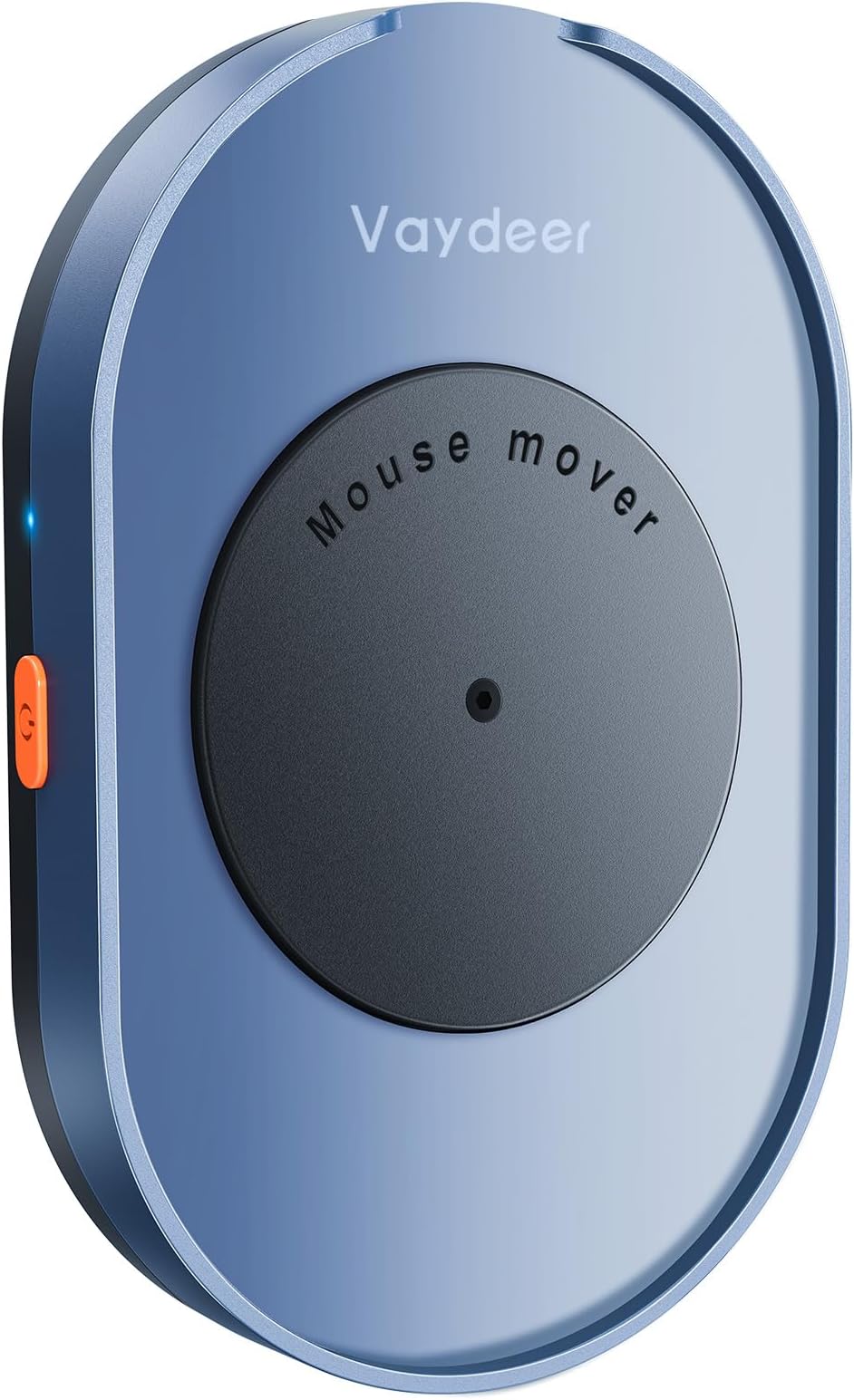









| ASIN | B08DTXPS51 |
| Additional Features | 100% undetectable, Gift Ideal for Men/Women, Portable, keep PC awake, no driver needed |
| Antenna Location | Gaming |
| Are Batteries Included | No |
| Are Batteries Required | No |
| Best Sellers Rank | #29 in Computer Mice |
| Brand | Vaydeer |
| Built-In Media | Vaydeer Undetectable Mouse Mover |
| Button Quantity | 1 |
| Color | Navy Blue |
| Compatible Devices | Laptop, Personal Computer |
| Connectivity Technology | USB |
| Customer Reviews | 4.5 4.5 out of 5 stars (9,006) |
| Enclosure Material | Plastic |
| Hand Orientation | Left |
| Hardware Platform | Linux |
| Item Dimensions L x W | 5.12"L x 3.15"W |
| Item Weight | 140 Grams |
| Manufacturer | VAYDEER |
| Model Name | Mover M4 |
| Model Number | FM2081 |
| Movement Detection | Optical |
| Operating System | Chrome OS, Linux, Mac OS, Windows |
| Power Source | Corded Electric |
| Range | 5.0 meters |
| Style Name | Button Control |
| Theme | Computing |
| UPC | 793565728877 |
| Unit Count | 1.0 Count |
| Warranty Description | 6-year warranty |
A**T
Great little device that does exactly what it promises
This mouse mover is simple, quiet, and genuinely undetectable from a software standpoint since it physically moves the mouse instead of installing anything on your computer. The M4 design is compact and easy to set up—just plug it in, place your mouse on the pad, and it starts working with no drivers or configuration needed. The movement pattern is subtle enough that it doesn’t jump the cursor all over the screen, but it reliably keeps the system from going idle during long calls or video sessions. Build quality feels solid for the price, and the on/off control makes it easy to switch between “active” and normal use without constantly unplugging it. If you need a hassle-free way to prevent your computer from locking or showing you as away, this is a very handy, low-profile solution.
N**.
Worth every penny - a must have for office workers!
I purchased this mouse mover for my home office, and I am really impressed. I was a little skeptical at first since I had never used one before and wasn't sure what to expect, but this thing is a life saver. It does exactly what it is intended to do with absolutely no hassle. There is no battery, so you don't have to worry about charging it. It was quick and easy - you just take it out of the box, plug it into your computer via USB, hit the power button, and that's it. There is no software to download, which is ideal if using a company-owned computer. The size and design are great - it is discreet, simple, and compact enough to keep on my desk without taking up too much space. It runs quietly and does its job consistently. Overall, it’s a simple but effective solution that works exactly as advertised. I’d definitely recommend it to anyone who needs a dependable way to keep their computer from going idle. Definitely worth the money!
K**B
Works Perfectly and Completely Silent – Great with Logitech Pebble
I’ve been using the Vaydeer mouse mover with a Logitech Pebble mouse, and it works exactly as intended. It keeps the cursor active consistently without any connection issues or interruptions. One thing I really appreciate is how quiet it is. The movement is smooth and practically silent, so it doesn’t become distracting even when it’s sitting on a desk all day. It just runs in the background without drawing attention. It is a bit bulky compared to smaller mouse movers, but in practical use that hasn’t really mattered. It stays stable on the desk and the larger platform actually makes it easier to position the mouse securely. Overall, it’s reliable, quiet, and does its job perfectly. If you’re using a smaller mouse like the Logitech Pebble and want a dependable mouse mover that works without noise or hassle, this is a solid option.
J**N
No sound...Perfect!
Works consistently as advertised. I have mine plugged into an iPhone power adapter. If your mouse is the same size or smaller than a Logitech M510 mouse, this device should work fine. Despite the moving parts, this device is completely silent.
P**L
Possible solution to the ticking noise.
As with many buyers mine started ticking loudly about month and a half after I got it. With it sitting right in front of me all day this was a deal breaker. I decided to open it and see if there was anything obvious that could be done. The steps are very easy; no expertise needed, just a few small tools. First use a 1.5mm allen wrench to remove the small screw in the center of the black disc. Set this aside, making sure to not lose track of the small parts along the way. The rubber feet peel off easily and using an extra small #0 phillips head will get the four screws out. Separate the top slowly as the motor is connected to the base by a non-removable wire to the board. Separate the wire from the plastic guide in the top to provide some slack and lay the two next to each other. Using a #1 small phillips head remove the two screws holding the small motor in place. This can be slid out and set back in the base facing up. Then use your fingers to gently pop the black disc out. You should then have the disc, the top with the bearing exposed, and the base with the motor facing up. Plug the base back in and it should automatically turn on (the orange button just sits there and can fall out. Not a big deal, set it back in if it does). I never hear any ticking but I applied a bit of pressure with my finger to spinning part on top motor figuring, maybe that might help? I then rotated the bearing around and back and forth. I never hear any ticking specifically, but also figured it couldn't hurt. I then reversed the process, reassembling everything. When I plugged it in, no ticking! All told it was probably only 3-5 minutes of tinkering with it. It's been quite for days now. I think the only other thing I might do if it starts back up again would be to apply a very tiny amount of oil to the bearing (making sure nothing is left sufficient to drip down into the motor on onto the board). Not an expensive purchase, but the few minutes of work are totally worth it to avoid the ticking headache! Hope this helps! Edit: Taking it entirely apart might be overkill. I found loosening the 1.5mm screw on the black pad will caused it to tick, tightening it stopped it. So, instead of eight to ten steps seems like one might suffice. Edit 2: It clicked less for a while, but started back up again. Readjusting helps, but doesn't solve the problem. I still am upgrading from three to four stars though for the customer service. They reached out and were very helpful and willing to work with me to address the issue. They sent me a replacement and so far so good. Overall, for the price, this is a good solution with great customer service.
A**R
Works as expected
This product works as advertised. This device is undetected on your computer and your computer will never go idle as long as the mouse is on the mover. Love it
R**S
Great mouse mover
Works great 💯!
C**.
It Works
It works as advertised. The arrow moves with the turning mechanism. The only problem I have is that the mouse device moves with the turntable. You just have to find a way to keep the mouse device from moving. If you have a wide mouse device, you should have no problem. I'll try using a rubber band around the mouse mover and my mouse.
P**R
Using this device for more than 3 months now, If you are working from home and If your employer tracks how long you have been on, this device is mandatory, gives time for doing your own work in between.
S**…
Aucun bruit, simple et efficace
N**Y
Alles bestens. Erfüllt seinen Zweck voll und ganz.
C**L
I didn't think I needed one of these. And now I couldn't be without it. Annoying screensavers which I can not access now don't stop me referring to what's on the screen while I am writing notes. I use a large mouse for repetitive strain and it sits fine within the ridged outline and moves freely as required. Silent in operation. Plug and play. Easy access button on the side to turn it on or off with a nice little indicator light to confirm. Possibly a bit expensive for what it is, but hasn't missed a beat and does the job perfectly. I miss it when I work away from my own desk, so clearly rely on it frequently.
G**A
atende a necessidade, cumpre o que diz
ترست بايلوت
منذ 4 أيام
منذ أسبوع