We remain fully operational. Our teams are working around the clock to ensure your deliveries continue safely.

قم بتنزيل التطبيق


معلومات عنا
حقوق الطبع والنشر © 2024 Desertcart Holdings Limited
قم بتنزيل التطبيق

Buy anything from 5,000+ international stores. One checkout price. No surprise fees. Join 2M+ shoppers on Desertcart.
Desertcart purchases this item on your behalf and handles shipping, customs, and support to KUWAIT.
🚀 Upgrade your Dell Precision with lightning-fast NVMe storage—because speed waits for no one!
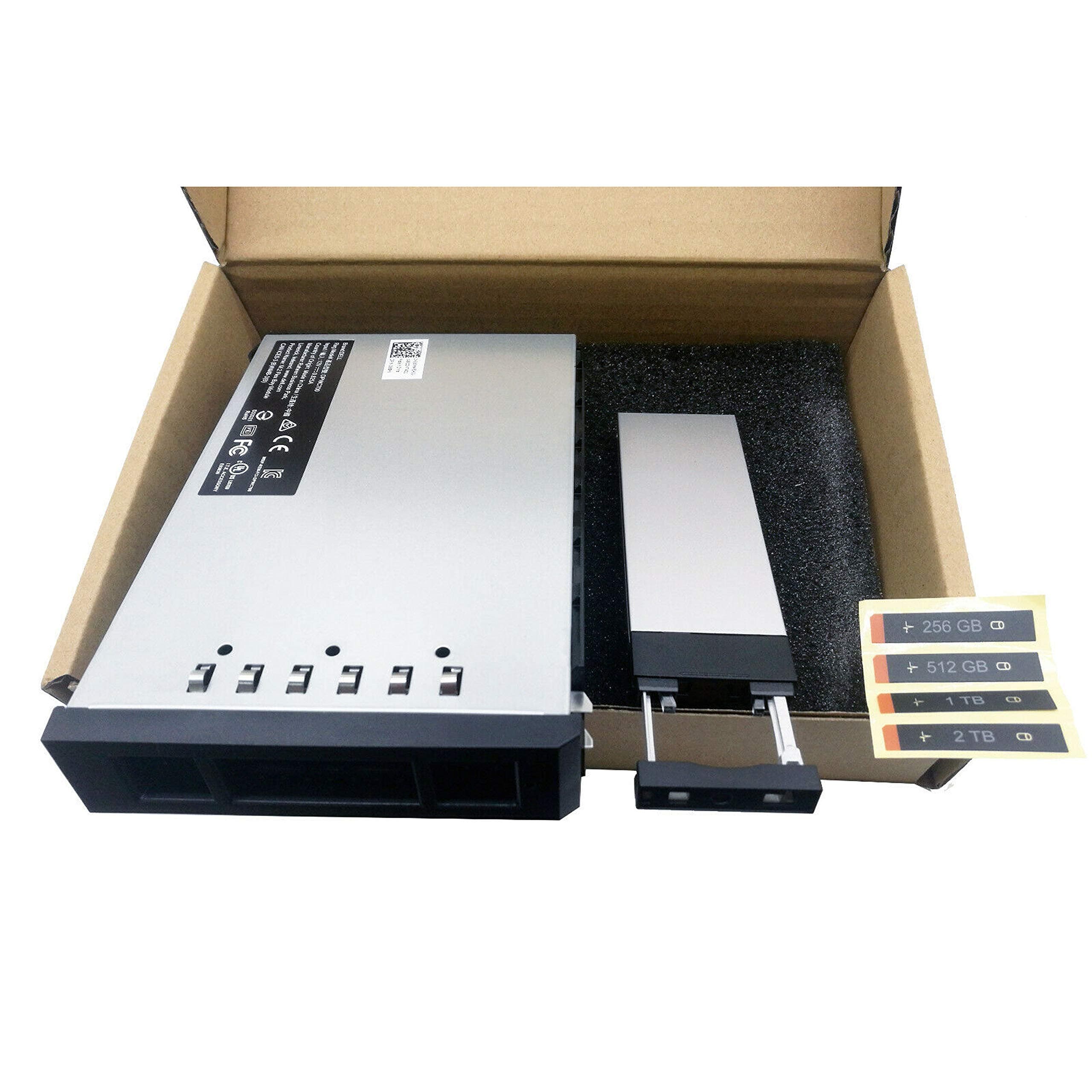
This New M.2 SAS Flex Bay Module is a precision-engineered upgrade for Dell Precision T5820, T7820, and T7920 workstations, supporting 2280 M.2 NVMe SSDs via PCIe Gen3 x4. Featuring a tool-less tray design and rear mounting, it enables quick, hassle-free SSD installation while ensuring optimal compatibility and airflow. Ideal for professionals demanding high-speed storage expansion in their powerful workstations.
| ASIN | B089NK3XZF |
| Best Sellers Rank | #550 in Internal Solid State Drives #7,708 in Computer Internal Components |
| Brand | BestPartsCom |
| Case Type | Mini-Tower |
| Color | black, white |
| Compatible Devices | Dell Precision T5820, T7820, T7920 |
| Cooling Method | Air |
| Customer Reviews | 4.4 4.4 out of 5 stars (38) |
| Internal Bays Quantity | 1 |
| Item Weight | 0.45 Kilograms |
| Manufacturer | High Quality Factory |
| Model Name | Dell Precision T5820 T7820 T7920 |
| Other Special Features of the Product | Tray Design for Easy SSD Installation |
| Power Supply Mounting Type | Rear Mount |
| Supported Motherboard | Flex ATX |
| Total USB 2.0 Ports | 4 |
| Total Usb Ports | 4 |
| UPC | 731938792902 |
T**N
Perfect 👌 Upgrade!
The components was working perfectly. I would recommend this company to everyone. The value for the money was excellent. The fit in my Dell 5820 was also great.
C**L
Fit my Dell workstation well
Easy setup, installed with no issues on my Dell workstation tower.
P**Y
Perfect for a Dell 5820 Tower PC
My Dell 5820 Tower PC has the flex bay system with 4 slots. Three were currently in use. I wanted to upgrade my main OS drive to a larger NVMe SSD - PCIe drive. I removed the Drive carrier from the blank spot. Installed the new NVMe SSD - PCIe drive in the holder supplied, it fit no issues. Inserted the holder in the blank space then slid in the drive carrier. Cloned the OS drive to this slot. Powered down and swapped the new drive in. I used this new holder for the pervious boot drive after I formatted it. Everything fits well and I've had on issues with heat or fitment. It worked out perfectly.
T**.
Just What I Was Looking For
I have been going round and round with Dell parts trying to get this item. First it is on back order, then discontinued, though it can be ordered with a new computer. Since I already have a Dell with one Flex Bay M.2 drive and I have an extra drive, I only needed the carrier and bay enclosure. The controller that came with the computer will operate two drives, so this is what I needed. I decided to look elsewhere and found this on Amazon. I installed and configured it and it works well. Very Satisfied!
D**N
This is packaged for a service technician
Product is great and exactly what I wanted. My only complaint, (and this applies to a lot of items I get through Amazon) is there are no instructions included, nothing, not product ID or part number sheet either. Luckily YouTube has great help videos available and I had watched them to make sure I was ordering the correct parts. I used this on a Dell 7820 to configure my 2nd hot swappable bay for an M.2 PCIE 4, 1 tb 2280 SSD. Remove the existing empty sled and slide this unit in, configure drive thru Windows. Very easy.
K**R
Works as expected.
My Dell Precision 5820 was already configured for the first 2 flex bays to use the module. So it was a simple plug-and-play for me to install.
'**0
A+, 100%, Thank You. New M.2 SAS Flex Bay Module for Dell 7820, Works Perfect, Thank You.
A+, 100%, Thank You. New M.2 SAS Flex Bay Module for Dell 7820, Works Perfect, Thank You.
B**Z
DO NOT BUY
This is junk. I bought this a few days before Hurricane Ian, and so couldn’t test it since we got flooded. Once I tried it with an SSD card, the computer wouldn’t recognize it. I assumed it was the card, and got another one. It didn’t recognize that either. Took the computer into a computer store, thinking there was an incorrect setting in the BIOS. $135 later, they told me it was this flexbay that was faulty. So, now I’m beyond the return window, and all I can do is warn everyone else. This is not worth your frustration.
ترست بايلوت
منذ أسبوعين
منذ يومين