Desertcart purchases this item on your behalf and handles shipping, customs, and support to KUWAIT.
🚗 Decode Your Drive: Be the mechanic your friends envy!
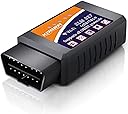
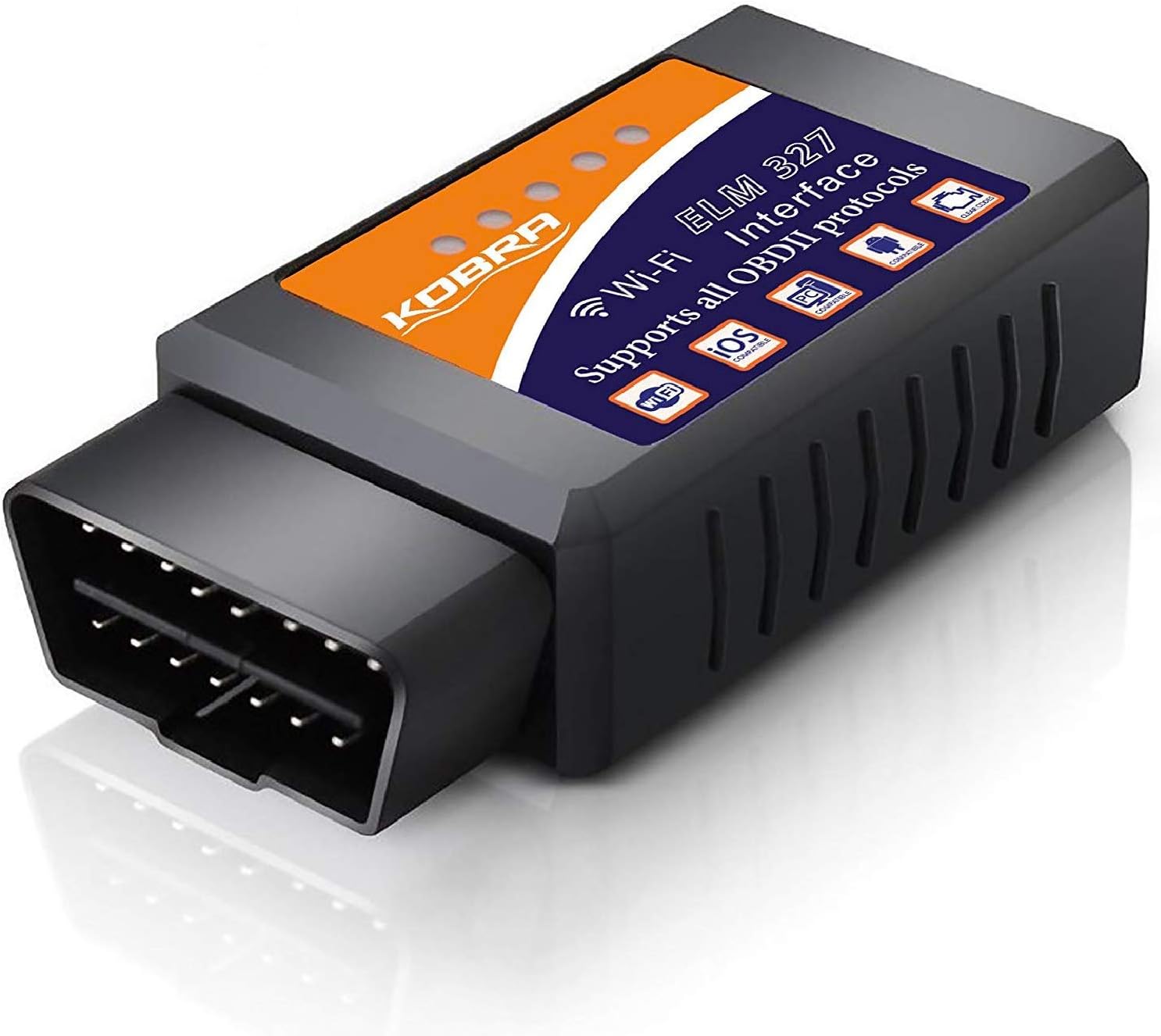
The KOBRA OBD2 Scanner is a WiFi-enabled diagnostic tool designed for 1996-2016 vehicles, offering access to over 3000 generic and manufacturer-specific trouble codes. Compatible with iOS and Android devices, it connects wirelessly to popular apps for real-time engine diagnostics and check engine light clearing, empowering users to troubleshoot car issues quickly and confidently without costly mechanic visits.
| ASIN | B01C3HAHCS |
| Best Sellers Rank | #220,572 in Automotive ( See Top 100 in Automotive ) #956 in Code Readers & Scan Tools |
| Brand | KOBRA Products |
| Brand Name | KOBRA Products |
| Customer Reviews | 3.9 out of 5 stars 6,611 Reviews |
| Global Trade Identification Number | 00798154979845 |
| Included Components | 1 |
| Item Dimensions L x W x H | 3.5"L x 1.8"W x 1"H |
| Item Type Name | OBD2 Scanner & WIFI Car Code Reader – Clears Check Engine Lights Instantly – Diagnose 3000 Car Codes - Wireless Car Diagnostic Scanner – Auto Scanner For 1996+ Vehicles (iOS & Android Devices Only) |
| Manufacturer | KOBRA Products |
| Manufacturer Part Number | OBD2 Scanner |
| Manufacturer Warranty Description | no |
| Model Number | OBD Scanner |
| Number of Items | 1 |
| Operating System | Android, IOS |
| Power Source | Corded Electric |
| Product Dimensions | 3.5"L x 1.8"W x 1"H |
| Screen Size | 2.8 inches |
| UPC | 798154979845 |
A**H
Flawless OBD2 Reader, stupidly easy to use, and at a GREAT price!
In my opinion, this thing has already paid for itself and saved me a lot of money. I recently had a check engine light come on, as has happened so many times on my other vehicles (or those of my family and friends), and didn't think it was worth spending hundreds just to have it diagnosed at a garage. I ordered this because it was affordable, and while I didn't expect it to be as high quality as it is, I figured it was worth the risk for the price. I use android devices (I've used this with my Blu R1 HD and a Samsung Galaxy S6, but it also worked on my iPad) and connecting to this reader was beyond easy. I simply plugged the code reader into my car, downloaded the "free" version of the Torque app from the Google Play Store, and then selected WiFi as the connection type (in the app). I immediately got all kinds of gauges and information on screen (half of which was over my non-mechanical head), but it worked flawlessly, and when viewing the "fault codes" it showed me the code as well as linked me to a description of the code (both general, and then sub-descriptions for specific vehicle makes). Turns out my light was on due to a O2 sensor failing, which I was able to fix. Now I can have my family stop by to have me check their cars too (which is funny since I know nothing about cars)!
A**.
Great tool for monitoring engine and DTC with iOS
This is a very handy tool to have if you're a DIY kind of person. Just plug it in, connect with an app, and you have access to several dynamic parameters and can view/clear DTCs. I have used this on a 2006 Toyota Tacoma, 2005 Toyota Highlander, 2012 Toyota Corolla, and a 2006 VW Jetta. It worked perfectly on all 4 cars. I even used it to read a DTC that was causing the CEL to illuminate and was able to promptly fix the problem and the code cleared on its own. The free app that is designed to be used with this tool will get the job done. It has a premium feature for 4 bucks that allows you to save and record data and what not. In the future I may purchase a different app that is a little more intuitive and nice looking. The tool itself can be used on a car that isn't running, however I don't recommend it as it seems to use a lot of power and may drain your battery. Also, don't leave it in when you are not using the car as it has a constant red LED and WIFI signal that will surely drain your battery! It's not a set and forget kind of thing. It is worth noting that this is in fact a WIFI device and not Bluetooth. After looking at many other Scanners, many of them were bluetooth and when I bought this one I thought it was bluetooth too because I wasn't paying attention. Not that big a deal, but I would've preferred a bluetooth version because the WIFI signal interrupts other WIFI and cellular connections so you can't use the internet at the same time. Bluetooth would allow this. Just a thought in case you also didn't notice that this was a WIFI device. BTW I use an iPhone 6 in case you were wondering about compatibility.
D**Y
It works for what you need.
I got this as a spare just in case my other OBD2 reader decides to die on me. It's a pretty decent product, and works for what you need it for. Using the Torque app on my Android, I was able to get readings from my car. However, compared to my other reader, this one is a bit laggy. My other reader is able to give me fast updated information on things such as engine RPM, boost pressure, speed, ect. This one takes about 15 to 30 seconds for those things to update. The adapter is extremely easy to use. You pretty much plug it in, turn your car on, connect your phone via wi-fi to it, load your favorite OBD app, set it to wi-fi mode, and then pull the information. The only real downside to having it connected to wi-fi is that you're unable to look up any faults right away. Also, due to the size of the adapter, it was a bit tricky getting it to plug into my 2011 VW Golf. Luckily, the plastic holding the port in was a bit flexible, so I was able to get it in there. If you need information right away, I would recommend a different adapter. But if you want to just pull codes, this adapter will work.
S**R
Worked, but not easily
First of all, in whatever of my 3 cars I use this in, it mounts backwards - so the lights are facing away from me. That means I can't see when it's connected unless I use a mirror. Second, you usually need to buy add ons for the app to really use it successfully with your particular vehicle. Third, it often disconnects itself. All that being said, it did what I needed it to do. I was using it to clear the MIL (check engine light) and then monitor the results of the computer tests as you drive a specific # of miles. Then you know when you can drive it in for a sticker, before the light comes on again. First of all, I would never do this if the code was somethiing that really needed to be fixed. But in my case it's a code that doesn't really mean much and would require dropping the fuel tank and removing / replacing the fuel pump or fuel pump sensors to fix. That's probably a $1,200 repair. Result, my gas gauge doesn't always work and I use the odometer to know when I need gas. I can live with that. Anyway, I've used this two years in a row to get a sticker. Sometimes it takes driving the car on a few occaisions for 50 or 60 miles. So it eats time, as it is not always successful on your first attempt. This is not a function of the tool, but more of a function of your car's computer. As you're driving you can see the tests happening and you get a green check mark in the app when each one is completed. Please note that in certain states you can have 1 failed emission code and still get your sticker. It's usually the catalyst that takes the longest to turn green. Once it does the app shows that the vehicle is ready for emissions testing. This usually takes 50 or 60 miles, at least. There are many forums that tell you how to specifically drive your vehicle for the quickest and best results. So I won't cover that here. The kicker is to get it to the station after all the codes clear, but before the computer finds the fault again. In my case this means NOT shutting the car off. If I do, and then restart it again, the light usually returns and I've wasted a couple hours of my time. So if you are going to use it for this task, just know that it isn't necessarily quick and easy. It takes time and you need to tell your mechanic not to shut the car off before testing. As I mentioned, all this being said, it has worked for me two years in a row and saved me from an unneccessary $1,200 repair bill. Hope this helps someone.
T**N
works well
Gquality
L**V
Inexpensive and does the job!
Got this little device when the "Check Engine Soon" light came on in our 2002 Mitsubishi Lancer ES. I knew I had to replace the upstream O2 sensor, but I had read that an OBD2 scanner was needed to clear the codes because disconnecting the battery wouldn't work. The scanner came with a paper pamphlet with minimal directions (mostly pictures), along with a mini CD that had scanning software that seemed to be bootlegged. It didn't matter to me, though, because I ended up using a paid smartphone app, DashCommand. I recommend this paid app over Goliath Industry's suggestion (Torque) because the interface is cleaner. Torque provides you with empty pages on which you can add widgets, but the widgets appear to be free-floating and I couldn't figure out how to delete empty pages. On the other hand, DashCommand's user interface is neatly organized and well-designed, and the paid version was only about $5 more than Torque's paid version. I figure I will be using this app in the future, and it's already paid for itself. Once the reader is plugged in, you'll see an unrestricted WiFi network called OBDIIWIFI or something similar. Once you connect, DashCommand will automatically attempt to establish a connection, after which you can read/clear codes. So simple! Keep in mind, though, because the WiFi is unrestricted, anyone around you with an OBD2 app will be able to connect if they happen to see the network. All in all, an awesome device that saved me a few hundred bucks! I will recommend it to my friends and family, since the beauty of a WiFi reader is that all smartphones (iOS, Android, Windows) can easily access the scanner, so long as applicable apps are available in their respective stores!
J**K
Quickly identify and clear codes and "check engine" light
As an owner of an older car (2002) with 200,000+ miles, I commonly have see my "check engine" light on the dash board. I purchased this product to quickly screen codes for serious issues and clear them without visiting an auto parts store. This product delivers on both counts. You'll need to download a compatible app for your phone to communicate with the device. I used OBDCarDoctor for iOs, and it provides configuration instructions in the help menu (the question mark icon in the green circle in the upper right corner of the homepage for the app). Once you configure the settings you'll need to tap "connect" at the bottom of the screen and wait for a few protocols to execute. Once connected, the top three categories on the home screen activate and you're able to access error codes as well as real-time diagnostics for your car's performance. Pros: Easy to install and activate - I was operating the device from my phone within 5 minutes of opening the package Inexpensive Effective - now you can identify and clear codes from your car without visiting the auto parts store Tons of real-time info about your car's performance if you're interested in it Robust - I'm storing mine in the glove box Portable - it's small so it can easily be taken with you if needed Cons: Gets warm during operation. I read a review indicating someone simply left it plugged in all the time. I'd be hesitant to do this as the heat doesn't seem to dissipate sufficiently, but I'm not an electrical engineer.
O**.
Read the INSTRUCTIONS lol 🤣 good device
First impression - very good While you may have a legitimate reason you can’t connect, most of the people who can’t connect seem to be not following instructions about when to turn the unit on or off or the car on or off or realize that it’s wifi which has a stronger connection not Bluetooth. Additionally, yes it’s going to use your Wi-Fi connection if you have a hotspot in the car so you have to realize that you make a trade on what’s running at the moment. For the money spent, you can’t have everything nor do you leave your car in the dealership connected to their diagnostic equipment ! Now after my own skipping the instructions (um!) I got it connected know that and I have five codes from another scanner and from an expensive dealer scan so I had a good benchmark to start with. I also know how to clear the codes myself without any device so the aspect of clearing codes is a nice thing for the people who don’t know how This being said, this device picked up all of the codes I know that exist . Was faithfully on repeating the diagnostics that I spent money to get done with the dealer. Next time that will save me money. For the price, you cannot argue that it does not come with the $10 application you need to run it with. I think you need to be realistic with how little you spend and what you get. It’s a good value for the money for sure and if it tells you something you didn’t know without going to the dealer it’s a great value for the money - isn’t that why you bought it ? I have cleared all my codes and still have my other computer so I will run my car again until it trips the codes that I know it will and compare it against both computers- I will update this review then. I used the fusion app because I have more leverage if it doesn’t work then a free app that may be a erroneous or poorly constructed or plain doesn’t work and there’s nobody to get a hold of. I have rebuilt many engines from cars to motorcycles and on my own aircraft so I know that I am probably above the average user in mechanical knowledge but you don’t really need any of that to use this device if you can follow directions you can still get valuable data to steer your repair shop on to the real issues at hand and not get taken. So then ask yourself what is that worth ? There you have it for $30 or less with software there’s not going to be much comparable at the dealership besides a cup of coffee, booking your appointment and maybe a complimentary car wash with tip LOL . Update I have another scanner that gave me additional codes such as cam timing sensor transmission sensor etc. which were not part of my original problems so I used this unit again to clear the codes again and then test drive the car with numerous stops and starts until I could trigger the codes again . Again, accurate. Nice This unit has accurately represented my codes now a number of times without error Not that you know me but for what it’s worth I recommend this unit freely
م**ي
حلو
جبار
M**R
تالف بعد شهر
لا يعمل بعد شهر لا انصح بة
D**Y
Works Great
Easy use for reading codes and clearing codes.
I**I
Very Useful for the price
It's a very useful tool for the price if you pair it with a good app. I am using Car Scanner and did the job done. found faults and cleared.
س**د
لا يعمل
لا يعمل
Trustpilot
1 day ago
5 days ago