🚀 Step into your next reality—affordable VR that fits your lifestyle!
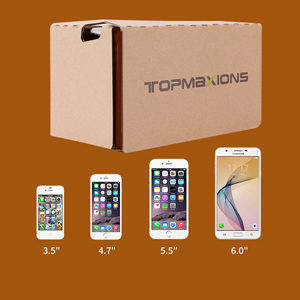
The Topmaxions Google Cardboard VR headset offers an accessible, lightweight, and comfortable virtual reality experience compatible with most smartphones between 3.5" and 6". Featuring a 100-degree field of view and built-in motion sensors, it delivers immersive 3D gaming and movie viewing with easy setup and secure phone protection. Perfect for millennial professionals seeking a budget-friendly VR introduction that fits seamlessly into their fast-paced, tech-savvy lives.


| ASIN | B01C2PA0KK |
| Additional Features | Sweatproof |
| Age Range Description | Adult |
| Battery Average Life | 4 Hours |
| Battery Capacity | 2.6 Amp Hours |
| Best Sellers Rank | #14,338 in Cell Phones & Accessories ( See Top 100 in Cell Phones & Accessories ) #7 in Cell Phone Virtual Reality (VR) Headsets |
| Brand | Topmaxions |
| Built-In Media | Strap |
| Color | brown |
| Compatible Devices | Smartphone |
| Connectivity Technology | USB |
| Connector Type | USB |
| Controller Type | Android |
| Customer Reviews | 3.5 3.5 out of 5 stars (3,012) |
| Display Maximum Resolution | 1280 × 720 |
| Display Resolution Maximum | 1280 × 720 |
| Display Type | Smartphone |
| Field Of View | 100 Degrees |
| Global Trade Identification Number | 00733520526704 |
| Item Weight | 5.12 ounces |
| Manufacturer | Topmaxions |
| Mfr Part Number | FBA_TT9LK |
| Model Name | FBA_TT9LK |
| Model Number | FBA_TT9LK |
| Number of Batteries Required | 1 |
| Operating System | Android |
| Platform | Android |
| Resolution | 1280 × 720 |
| Screen Size | 6 Inches |
| Sensor Technology | Accelerometer Gyroscope Magnetometer |
| Specific Uses For Product | Gaming, Video |
| UPC | 733520526704 |
| Unit Count | 1.0 Count |
B**N
Amazing for the price
These things are amazing for something that only cost $6. I'm terrible with technology so I wouldn't have bought a VR headset otherwise, in case it was too annoying to figure out how to use. This requires no tech savvy, just find a VR video on youtube or whatever, stick your phone inside the cardboard box, and look into them like you would any other pair of googles. I took the advice of another reviewer and downloaded the "Within" app, and the videos on there worked way better than what I could find on YouTube. So if your having trouble with the quality of the YouTube ones, definitely check that out. Overall, not something I'd use everyday because clearly, it's made out of cardboard so not the most comfortable. But it has shown me how cool VR technology can be, so I'm already considering buying a better headset. Which should really be your purpose for these - just drop the $6 you wouldn't give a second thought about spending on coffee and a donut on these, but instead of getting coffee and a donut, you get to see how it would feel to be in a rocket taking off for the moon, then opening the capsule and going on a space walk. (That was one of my favorite videos, on the Within app.) Or there's jurassic park ones on YouTube that are pretty cool. There's something about it that's super relaxing too (unless you watch the horror vids, which I'm definitely too chicken to do.) But yeah, it blocks out the rest of your vision so you're fully immersed in the video, maybe that's why it's much more relaxing than watching Netflix in your bedroom. You'll still be watching videos in your bedroom, but for $6 you can somewhat convince your body that you're taking a stroll through the rainforest. If I get a more comfortable headset I'll definitely use it to relax before bed. Just get the darn thing man, have I mentioned it's only $6?
S**Y
Additional App Required
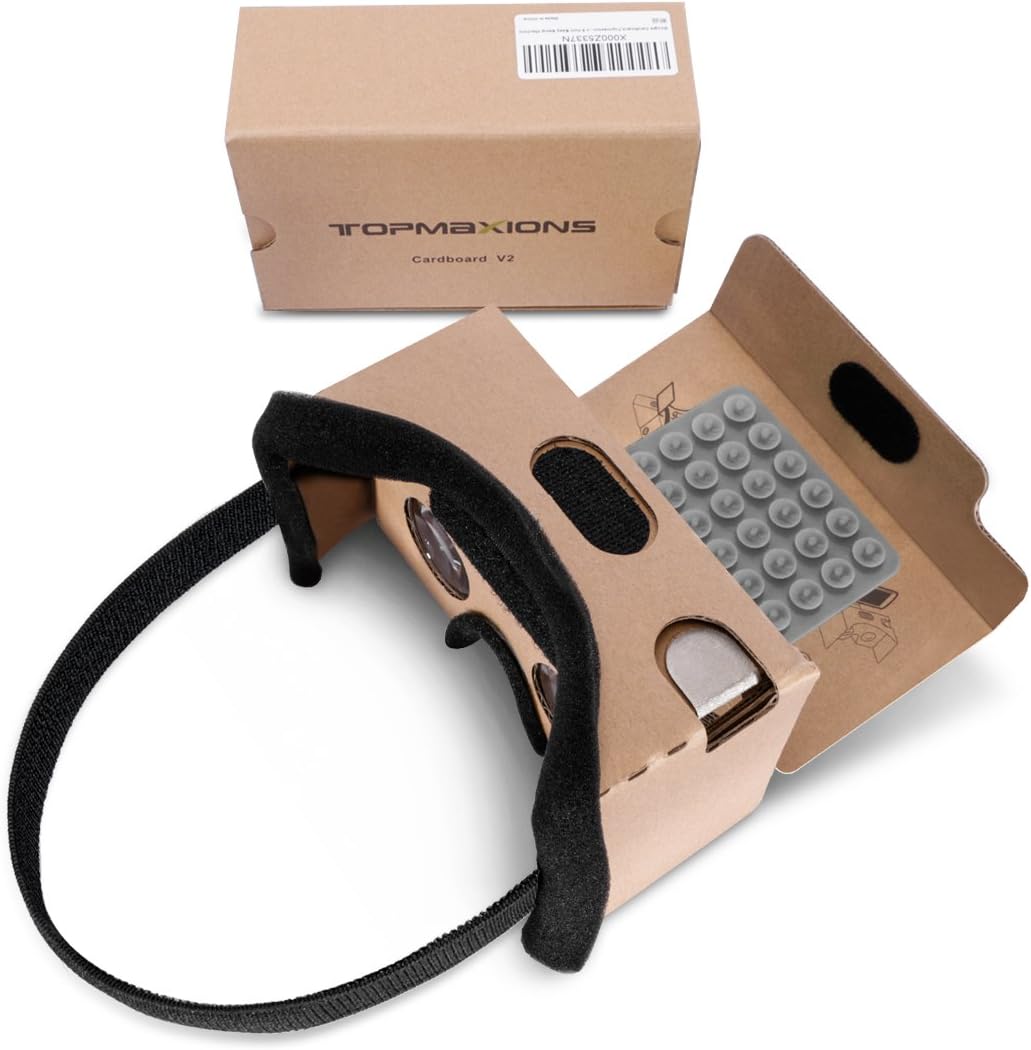
There are NO instructions to tell you what you need to know about these so: 1. You need to download the Google Cardboard app for these to work correctly. You can view other VR footage but ONLY if they have the GC feature enabled. The lenses cannot be adjusted to accommodate pupillary distance (something other pricier goggles have been able to include) which is one reason the app is required. 2. Not too hard to figure out how to origami these but I had only watched 2 VR videos trying to figure out why my vision wouldn’t line up before I decided to return them and as I was unfolding it the phone holder just tore off with barely a touch. That's how I discovered the app bc now it was forever mine. VR goggles reportedly can cause headaches, nausea, & visual disturbances so this is a very cheap, entertaining test drive.
T**J
Used for viewing stereo pairs (photos that were made a long time ago with a Kodak 3D camera).
I wanted some way to view stereo pairs (shot a long time ago with a kodak stereo 3D camera). I set up the cardboard and tried to use it for this purpose. No instructions came with the google cardboard but googling found generic instructions for setting it up. The online tutorial referred to a "button" and it took me awhile to figure out what they were talking about . I finally found the button which is really just a flap (see first photo), but the button did not work with my smaller iPhone SE. Once I finally got it to somewhat work by manually squeezing the cardboard to hold my iPhone in the proper position, I tried viewing a stereo pair. I thought the lenses were terrible but I finally figured out that they had a rubbery plastic protective film. After peeling that off, the view improved immensely, duh. I was able to view a 3D stereo pair (photo 5) and it wasn't bad. BUT, the phone kept sliding around the holder. I thought about sending the cardboard back but I think I'll try adapting it for my smaller phone, or making my own viewer to use with my phone (instructions at skylarking 3D viewer). This device will probably work well enough with a normal size phone (i.e. bigger than my iPhone SE). So, for kind-of-working at the low, low price of $9, I gave it 4 stars. To view stereo pairs made from an old 3D camera, you first need to scan the positives and then edit them to create a single side by side (SBS) image using the left and right views. Put those SBS images on your phone (Photos app for iPhone is what I used) or google photos. You can find plenty of samples of SBS images by googling "stereo pairs". It is possible to view the stereo pair transparencies directly by lowering the back of the cardboard and then looking through it while holding the transparency with the light shining through it from the back (4th photo). It's hard to get it aligned that way, but it is possible. Added note: the photos seem to come up in random order. But you can probably figure out which photo I'm referring to in the review by looking at the text I wrote on the photo itself.
M**T
Does not perform the way it should
The lenses inside this Google hardboard are either not the kind they should be or the dimensions of the viewer are off. I've had two Google cardboards before and this one did not work. It was not possible to have a clear image. Seller did offer a refund.
M**R
I was interested in purchasing something that can view VR videos and found out about Google Cardboard. Decided to order this product. However because I was unfamiliar with this type of technological gadget, I really struggled to put it together and had to look to YouTube videos for guides and instructions. The product didn't come with a QR code either so I had to find the correct one online. After setting up correctly, I'm glad the product actually works. The quality is alright, considering the price compared to other VR headsets. However it is a little bit uncomfortable to wear so I would not recommend this for prolonged use. I think this is an okay start for anyone that is curious about Virtual Reality technology and want to see what it is like without spending too much money. My recommendation is to people that are looking to purchase is to do thorough research on Google Cardboard before buying.
ترست بايلوت
منذ 3 أيام
منذ 3 أسابيع