
قم بتنزيل التطبيق


معلومات عنا
حقوق الطبع والنشر © 2024 Desertcart Holdings Limited
قم بتنزيل التطبيق
🚀 Unlock Quadruple Display Power & Speed — Your Desk’s New Command Center!
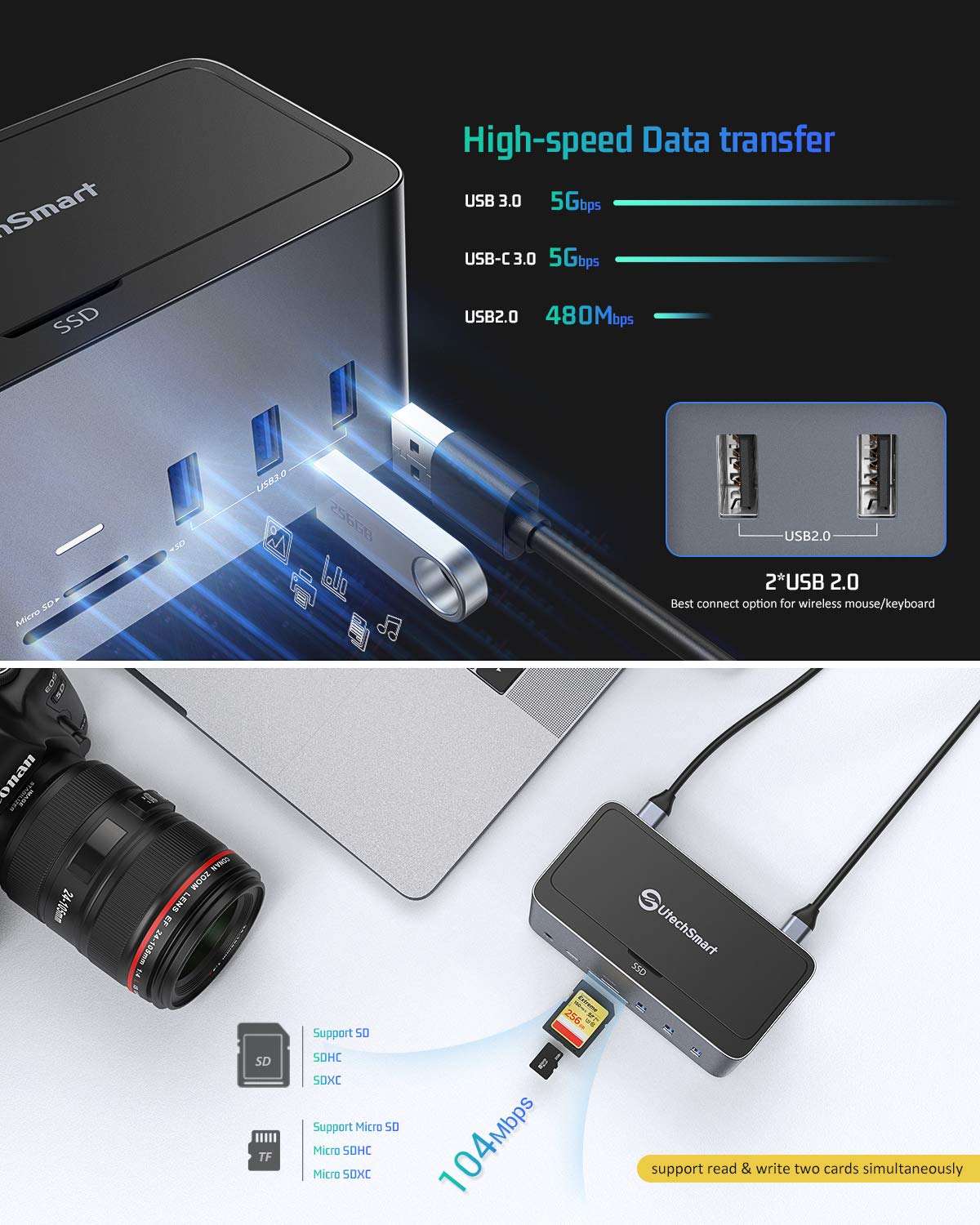
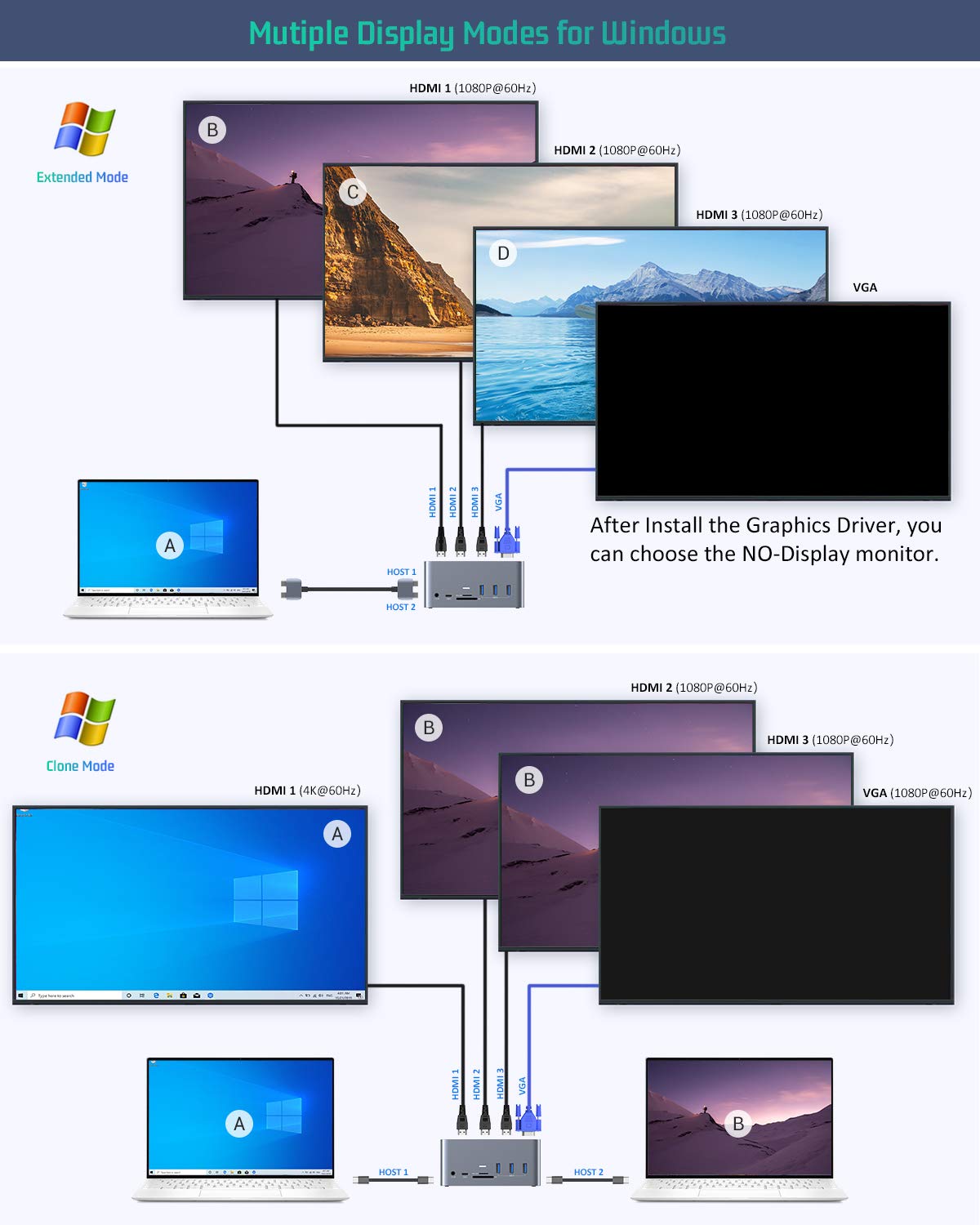
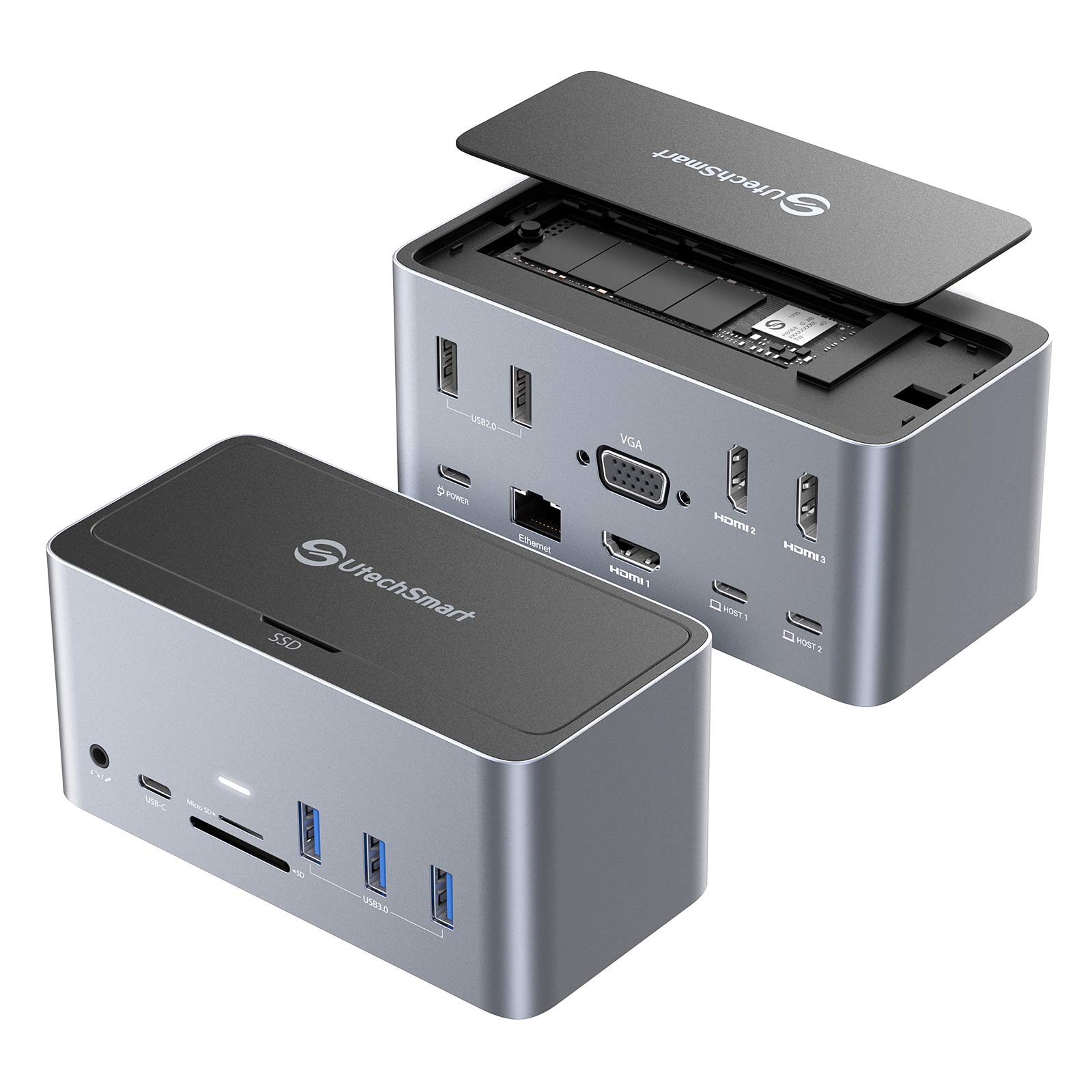
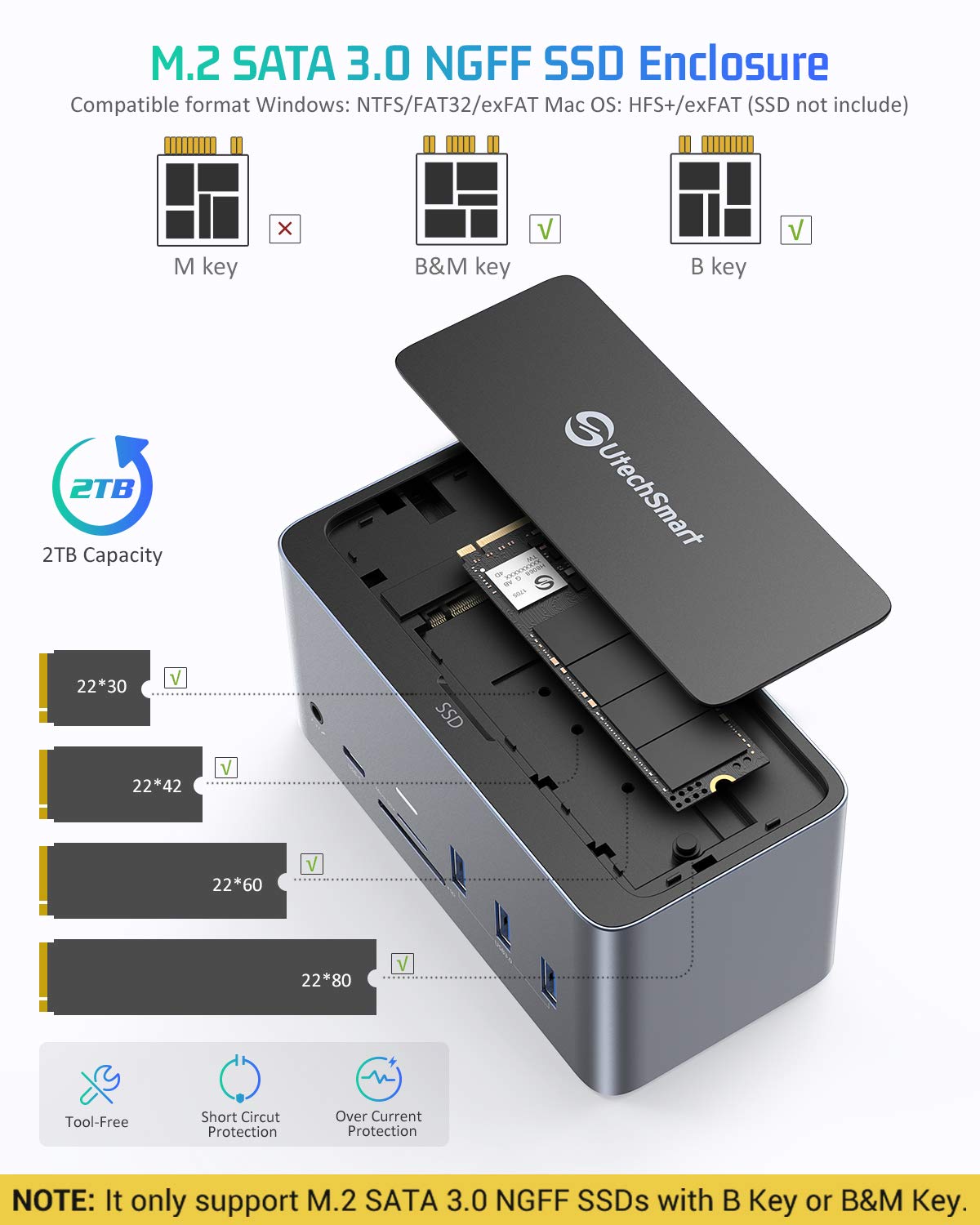
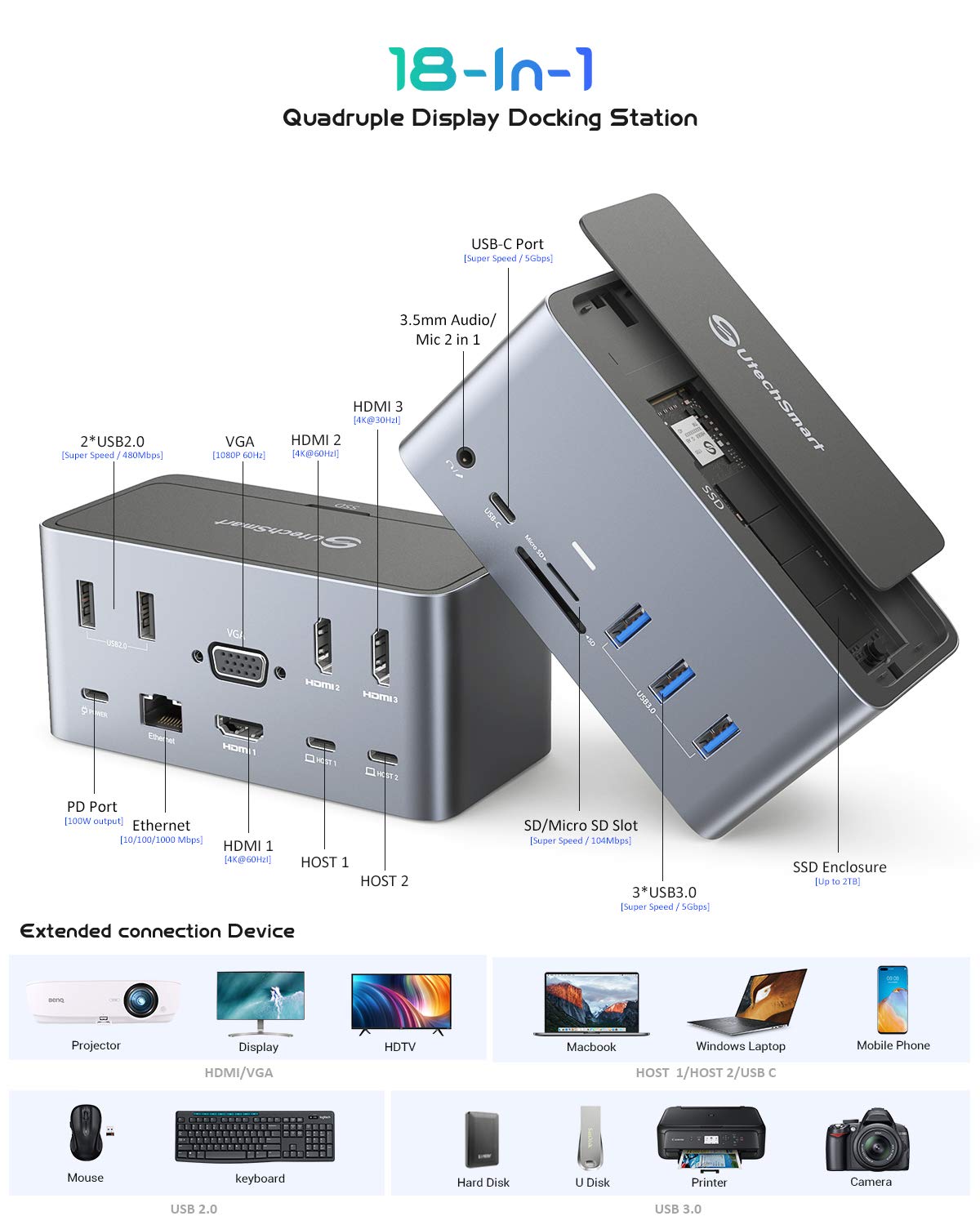
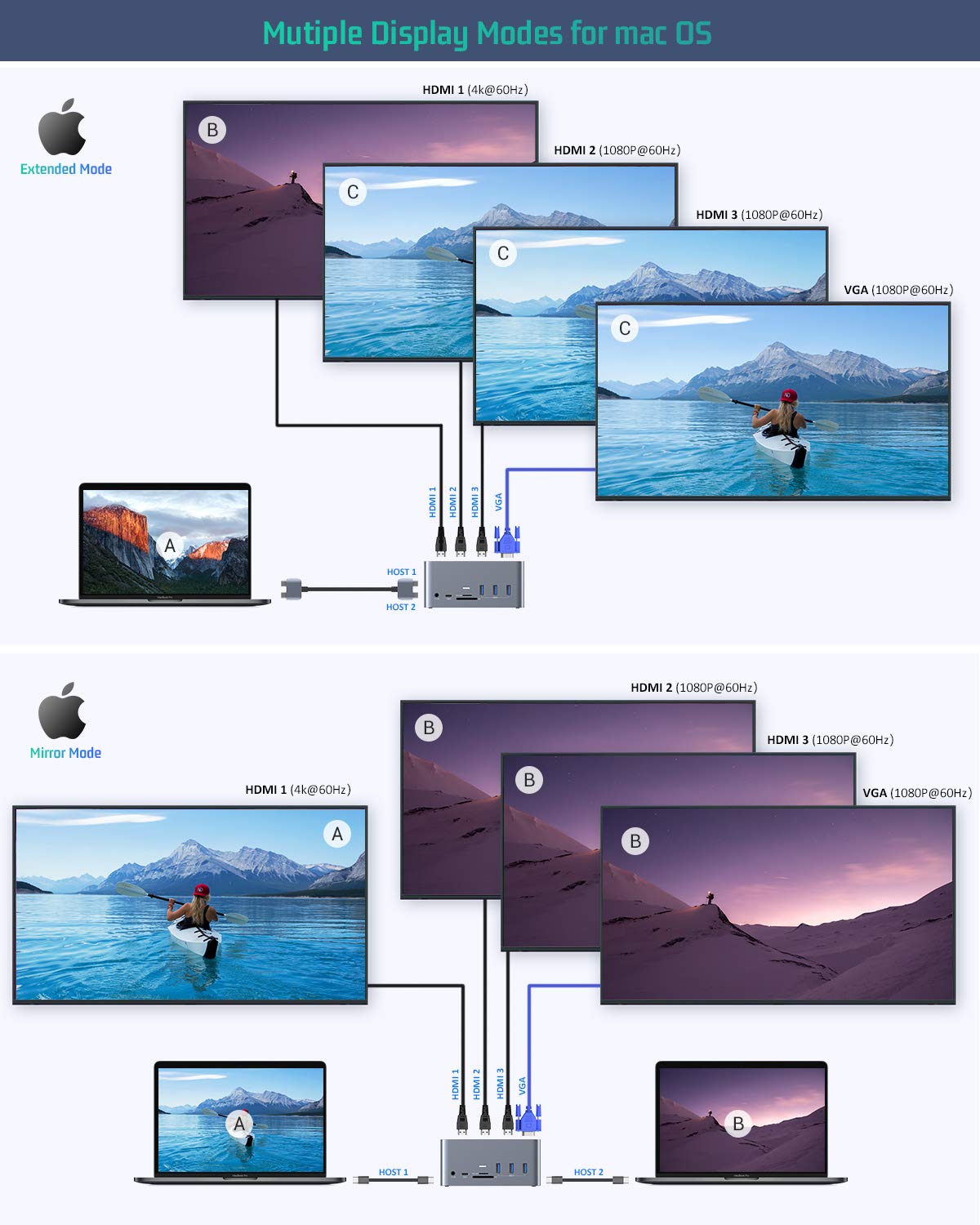
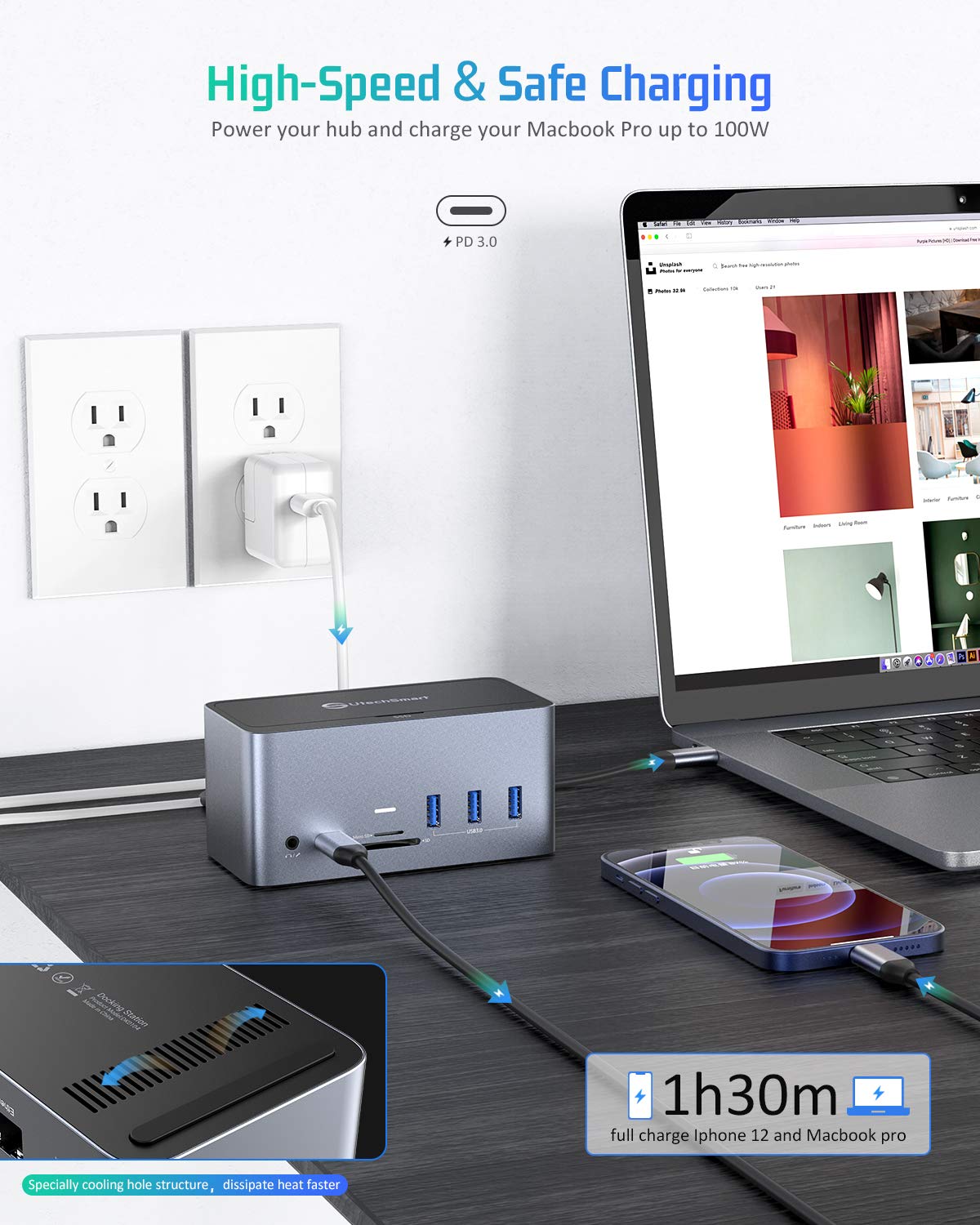
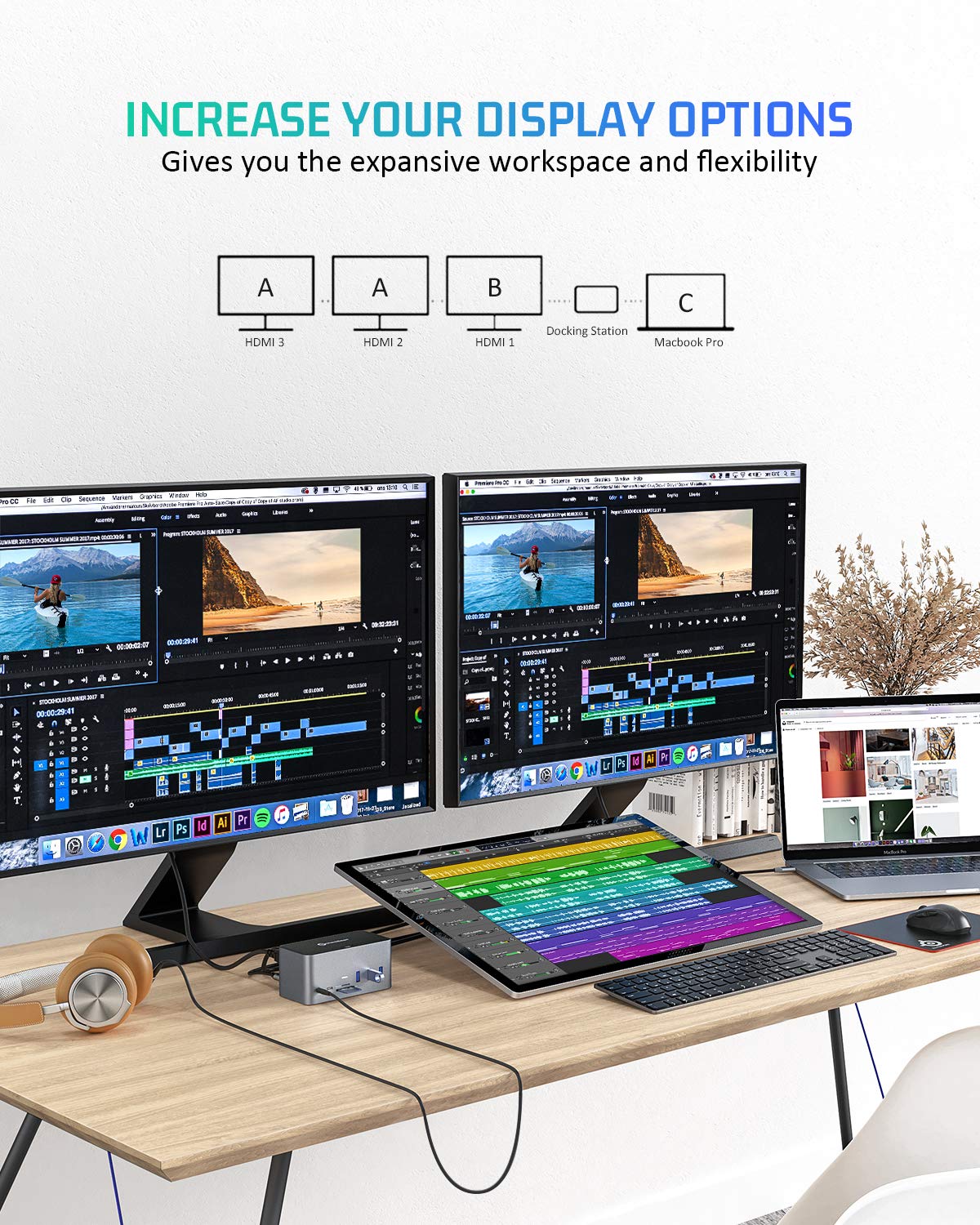
The UtechSmart 18-in-1 USB-C Docking Station is a premium aluminum-encased hub designed for professionals craving maximum productivity. It supports up to four external displays (quadruple on Windows, triple on Mac), delivers 100W fast charging, and features an integrated M.2 SSD enclosure for up to 2TB storage expansion. With versatile ports including HDMI, VGA, USB-A/C, SD/TF card slots, RJ45 Ethernet, and audio, it’s tailored for seamless multi-device connectivity across Mac and Windows laptops with Thunderbolt 3/USB4. Ideal for designers, engineers, and data analysts looking to elevate their workspace with a sleek, all-in-one docking solution.


| ASIN | B085ZMLWJR |
| Customer Reviews | 3.4 3.4 out of 5 stars (470) |
| Date First Available | March 17, 2020 |
| Item Weight | 1.3 pounds |
| Manufacturer | UtechSmart Technology |
| Product Dimensions | 5.12 x 2.4 x 2.13 inches |
M**L
Works for Latitude 7400 and MS Surface Pro 7
This is my first docking station, which I bought along (with some other peripherals) in an attempt to upgrade my home office. The device is encased in aluminum, which provides a much better look and feel than plastic. The ports are well placed on both sides of the unit, and there are plenty for my current needs. Primarily I planned to use it with my work laptop, a Dell Latitude 7400. I used the cable that came in the box to connect the Thunderbolt port of the Dell to the Host 2 port of the dock. I had a 32" LG monitor on the HDMI 2 port, and various other peripherals connected to the USB ports (keyboard, mouse, microphone, USB stick, and a wireless phone charger). The PC connected to all devices with no issue, and I didn't have to supply any power to the docking station other than what was coming from the laptop via the Host 2 port. Great! That's exactly what I was hoping for. My other computer is a Microsoft Surface Pro 7. I tried connecting the USB-C port of the Surface to the Host 2. Initially, it recognized all of the peripherals, but not the monitor, which was a huge disappointment. I started to think about returning the docking station, to be honest. But - to make a long story short - I updated all of the drivers on the Surface, and that seemed to do the trick. It worked perfectly after that. I did purchase a 65W USB-C power adapter and plugged that into the power input of the dock. Now I no longer need to use the power adapters that came with my PCs, and I can just charge them through the docking station. And when I want to switch computers, I just have to disconnect the USB-C cable from one PC and plug it into the other - that's it. It's important to note that the Host 1 port of the docking station only drives the HDMI 1 - no other ports. This worked as expected with both computers, but this use case didn't interest me. I don't own an SSD to make use of that feature, but I plan to get one in the future. I will update this review when I do.
M**6
Updated - Dead after 5 months! Lots of fine print! Verify compatibility!
Two weeks into waiting for Utech's support to get back to me on a warranty claim. Zip, nada, nothing. Well, it's September, and the unit is dead. No power to the MacBook at all, can't use the dual displays, no Time Machine to the SSD, nothing works. Lasted only five months. Pros: lots of different ports, USB 2, 3, and C. SSD seems to work well. Small package. Well built. Cons: check the compatibility of the video. I have a 2018 MacBook Pro, and I couldn't even get two monitors to work properly using the HDMI connections. Would only mirror, not extend, and my big expensive 35" widescreen monitor was limited to 1080p. Apparently if your MacBook is using the Intel graphics chipset you're basically hosed. I ended up using one of the laptops USB-C ports use a mini-displayed adapter, and was able to use one of the HDMI ports on the dock for the 2nd monitor. I can recommend it for the variety of ports and the SSD, but if the 4-monitor option is what you need, beware the fine print!
P**X
Double USB-C doesn't fit, SSD doesn't work - Just an expensive dongle.
*Update. Worked with customer support. They really helped me with a video. All works perfectly now. I have asked questions to no response - and the only support available is through Amazon reps vs the manufacturer. I ordered this product with high hopes. The computer I have has the dual ports, is directly listed as approved etc - well - The double USB C cable is a few millimeters off from fitting into my dual USB -C ports on the computer - so that is out... Moving on - at least If I can use Host 2 only - and get to use the SSD - its not just an expensive dongle - Well - no go. I purchased the recommended WD Blue SSD that the manufacturer links too in the description. I have tried every which way to get it to recognize the SSD through the host 2 connection to my laptop... nothing. I already have an SSD in my computer - and have used an external SSD - I did get the SATA version from WD - I cannot find any settings - I followed the instructions exactly - Either the SSD is DOA or the hub is defective. Since I cannot troubleshoot with the manufacturer - and cant just guess - I need to send it all back and start over.
J**J
Fantastic Companion to the new Apple Mac mini M1
I was genuinely surprised by the build quality, and feature set. It comes with a pretty fantastic quality cables as well. I recently purchased a Mac Mini, while I generally love the Mac Mini, one issue I had was that all ports are behind the Mac. This doc is the perfect solution. The Utechsmart includes a dual USB-C cable that fits perfectly in the new M1 Mac, and gives it access to all the ports and features on the Doc. The build quality was fantastic as well. I love that it has an M.2 slot for an SSD, which allows me to expand the storage on my Mac. It is limited to SATA III, but that fact that its there, makes an easy expansion. The doc also allows for 2 host computers simultaneously. One down side is that the manual wasn't very detailed and it can be confusing as to which host controls which ports, but its easy to figure it out. Also strangely, the manufacture's website doesn't list this particular product online, and you can not find a PDF manual on their website. I accidentally discarded the manual and could not remember which host controlled which ports, which meant I had to use trial and error. Hopefully the manufacture will correct this and add online support. But after using it for several weeks, I'm super happy with this device, and highly recommend it!
D**.
Middle of the road until it dies.
It is a mid tier adapter, and it worked faithfully for a year and nine months when it died. Now all USB devices and ethernet are dead. HDMI and power still works.
ترست بايلوت
منذ شهر
منذ 3 أسابيع