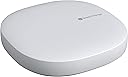
![SmartThings Hub 3rd Generation [GP-U999SJVLGDA] Smart Home Automation Hub Home Monitoring Smart Devices - Alexa Google Home Compatible - Zigbee, Z-Wave, Cloud to Cloud Protocols – White](/_next/image?url=https%3A%2F%2Fm.media-amazon.com%2Fimages%2FI%2F614d2lQP0hL.jpg&w=3840&q=75)

🏠 Elevate your home to genius mode with SmartThings Hub 3rd Gen!
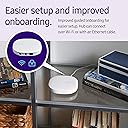
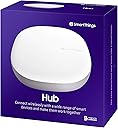
The Samsung SmartThings Hub 3rd Generation is a powerful smart home automation hub that connects and controls a wide range of smart devices via Zigbee, Z-Wave, Wi-Fi, and Ethernet. Compatible with Alexa and Google Home, it enables seamless device integration and automation through a single smartphone app. Designed for easy setup and reliable performance, it empowers users to automate routines, monitor their home, and unify their smart ecosystem effortlessly.
| ASIN | B07FJGGWJL |
| ASIN | B07FJGGWJL |
| Alert Type | Motion Only |
| Antenna Location | Monitoring |
| Are Batteries Required | No |
| Best Sellers Rank | #243,369 in Tools & Home Improvement ( See Top 100 in Tools & Home Improvement ) #394 in Home Automation Hubs & Controllers |
| Brand | Samsung SmartThings |
| Built-In Media | Hub^Power Adapter^QSG^HSG^LAN cable |
| Color | White |
| Compatible Devices | Smart Devices |
| Connectivity Protocol | Ethernet |
| Connectivity Technology | Wired, Wireless |
| Control Method | Voice |
| Controller Type | SmartThings, Google Assistant |
| Customer Reviews | 4.3 4.3 out of 5 stars (8,705) |
| Customer reviews | 4.3 4.3 out of 5 stars (8,705) |
| Date First Available | 12 August 2018 |
| Enclosure Material | Plastic |
| Form Factor | Dome |
| Frame Rate | 30 frames per second |
| Global Trade Identification Number | 00192969000341 |
| Indoor Outdoor Usage | Indoor |
| Is Discontinued By Manufacturer | No |
| Item Dimensions | 12.7 x 12.7 x 3 centimeters |
| Item Type Name | SmartThings Hub |
| Item Weight | 0.3 Pounds |
| Item model number | GP-U999SJVLGDA |
| Light Source | Infrared |
| Manufacturer | Samsung HI |
| Manufacturer | Samsung HI |
| Model Name | Samsung SmartThings |
| Model Number | GP-U999SJVLGDA |
| Mount Type | Wall Mount |
| Night Vision | Night Color |
| Night Vision Range | 130 Feet |
| Number of Items | 1 |
| Other Special Features of the Product | Motion Sensor |
| Photo Sensor Technology | CMOS |
| Power Source | Battery Powered |
| Product Dimensions | 12.7 x 12.7 x 3.05 cm; 136.08 g |
| Room Type | Office |
| UPC | 192969000341 192969000068 |
| Unit Count | 1 Count |
| Video Capture Format | MPEG-4 |
| Video Capture Resolution | 720p |
| Viewing Angle | 130 Degrees |
| Water Resistance Level | Not Water Resistant |
| Waterproof Rating | IP54 |
| Wattage | 3 watts |
| Wireless Technology | Wi-Fi |
| Zoom Type | تقريب رقمي |
H**N
La verdad es que me tomo algo de tiempo decidirme para comprar este hub por los múltiples comentarios que había de que no funcionaba en Mexico. Después de recibir varias respuestas a mi pregunta de como hacerlo funcionar me animé y no me arrepiento. El producto llego antes de lo esperado. En cuanto llego empece el proceso de instalación. Voy a relatar la forma en la que a MI me funciono, el caso de otros puede ser diferente, no comparto esto como una opinion absoluta sino como una cuestión anecdotica esperando que a alguien mas le funcione. Habían recomendado que bajara Smartthings classic para poder configurarlo. Hice esto, entre a la app, procedí a crear una Samsung account a la cual le puse que estaba en Estados Unidos. Ya entrando en la app me pedía que diera de alta un Hub antes de agregar mas cosas pero requería un código el cual solo viene con Hubs V1 y V2, la pagina de Samsung decía que para el V3 (que es el de 2018 y el que compre aquí) no se requería el código pero se necesitaba la aplicación mas nueva (Smartthings a secas). Ya tenia conectado el Hub y el led que trae parpadeaba verde/rojo, como lo del código no se podía descargue la aplicación mas nueva. En la app nueva me logee con la Samsung account que habia creado con la Smartthings Classic, entre sin problema, le di a agregar dispositivo y lo detecto de forma inmediata, básicamente tal como lo indica la pagina de ayuda de Smartthings que viene en la app. Todo fue a través de Wifi, solo tuve que seguir las instrucciones que me iban saliendo en la app y listo!. En este momento ya agregue varias de las cosas que ya tenia en mi casa, por ejemplo mi cerrojo inteligente lo abro y cierro desde la app de Smartthings. Ojala les sirva a los que no han podido hacerlo funcionar!
A**X
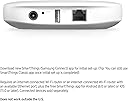
The Samsung Smartthings Hub was simple enough to get up and running. I did not use the WiFi connection, but decided to hard wire (ethernet) this to my router. It was simple to get this set up using the app. The hub picks up the devices easily...I have only put the water sensor and the multi-sensor onto the hub at this time - both Samsung Smartthings devices. They were all easy to connect, especially with the QR code on the unit. The surprising thing is that this hub picked up my WeMo plugs that are on the same WiFi network without me entering anything in. It just came up on the Samsung app and asked me to match them to rooms. In the end, I am able to use the Hub to control even these WeMo plugs and schedule things very easily. The hub really makes things easy.
R**N
I don't quite understand the negative reviews -- and it almost stopped me from purchasing this remarkable hub. Let me start by saying that I have been actively upgrading everything in my home to be completely automated. It started with multiple Alexa and Google devices to Hue lighting and automated garage door openers. The next thing I wanted to do was put sensors on all my doors to announce when they were open and closed. It was suggested to me to buy this Smartthings hub along with their individual sensors. The hub arrived yesterday. I immediately unpacked it and plugged it in. I then went to my iPhone and downloaded the Smartthings app. From within the app, I added a device and was directed to the hub which I paired by scanning the QR code on the back of my device with my camera. The hub connected to my home WiFi network, new updates were downloaded and installed and I was ready to go. Really, I was paired and ready to roll in less than 15 minutes. Completely effortless. My first project was to put a sensor on my front door and have Alexa announce when it opens and closes. I chose to do this with Alexa due to its ease of adding routines. Doing this with Google would have been far more of a hassle (as of the writing of this review) since I would have had to go through the IFFT app and probably add additional software such as BigTalker2. So, all I had to do, after pairing the Samsung MultiPurpose sensor, was to go into Alexa, add routine, add device (Samsung door sensor) and then create two separate routines that announce when the door is open and then closed. I cannot begin to express my joy when I was easily able to create this routine with Alexa and to actually see it work. This hub is absolutely remarkable. Now that I have it, I plan to go crazy adding more sensors all over my home. For those who claim this product does not work, I have to totally disagree. Setting up the hub was effortless. Pairing their sensors were immediate. Everything has been working perfectly, as expected. Best of all, once you get this hub set up, the possibilities are endless when it comes to what you can pair with it to work with Alexa or Google. You may say that this is the "brain" of your automated home. It all begins with this product.
A**R
The item is not supplied with an Australian power adaptor therefore no use unless it's plugged into a convertor
Y**L
Solicite el producto y me llegó antes de lo prometido. Lo compre con el riesgo de que no funcionara en Mexico ya que leí varios comentarios de que no servía, pero Funciona perfectamente en MEXICO, lo conecte muy rápido y con cuenta de Samsung MEXICO. Excelente precio comparado con las tiendas aquí en CDMX. Funciona conectado por WiFi, no requiere cables, solo para la energía eléctrica. Quede muy contenta con este producto.
ترست بايلوت
منذ 3 أسابيع
منذ 5 أيام