📸 Capture Moments, Share Smiles!
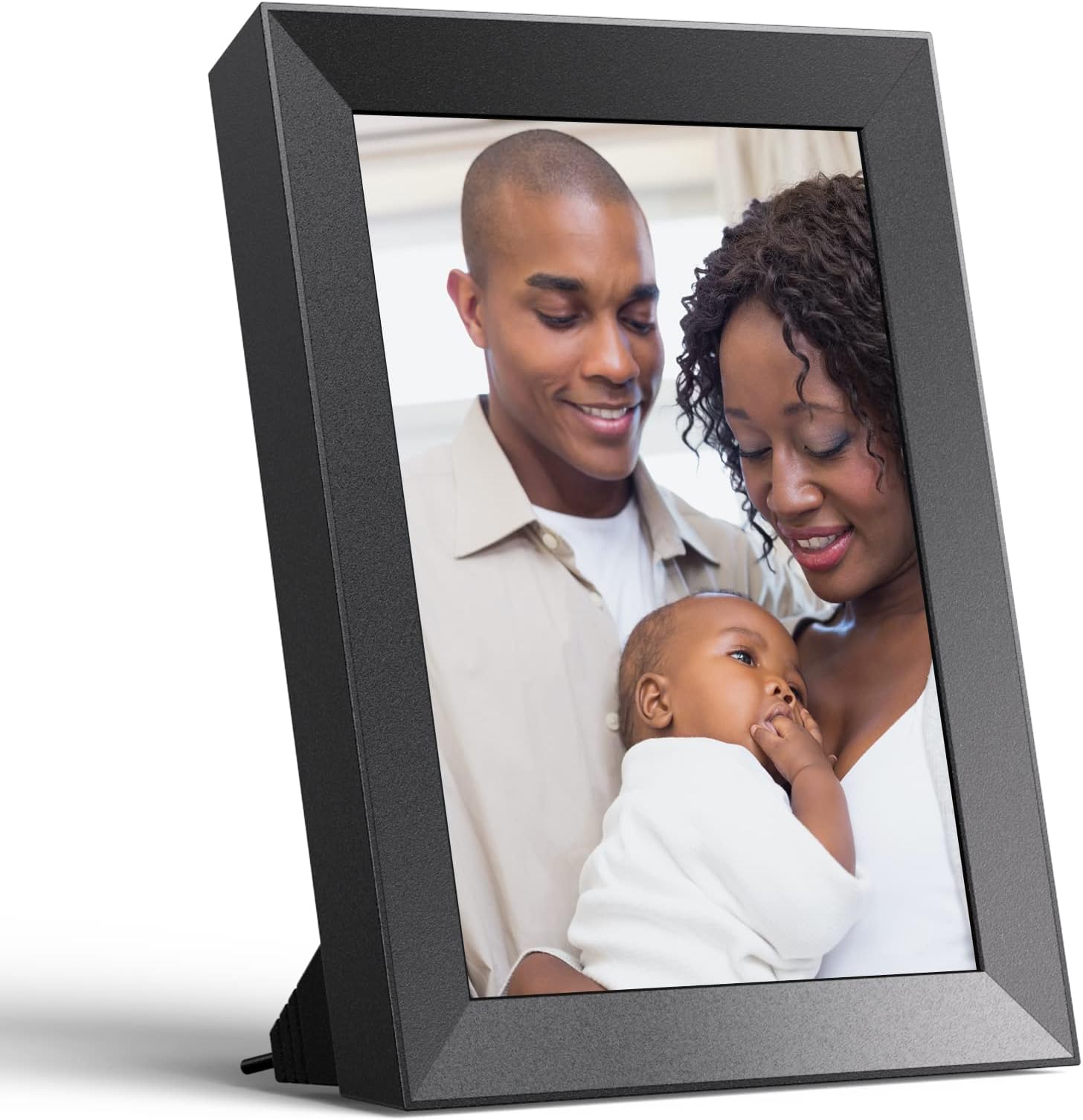
The Dragon Touch 10 Inch WiFi Digital Picture Frame combines a stunning 2K touchscreen display with seamless photo sharing capabilities. With 16GB of storage, it allows users to effortlessly upload and showcase thousands of memories, making it the perfect gift for loved ones. Its auto-rotate feature and user-friendly app ensure that everyone can enjoy their favorite moments, anytime and anywhere.


| ASIN | B08PFTCJ98 |
| Aspect Ratio | 4:3 |
| Best Sellers Rank | #1,269 in Digital Picture Frames |
| Brand | Dragon Touch |
| Color | Carbon Black |
| Compatible Devices | Personal Computer, Smartphone |
| Connectivity Technology | Wi-Fi |
| Control Method | Touch |
| Customer Reviews | 3.7 out of 5 stars 569 Reviews |
| Display Size | 10 Inches |
| Frame Material | Plastic |
| Item Dimensions L x W | 14.17"L x 9.8"W |
| Item Type Name | Modern 10 Digital Picture Frame |
| Manufacturer | Dragon Touch |
| Manufacturer Part Number | XKS0004-US |
| Memory Storage Capacity | 16 GB |
| Model Number | XKS0004-US |
| Power Source | Battery Powered |
| Resolution | 2K |
| Screen Size | 10 Inches |
| Touchscreen | Touchscreen |
| UPC | 810035154537 |
| Unit Count | 1.0 Count |
| Warranty Description | 2 year manufacturer |
M**Y
Really like this digital photo frame!
I had heard of digital photo frames and wanted to get one to check them out. Because I had previously purchased a kid’s tablet from Dragon Touch and was thoroughly impressed with it, I decided to try the Dragon Touch Modern 10 Digital Picture Frame. Packaging: I’m kind of strange, but the look and feel of the packaging of products matters to me. The packaging of the Dragon Touch digital picture frame doesn’t disappoint. The packaging very much reminds me of my experiences with Apple computers/cell phones and Vizio TVs – everything that I need to get up and running quickly is right at my fingertips. You open up the box and our offered a very nice and colorful and easy to understand Getting Started guide, a card with website address to activate a free 2-year warranty, and a detailed User Manual. (note: User manual is in multiple languages – English, Spanish, French, German, Italian) And to top it all off, the digital frame comes with a pre-installed screen protector and a screen cleaning cloth – very nice touch! Setup: Very easy on screen instructions take you step-by-step through the process. Digital frame and accompanying app on iPhone were all ready to go within 30 minutes. Features: I really like the setting that allows me to put the digital frame on a OFF and ON schedule. I set mine up to turn on in morning so I can be greeted by pics of m y family while I’m having my morning coffee. Can add micro SD card and flash drive and display photos and videos from those as well. In the settings, you can adjust what photos are displayed – internal frame storage, micro SD, flash, or any combo of them. Frame comes with a magnetic charging adapter (like the Apple MacBooks from couple of years ago). And the cord is braided, not the regular pvc type of material – another nice touch. Frame also comes with a cable to use to transfer photos and videos from your computer to the digital frame. The cable has both USB-C and regular USB connectors. This dual connector cable allowed me to connect to both my MacBook Pro plus my older ThinkPad laptop. Transferring photos and videos to the frame: Photos and Video can be sent to the frame from your iphone using the OurPhoto app. You can also send photos to the frame via an @ourphoto.cn email address that you create during setup of the device Your family and friends can also send photos and videos to the frame. They just need to download the OurPhoto app to their iphone or Android phone, you give them your frame ID, and then they attach to your frame. I had my daughter and sister do this, so it does work! You can also attach the frame to your computer and transfer photos and videos to the frame. The frame comes with a PC Control setting that sets up an ftp transfer. I couldn’t get the ftp transfer to work on my MacBook Pro. BUT, no worries on this as I was able to use the Android File Transfer app (downloadable for free on the web). With Android File Transfer, you connect the frame to the MacBook and then you can drag and drop photos and videos to the frame. Transfer from the PC was easier as all I had to do was plug frame into USB drive and Windows 10 recognized it as an external drive. Overall: Very good digital photo frame that displays your photos and video with really good resolution. Will definitely be recommending this frame to my family and friends.
H**V
**Updated - Now Trash**
**Update - July 2021** So the app/email no longer works so we are unable to send photos remotely. It appears the server that uploads the photos no longer is working. The app says "successful" but the pictures never arrive to the frame. All attempts to reconnect/bind the frame work, but no pictures will transfer. As such, this frame is no longer any value to us, so into the trash it goes. **Original*** Bought this frame to get setup and gift to my parents so they could see updated pictures of the grand kids, and so far everything is working great. We bought this frame because once it is connected to the WiFi, you can upload pictures from the Our Photo app and they will automatically display on the screen. So I bought the frame, setup everything and shipped it off to my parents. Once they received it, they just had to connect it to their WiFi (which wasn't too stressful to explain over the phone). Now that is connected, anytime I run the app, I can upload photos directly to the frame, from 7 states away. I have a reminder in my phone to do this monthly, so the grandparents can stay safe and still see updated pictures of the grand kids. (Super son gets the win in this gift). Initial setup took 3.75 minutes. The only issues was I didn't read the quick start guide and didn't realize I had to authorize the app in the frame settings. Once I figured that out, boom, everything worked great. The app (Our Photo) works fine for me. The low Play store (I'm using Android) rating was a bit concerning, but I haven't had any issues. The app let's you load 9 photos at a time, which can be annoying on initially loading the frame, but is perfectly fine for monthly updates. Oh, any you can add multiple devices. So my phone, the wife's phone, and the kids' tablets can all upload to the frame. Snazzy. The frame itself has usb, micro sd, and usb-c connections. I didn't try them because we were interested in the online usage. The power cord is pretty neat, connects magnetically, and acts as the stand. The frame does recognize it's orientation, so it will automatically adjust between portrait and landscape when it is rotated. There is an option in settings to zoom in pictures, which can be good or bad, it just depends if your kid's face is in the center of the picture or not. The zoom just cross the picture to make it does the frame by zooming in on whatever is in the center of the picture. This could result in fancy artsy pictures being cropped weird. You can certainly manually crop the pictures, but who has time for that? We we just leave zoom off. The frame automatically fill the entry space with the same color blue stuff that apple slideshow thing uses. The touchscreen is responsive and honestly the menus and settings are quite intuitive. My 7 yr old son had no issues adjusting the weather location, selecting pictures on my phone to upload, and adjusting the transition settings to what he though the grandparents would like. I guess if I had to complain about something it would be the screen protector, that says "peel here to remove" didn't come off when I pulled the sticker. Just the sticker came off. That could be a good thing, though, as now it has a screen protector which is easy to wipe fingerprints off. Overall, I (and my parents) really like this frame, and I think it would make a great gift for those family members a bit far away that you want to keep updated with family pictures.
L**S
Great all round photo frame
We have a couple of photo frames for the house, and were looking for a small one to take on our RV. This one had a power supply which can be used in a regular socket or with a USB socket, which worked great for us. Also, had to have a send photo via email or similar feature The photo frame was very to set up. Within 5 minutes of getting the package, the frame was up and working. Downloaded an app to my phone, and had taken a photo and sent it to the frame which was very quick. I had a USB with a lot of photos on, plugged it in and the frame was displaying the photos. The frame works either in landscape or portrait mode - we tend to use in landscape mode due to a lot of our photos are scenes we have taken on various vacation. The frame does try to rotate photos to the right way for the frame, this does not always work correctly but that is no different to other frames. Overall quality of the screen is good, and can be seen up close or at a distance with no trouble. This worked great for us and glad we have a way to display photos of family, friends and vacations while we travel.
G**N
Great customer service!
I was happy with the way the photos displayed on this frame, but the app was not intuitive for me. Customer service worked with me on troubleshooting and were very accommodating at finding a solution. Pros Holds photos on frame so you can still see them if the wifi is down It has apparently updated the Our Photo software so you can now upload up to 50 photos at a time (I believe it was only 10 or less when this first came out) Has many additional features (I never did use the battery option, but would be good if you want to pass the frame around for people to look at or scroll through photos) Videos work nicely and come with sound Cons Touchscreen is not intuitive App was harder to use than I expected Frame could be nicer looking, plug is large Glitched so that it had to be restarted to see new photos that were sent My advice would be to use the memory card for large uploads. Don't hesitate to contact the company if you need help, they have a great one-year warranty.
M**T
Technically works, but disappointing
This product had a lot of potential, and it does what it's high level goal is, but there are a lot of flaws. 1 - Has proprietary connector that fits 4 different ways, but only works 1 of them. 2 - Has the battery feature, but cannot stand on its own without the power plug as it has an angled bottom edge rather than a kick stand. So if you use it on battery, you have to put it against something. 3 - When it boots it looks like and OS screen rather than showing photos. So planning to use this for an elderly person and it doesn't automatically start showing the photos when you power it up, and you don't want to leave it powered on all night so you can schedule start up, but then it just shows options not photos. 4 - It makes a startup sound when it boots, so if you set to start every morning It is going to play like a 20 note startup sound and scare your parents. 5 - No physical volume controls, which would be helpful. 6 - Power button hard to find and see, especially for elderly people.
A**T
So far, so good!
Bought as a gift but I set it up first and pre-loaded it with photos. The directions are okay, and the touchscreen is very responsive, but the app isn't the greatest. You have to go into the files section each time you want to upload and it refused to work initially. I also was unable to bind the device to my email address, it was declined because "the device has been bound by the user's email". Not altogether clear, but I'm guessing that means I can't bind my email because I am the registered owner. Seems strange that the owner of the frame can't email their own photos, if that is indeed what it means. I attempted to email some pics anyway, and they did not appear. The device itself seems good so far. The picture is clear and sharp. I have had no problems with pictures being in the wrong orientation, and photos that were stretched were easily edited to fit the frame. The home screen has a few different things displayed, and I have yet to figure out how to just get it to go straight to the slideshow. Probably a setting somewhere so I will keep exploring. I'm guessing it is not going to be easy to walk the recipient through the process of setting it up, but that remains to be seen. Hopefully it's a quality device once you get through the setup!
G**.
Too many flaws…
I had high hopes for this photo frame after reading about its high-resolution spec’s. Those hopes where further heightened upon its arrival, after viewing the tastefully presented cellophane wrapped box and seeing its well laid-out and packaged contents upon opening. Unfortunately, lots of disappointments followed. First, the positives. Setup was fast and easy. I didn’t bother installing the mobile app on my phone nor did I create an online account, so I can’t provide an evaluation of those elements. I simply connected it to my Wi-Fi network and ensured it was running the latest firmware. Next, I attached a USB drive filled with high-quality images taken on cameras ranging from a Sony a7RIV to Fujifilm X-T30 and X-T4 models. Alas, resolution alone does not deliver a satisfying digital photo frame image. In fact, this display suffers from three, maybe four, fatal flaws: 1.) No auto-dimming. The lack of auto-dimming eliminates this photo frame from most placement scenarios. So, if you set this in a space where light varies, it will either be too light or too dark. 2.) No auto-rotation. The omission of this essential feature means that if you place the frame in a landscape orientation as I did, portrait photos will be displayed sideways. 3.) Excessive contrast. Excessive is not an exaggeration. Contrast is so extreme that middle grays are crushed to black, and light-colored objects (for example, middle tans) appear white. 4.) Lack of color saturation. This may be due to the contrast problem noted above, but colors are weak and lack impact. Disappointingly, there is no option to adjust contrast, tint, temperature or any other picture-quality or orientation settings. To summarize, this photo frame’s numerous shortcomings make it completely dissatisfying and, in my opinion, unusable. Not recommended.
W**B
Honest Review: Major flaws with some redeeming qualities
I will start by the biggest flaw since it is hard to quite literally look past: • The screen comes with a serious defect. I have actually returned the initial unit I had bought to get a new one and the second one had the exact same problem but to a slightly lesser degree: The screen comes with a series of equidistant streaks/line right underneath the surface of the screen and they are the most visible when non-bright/white content is being displayed (the lines being white and all) They look like a manufacturing defects as the gaps in between the lines are quite precise in how far apart they are from each other. Now I will leave that up to you to decide if this is a dealbreaker. For me it is as the device has ONE job, it's to display your favorite photos at their best... but it's kind of hard to do that if there's a bunch of lines appearing in all your photos isn't it. That said, I will also outline the best features it has in my most honest opinion: • The resolution at 2K makes your photos look very nice and crisp (the parts you can make out without white streaks anyway). • It is also one of the few 4:3 aspect photoframe out there and I can appreciate that as I most of my photos are taken on my mirrorless at 3:2 ratio so this works better than horrible cropping on 16:9/16:10 frames. • The ability to detach it from the power tether to browse your photos whenever you want is a plus but a bit of a shame that it only lasts for 30 minutes. Side notes and minor annoyances: • The photos that come from my mirrorless are 16MP, now I am not sure if the size of the files are at the cause of this but sometimes the photoframe displays a "loading wheel" while it buffers the next picture and that can be annoying. It looks to mostly do it when you are actively browsing, going from picture to picture within a couple of seconds. • Provided you have that feature turned on your camera, your photos usually come with meta data that determines the proper orientation (portrait or landscape) that your picture was taken in. My photos display with the correct orientation when viewed on a PC but do NOT when viewed on this photo frame. I have to manually rotate them. I leave that up to you to decide how much of a dealbreaker that is. The "AUTO-ROTATE" on the box ONLY applies to the device's own orientation, so if you rotate the frame 90 degrees it'll auto rotate the picture but practically you would be constantly rotating your frame to see each picture at its best orientation would you? If you only have a few pictures I think I could live with that but with thousands of photos... you could be there for a while... In conclusion, I really like the resolution of 2K and the crispiness it gives your photos but it is such a shame that the units (at least the ones with a manufacturing date of 2020.12) have such a horrible defect. I believe I will be returning both units because of this issue but your mileage may vary.
Trustpilot
4 days ago
3 weeks ago