

Buy anything from 5,000+ international stores. One checkout price. No surprise fees. Join 2M+ shoppers on Desertcart.
Desertcart purchases this item on your behalf and handles shipping, customs, and support to KUWAIT.
🚀 Scan Smarter, Work Faster, Live Clutter-Free
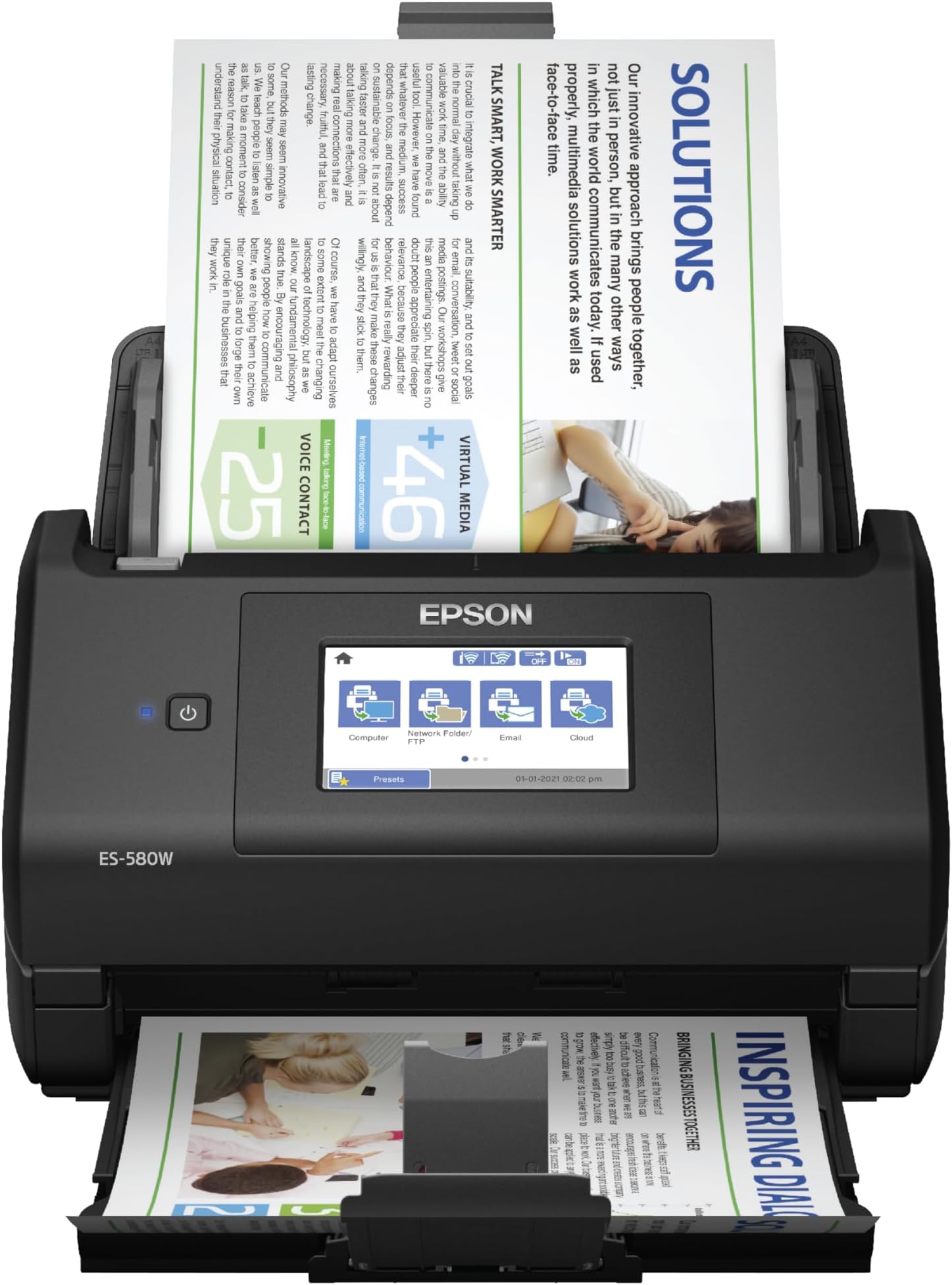
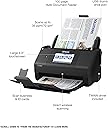
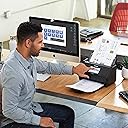
The Epson Workforce ES-580W is a wireless color duplex document scanner featuring a 100-sheet Auto Document Feeder and a user-friendly 4.3" touchscreen. It delivers high-speed scanning at up to 35 pages per minute with single-step double-sided capture, supports direct saving to USB and cloud platforms without a PC, and includes OCR for creating searchable and editable documents. Compatible with Windows and Mac, it’s designed to streamline professional workflows and reduce desk clutter.


| ASIN | B08P3ZT5WH |
| Best Sellers Rank | #6,826 in Office Products ( See Top 100 in Office Products ) #7 in Document Scanners |
| Brand | Epson |
| Built-In Media | Item |
| Color Depth | 30 bits |
| Connection Type | Wi-Fi |
| Connectivity Technology | Wi-Fi |
| Customer Reviews | 4.4 out of 5 stars 950 Reviews |
| Item Dimensions D x W x H | 14.5"D x 9.95"W x 11.25"H |
| Item Type Name | Document Scanner |
| Item Weight | 3.7 Kilograms |
| Light Source Type | LED |
| Manufacturer | Epson |
| Media Type | USB |
| Minimum System Requirements | Compatible with Windows 7, 8, 8.1, 10, and 11 (32-bit 64-bit), macOS 10.7.x to 12.x (10.11.x 13.x for some models). |
| Model Name | Epson WorkForce ES-580W |
| Optical Sensor Technology | CCD |
| Product Dimensions | 14.5"D x 9.95"W x 11.25"H |
| Resolution | 300 dpi |
| Scanner Type | Document |
| Standard Sheet Capacity | 100 |
| UPC | 010343953505 |
| Unit Count | 1.0 Count |
| Warranty Description | 1-year limited warranty in the U.S. and Canada |
| Wattage | 580 watts |
W**Y
True workforce. Excellent product.
I made some research for awhile and I chosen this machine. Awesome product. This is true draft horse. I am using one but if that device would break then I would buy another one without hestation. It has a lot of usefull options and features. Menu has color display and is configurable by the user. Connectivity to PC works fine but since I’m doing heavy scanning most of the time I’m ‘dumping’ all the scans into the external USB drive. I have attached extension cord for USB memory stick and when I need to unload all the scans I can easily detach the USB stick from device after powering of scanner. Dual scan works like a charm with skipping blank screen if necessary. Also length of the document is working very well. I am not sure what it the maximum length of the document that can be scan but I haven’t reach it yet on those document which I needed to scann. Definitely device doesn’t take much space and it is rather compact. All necesary drivers and SW can be downloaded from EPSON site but for faster operation I prefer to operate ES-580W via menu and external USB drive. Quality of the scanner IMHO are decent and reflect very well original and Work. Setup wasn’t particularly challenging and rather straightfoward. There is nothing missing in this machine but option for LAN connection. Although ES-580W have option for USB connection to PC or WiFi and Direct Scan from mobile device I would prefer to see Ethernet connection as I did have in other scanner. That would only option I wish to see in this excellent product.
M**N
Great Scanner at Reasonable Price
I purchased this scanner as a replacement for my Brother ADS-2800W, which was a fantastic scanner but is not compatible with Windows 11 and Brother will no longer be upgrading drivers, etc. to support it. The Epson Workforce ES-580W is a perfect replacement. It was easy to install and has all the same functionality that I was seeking (and it's compatible with Windows 11). It has a smaller footprint than my old scanner, which is an added plus. As I try to avoid keeping paper files, I scan a lot of documents to file them digitally (and they are backed up into the cloud). I also scan receipts, bank statements, etc. into Quicken, which requires a TWAIN driver, which the Epson ES-580W provides. It scans quickly and with good quality, whether to PDF or an image file. I'm very happy with this purchase.
S**.
The ABSOLUTE best scanner!
I have been using this Epson Workforce ES-580W for a few weeks now. Can I say I am beyond impressed???? The last scanner I purchased, and still use, is a Fujitsu. I needed to purchase another one to have upstairs, so pulled the trigger on this one. The ability to connect to any of my computers via WiFi is a game changer, even though it does come with cables for wired connectivity. It is super smooth in its scanning capabilities, along with being rather small. I like the fact it can easily scan a thermal receipt without the need of a scanner sheet protector type of feeder. The processing of paper is quick! So just know you will not sit for long periods of time waiting for the device to complete the process. I can say I will purchase another one of these in the very near future to replace the older Fujitsu in my office. To connect/work cord free really puts a smile on my face. The prospect of decluttering even more cables at my office desk is a huge bonus for me. Definitely worth the investment!
A**A
Excellent investment
Buying this was a lifesaver. I work for a local Non-Profit and we needed to save to PDF's 60 years of Newsletters printed 2 sided on legal paper. We are also going to be scanning all our business records for archiving. This is a FAST really reliable two sided scanner that handles the paper really well, along with important very fragile old photographs (in carrier sleeves), getting the photos and the notes handwritten on the back of the photos with ease. Very happy with the unit, great price, easy to use, and a workhorse. We also like that the top feeder comes off with ease, allowing us to store the unit in a small space. The only silly thing with it is the USB port is on the back of the unit if you want to scan to a thumb drive. Minor design fail, but you can add a USB extension dock like we did to get the port in front of the unit. The software to direct scan to your computer is simple to use, is intelligent (skipping blank pages, etc.) and easy to set-up. We also programmed the scanner to do emails to our Secretary and Treasurer, as well as FTP the files to our server.
A**R
Works well but setup can be tricky
When preparing to move cross-country, we decided to get rid of a ton of paperwork. Scanning, then shredding, was the best solution. This has worked great, but the setup can be tricky. It was set up to scan directly to a network folder. It worked great right from the device menu. Load with documents, select the network destination, then scan. After a firmware update, it stopped working, and I had to resort to the Epson software to do the same thing. What worked perfectly on the device now had to be done in an application. Restarting, factory reset, nothing made any difference. It still works fine, but it was easier to do on the device, without having to move back and forth between my desktop and the device when they aren't side by side. Otherwise, we scanned and shredded thousands of pages we didn't need to lug around. Now we have a ton of PDF files to archive away, and we'll probably never need them anyway.
A**R
Good scanner for how
I purchased this for my home office when I opened my own solo practice. I have used it a ton as I am scanning old files to retain and it has worked really well. Recommend.
J**E
Epson Workforce ES-580W is the real deal - compatibility with latest Apple O/S
I was sceptical looking for good in-home scanner but was disappointed with commercial scanners at Staples and Office Depot. These in-store scanners pale in comparison with this scanner. The Epson Workforce ES-580W is faster, offers more clarity in scanner results. The setup is easy and works seemlessly across laptops and desktop computers. Before you buy make sure you evaluate the operating system (O/S) compatibility. This scanner works with a wider variety of operating systems than comparable scanners and the price point is competitive. I don't have a video but the ones on the site are accurate. Wireless compatibility is easy to connect and the color accuracy and image quality is much greater than I expected. You will not need to waste money going to Staples and Office Depot. You now have a great option in-home.
G**S
TERRIBLE SCANNER
I have always used a ScanSnap and when it was time for a new one, I purchased the Epson. It is Terrible! It does not have all the normal settings available and most importantly it does not connect to my computer 50% of the time. You have to plug and unplug the unit and/or do the same with the USB cable. I would not purchase this unit unless you want lots of trouble.
R**O
Várias páginas, frente e verso e com uma qualidade absurdamente positiva!
Excelente scanner, rápido, fácil de usar e extremamente útil! Eu recomendo!
R**W
Great document scanner, mediocre picture scanner.
PROS: - Flexible reliable document scanner. Can scan-to-network drive and make use of presets directly on the scanner without having to install special software or drivers on any computers or tablets in the house. Software/drivers were supplied, but they're not needed to operate this unit. - Reliable sheet feeding; paper jams that do occur are usually limited to a missed staple or cut-outs on the the paper, or setting safety settings to high/conservative. - Successfully scanned >25,000 pages of material within the past 6 weeks and it's very reliable for both one-off scans and near continuous scanning over several hours at a time. - Can access settings via HTTPS page on local LAN. - Auto skipping of blank pages and auto-correction of paper skew are fantastic! - Scanner is easy to access and clean - the moving parts pop-out and pop-in intuitively. - Picture quality is limited (see CON below); however, configurable cropping and shadow delete are nice features to have when bulk-scanning hundreds of old physical photos. Color tones and contrast appear good compared to trial-and-error flatbed scanner, and dust on pics isn't as noticeable. - Nice options for image compression. - Nice small footprint on desk (when trays are retracted). - Handles very large documents (>100 pages)....simply by feeding the paper into the scanner in batches. - Accepts paper of differing sizes within the same scan into a single PDF (eg: scanning receipts). CONS: - Picture resolution could be improved particularly on photos (product is limited to max 600 dpi). 1200 DPI would be nice. - Would be nice to set a timer for confirming/committing the last page of a scan. At present, pressing a button to confirm last page is required. An optional 5-second countdown timer would be useful. - Additional image format outputs would be useful (eg: GIF, BMP, etc). All told, a small but reliable scanner that's great for document scanning.
J**N
Gran equipo y servicio que brinda, TODO PERFECTO
Perfecto empaque, todo en orden, buen funcionamiento
R**.
Excelente compra
Muy satisfecho con el producto. Es muy práctico, rápido y eficiente.
B**E
Rápida, eficiente e tecnológica.
Muito bom! Além das expectativas! Recomendo!
Trustpilot
1 month ago
2 days ago