💼 Upgrade your storage game with military-grade toughness and blazing speed!
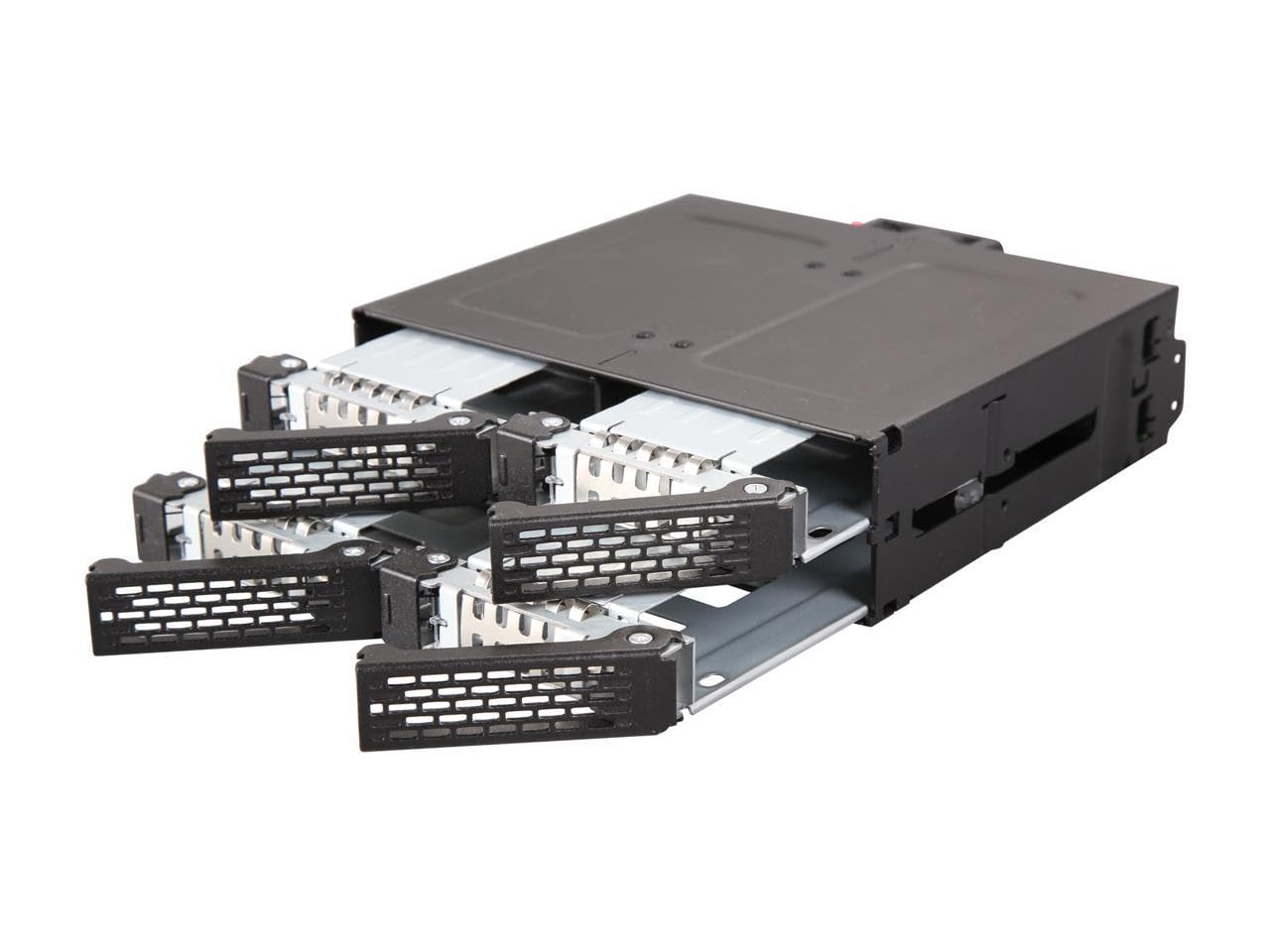
The Icy Dock ToughArmor MB607SP-B is a premium SATA hot-swap rack designed to fit four 2.5-inch SSDs or HDDs in a single 5.25-inch bay. It supports high-speed SATA 3.0 (6Gbps) and SAS 3.0 (12Gbps) data transfer, features a rugged full steel construction approved for medical and military use, and includes a 40mm fan with an external controller for optimal cooling. Powered by a single 15-pin connector, it offers easy maintenance with removable trays and comes backed by a 5-year limited warranty.


| ASIN | B078QDHHQG |
| Best Sellers Rank | #106,513 in Computers ( See Top 100 in Computers ) #470 in Enclosures |
| Compatible devices | Desktop, Laptop, Personal Computer |
| Data transfer rate | 6 Gigabytes Per Second |
| Global Trade Identification Number | 00884826504931 |
| Hard disk form factor | 2.5 Inches |
| Item model number | MB607SP-B |
| Item weight | 837 Grams |
| Manufacturer | Icy Dock |
| Max number of supported devices | 4 |
| Product Dimensions | 17 x 14.6 x 4.1 cm; 837 g |
| UPC | 884826504931 |
S**N
I used this bay expander to add another four drives to my main PC. I had a number of 2.5" drives lying around, and with the purchase of a new PC I thought I should do something with them. Fitting the bay was easy, it slid straight into a vacant 5.25" single-height bay in the case. A single SATA power cable supplies all four drives. Each drive requires its own data cable. If you don't have enough free SATA ports on your motherboard you'll have to buy a SATA expansion card. It took only moments to fit the drives into the removable caddies, and the caddies slot into the front of the rack. It took less than 30 minutes from opening the box to booting the PC, now with an extra 12TB of storage. The rack was chosen specifically for its all-metal construction and that it could take 2.5" drives up to 15mm thick - I needed this as two of the drives were 4TB fat drives. I don't need the hot-swap function, so I haven't tested this aspect. Should be good for a RAID array though. This isn't a cheap solution, but it is a good solution that should last. Recommended.
G**I
I use my tower as a home lab server, and this adapter comes very handy in converting the front panel of my case into a hotplug bay. The price maybe it's a little bit high, but the finish and materials of this article seems to be really robust and of high quality. I've tested with many hard drives and it works pretty well, but maybe it would be a good idea to avoid 15k rpm drives at it will make a really high vibration sound.
M**N
Works like a charm. Solid metal design, good airflow above and below for each slot, and a single power connector for all four (separate SATA data cables, one sata-power cable). Being me, I took the thing apart. Five screws and the backplane comes off, one more and its circuit board can be taken out and examined. Totally trivial, very well seated and secured... notches into the frame... zero wiggle room (good!). I counted 9 capacitors on the power distribution bus so they didn't cut any corners there. Inserting an HDD did not glitch the power for the other drives that were already in. I give the backplane a big thumbs up for design and engineering. The drive bays are solid. Considering that we are cramming four 2.5" drives into a 5.25" enclosure, the design is very good. The bottom of each bay drops out a little to give the bottom of the drive a little space. The areas near the screw holes are flush, though, but it didn't seem to have any issues mounting the seagate HDDs I had without a plastic protector (clearance on the HDD drive mounts is about 1mm to the drive's circuit board). It is not screwless... requires four screws (flatheads are included). Two are round holes, two are oval. Not sure why they didn't use round for all four but the two round holes are near the connector side so the drive's connector is guaranteed to be properly aligned. Easycakes, and honestly you only need to use two screws (in the round holes nearest the connector) anyway. The fan is the only downside, being small and noisy, but I still give the device 5 stars for several reasons. First, they included a fan control switch (OFF, LOW, HIGH settings). Second, airflow looks good for all four slots. In terms of the fan control, no point ever using 'HIGH'. Just use LOW or OFF. The LOW setting is definitely audible which is unfortunate but there isn't a whole lot of room on the design side considering the fan has to fit the height. On the plus side, not only is there an 'OFF' position (if you have SSDs, you don't need the fan), but if the case itself has good airflow you can physically remove the fan with two simple screws to open it up and allow the case airflow to handle any cooling requirements. The fan's power able goes to a connector and just pulls off, so its easy to remove. In fact, if you really wanted to and didn't want the hot-swap, you could unscrew the whole backplane and just use it as four permanent slots. Silly I know, but the case is so well engineered that it has that flexibility if you wanted it. Fan tests, Four 1TB Seagate HDDs. Writing mean all four drives writing continuously for 20 minutes or so. Temperatures taken using SMART info (all four returned the same temp within +/- 1C): idle, low fan: 26C Idle, no fan: 27C (i.e. PC case fan only, no direct airflow) writing, high fan: 38C writing, low fan: 41C writing, no fan: 47C (i.e. PC case fan only, no direct airflow) So with all those features and easy modding, ICY gets 5 stars. ADDENDUM - I had one issue with the dock. On one of the machines I used longer screws to mount the dock in the bay. They turned out to be too long and infringed on the tray area, causing damage to one of the trays which I didn't realize until I tried to pull the tray out and couldn't. This was my own fault. So remember to use the low-profile screws that come with the unit... or at least make sure they don't infringe the bays. ADDENDUM2 - If you purchase your own 40mm fan you may not be able to use the LOW setting. Depending on the fan, it might not startup unless you use the HIGH setting. I still definitely recommend purchasing your own low-noise 40mm fan and not using the cheap noisy one that comes with the unit. You don't need much airflow to cool HDDs (and don't need any at all for SSDs), so find the quietest 40mm fan you can and you will be a happy camper. The only downside to the unit is having to screw the drives into the hot-swap trays... in particular, losing the screws for the trays you aren't using atm. I recommend storing the unused screws in their plastic bag IN one of the unused trays. -Matt
E**E
Comprato qualche anno fa (2022) e penso siano maturi i tempi per una recensione ponderata. Il rack ha 4 baie per HD/SSD da 2,5 pollici. Si alloggia facilmente all'interno della torre di un PC da tavolo occupando una baia da 5 1/4 pollici. Il collegamento della cavistica (non in dotazione) alla scheda madre non è affatto difficile. L'inserimento degli HD/SSD è facilitato da una slitta su cui si monta l'HD/SDD (procuratevi delle viti per il fissaggio degli stessi perché non in dotazione), facendola scorrere, poi, all'interno dell'alloggiamento finché non si chiude il portellino con uno scatto finale. Ogni baia si apre con un pulsante, premendo sul quale, oltre ad aprire il portellino, si sgancia la slitta e l'HD/SSD dal fondo pronto per l'estrazione. Si dice che si possano anche fare delle disconnessioni dei dischi a caldo, ma devo dire che non l'ho mai provato. Il rack è anche dotato di una piccola ventolina per raffreddare gli HD/SDD, che non risulta affatto rumorosa.
X**R
This easily fit in a 5.25 bay. Full metal construction looks nice and sturdy. Quite a bit of height for each 2.5 drive, would easily fit thick drives. Drive connection was easy and immediately worked with Windows. Hot-swap seems to work but I didn't give that much testing as that's not how I intend to use it.
ترست بايلوت
منذ شهر
منذ شهرين



