We remain fully operational. Our teams are working around the clock to ensure your deliveries continue safely.

قم بتنزيل التطبيق


معلومات عنا
حقوق الطبع والنشر © 2024 Desertcart Holdings Limited
قم بتنزيل التطبيق
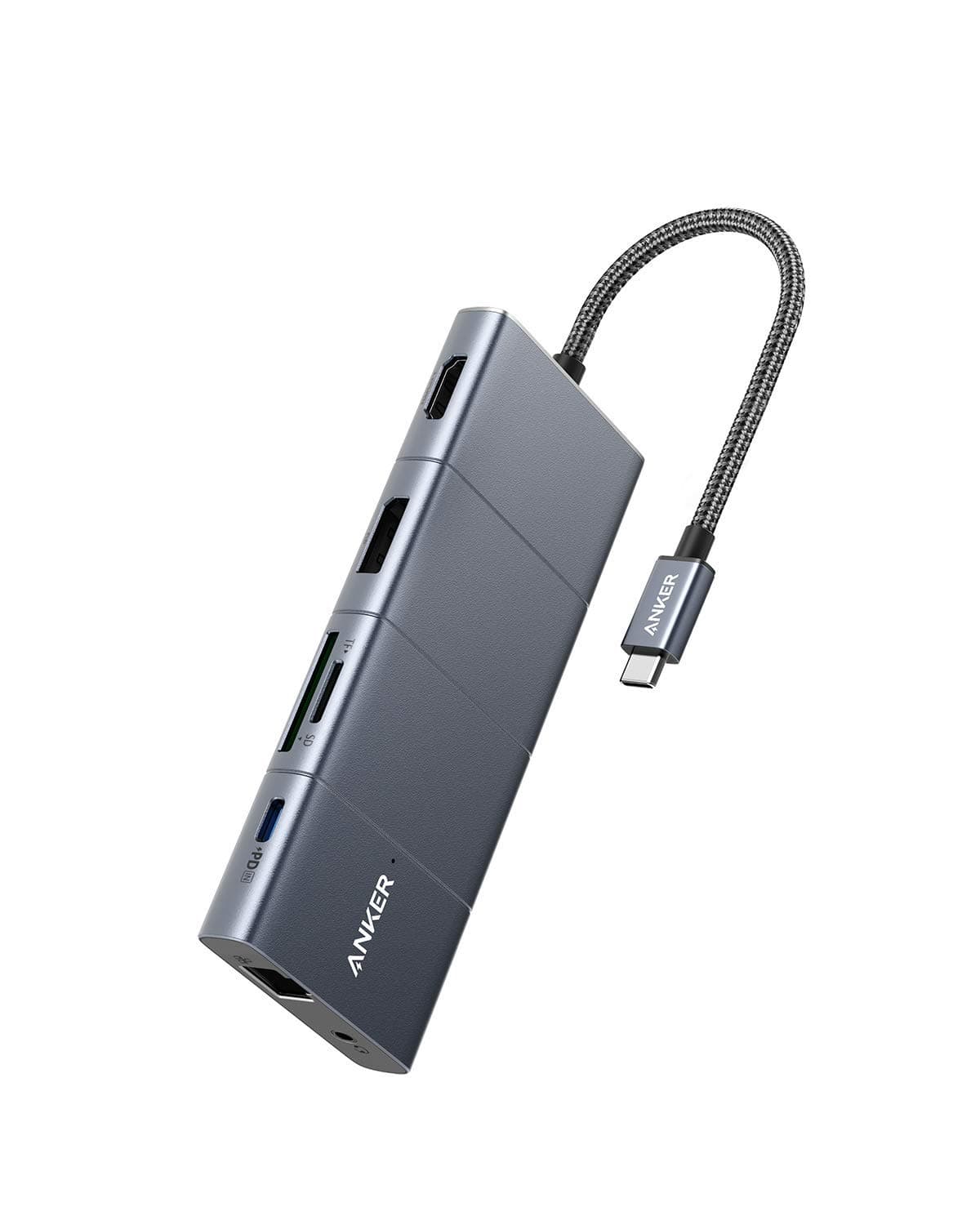
⚡ Power your productivity, connect your world.
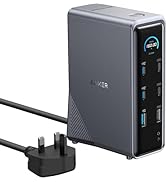
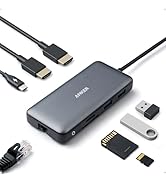
The Anker PowerExpand 11-in-1 USB-C Hub is a premium docking station designed for professionals seeking maximum connectivity. Featuring 11 ports including dual 4K@60Hz video outputs, 100W pass-through charging, gigabit Ethernet, and high-speed data transfer up to 5 Gbps, it consolidates multiple devices into a single sleek hub. Its durable aluminum build and compact footprint make it an essential tool for multitasking millennials who demand efficiency and style in their workspace.


















| ASIN | B08NDGD2V5 |
| Best Sellers Rank | 15,304 in Computers & Accessories ( See Top 100 in Computers & Accessories ) 279 in USB Hubs |
| Brand Name | Anker |
| Colour | Gray |
| Compatible Devices | Tablets |
| Country of Origin | China |
| Customer Reviews | 4.3 4.3 out of 5 stars (2,183) |
| Data Transfer Rate | 5 Gigabits Per Second |
| Enclosure Material | Aluminum |
| Hardware Interface | 3.5mm Audio, Ethernet, HDMI, USB |
| Item Dimensions L x W x H | 13.7L x 5.7W x 1.4H centimetres |
| Item Type Name | Anker PowerExpand+ 11-in-1 USB-C Adapter Hub, with 4K @ 60Hz HDMI and DP, 100W Power Delivery, USB-C and 3 USB-A Data Ports, 1 Gbps Ethernet, 3.5 mm Audio, microSD and SD Memory Card Reader |
| Item Weight | 0.29 Pounds |
| Manufacturer | Anker |
| Manufacturer Part Number | AK-194644064310 |
| Model Number | A83850A1 |
| Number of Ports | 11 |
| Operating System | Mac OS X 10.6 Snow Leopard, Windows 10 |
| Product Features | Continuous charging, HDMI️, Pass Through Charge |
| Total USB Ports | 4 |
| UPC | 194644064310 |
B**.
Excellent product
Anker products always deliver. Good quality and does what it needs to. Not the cheapest but good value for money.
R**T
It works, warmly
I think this is made of plastic, so it runs warm. I made the mistake of plugging the PD cable into the wrong socket, so my laptop failed to charge - but this hub worked perfectly running an hdmi monitor, a usb3 hub with cameras plugged in, usb2 Bluetooth and keyboard... all running from the laptop power - so these devices aren't dependent on the PD input. Naturally the laptop ran out of battery and I learned my lesson. Nothing broke, I just put the power into the correct socket and the pass-through charged the laptop as if it was plugged in directly. I've only had it 2 days, I hope if lasts, but so far so good. I only plug one cable into the laptop now, instead of four, much easier to come and go.
B**E
The cable attaching it to the computer is stiff, not easy to manoevre. Good device for MacAir
Pity about the stiff cable which gets wound up easily. Otherwise, a neat device where one can plug in a device for listening to CDs instead of using downloads.
G**N
This ANKER Hub [AH] actually ADDS 2 USB-C Ports to MacBook Pro M1 2020
The AH has 2 Female USB-C Ports + 1 Male USB-C Plug on a Short Lead. 1. Plug the Short Lead into the PD USB-C Port, nearest to Left Hinge Corner, of the MacBook Pro M1. 2. Plug the Power Supply USB-C Plug into the AH PD USB-C Port. 3. This leaves 1 vacant USB-C Port on the MacBook and 1 vacant USB-C Port on the AH. 4. A Large Screen can be attached by either HDMI or DisplayPort. 5. Cards can be read by the dual slot Card Reader. In my case the vacant 2 vacant USB-C Ports are used for connecting 2 Crucial X8 2TB SSDs, one for Time Machine and the other for DATA BackUp. The 3 USB ports are usually connected to:- DVD Drive; Unifying Receiver-Logitech MX Ergo wireless Trackball; PowerBreathe/Lung Exerciser. Apart from one minor glitch everything, mentioned above, functions as expected without conflicts. My first attempt at expanding the MacBook Pro M1 Ports resulted in: A. Conflict between Logitech Trackball and the Crucial SSDs, the Cursor used to become jerky and ultimately freeze when the SSDs were connected via USB. B. MacBook M1 Screen Brightness Controls disappeared from System Preferences > Display > Display Tab and Control Centre. In the latter the Control Slider Handle disappeared, with the AH only the Control Centre problem remains. I am very pleased to have found this Port Expansion GEM, and do not hesitate to recommend it.
J**S
Perfect - as usual from this brand
Having had massive problems with packet storms caused by other makes while the host sleeps, I turned to Anker - a brand I have always found to provide excellent products at the right price point. This hub, while not as neat-looking as some competitors, performs perfectly. It has the right balance of features and size, and is at a keen price point. I have no hesitation in recommending it.
A**C
Very competent little dock, one caveat
Great little deck - replaced an off-brand knock-off that stopped working after 3 months. Didn't see the need to go full CalDigit at x3-5 the price of this Anker as a replacement. One caveat - you can use either the DP **or** the HDMI port on an (intel) mac, but not both at the same time. No idea if it's the same on apple silicon, but i would assume so given the general Thunderbolt multi-display limitations.
A**R
Hardwired cable is a liability.
Cable failed after 4 years, being stationary on a desk merely due to the flex of connecting/disconnecting the laptop a few times a week. Since it's hardwire the whole thing will just go in the bin. I won't be purchasing another.
M**A
Well...
HDMI doesn't work quite well. I guess for the price is good enough, but I would go for another one. It's not the worse either
D**1
I have been using it for a few months, connected to surface pro, and it works fine.
S**A
Its a great USB-C hub. But very expensive!!
A**N
Hdmi port keeps flickering the monitor.
H**R
Werkt goed samen met macbook air m1.
B**U
Le meilleur hub complet et qualité des connectiques. Rien à dire. Parfait pour un ordi portable utilisé en "fixe" dont on veut cacher toutes les connectiques.
ترست بايلوت
منذ يومين
منذ شهر