We remain fully operational. Our teams are working around the clock to ensure your deliveries continue safely.

قم بتنزيل التطبيق


معلومات عنا
حقوق الطبع والنشر © 2024 Desertcart Holdings Limited
قم بتنزيل التطبيق


Buy anything from 5,000+ international stores. One checkout price. No surprise fees. Join 2M+ shoppers on Desertcart.
Desertcart purchases this item on your behalf and handles shipping, customs, and support to KUWAIT.
⚡ Print smarter, faster, greener — your office’s new MVP!
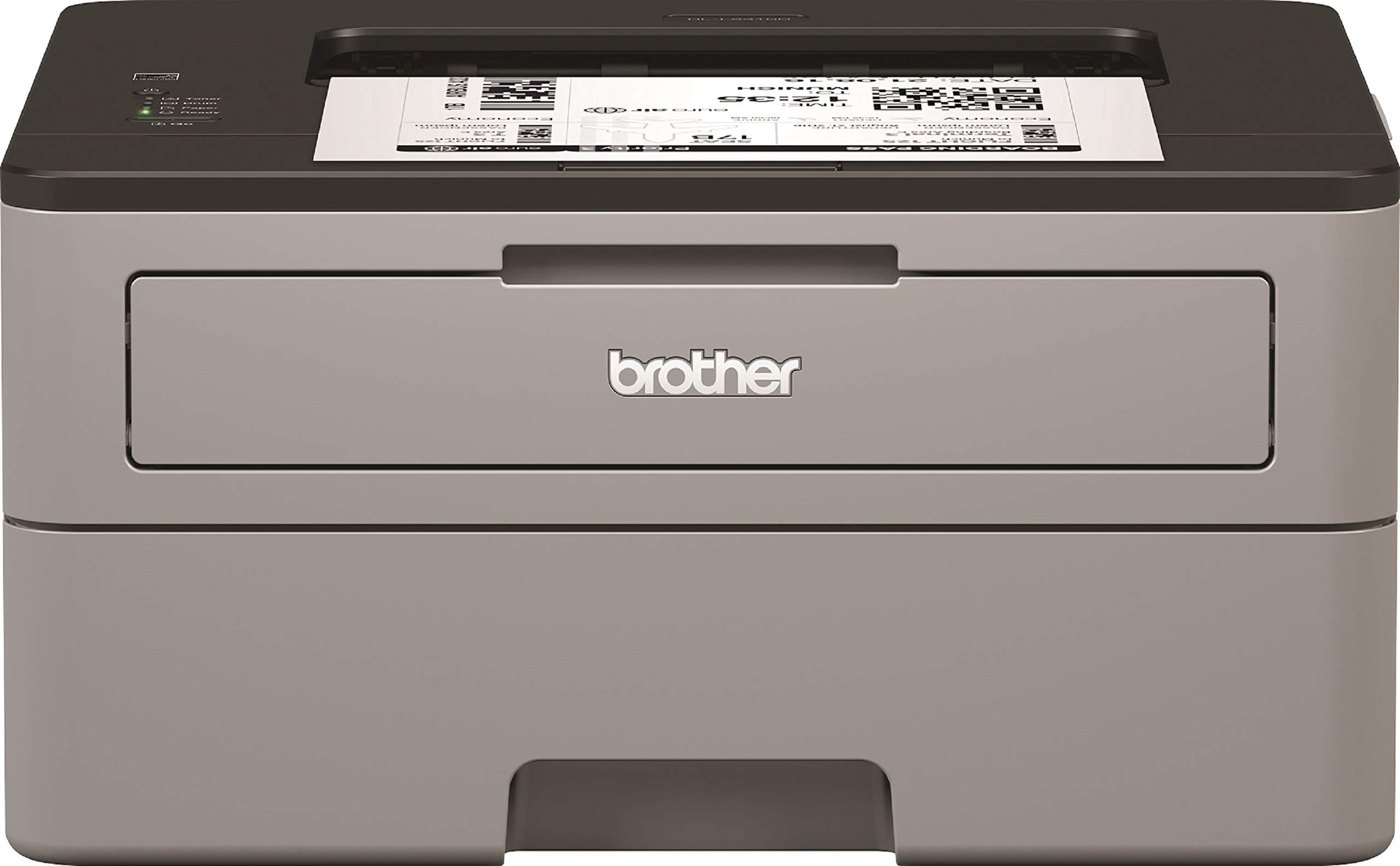
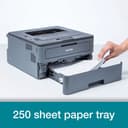
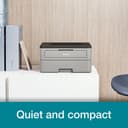
The Brother HL-L2310D is a compact mono laser printer designed for home and small office use, delivering fast print speeds of up to 30 ppm with a large 250-sheet paper tray. Featuring automatic duplex printing and high-yield toner options, it balances efficiency, cost savings, and environmental responsibility. Easy USB setup and compatibility with Windows, Mac, and Linux make it a versatile, reliable choice for professional printing needs.
| ASIN | B076PMTMQW |
| Additional Printer Functions | Print Only |
| B&W Pages per Minute | 30 ppm |
| Best Sellers Rank | #64,498 in Computers ( See Top 100 in Computers ) #175 in Laser Printers |
| Brand | Brother |
| Built-In Media | Printer, UK 3-Pin AC adapter/power supply cable, Product safety guide, Software disc, User guide, Warranty card, Quick setup guide, Inbox toner. |
| Color | Light Grey/Black |
| Color Depth | 1 bpp |
| Compatible Cartridge | TN-2110, TN-2330 |
| Compatible Devices | PC |
| Control Method | Touch |
| Customer Reviews | 4.5 4.5 out of 5 stars (6,116) |
| Display Type | LCD |
| Dual-sided printing | Yes |
| Duplex | Automatic |
| Global Trade Identification Number | 04977766780964 |
| Hardware Interface | USB 2.0 |
| Initial Page Print Time | 30 pages per minute |
| Ink Color | black |
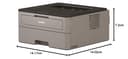
| Item Dimensions D x W x H | 14D x 14.2W x 7.2H centimeters |
| Item Type Name | Brother HL-L2310D Compact Mono Laser Printer |
| Item Weight | 7.2 Kilograms |
| Manufacturer | CMP IBERICA |
| Maximum Copies Per Run | 25 |
| Maximum Copy Resolution Black and White | 600 dpi |
| Maximum Copy Speed Black and White | 26 ppm |
| Maximum Media Size | A4 |
| Maximum Print Resolution Black and White | 600 |
| Maximum Sheet Capacity | 250 |
| Model Name | HL-L2310D |
| Model Number | HLL2310DZX1 |
| Model Series | HL-L2300D |
| Number of Drivers | 1 |
| Number of Trays | 1 |
| Other Special Features of the Product | Auto-Duplex |
| Output sheet capacity | 250 |
| Paper Size | A4 |
| Power Consumption | 460 Watts |
| Print media | Paper (plain) |
| Printer Connectivity Type | USB |
| Printer Output Type | Monochrome |
| Printer Type | Laser |
| Processor Count | 1 |
| Resolution | 600 |
| Scanner Type | Sheetfed |
| Series Number | 2310 |
| Specific Uses For Product | [INFERRED] |
| Total USB 2.0 Ports | 1 |
| Total Usb Ports | 1 |
| UPC | 766623179164 |
| Unit Count | 1 Count |
| Warranty Description | 2 |
| Wattage | 460 watts |
B**.
Great Wireless Printer
I should have bought this printer AGES ago. Easy to set up - especially for Apple Air Print. Quiet and fast. I am more than happy to recommend.
K**A
Reliable machine
It’s my second printer of same model. Satisfied with performance Like printing speed, connectivity with other devices connected on same wifi and ease of operation.
D**H
I needed a printer that would definitely work with Ubuntu Linux and this one does 100%. No problem installing, as the Ubuntu drivers are already there. Likewise the scanner is instantly recognised and works perfectly. I am using a wired network and my other computer communicates with the Brother without difficulty. I have not tested Wifi however. It starts up, scans and prints quite quickly. Text quality is very good on normal paper. Images are not as good as they would be with an inkjet but very adequate nonetheless. They might be better on laser paper. It's a nice compact all in one that works well with Linux and is likely to be economical to run.
A**E
Although I have a large colour laser printer, it has no facility for Airprint and the like, and I wanted a smaller printer to be located in the music room, where the primary need was for printing sheet music, so monochrome was fine. I did however want a duplex printing facility. The Brother HL-L2375DW fitted the bill. It has a relatively small footprint (unlike my Samsung CLP620, which needs two people to carry it), and is fairly light. Paper capacity is generous, and a fold-out cover reveals a supplementary paper and envelope feeder. Setting up was easy, and once it was connected to my home network, it became visible on my iPhone and iPad as an Airprint printer, printing straight away without anything needing installed on the Apple devices. Print quality is rather good, better than expected, and though not quite up to the large Samsung (you'd have to look closely to see any difference), it's easily fit for professional correspondence. It's not ultra-quiet, but it's not distractingly noisy either. The printer defaults to duplex printing, but single-sided is also available (for me, that's handy for when page-turns for sheet music would be otherwise inconvenient). It does exactly what I wanted, and is affordable to buy and to run. Recommended.
M**S
Gesucht war ein kompakter Drucker mit LAN- oder WLAN-Interface zum Drucken von mobilen Geräten. Nach einem schönen Reinfall mit einem Mitbewerberprodukt, mit dem es nur Theater beim Annehmen von Druckaufträgen gab, hatte ich beschlossen, es aufgrund anderer guter Erfahrungen mit brother-Laserdruckern mit dem HL-L2370DN zu versuchen. Eine WLAN-Anbindung wäre mit dem Schwestermodell möglich, dieses Modell hat nur USB und LAN. Dies war mir recht, da ich die Mobilgeräte über eine Wireless-Wired-Bridge mit dem Drucker verbinden wollte. Einfacher ging es noch nie: Das Gerät kann auch offline über ein Tasteninterface und einzeiliges Display konfiguriert werden. Kurz Sprache eingestellt und als Netzwerkprotokoll vorsichtshalber direkt "DHCP" ausgewählt, schon bekam der Drucker eine LAN-IP-Adresse vom Router. Die restliche Konfiguration erfolgte dann mit einem Gerät im Netzwerk mit Bildschirm und Tastatur über das druckereigene Webinterface, das sich intuitiv bedienen lässt, wenn man ein bisschen von Technik versteht. Was das Teil alles kann! Ich hab einige Protokolle abgestellt, die im Netz nicht verwendet werden - alles übersichtlich auf der Netzwerk-Konfig-Lasche. Das Schriftbild ist bei der Einstellung "1200 HQ" exzellent. Zum Tonerverbrauch kann ich noch nichts sagen - es liegt eine teilgefüllte Kartusche für ca. 700 Seiten bei. Eine große Ersatzkartusche TN-2420 kostet im Original zwar nicht wenig (70-90€ zurzeit), aber ich habe mir angewöhnt, Originalmaterial zu kaufen, um Geschmiere beim Ausdruck zu vermeiden. Noch viel wichtiger ist aber: Auch wenn der Drucker schon lange im Ruhemodus ist ("Deep Sleep"), nimmt er anstandslos und ohne Treiberinstallation die Aufträge aller Mobilgeräte an, wacht also sofort auf und druckt. GENAU DAS war es, was das Mitbewerberprodukt nicht tat. Und dies Gerät ist auch noch günstiger, deutlich stabiler aufgebaut (echtes Papierfach) und kann angeblich sogar Duplex. Ich bin gespannt. Wenn mich das Produkt ebenso lange begleitet wie das andere dieser Marke, bin ich sehr zufrieden. P.S. 24.08.2023: Unglaublich, dass dieses kleine Teil Duplexdruck beherrscht, und zwar gut! *** Hier noch eine Empfehlung an alle, die mit Windows drucken wollen: FINGER WEG vom "Treiberpaket" auf der Brother Homepage, das ist massive Bloatware, zumindest für Windows 10. Es gibt dort auch die Möglichkeit, "nur Treiber" herunterzuladen. Man erhält dann einen Self-Extractor, der sich beim Starten in ein Verzeichnis auspackt. Darin befinden sich dann die tatsächlichen Treiber, die man in Windows beim "Hinzufügen von Druckern" manuell "vom Datenträger" auswählen kann. Das funktioniert sehr gut, oder man verwendet das Gerät einfach mit dem nativen IPP-Druckertreiber von Windows (kann sein, dass dann kein Duplex einstellbar ist). *** Verwendet wird vom IPP-Treiber der TCP-Port 631 (IPP). Auch AirPrint verwendet den Standardport, zusammen mit Bonjour/mDNS. Wenn der Brother-Treiber für Windows benutzt wird, werden UDP-Port 161 (SNMP) und TCP-Port 515 (LPD) angesprochen. Wer es sicher mag, sollte in der Bedienoberfläche alles nicht Gebrauchte an Netzwerkprotokollen abschalten. Ich empfehle auch die Einstellung "SNMP 1/2 read-only, SNMP 3 writable" unter Setzen eines SNMP-Passworts. Dann findet der Windows-Treiber den Drucker, es kann aber kein Prozess im Netz unerwünscht via SNMP am Drucker herumferkeln. Ich bin nach wie vor sehr zufrieden!
L**.
BROTHER MFC-L2750DW Multifonctionnel Laser correspond à mes besoins. Fiabilité +++
E**A
La impresora HLL2320 tiene los 2 requisitos básicos para ser eficiente,es láser y doble cara automático,por lo que es de tamaño más grande que las que no tienen esa función.Imprime con calidad y tiene la posibilidad de imprimir con ahorro de tóner.Tengo una multifunción Brother en la oficina y admite tóner compatible-supongo que este modelo también-,puede ser que te salte alerta en pantalla sobre el tóner pero sigue imprimiendo sin problemas. Este modelo no tiene wifi,se conecta necesariamente por cable USB que no viene en caja. Tampoco tiene escáner,pero creo que se debe valorar comprarlo de forma independiente. En mi caso tengo una HP de tinta del año maricastaña q no funciona pero sí el scanner,por lo q me apaño con ese para casa. Un scanner de doble cara ronda los 200 euros,ocupan muy poco espacio y son fáciles de transportar. Las impresoras multifuncion son muy grandes y pesadas,a más funciones del scanner su precio se va elevando de forma considerable,se rompe la impresora y al final te queda un armatoste ocupa espacio para scannear... La caja viene con la impresora,un tóner y cable de alimentación.Es fácil de instalar.
ترست بايلوت
منذ أسبوعين
منذ شهر