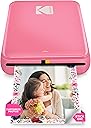
📸 Print your vibe, stick your story—anytime, anywhere!
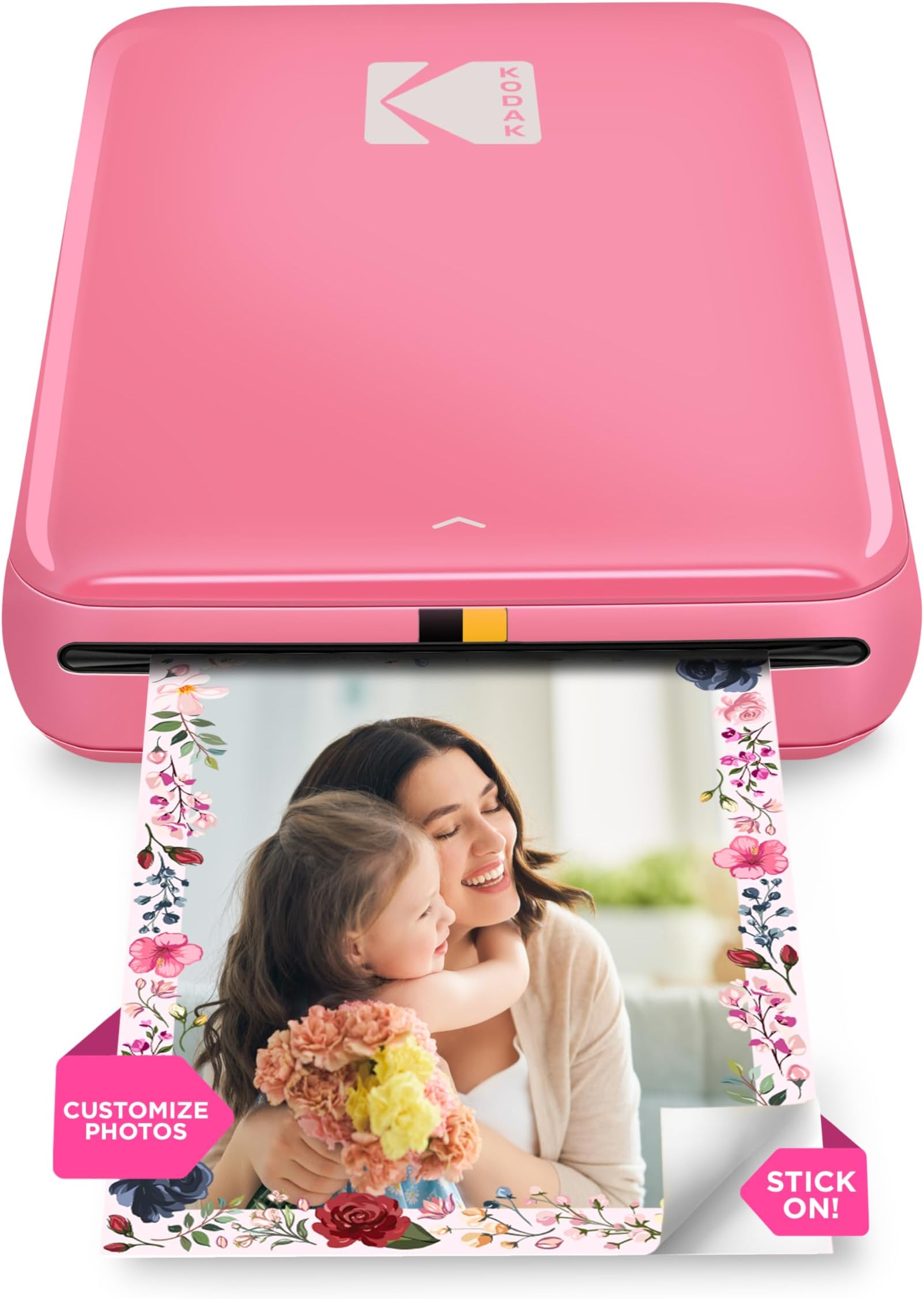
The KODAK Step Instant Smartphone Photo Printer is a portable, wireless mini printer that uses ZINK zero-ink technology to produce durable, vibrant 2x3” sticky-back photos directly from iOS and Android devices. With Bluetooth and NFC connectivity, a rechargeable battery supporting up to 25 prints per charge, and a powerful editing app, it’s designed for millennials who want instant, creative, and shareable physical memories on the go.


| ASIN | B08YFJR71D |
| Additional Printer Functions | Print Only |
| B&W Pages per Minute | 1 ppm |
| Best Sellers Rank | #439 in Electronics ( See Top 100 in Electronics ) #1 in Portable Photo Printers |
| Brand | KODAK |
| Built-In Media | Printer and accessories |
| Color | Pink |
| Color Pages per Minute | 1 ppm |
| Compatible Devices | Smartphones |
| Control Method | App |
| Controller Type | Android, iOS |
| Customer Reviews | 4.4 4.4 out of 5 stars (20,054) |
| Dual-sided printing | No |
| Duplex | Simplex |
| Global Trade Identification Number | 00843812154383 |
| Hardware Interface | Bluetooth |
| Ink Color | black, cyan, magenta, yellow |
| Is Electric | No |
| Item Dimensions D x W x H | 3"D x 5"W x 1"H |
| Item Type Name | Kodak Step Instant Photo Printer |
| Item Weight | 0.07 Kilograms |
| Manufacturer | C&A Marketing Inc. |
| Maximum Copy Resolution Black and White | 300 dpi |
| Maximum Copy Resolution Color | 300 dpi |
| Maximum Copy Speed Black and White | 1 ppm |
| Maximum Media Size | 2x3 |
| Maximum Print Resolution Black and White | 300 dots_per_inch |
| Maximum Sheet Capacity | 10 |
| Maximum print Resolution Color | 300 dpi |
| Model Name | Kodak Step Instant Photo Printer |
| Model Number | RODMP20AMZP |
| Model Series | Step |
| Number of Trays | 1 |
| Other Special Features of the Product | Portable |
| Output sheet capacity | 10 |
| Paper Size | 2x3 |
| Print media | Glossy photo paper |
| Printer Connectivity Type | Bluetooth, NFC |
| Printer Output Type | Color |
| Printer Type | Zink Technology |
| Resolution | 300 x 300 |
| Scanner Type | Photo, Portable |
| Specific Uses For Product | Instant Printer |
| UPC | 843812154383 |
| Warranty Description | 1 year limited warranty |
| Warranty Type | limited warranty |
A**E
LOVE THIS LITTLE PRINTER.
I love this little printer. I received it yesterday and have printed 25 pics already. It is so much fun. The prints are clean and crisp. It has multiple editing tools that are very easy to use. The printer requires an app to download. It is quite easy to work.I highly recommend it.
K**S
Love it! Amazing!!
Totally in love with it. It comes with 5 sheets starter pack. Easy to use, had to charge it completely before first use. I ordered a pack of 50 sheets, we can peel off the back cover and stick it easily. Though I haven’t used it in that way as of now!! Amazing for those who love to create a scrapbook or memory book or display cute little pics anywhere on the room ❣️. Already in love with it. Colors won’t be exactly how it seems to be on the phone but a definite buy if you are not much in to checking on 100% color match. Look of the pics is too good to fail in love. No paper jam and smooth operation for sure. Comes with a USB for charging, it’s *not* a C-cable so have to ensure you keep it properly (unless you have the old charging pins still 😉). I just got it yesterday so it’s a quick review after 1-2 use and around 6-7 prints.
A**K
Gwammy’s toy
I am driving across country right now. I like to send postcards to my grands showing them where I am to promote conversations about this wonderful country that we call home. I take a picture, print it out on this little printer, stick it on the postcard, add a few lines telling why it’s cool and then mail it off! The print is as good as the photo and the printer is so easy to use that even a 71 year old can use it without having to call the IT guy in the family. I bought a little case for it to keep it safe. I can definitely recommend this little printer if you’re looking for little prints.
B**H
A fun little printer
I bought this so I could print pictures of our campsites through the year. I didn't need anything fancy and a 2x3 little retro style print seemed like fun. I wasn't wrong, they're pretty fun. I have dropped this printer on concrete on accident and it's still working, scratches and all. I guess that's a testament to the build quality. I wouldn't recommend doing that, but at least it didn't die. I'm a bit annoyed by the whole proprietary paper for a printer that uses the Zink standard. Maybe it's just a calibration thing but it's still pretty dumb. I'm getting tired of all these consumer products that find ways to screw the users out of functionality in the name of profit. I did discover that the Zink branded paper is often cheaper on Amazon than the Kodak co-branded Zink paper so if you happen to find a cheaper alternative, here's a possible way to make it work: use the Kodak calibration sheet with the off-brand paper. I tried Zink branded paper thinking it would work considering the Kodak paper is clearly the exact same thing but I was wrong. The printer threw an error about not recognizing the paper and while it still would print, the colors were pinkish. On a whim I took the rest of my non-Kodak paper and put it into the printer with the Kodak calibration sheet and sure enough, it works fine now. So all you need to do is keep a Kodak specific calibration sheet handy and you should be able to use another brand's Zink paper. Obviously I do not have any proof this works other than my own experience so try this at your own risk! But it worked for me and I didn't have to toss out the 30 sheets of Zink paper I bought. Back to the printer, I've printed off a bunch of pics of our dogs for my wife and she loves them. They're grainy, tiny, not great quality but that's part of the appeal. It's a lot of fun to use and I'm glad I bought it.
P**P
Great for casual journaling
I ADORE my little picture machine. I just need it to add pics to my journal, and it's so much easier than having to go to Walgreens or something. The quality is about what you would expect from a small and relatively inexpensive printer but I'm not looking to hang gallery art here, it's more than good enough for journaling. I had a blast and used up all fifty of the extra papers I got on the first day. I have noticed that the color tends to lean toward pink by default, but if I take a second to edit the color values of a picture to be a bit blue-ish before printing then I can get the original photo color pretty accurate. After the first ten there came a bit of streaking but it went away. Anyway, highly recommend. It's easy to use and just what I need for daily, informal pictures.
A**N
Love it
Love how well this prints the images are clear, it’s easy to connect too. We originally bought a cheaper non brand one, and this is much more durable and the photos print much better. Definitely worth the splurge, love that the paper is peel and stick it’s great for scrap booking
E**C
Een fotoprinter waar je fotootjes mee afdrukt (paspoortformaat) Kan je bewaren en bekijken bv in je portefuille . Je installeert gewoon de app kodak step , en je laad snel op met de bijgeleverde oplader .Alles in kleur met het beste resultaat!Een printer om U tegen te zeggen! Fantastish!
M**A
my daugther loves it ❣👍 but the film is a Little bit pricey 🥲
C**A
Excelente producto
E**.
Easy to use and connect to mobile app. It’s about the same size as a small portable hard-drive, and lightweight. Picture quality is great, not brilliant but perfectly fine for a relatively cheap mini photo printer. If you’re looking for something that prints top quality photographs, then a printer that uses non-zinc paper, like ones made by Canon would be better, though they are pricier. To place the photo paper in: Slide back off the printer and place the paper in with the blue calibration card first facing down and then the photo paper on top (back facing down - ie. plain white side facing up) App is downloadable on the AppStore using the QR code found in the quick start guide. There are several other Kodak apps, so make sure it’s the Kodak Step Prints app. NB: if you don’t have the QR code to hand, then simply connect to the printer via Bluetooth via your mobile settings (press and hold power button on the side of printer until white light shows) and it will take you to the AppStore link. Charges via USB, but no plug adapter is included, so will either need to plug directly into a USB charge socket, or use any other plug adapter (phone, camera etc) that has a USB port. Can’t speak for Android, but have had no problems connecting to the app using iOS. There size of the photos are 2x3, so may need to edit photos, but can do so easily in the app which has a useful indicator of what will be printed. There are other editing tools within the app and the ability to add borders too. Also included with the pack are five sticky borders that you can stick onto the photo. Very pleased with this so far! Only downside is that there are only five photos sheets included so will need to purchase more! Edited to add more info: Still going strong several months later - occasionally a thin line will appear on the prints. If this happens, just recalibrate the device with the calibration card. Also, the printer will take any 2x3 zinc paper so it doesn’t have to be the Kodak stuff. Only thing to note here is that you’ll need to keep the original blue Kodak calibration card as the other cards (i.e. Canon do not work).
İ**R
Ürün İzmir’e 1 haftada teslim edildi. DHL Express ile geldi, gümrükte 2 3 gün kadar bekledi ve %30 vergi ödemem gerekti. Benzer ürünler burada çok daha pahalı, vergi ile birlikte bile daha uygun oldu. İçinden 5 tane fotoğraf kağıdı çıkıyor. Telefona indirilen uygulaması ile fotoğraflar editlenerek baskı alınabiliyor, güzel ve kullanışlı.
ترست بايلوت
منذ شهر
منذ 3 أيام