We remain fully operational. Our teams are working around the clock to ensure your deliveries continue safely.

قم بتنزيل التطبيق


معلومات عنا
حقوق الطبع والنشر © 2024 Desertcart Holdings Limited
قم بتنزيل التطبيق
Buy anything from 5,000+ international stores. One checkout price. No surprise fees. Join 2M+ shoppers on Desertcart.
Desertcart purchases this item on your behalf and handles shipping, customs, and support to KUWAIT.
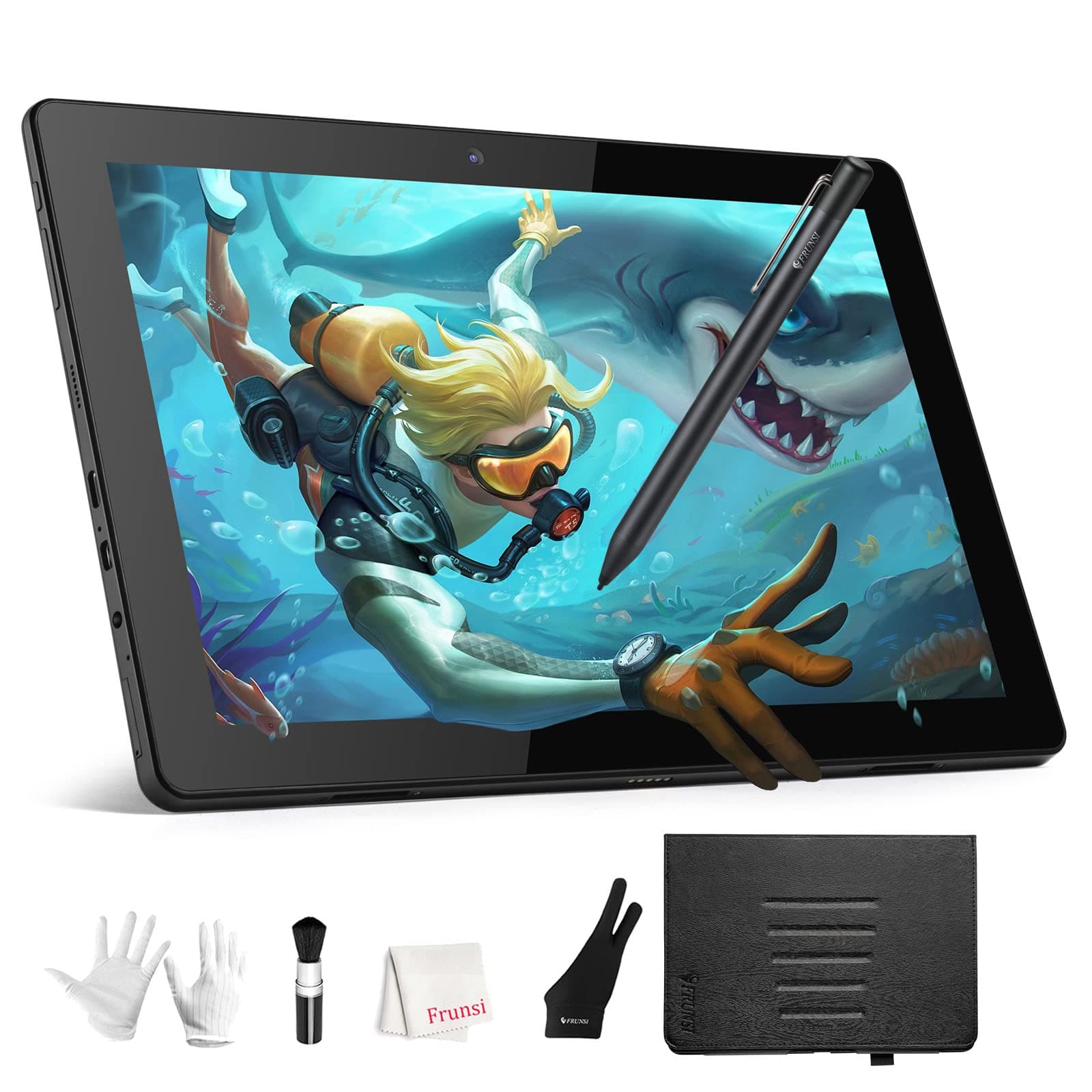
🎨 Unleash your inner artist—no strings attached!
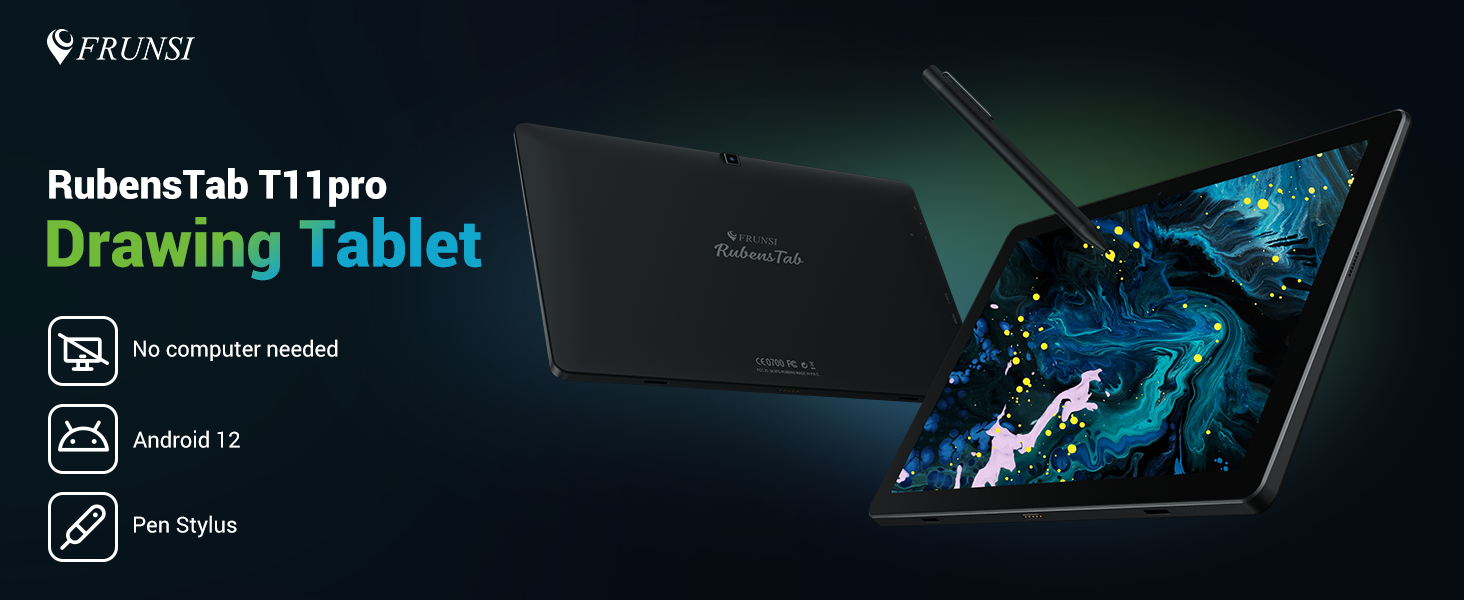
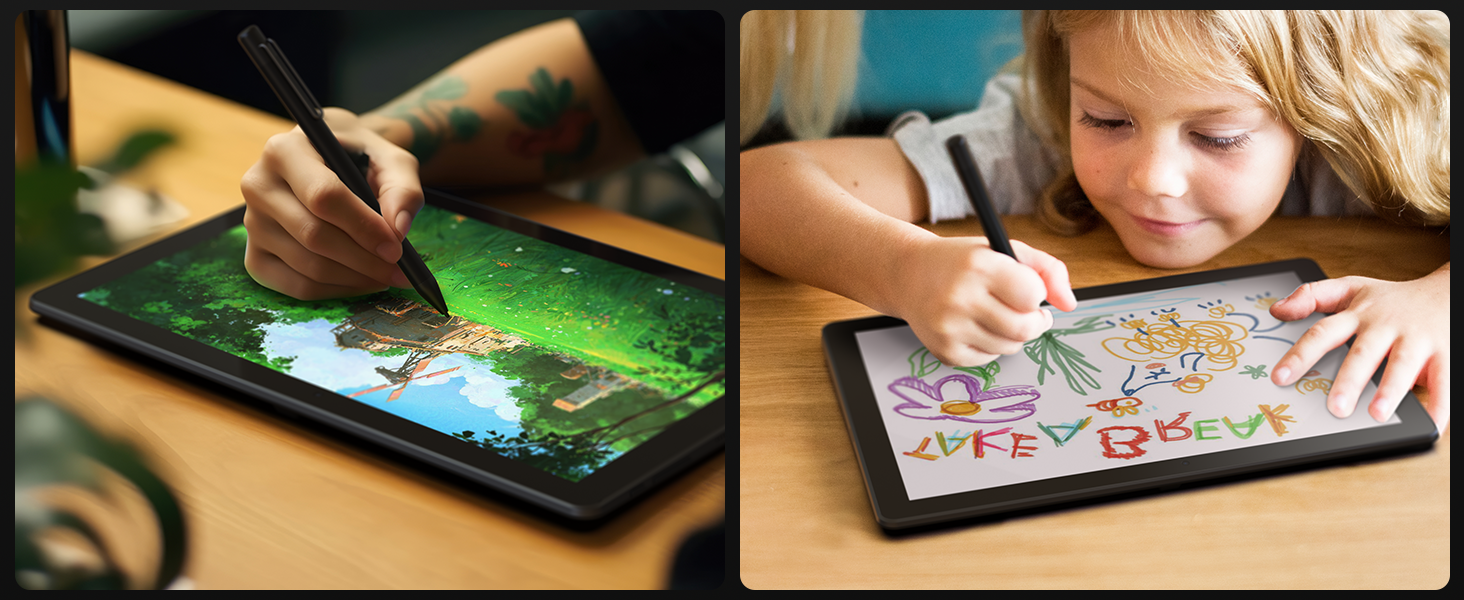
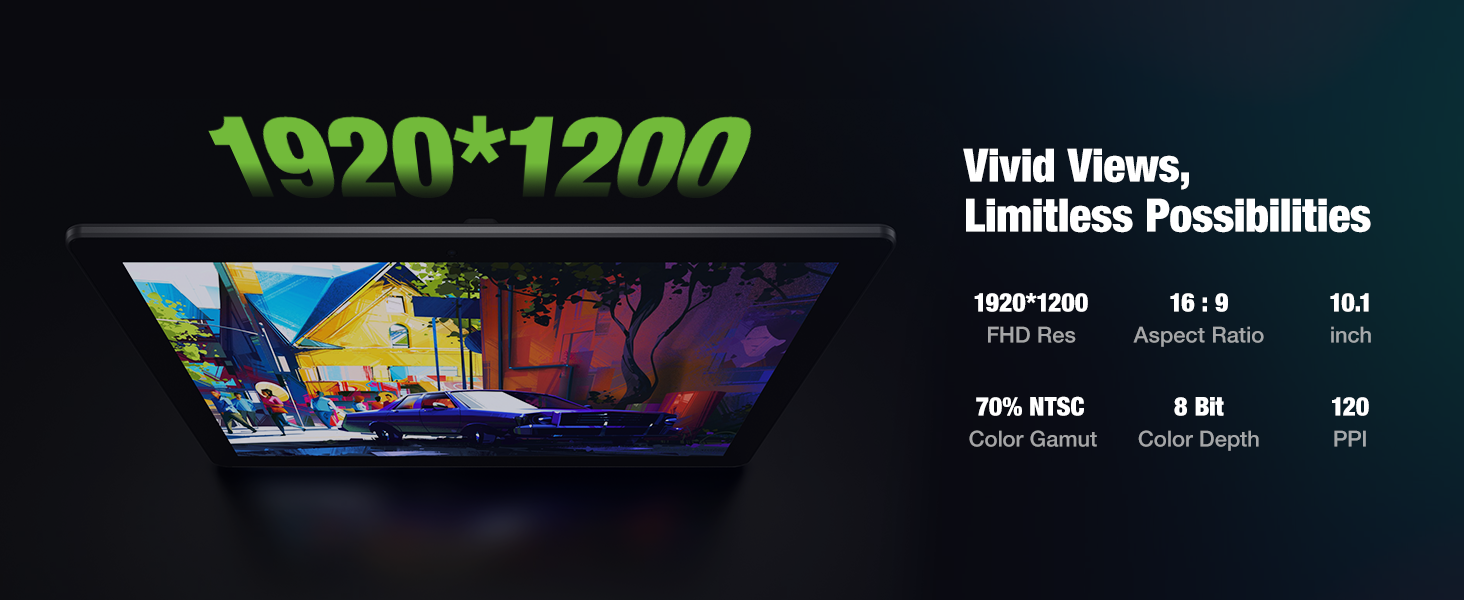
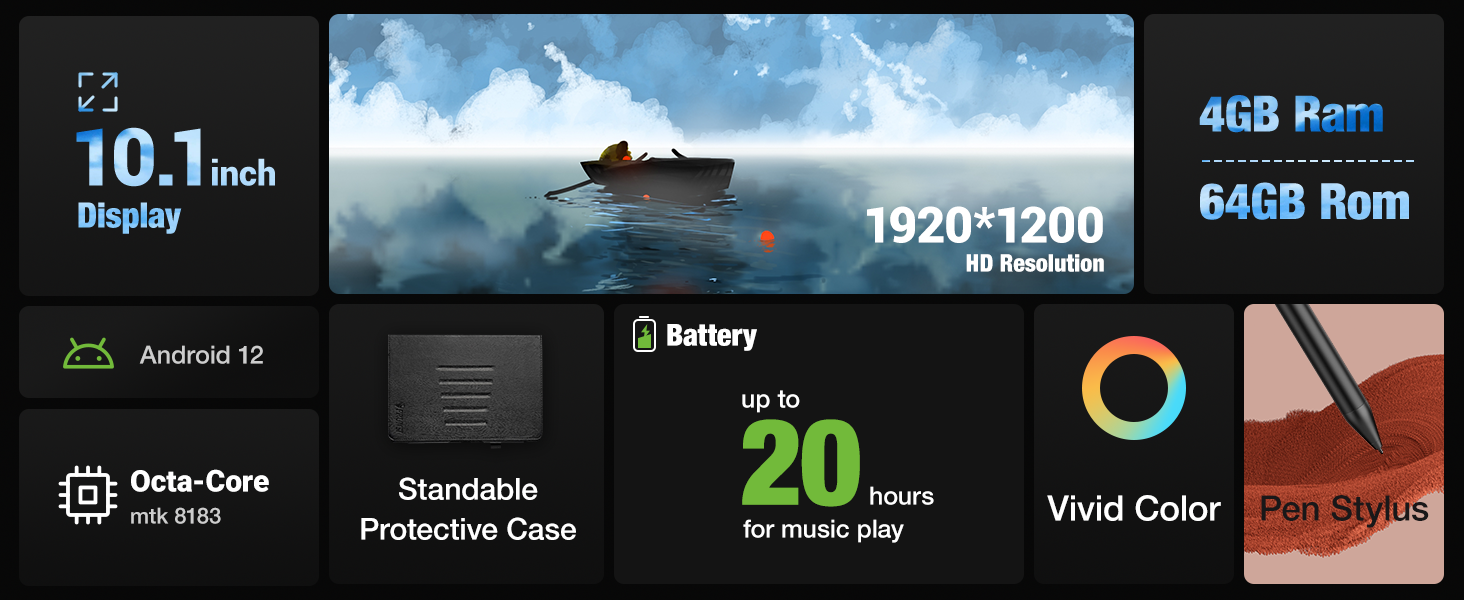
The RubensTab T11Pro is a 10.1-inch standalone drawing tablet featuring a vibrant FHD IPS display, powered by an MTK 8183 octa-core CPU with 4GB RAM and 64GB storage. Running Android 12, it supports pre-installed and downloadable drawing apps, offering true portability with no computer required. Its 5800mAh battery ensures up to 5 hours of continuous use, complemented by a 5-level adjustable stand and certified quality standards, making it an ideal gift for beginner digital artists seeking professional-grade features in a compact, user-friendly device.



| ASIN | B07R3XT1NQ |
| Active Surface Area | 243.36 square inches |
| Best Sellers Rank | 6,877 in Computers & Accessories ( See Top 100 in Computers & Accessories ) 20 in Graphic Tablets |
| Box Contents | Digital Pen, USB Cable |
| Brand Name | Frunsi |
| Colour | Clear |
| Compatible Devices | Tablet |
| Country of Origin | China |
| Customer Reviews | 4.7 4.7 out of 5 stars (433) |
| Display Type | LCD |
| Item Dimensions L x W | 44.3L x 28W centimetres |
| Manufacturer | Frunsi |
| Model Name | RubensTab |
| Model Number | RubensTab |
| Native Resolution | 1920x1080 |
| Network Connectivity Technology | Wi-Fi |
| Operating System | Windows, macOS |
| Pressure Sensitivity | 8192 Levels |
| Product Features | Multi-Touch Screen |
| Screen Size | 10 |
| Specific Uses For Product | Designing, Drawing, Writing |
| Target Audience | Artist, Student, Teacher |
| UPC | 703363412199 |
M**Y
Great value stand alone drawing tablet!
Excellent product support! Timely response with product support questions and very professional. Sally has been amazing helping me work through trouble shooting the issues with my pen and finding a resolution, replacement pen. The tablet which I purchased last year has been amazing! Easy to use and setup. It works well, is compatible with the drawing apps I chose the install. Having the function of a normal tablet makes it even better value for money. It came with an excellent sturdy case for keeping your tablet protected. The tablet is also supplied with a pen, gloves for when you are using the pen to draw directly onto the screen. You don't need much else to give this tablet a go and start your journey with digital art. Just imagination. I would say for a stand alone drawing tablet that doubles as a tablet it's well worth the money. It's a sturdy bit of equipment for any budding digital artist. For extra piece of mind the customer support if needed has been excellent too.
�**️
Light, responsive, and easy to use.
I got this for my teen son who's into digital drawing and he’s been using it pretty much every day since. He used to draw on an older tablet that needed to be plugged into a computer, so this has been a nice step up for him. No wires, no hassle, just pick it up and start drawing. The size feels just right. Not too big, not too small, and light enough that he can carry it around the house. Sometimes he’s at his desk, other times he’s curled up on the sofa. The stand it comes with actually works well and doesn’t feel cheap. He adjusts it depending on how he’s sitting and it holds up fine. The pen is responsive and works really smoothly. There’s a bit of texture to the screen, which makes drawing feel more natural. It doesn’t feel like you’re sliding across glass, which is a nice touch. It also came with a few extra pen tips which I didn’t realise would be useful until he mentioned it. He’s mainly using drawing apps like Sketchbook and a few others he downloaded, and they’ve all been running with no issues. He also uses it now and then for watching videos or browsing, and that’s been fine too. It’s not the fastest tablet out there, but it doesn’t need to be. Everything he’s used it for has worked smoothly. Battery life has been better than I expected. He usually gets through the whole day on a single charge, even when he’s using it a lot. The only small thing is that the screen can get a bit of glare if the lighting isn’t quite right, but once he adjusted the angle it was fine. For what we paid, I think it’s a great option for someone who’s into digital art and wants something simple that works. He’s really happy with it, and that’s all I could ask for.
A**N
Amazing product
This tablet was great value for money. It comes with a case, stylus, drawing glove, batteries for the stylus, and charging cable. I bought it for my daughter who is taking art as a course in college. She found it easy to set up and finds it really smooth to work with. She uses it daily and the quality of the tablet allows this. The design is durable and feels more high end for the price I paid. I will definitely recommend this product to family and friends.
C**Y
Great for a starter tablet
Does exactly what it says on the tin - it’s a visual drawing tablet, that you don’t need a computer for. It’s not so big that it’s in the way of everything, and it’s not too small to see anything on it. It’s just right. It’s pretty lightweight, so you can watch stuff or draw on it in the comfort of your bed. Its stand is also adjustable with a variety of different positions, allowing for all sorts of postures. My only complaints are that firstly the pen nibs are a little annoying sometimes, I do t know if its just me but they often tend to either become loose or get stuck so the tablet can’t register them, so I often have to take the nib out and fiddle around with it. There’s also occasionally a slight delay when drawing but it’s only in some apps and is relatively minor. Overall, I would say that for the price it’s a great tablet for getting started with Digital Art.
Y**1
Impressive piece of kit for budding artists
This tablet is really good for anyone wanting to take their artwork digital and to the next level. There are already a few built in drawing apps ready to use and they are super easy. The tablet tablet has palm rejection so stops any kind of smudges to your drawings there is also a handy case to protect it which is handy for taking the tablet on the go. screen size was impressive and colour, also the fact this tablet has an anti-glare also mean no eye straining This tablet is an excellent price and a useful item for all budding artists i highly recommend .
Z**Y
Great for the price & Beginner friendly.
I use the Frunsi Rubenstab Pro11 for my artwork, and I’m legitimately impressed with its performance—especially considering the price. The pen is responsive, with great pressure sensitivity that makes drawing feel natural and precise. The screen quality is also worth mentioning. High pixel density, good contrast levels, and overall a very satisfying visual experience. It also comes with a generous range of accessories, which was a big plus. What really stands out, though, is the customer service. They’re quick to respond and always happy to help with any questions. Honestly, for the price, this tablet is a great choice, especially for a beginner who doesn’t want to shill out hundreds.
S**K
This tablet is actually pretty nice. A full battery of drawing in sketchbook gave me less than 3.5 hours of battery. There is a slight delay from when you draw to when the line actually appears. When this gets extreme the tablet is unusable & must be charged, but this happens very rarely. Overall this is a great tablet for the price. If you want something better you have to spend over $1,000 on an I-something or a phone like the Z Fold. The size is perfect & the pen has a great feel. A major setback for me was the case does not have a pen holder. I bought cases that hold the pen but there were issues with those cases that caused me to take them back. This is not a big deal but worth mentioning. Sketchbook & Krita work great on it. It has a great feel, reminding me of drawing in a blackbook without having to carry a bag of markers with me. It is probably the best “drawing tablet” on the market. Unless you can afford a galaxy tablet, ipad or a phone like the Z Fold this device is great. It’s not just good for the price it is a good item but remember it is a $200+ (now less than 200) item so you are not getting this great tablet. It’s for drawing & can do a few other things & that is it’s function. It is great for people with carpal tunnel like myself.
M**N
I don’t usually leave reviews, but I had to share my experience with the Frunsi Drawing Tablet because it really exceeded my expectations—both the product and the customer service. My tablet suffered an issue that was covered under warranty. I was so disappointed at first when the issue occurred, but Frunsi's customer service turned the whole situation around. I reached out to them and got a fast, friendly response. They made the return process incredibly easy, and I have a replacement tablet on the way as we speak. The communication was top-notch—polite, professional, and genuinely helpful. Their agents were so incredibly efficient and kind while being detail oriented in solving my problem. It’s rare to find that kind of support these days! As for the tablet itself: **amazing value for the price.** - The pen is super responsive with excellent pressure sensitivity. - The drawing surface has a nice texture that feels great to work on. - It works perfectly with all my favorite programs, and I enjoy the ability to download apps to the tablet. - Setup was so simple, and I love the software that come preloaded on the device. This is a fantastic choice for anyone looking for a reliable, budget-friendly drawing tablet. The product is great, and the company stands behind it. Highly recommend!
L**S
Our daughter uses this all the time! She loves art and she likes that she can listen to music while she draws. She uses the layers a lot to practice drawing by tracing and then removing the original image. There are so many settings, I don't think she has used them all yet. We have had this for nearly two years and it is still running strong. If you try to load too many apps on it will slow down, but using it for drawing, listening to music and watching tutorials has been great for her.
J**N
The frunsi T11 is the perfect entry level tablet for the aspiring digital artist. I decided to try my hand at digital art after getting tired of lugging around an entire bag of traditional art supplies and this tablet is perfect for it. Nice and compact and fits easily in a small backpack. I was impressed right out of the box by all the accessories that come with it. The case is pretty nice and feels like it will hold up well, and the magnetic stand is a really nice feature and lets you find the perfect angle for drawing. The tablet itself preforms extremely well and has run all the drawing apps I've tried so far (sketchbook, krita, hipaint, and Ibispaint x). While using some of the more taxing brushes there can be a bit of lag or jitter, but that can easily be overcome by slowing down. There's also a bit of jitter while slowly drawing diagonal lines, but if you tweak the line smoothing a little it's barely noticable. It also runs regular apps like YouTube, Facebook, Amazon, etc. perfectly fine. Overall, if you're looking for an affordable pen tablet for starting out in digital art or just for daily use, this is a great option.
C**A
First of all, I bought from this seller instead of the main one because this one delivers to my country! I got it in the usual speed for international shipping that is and packed well. Now about the tablet itself. It came with multiple adapter heads so you can use the one for your country right away. It also comes with a case, stand, pen, pen heads, drawing glove, normal gloves, brush, and 2 cleaning cloths. I didn't know about the case before buying so that is a bonus for me. The tablet itself is thin not too heavy good looking if you need to know and with an anti-glare anti-scratch screen protector. In order to connect it you'll need an HDMI port and a USB port and an outlet or I guess you don't have to use an outlet if you have enough power in your pc or laptop by connecting an extra USB cable but for me I rather be safe than sorry and just use an outlet since I do renders and stuff that drain extra power. I got it mainly for a program called ZBrush and it works perfectly. I heard about people having issues wen you use extended display like a lag or something. Not sure if that always happens but if you just mirror your screen it should be fine. I have two monitors and I'm mirroring my main one on the tablet works like a charm. You can adjust the brightness level and pen pressure quite easily. You can also assign your own 8 shortcut keys that you use in your program beside the scrolling knob that you can also use to zoom in/out or change brush size and so on.
ترست بايلوت
منذ شهر
منذ أسبوعين