Buy anything from 5,000+ international stores. One checkout price. No surprise fees. Join 2M+ shoppers on Desertcart.
Desertcart purchases this item on your behalf and handles shipping, customs, and support to KUWAIT.
🖨️ Print smarter, live freer — your all-in-one wireless office essential!
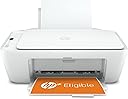
The HP Inkjet Printer 26K72B is a compact, all-in-one device designed for basic color printing, copying, and scanning. Featuring ultra-high 4800 x 1200 dpi color resolution, dual-band Wi-Fi for reliable wireless connectivity, and a flatbed scanner, it supports seamless mobile printing via the HP Smart app. It comes with 6 months of Instant Ink subscription included, ensuring ink is delivered before you run out, plus an extra year of warranty when activated. Ideal for professionals seeking affordable, hassle-free printing with smart features and excellent print quality.


| ASIN | B09315ZKWT |
| Additional Printer Functions | Scan |
| B&W Pages per Minute | 20 ppm |
| Best Sellers Rank | 66,211 in Computers & Accessories ( See Top 100 in Computers & Accessories ) 158 in All-In-One Printers |
| Box Contents | Power Adapter |
| Brand | HP |
| Brand Name | HP |
| Color Pages per Minute | 16 ppm |
| Colour | White |
| Compatible Devices | Smartphones, Tablets |
| Connectivity technology | Wi-Fi |
| Control Method | App |
| Controller Type | Android |
| Customer Reviews | 4.2 out of 5 stars 10,785 Reviews |
| Dual-sided printing | Yes |
| Duplex | Automatic |
| Hardware Interface | USB 2.0 |
| Ink Colour | Black |
| Item Dimensions D x W x H | 30.4D x 42.5W x 15.4H centimetres |
| Item Type Name | Inkjet Printer |
| Item Weight | 3.42 Kilograms |
| Manufacturer | HP |
| Maximum Copy Resolution Black and White | 600 x 600 dpi |
| Maximum Copy Resolution Color | 600 x 600 dpi |
| Maximum Copy Speed Black and White | 6 ppm |
| Maximum Print Resolution Black and White | 600 x 600 |
| Maximum Sheet Capacity | 60 |
| Maximum Supported Paper Size | A4 |
| Maximum print Resolution Color | 4800 x 1200 dpi |
| Model Name | 26K72B |
| Model Number | 26K72B |
| Model Series | DeskJet |
| Model name | 26K72B |
| Network Connectivity Technology | Wi-Fi |
| Number of Trays | 1 |
| Other Special Features of the Product | Wireless |
| Paper Size | A4 |
| Print media | Paper (plain) |
| Printer Output Type | Colour |
| Printer Type | Inkjet |
| Printing technology | Inkjet |
| Product Warranty | 1 Year Manufacturer |
| Resolution | 600 x 600 |
| Scanner Type | Flatbed |
| Special feature | Wireless |
| Total USB Ports | 1 |
| UPC | 195161618123 |
| Warranty Type | extended warranty |
J**N
hp printer
Very good item , have been using it for ages , no issues at all
D**.
Good value for money
I'm no printer fanatic but it does the job and does it well. Summary points: Ink that comes with it lasts 72 pages (I did some in colour, some not). Bit loud but prints swiftly. I've used the scanner manually and printed downloaded pdf documents from my phone, and two words: very easy. Allows you to make sizing readjustments and other alterations though the phone as well. Connecting to Wi-Fi and device was the only speed-up I hit when setting it up and was resolved in no time Getting it up and running: Initially I was having a struggle setting it up? Im no stranger to I.T. but went to various different videos after the manual tested my imagination for what buttons they were referring to 0_0 After some trial and error, I pieced the info together to figure it all out (biggest and only issue really was connecting it). Worry not though, after some thought, I got it up and working and it's been a breeze to use since (though just know I haven't had it for long). Word to the wise - Why I struggled to get it sorted: My fault in installing it was not searching for said printer to connect to on my phone, RIGHT after it pressed the 2 buttons *for abt 3sec - its all in the instruction vids on YouTube*. If the waiting period is too long it may not pick up on it. :) Final remarks: Too early to gather whether it will stand the test of time or not and it's a pity it doesn't print double sidded, however the ease of use when set up, timing and general functionality is the proof in the pudding. So far it's been great value for money and if you need an affordable printer in a pinch, this one is looking pretty good! :)
C**B
Lovely Compact Printer
I was so pleased with this printer when it first arrived. I was able to set it up easily and the print quality was really good for my needs. I was printing documents periodically, so it did not have a huge amount of use before I encountered problems. Suddenly it stopped printing and I had a number of technical issues. I contacted the technical helpdesk and a couple of obvious suggestions were made eg: switch off printer for a minute and reconnect, turn off broadband to see whether the machine reconnects and resumes printing. This did not solve my problem. The technician offered to resolve my issue by taking control of my machine, but in this day and age this is not something that I was comfortable doing and there was also a subsequent cost associated with this service. Again this made my very nervous. After much investigation I was able to resolve the issue myself. This is the only reason why I’ve given it 4 stars, otherwise it would have scored 5 stars
S**T
ABSOLUTELY AMAZING VALUE!
I was absolutely amazed at the price of this HP printer, I only paid £28,00 for it and that included 6 months FREE INKS! And there’s no limit on how many you want/need! I wanted a printer that was super easy to connect my iPhone and my partners iPhone and iPad and this was one of the top ones that came up when I clicked ‘search’. I couldn’t believe the deal of free inks for the first 6 months upon registration, My partner rang up HP customer services and registered the printer and we were offered a deal for when the 6 months period had expired. For £2,00 a month we could carry on the same free inks policy for as long as we paid for it or as long as we had the printer for. The new colour and black ink sets are sold on Amazon Prime just like the printer was. And BTW please don’t try to buy copies of the inks for ANY HP printer as they are programmed to block them from being used! Not that I would as I tried to do it once with a Canon printer and it ruined the printer and never worked properly afterwards and kept leaving stripes of colours all over the pages or photos that I tried to Print off…So I won’t fall into that trap again. This is a fantastic little printer and it is made by one of the leading companies in the industry. The colours are vibrant and are a very good match to what you are copying. Photos come out exceptionally well and you would think that they had been done by a professional printer by a professional photographer! All in all I think that this is a great item and would urge anyone to buy one especially at this crazy low price! 5 ✨✨✨✨✨
R**Y
F HP
Had it for 2 years...used it 4 times...it's the single worst load of balls i've ever spent money on. Hp is the single worst printing company i've spent money with and their service the single most utter load of bollocks i've had the misfortune to use. Setup - You better have a fantastic wifi or straight to box connection for this thing to be found, 4 different devices couldn't find this damn thing, then when it did it required manual setup because the stupid thing couldn't connect via the device. Ink is easy to install...but we'll get to that load of balls. HP Smart App - Wow, let's just say it's dog, if it finds your printer on the network, fantastic...but will it recognise what model it is without cycling through the series?! Will it then be online or offline? ready to print or "Printer Error" of which there will be no indication of what the damn error is, so off it goes, back on it goes and you best pray it's the reset that fixes that. The app is stupidly slow for what it's trying to do and barely recognises the clicks. Ink - Well...i've seen certain sites and companies restrict users from using their service in pathetic ways, the most is free to play games restricting basic progress through either hour/day long timers to just locking it behind a pay wall..............WELL guess what HP has done! I'll own up I didn't read the small print, but in my 35 years of living and dealing with printing, never once has my printer turned round and refused to print because the INK IS LOCKED BEHIND A BLOODY SUBSCRIPTION SERVICE!!! you have to pay...to print a single page from the printer you've already paid for, with ink you've already paid for on paper you've already paid for?!!?! This was almost the out the window moment for me, but 99p is 99p and I don't print a lot so sure, why not. Warranty/Scam - 1 year warranty as standard, sure, but we got the care package that lasts 2 years because we know fine well this cheap crap will have some internal break to make you buy another and it was cheap.......well.......better hope the time you've logged in to check that warranty that it's the time it remembers you have the extended warranty or you'll be getting nothing! All in all...I would sooner watch manhood be slowly ripped from under me than buy from this company as a whole ever again, cheap products and crap slow apps are one thing...but to lock what has always been a "buy your stuff and print" use behind a subscription and have absolutely no customer support outside of Siri's +1 Chromocousin is robbery. F HP
G**1
Okay
Its okay, when i use it, but cant review as dont use often enough
A**E
All good
I was in half minds to get a laserjet but a colour laserjet is seriously expensive, so I went for this. It did take some time to setup as the installer failed to set the presets up correctly and I could only print for the app itself (the quality is poor to average) but once I could get it to work with Photoshop, the prints look great. The instant ink approach can be ok if you use a fair amount of colour, if you don't then perhaps you may prefer a laserjet but I will be printing a good 40 or 50 pages of colour pages so the price is fine for me. They also included 6 months free ink which is an added bonus as that adds up 18 pounds, so the printer was about 20 with that bonus. The software seems ok, it does have an annoying tendency (when I last used the app a year ago) to keep saying your printer is offline and needs to be connected ... really, I don't leave my printer on all day and night, a total waste of power. The scanner is fine as well as the copy functionality. Overall, happy with the purchase as long as I use the colour printing ... it will hopefully be ok for the occasional book label (yet to try that)
A**J
A Rough Start...
UPDATE (30/05/2023): I have come to learn more about HP in recent months and their practices within the printing industry that comes across as appearing to be anti-consumer. This comes with their HP+ subscription service that I have covered in the main body of my review, but I wonder how many of you realize the terms and conditions of being part of it? By being signed up, you allow HP to change the software of the printer to where they will block you from installing third party/ after market ink cartridges. That part is made clear, however, there is more. As set out in the terms and conditions, you grant HP permission to change/ alter the software on your printer without your knowledge, and that you must have your printer connected to the internet. This is done when you first agree to sign up to HP+ with the temptation of 6 months free. The only way you can stop all this and be free to use third party ink is to buy a new printer. At the time of writing, the IITC (International Information Technology Commission) is disputing whether HP should be part of EPEAT (Electronic Product Environmental Assessment Tool) for breeching the criterion of having EPEAT certification by blocking users from using third party cartridges and containers. I have realized that I do not print very often and I have my printer disconnected for the majority of the time. By doing this, HP have not sent any more ink to me, and in the end, you will end up paying for nothing if you do not use your printer regularly. I will have cancelled my HP+ subscription by the time you see this review, and if I have to keep buying HP ink only to keep using the printer on my own terms, then so be it. Original Review I will throw my hands up, I haven't used a printer in years given society is more paperless than ever although some businesses and government authorities have missed that memo. Given all the recent RMAa lately, and the need to send physical paper documents and letters to other places, it would be more beneficial to just get my own printer. I tried to set it up with the app over WIFI but I soon ran into a hurdle. The app would not recognise that the printer ink door was closed despite it being so. I soon gave up with the app for setup and connected the printer to my PC via USB. The setup process worked a lot better and it was soon completed, but I ran into the next issue that went into the next day... paper alignment. I found paper alignment to be very difficult and it did fail for me several times. It chewed up the paper many times with multiple rips, and the printer even dragged 5-10 sheets through it and didnt print properly. Thanks to YouTube, I learned how to align it properly and it has worked since. For A4 paper, the grey slidy thing in the paper loading area needs to be on the far left. HP is very quick to show off its subscription service so that you always have supply of ink at a cheaper cost than buying it outright in the store. The way they do this is by asking how much you might print within a 4 week period. 1. Light, 10 pages = £0.99 2. Occasional, 50 pages = £2.99 (I picked this one) 3. Moderate, 100 pages = £4.49 4. Frequent, 300 pages = £9.99 5. Business, 700 pages = £22.49 You will also have to agree to use ONLY HP genuine ink which sounds anti-consumer and anti-competitive, but for me at least, it works out well if you can get a regular supply of decent ink at a low price. Thankfully, HP does not get fussy about what paper you use... unlike a certain sticker label printing company who blocks all third party paper. Overall, I recommend this printer as it is quiet during the printing process and reliable (once set up properly). The HP+ subscription makes sense if you intend to only use a certain amount each month, and it will work out cheaper than buying HP ink in the store, and it will probably be of a better quality than a third party ink. The app isn't the greatest for the set up process, but for everything else it is fine. This includes amount of ink remaining (estimates, of course), whether your printer has any issues, and other support you will need. 8/10
Trustpilot
2 weeks ago
2 months ago