
قم بتنزيل التطبيق


معلومات عنا
حقوق الطبع والنشر © 2024 Desertcart Holdings Limited
قم بتنزيل التطبيق

🖌️ Unlock your digital canvas with precision and style — don’t just create, captivate!
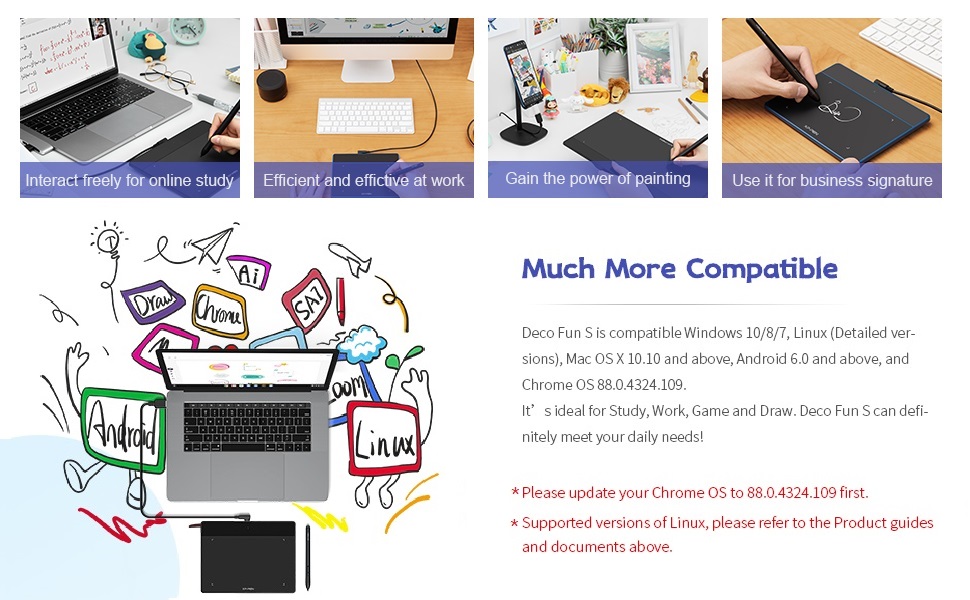
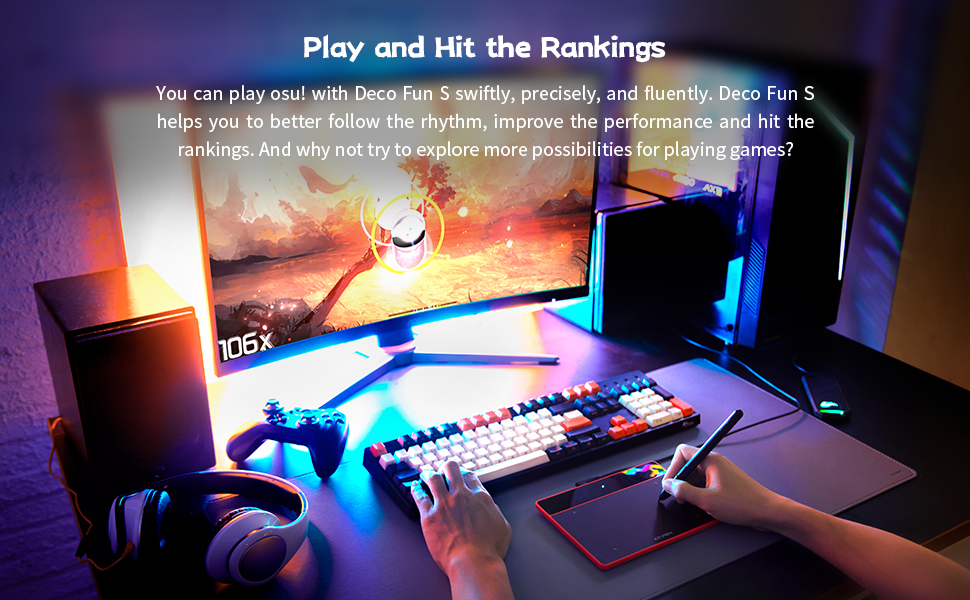
The XP-PEN Deco Fun S is a sleek, compact 6x4 inch graphic tablet featuring a battery-free stylus with 8192 pressure levels and 60° tilt support. Designed for professionals and creatives alike, it offers ultra-responsive 220+ PPS tracking ideal for drawing, remote learning, teleworking, and OSU gaming. Compatible with major OS platforms and popular creative software, it combines style and performance in four trendy colors, backed by a 1-year warranty.



| ASIN | B093TC1XCZ |
| Active Surface Area | 6 inches x 4 inches |
| Best Sellers Rank | 11,131 in Computers & Accessories ( See Top 100 in Computers & Accessories ) 31 in Graphic Tablets |
| Box Contents | Digital Pens |
| Brand | XP-Pen |
| Brand Name | XP-Pen |
| Colour | Classic Black |
| Compatible Devices | Laptop / Desktop Computer |
| Connectivity technology | USB |
| Country of Origin | China |
| Customer Reviews | 4.2 out of 5 stars 603 Reviews |
| Item Dimensions L x W | 21.1L x 16W centimetres |
| Item Weight | 450 Grams |
| Manufacturer | Deco Fun S |
| Model Name | Deco Fun S |
| Model Number | Deco Fun S |
| Model name | Deco Fun S |
| Native Resolution | 5080 LPI |
| Network Connectivity Technology | USB |
| Operating System | Linux,Vitrines |
| Operating system | Linux,Vitrines |
| Pressure Sensitivity | 8192 Levels |
| Pressure sensitivity | 8192 Levels |
| Product Features | Active area: 6.3 x 4 inches/P01 Stylus with 8192 pressure levels and 60° tilt/Compatibility: Windows 7/8/10, Mac OS X 10.10 (or higher), Android 6.0 (or higher), Chrome OS 88 (or higher), Linux |
| Product Warranty | 1 Year Warranty Against Manufacturer Defects |
| Screen Size | 4 Inches |
| Special feature | Active area: 6.3 x 4 inches/P01 Stylus with 8192 pressure levels and 60° tilt/Compatibility: Windows 7/8/10, Mac OS X 10.10 (or higher), Android 6.0 (or higher), Chrome OS 88 (or higher), Linux Special feature Active area: 6.3 x 4 inches/P01 Stylus with 8192 pressure levels and 60° tilt/Compatibility: Windows 7/8/10, Mac OS X 10.10 (or higher), Android 6.0 (or higher), Chrome OS 88 (or higher), Linux See more |
| Specific Uses For Product | Animation / Drawing / 3D Modeling / Electronic Signature / Photo Editing / Game |
| Target Audience | Teacher |
H**Y
Does what it says
Works well
D**N
A must have
This is perfect for those who don't use this often but like quality. Lovely box that came in. Spare nibs for the pen. Easy to use and install. Good to sign electronic documents or have rough drawings.
E**S
Minor inconveniences but good value
The product didn't last many unplugs and re plugs before connection issues became an issue. Maybe 100 times so isn't great for portability. The drawing was accurate and the pen was comfortable to write with. However if the pen is laid on the tablet the tablet can detect the pen which prevents using your mouse to browse. As an online tutor where drawing and using the mouse can be done right after each other this became an inconvenience. Other than my difficulties this product is excellent for anyone in a fixed space looking for a great budget graphics tablet
1**O
Great aftersale support
I've never owned or used a drawing tablet before, and I wanted a simple one to use for whiteboarding and simple diagrams. Initially I found the drawing experience a bit jerky, and after a few weeks the cursor started behaving like a drunken madman had taken control of the pen. I contacted XPPen support and I have to say I am very impressed: responsive and friendly service, help to check and diagnose the issue, and finally they found that the tablet was faulty. They sent a new one (same model, same colour) which I received a few days later. The new one works like a charm, no jerky movement, very smooth. I'm no expert at drawing tablets, but this one, for the price and service quality, goes beyond my expectations.
D**S
XP Pen
the product is good value . I purchased it to do E signatures.
K**R
Cannot get it recognized fully by me Windows 10 device
Unable to get the device to work properly. While my win 10 computer recognizes it is there, it will not show anything that will allow the writing pad to display on screen. This makes it as useful a a pair of knickers would be to a Mermaid.
A**S
No landscape/protrait mode adjustment
Buyer beware that the "small" version does not behave the same way as the larger version, it operates in portrait mode whereas the large one in Landscape mode - creates a huge difference when used on something like a projector that cannot be set to portrait
A**R
Very good 👍
Works as it should 👍
ترست بايلوت
منذ 3 أسابيع
منذ أسبوعين