We remain fully operational. Our teams are working around the clock to ensure your deliveries continue safely.

قم بتنزيل التطبيق


معلومات عنا
حقوق الطبع والنشر © 2024 Desertcart Holdings Limited
قم بتنزيل التطبيق


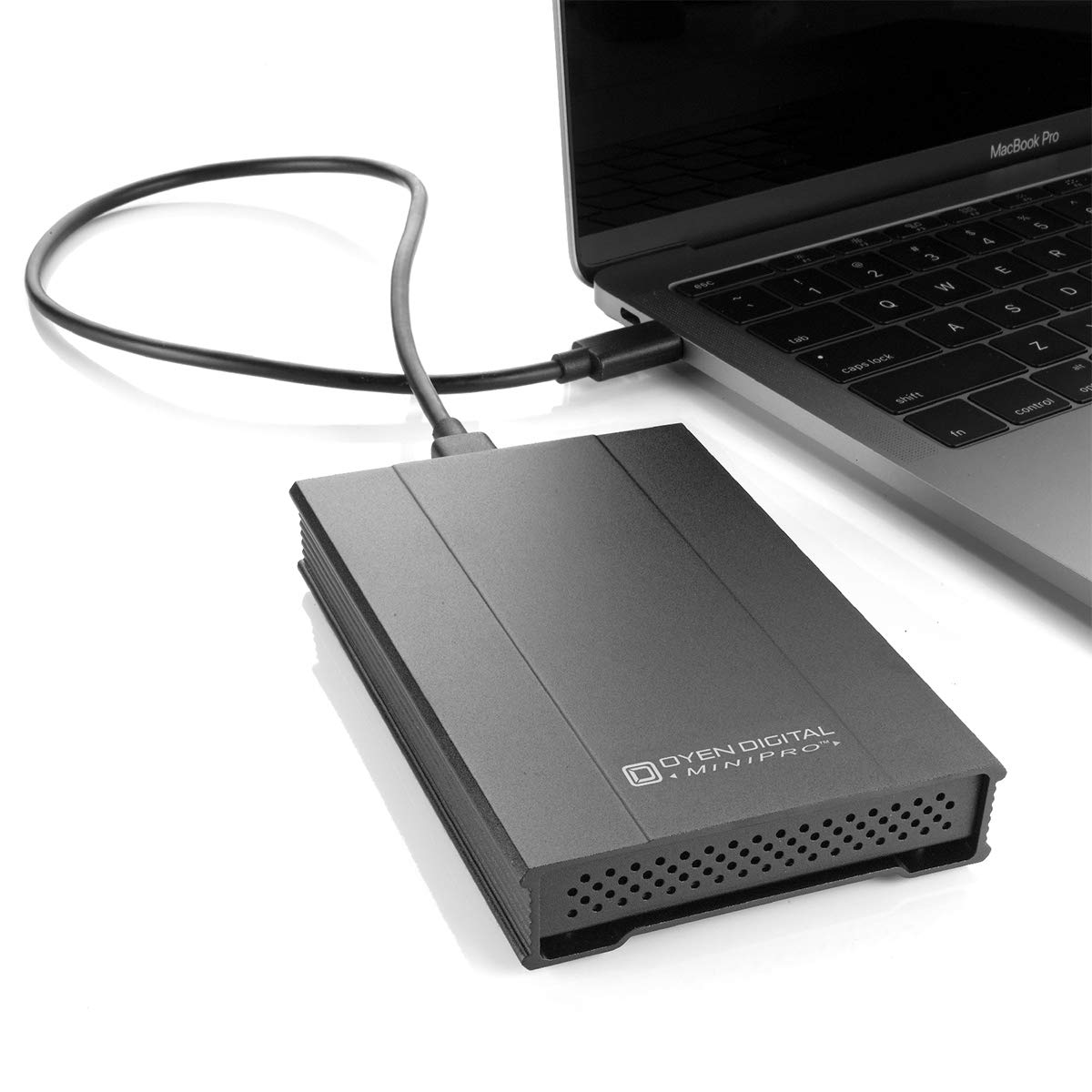
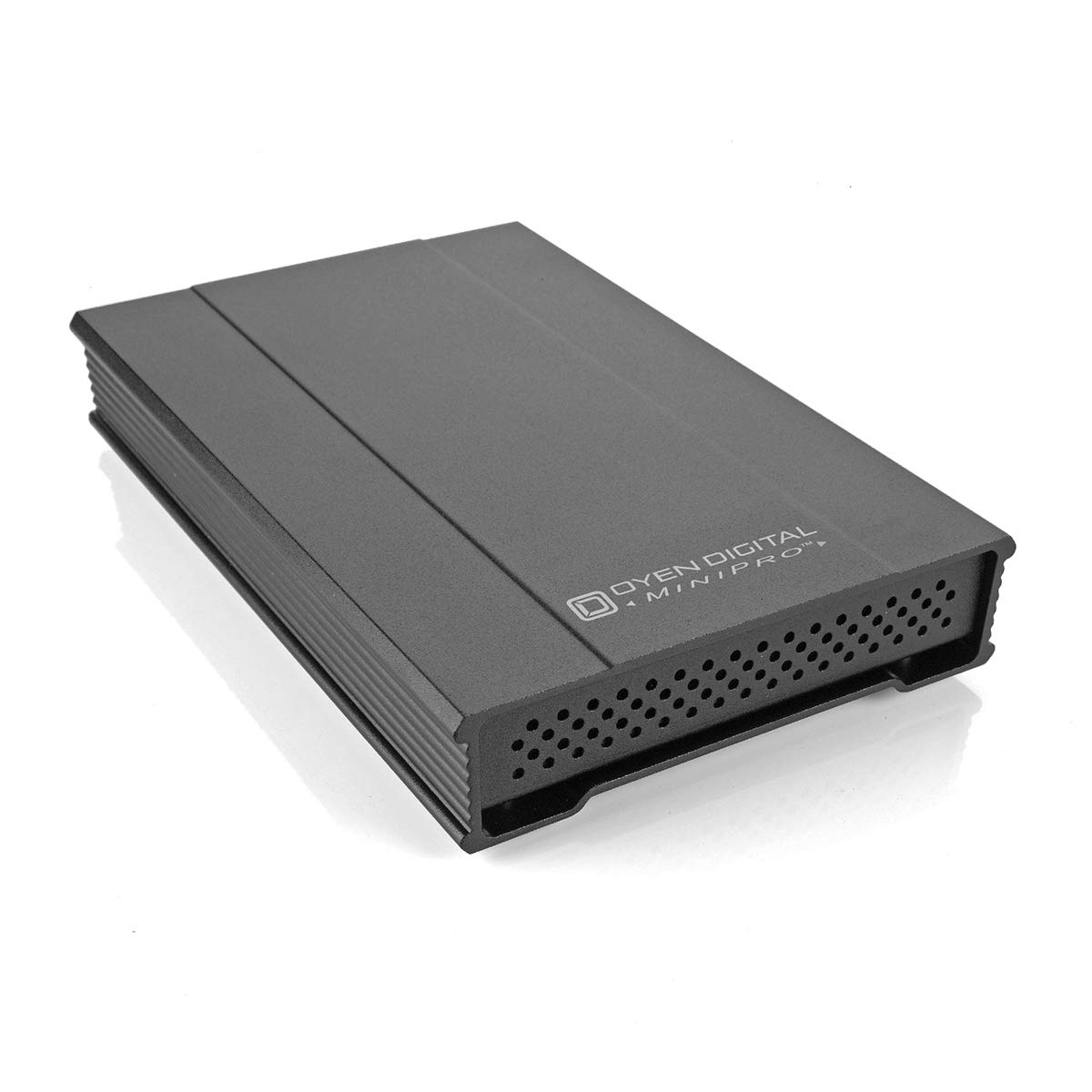
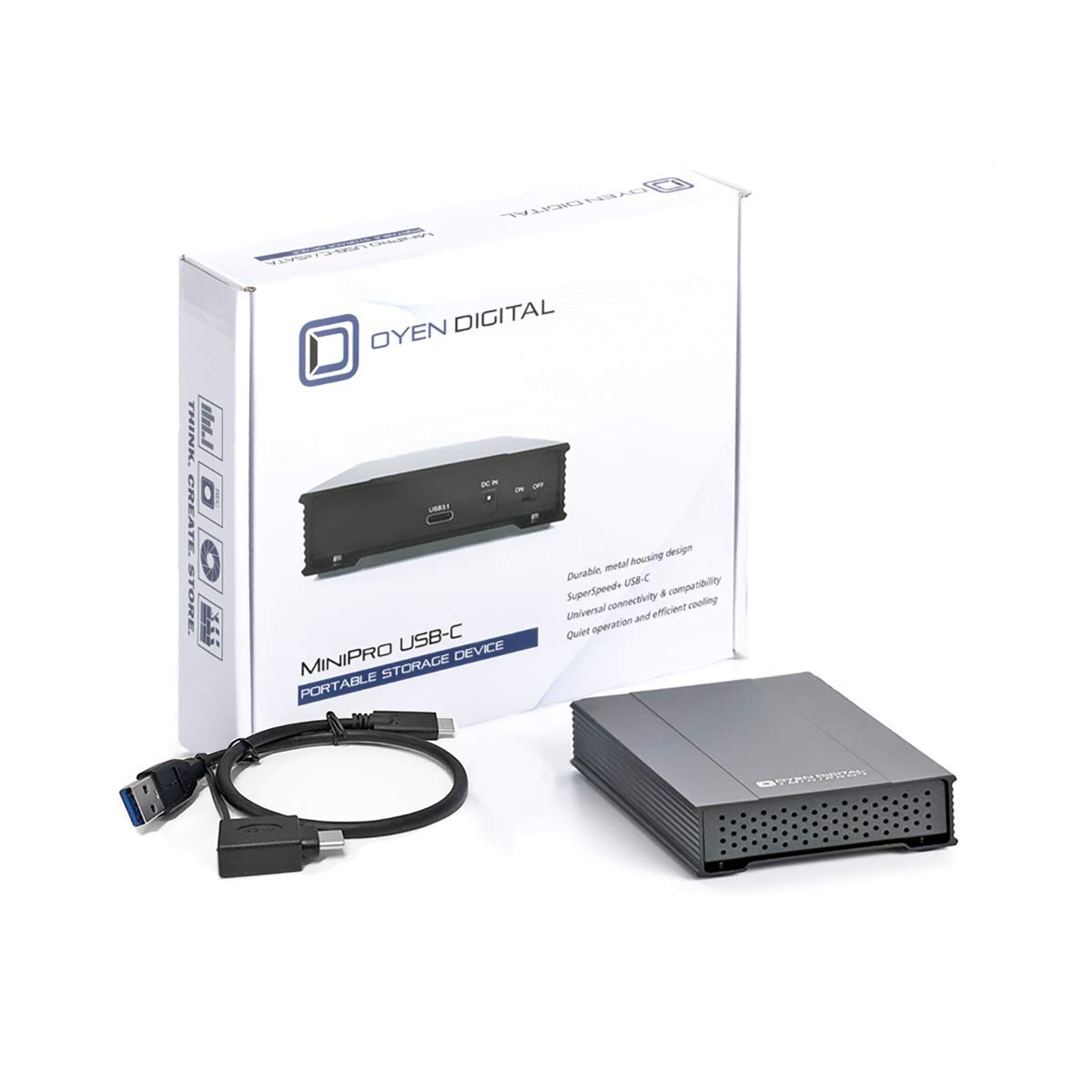
💼 Elevate your storage game with sleek speed and cool confidence!
The Oyen Digital MiniPro 2.5" SATA to USB-C External Hard Drive/SSD Enclosure (U31M-C25-G) is a premium, metal-constructed enclosure designed for 2.5" SATA SSDs and HDDs up to 9.5mm thick. It supports USB-C and Thunderbolt 3/4 interfaces, ensuring fast and stable data transfers with UASP/TRIM support. Its vented design prevents overheating, making it ideal for both SSDs and traditional platter drives. The enclosure is bus-powered with an optional external adapter, and comes with USB-C to USB-C and USB-A to USB-C cables, catering to versatile connectivity needs for modern professionals.





| ASIN | B0916FFCLV |
| Additional Features | Portable |
| Best Sellers Rank | #1,291 in Enclosures |
| Brand | Oyen Digital |
| Built-In Media | USB Cable |
| Color | Slate Gray |
| Compatible Devices | Laptop |
| Connectivity Technology | SATA, Thunderbolt , USB |
| Customer Package Type | Standard Packaging |
| Customer Reviews | 4.0 out of 5 stars 86 Reviews |
| Data Transfer Rate | 10 Gigabits Per Second |
| Form Factor | 2.5-inch |
| Hard Disk Description | Solid State Drive |
| Hard Disk Form Factor | 2.5 Inches |
| Hard Disk Interface | USB-C |
| Hardware Connectivity | Solid State Drive, Thunderbolt, USB, USB Type C |
| Installation Type | External Hard Drive |
| Item Weight | 0.27 Kilograms |
| Manufacturer | Oyen Digital |
| Media Speed | 500 megabits_per_second |
| Model Name | U31M-C25-G |
| Model Number | U31M-C25-G |
| Number of Items | 1 |
| Special Feature | Portable |
| Specific Uses For Product | Business, Gaming, Multimedia, Personal |
| UPC | 850015818486 |
| Unit Count | 1.0 Count |
| Warranty Description | 1 YEAR |
A**R
Great enclosure...read this for power supply specs (if needed)
Overall: Great external enclosure. Very sturdy, and between the metal construction and vents it does a great job at keeping drives cool...especially older platter drives that tend to generate more heat. It comes with a USB Type A to USB-C connector as well as a USB-C to USB-C connector which both appear adequate for static use. If you plan on moving this around a lot, consider upgrading to a higher quality cable. Power requirements: If you plan on using this enclosure connected to a newer (post 2013?) laptop or a desktop, then it will pull sufficient power from the USB socket. However, if you have an older laptop or need this for a micro computer (i.e., Raspberry) then you will need an external power supply, *especially* if you're using a HDD (w/ motor) over an SSD. External power supply specs: Output: 5VDC, 2.0A | Connector: 3.5mm/1.3mm | Center Positive. (It took me forever to find the right power supply so hopefully this will save someone some time. There are several options available here on Amazon for under $10.) A powered USB hub would also do the trick, but I they are usually too cumbersome for my liking.
C**L
Great Stable Performance
This is a great enclosure that has performed perfectly for me. The enclosure performs excellent with my Crucial MX500 SSD. The Windows only TRIM support doesn't do anything for me since I use it on a Mac. The enclosure is much sturdier than the plastic enclosures (it should since it costs 3 times more). It is a nice touch that it has USB-C to USB-C and USB-A to USB-C cables. It does require a Phillips-Head screwdriver to assemble. It would like to get more of these enclosures in the future, but I have to think about the cost.
D**R
Great Customer Service .. Just Like The Old Days
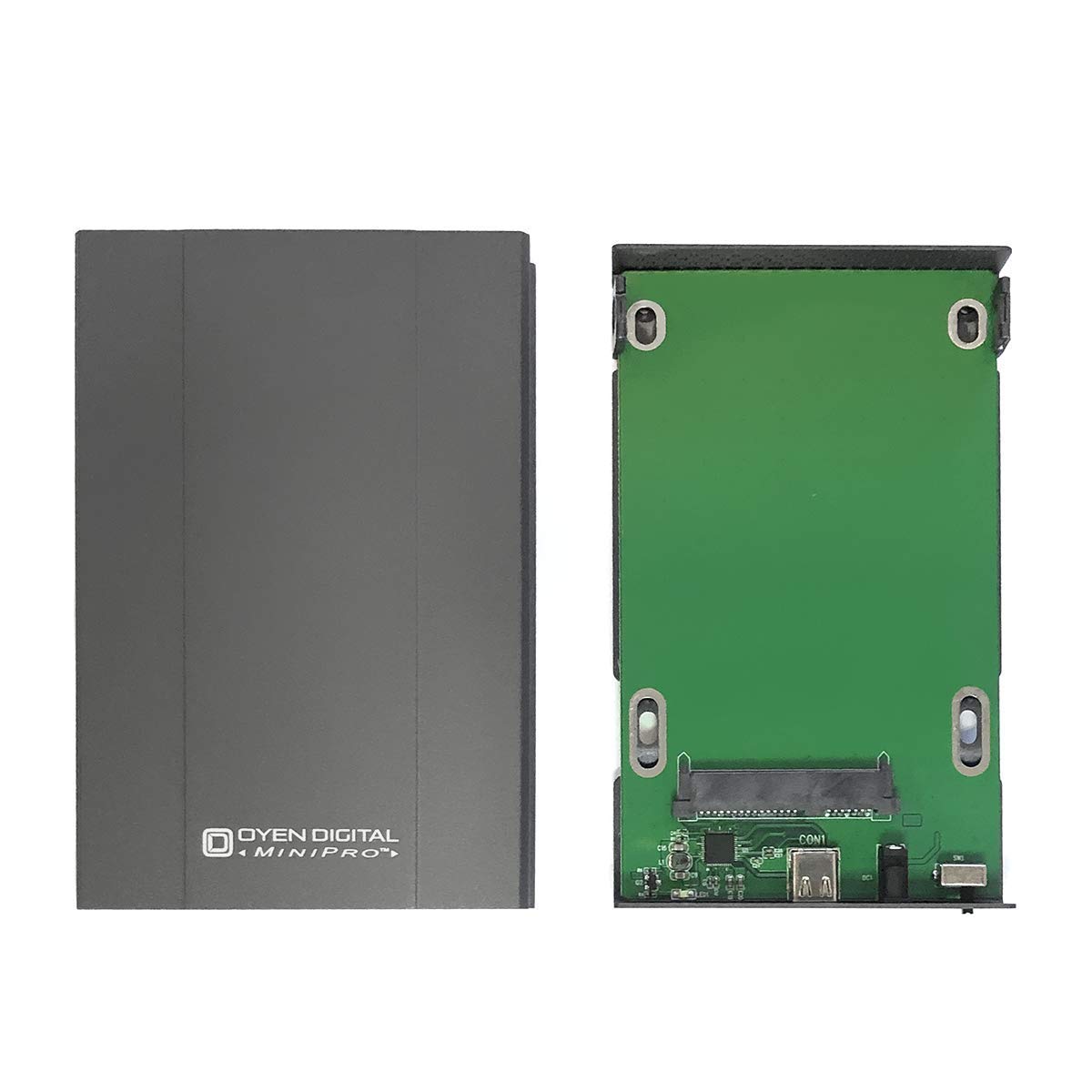
*********Please see 11-14-2017 Review after reading the 11-10-2017 review.************ 11-10-2017. My evaluation of this product is unfortunately incomplete for reasons covered below. I will return later to provide a more complete evaluation. Received the product yesterday and found the enclosure to be super heavy-duty, but not waterproof in any way. Of note, the design is not tool-less; no big deal for an old-school guy. One of the first things I noticed was the circuit board inside the enclosure. it's not a cheap, tiny chip glued to one side of a cheap, plastic case. The circuit/chipboard is full-sized for the bottom of the enclosure (front-to-back) and affixed to the aluminum base. This is excellent construction affording a very rigid installation for the hard drive. The back of the unit has a LED, on-off switch (nice) and USB Type C port. Now ... the not-so-good part that gets all zeros; the cable. The unit is supplied with two cables, depending on what you might need; that's good. The bad is the cable-end (either cable) won't fit the port orifice of the enclosure. Not even close. Perhaps wrong cables or wrong manufacture but the orifice and cable don't pair at all. Attempts to insert the cable result in the drive enclosure simply falling out of the enclosure's port. Attempts to manually hold the cable in result in power to the LED but no data connection. Picture, if you will, inserting the cable and turning the enclosure upside down .. it just falls out on the floor. So, in my case a 100% failure of the product to perform as intended. Now, the great. The enclosure included a toll-free number for customer support. On the other end of the call was a IT tech fully capable of speaking in very technical terms and VERY capable of visualizing my concerns with the product. His support approach was nearly perfect. Rather than return this to Amazon and order another product I didn't want, the support tech volunteered to: 1) direct ship me a replacement unit. The unit will be personally tested to ensure the cable fit and the enclosure functioned as advertised. 2). No cost to ship to me and a return shipping label for return of the defective purchase for them to inspect. No cost to me on either end of the transaction. Folks, where I come from, this is EXCELLENT customer service; the kind many companies forgot years ago. I rate the customer service at 7 stars on a scale to 5. You can't beat product support like this, period. I will circle back around to provide a performance evaluation after the replacement has been received. I suspect I'll be getting a product I'll appreciate using and the seller will have a chance to evaluate the problem and repair a serious sales & distribution product issue. Stay tuned. *********************************************************** 11-14-2017. As promised, I am completing my review of 11-10-2017 after receiving the replacement from the distributor, directly. Regarding the 11-10-2017 review, the problem was determined to be a poorly manufactured enclosure and *not* an issue with the USB3-C cables. The cables from the defective unit fit just fine in the replacement I received yesterday. I make three observations regarding the enclosures. First, the replacement (drive tray) was constructed differently from the original purchase. The original was built using four screws to secure the drive to the bottom of the tray. The replacement only used two; securing screws fastened in bottom vs. side locations. The original's cable [receptacle] port appeared to be somewhat different from the replacement. Lastly, the replacement's serial number on the bottom included an "alpha" character rather than straight numbers, as was the case with the original. This leads me to conclude the original purchase was of older manufacturing and hopefully the seller will get those old units pulled from distribution. They really were junk. Speed-wise, the enclosure performs reasonably well at about 103 MB per second with an EVO 850 SSD, pulling a 480 MB file across my network. Performance is an issue when planning to set up a VirtualBox virtual PC environment on an external drive. Mine performs reasonably well with little latency between the USB3 computer (not UASP enabled) and the TypeC enclosure. If you really want to see pure blow your mind speed, direct-copy a file from your PC (equipped with a Evo 850 SSD) to the MiniPro enclosure (w/ 850Evo SSD). You'll see a stable, super fast speed of 300 MB (not Mb) per second. I copied a 4.2 GB ISO file in under a minute. Who wouldn't be happy with that? Also important: Many, if not most, external 2.5" USB enclosures do not support the TRIM function for solid state drives. It's all in the enclosure's chipset, folks. This is why this unit costs twice the price of other HDD enclosures. SSDs will wear out much more quickly if the OS can't run TRIM optimization. I've verified the MiniPro does, in fact, support TRIM. I also noticed however, that Samgsung Magician will not recognize the drive as a Samsung SSD when it is installed to the MiniPro. No worries there as long as I get my TRIM. So, my rating is changing from a "1" Star to a "4" Star after a great Customer Service response and a satisfactory performance test. Recommendation: Finding quality isn't easy when looking for an external HDD enclosure so do your research and look for a unit with a well-designed chipset that meets USB3-C design standards. *********************************************************************** 11-18-20197. Update. I've now purchased two for myself and another two for customers. Additionally purchased another for my employer. All units have performed flawlessly. One of the units I have at home has three virtual machines installed to it and I couldn't be happier. As for the price, I didn't blink then and I'm not complaining now. Good stuff has its price.
J**J
Good workmanship and quality materials
I have the a usb drive that uses the flimsy design of usb 3.0 socket that looses connection times after times. The flawed design has also caused problems with other sub 3.0 devices I have, such as other use drives, usb hubs, etc. I decided will never purchase a device built with such socket anymore. This one uses usb-c which seems much more robust by design. It compliments one of my new slim laptop with usb-c port perfectly, while the included cable allows connecting with traditional USB ports. A side bonus, the drive in the old case could not be recognized by 2 out 4 laplops we have. Now it works with all the laptops. The chipset has some newest features and throughput that I may not be able to see real benefit. With apparent good construction and quality materials, and the robust usb-c socket, I wish it will last for some time.
D**O
Two units of four have failed
I don't generally write many reviews, but wanted to warn people about these units. I use these for Time Machine backup drives. I've had four of these now, and of the four, two have failed. They both failed in non-obvious ways -- for example, my most recent one was working fine for months, but about a month ago the drive started refusing to eject or do backups. The only way to get it working again would be to force-eject, power off the Oyen, and then plug it back in. It would work for some number of hours days, and then fail again. Force eject; power off, power on, and repeat. It wasn't the Mac, or the drive inside in Oyen, because another Oyen would work fine in the same situation (even with the same drive). Something had failed in the Oyen's electronics. One failure I'd call a fluke -- and indeed I did, buying another Oyen to replace it. But two failures means there's some sort of quality problem.
C**R
Good enclosure
I have a few of these. Overall this is a pretty nice enclosure. With the exception of the circuit board, the entire enclosure is constructed of aluminum and radiates heat generated by mechanical disks without issue. The option of using an external 5v PS is nice, as is the physical on/off switch. Performance is fine. Fit and finish is excellent. My only gripe with this enclosure is that the disk status/activity light is on what I consider to be the 'back' end of the enclosure; in other words, the end which has the cable/ps connectors. This means if you want to visually check that the disk is on and 'doing something' (reading or writing), the messy side with the cables needs to be facing you, which is IMO an awkward setup. The included USB cable is functional, but quite short. If you plan on setting this up more than a few inches away from your computer or laptop, get a longer one. I run these on RPi 4 with SSD and haven't needed an external PS (I use 3000ma PS for my Pi PS).
R**H
It is purpose specific and works great.
It is plug and play for a SSD but if you are using a mechanical drive you may need an external power supply (not included). But the good news it has a place to plug one in and has an off \ on switch. Which makes the case very versatile. It is aluminum for better heat dissipation and it is a bit bigger than most of the plastic enclosures. The included cables are USB C on the drive end and USB standard on the computer end, which will connect at 3.1 speeds if the destination supports it. (USB C to C is included also) Great enclosures for a variety of laptop size drives. I have bought a lot of enclosures over the years and this is the best one I have seen at this price point.
D**E
never worked from the gate.. started to smell burning
I was really hopeful on this device, from the listing they took the time to list TRIM as well as UASP support including the chipset used in the device. Makes it easy to research without having to go through support emails. Design use, while I was a bit concerned on having an all metal body, it felt very good in the hands. No rough edge that could potentially cut hands or damage items inside laptop or camera bag. The optional DC in seems irrelevant to me, this is USB 3.1 Gen2 technology, if your USB bus can't support the power needed to run this device, then there is no need to buy this device. The fact that the host connection is native USB-c and yet it comes with 2 cables is a really sweet deal. I wanted to go with Startech as those have been my previous purchases but unless you get their enclosure with the built in cable, all of their host connections are Micro-B... again, if your making a USB 3.1 Gen2 device, why not use the native port for that technology, you would adapt the connection to the computer NOT to the enclosure. With all of that being said, I have returned this device immediately and now to make sure I have data integrity, I need to get a new SSD.... Shortly after plugging in enclosure with the included cables, I noticed that my speed tests where not doing so good. Trying to transfer files from the enclosure to my pc took several minutes to just q up the files. So I did a disk speed test and I was getting around 14MB/s read!!!! I then tried my laptop (HP Zbook Studio G4) native usb-c connections and the laptop made the device connection noise but no disk popped up. I opened up Device Mgr, and Disk Mgmt and I saw no enclosure but then all of the sudden i smelled burning. I quick disconnected the enclosure and sure enough opening up the aluminum case, a strong smell escaped. Luckily I was able to pop the ssd into my old enclosure (usb 3.0) and my files are there, but I am not concerned there might be some internal damage to the SSD, so now I have to go shopping for a replacement ssd I have heard of people having drives (particularly ssd's) when attaching them to new enclosures, this is a first for me. Really sad too because I tried 2 other USB-c enclosures that were sub $17 and while they didn't burn up my hdd, they were extremely unstable when it came to transfer rates. I just might have to bite the bullet and go with Startech...
ترست بايلوت
منذ شهر
منذ 3 أيام