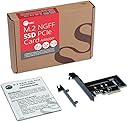
🚀 Upgrade your rig with the ultimate M.2 SSD adapter—speed, style, and simplicity in one sleek card!
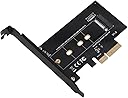
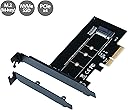
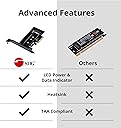
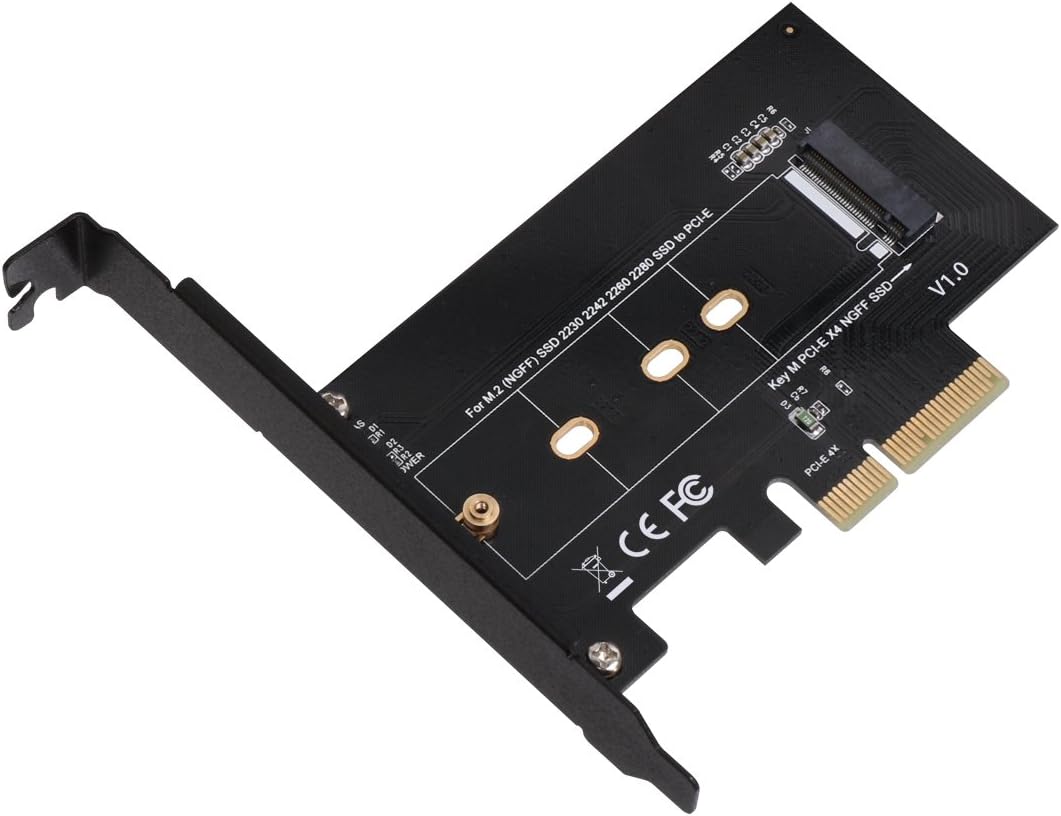
The SIIG M.2 NGFF SSD to PCIe 3.0 x4 Card Adapter enables ultra-fast NVMe or AHCI SSDs (2230 to 2280 sizes) to connect via PCIe slots, supporting backward compatibility and offering easy installation with included brackets and LED status indicators.


| ASIN | B00YT6YV3I |
| Best Sellers Rank | #255 in RAID Controllers |
| Brand | SIIG |
| Color | Black |
| Compatible Devices | Desktop computers with PCIe slots |
| Connector Type | M key M.2 PCIe |
| Customer Reviews | 4.6 out of 5 stars 325 Reviews |
| Finish | Matte |
| Global Trade Identification Number | 00662774026008 |
| Item Dimensions | 8.63 x 6.31 x 1.3 inches |
| Item Weight | 2.4 Ounces |
| Item dimensions L x W x H | 8.63 x 6.31 x 1.3 inches |
| Manufacturer | SIIG |
| Mfr Part Number | FBA_SC-M20014-S1 |
| Model Number | SC-M20014-S1 |
| Number of Items | 1 |
| Number of Ports | 1 |
| Package Quantity | 1 |
| Power Plug Type | No Plug |
| Smart Home Compatibility | Not Smart Home Compatible |
| Specific Uses For Product | PC |
| UPC | 662774026008 |
| Unit Count | 1.0 Count |
| Warranty Description | 2 years limited |
| Warranty Type | Limited |
B**2
Works great with Z97 motherboard and PCIEX expansion for Apple iMac and Samsung NVME SSD drives.
I have been using this SIIG NVME adapter for 7 months now and it works great. I use it to add a Samsung 970 EVO NVME to my Gigabyte z97n motherboard. It works great! Ubuntu Desktop 16 boots to the login prompt in about 3 seconds (after the BIOS screen displays, of course). I already had the most up to date BIOS on the motherboard, so the NVME hardware was recognized by the BIOS and worked with no additional driver or tweaking necessary. In the past, when using a 3.5" hard drive, it took nearly a minute to boot Ubuntu 16. I am very pleased with the performance and also the build quality of this SIIG NVME adapter. The Samsung NVME fit perfectly with no problem during installation. I am going to buy another one. Update: I bought another SIIG NVME and paired it with a Samsung 970 PRO NVME 512 SSD. I installed Windows 10 from a USB drive. Initial installation phase of Windows 10 took about 10 minutes. After rebooting, I completed the rest of the setup/configuration in about another 10 minutes. Windows10 boots in less than 10 seconds and applications launch almost instantly. This is a fantastic improvement over a typical Hard drive with spinning platters. Update June 2019: I bought a 3rd card and installed it in an external pciex expansion chassis for a couple Apple Mac computers that run Mac OS High Sierra. This card works perfectly with the Apple computers and operating system.
C**M
Surprisingly GREAT performance.
Based on initial impressions, I would definitely recommend this for anyone needing an additional M.2 slot. I wanted to use 3 M.2 drives for my build, 1TB 970 EVO Plus as OS & programs drive, 1TB Intel 660p storage drive, and my old 512GB 970 Pro for commonly used files & media. However, my motherboard only has 2 M.2 storage slots, so I bought this to be able to still use my 970 Pro SSD. SIIG reader didn't need any drivers installed (already have the Samsung NVMe 3.3 driver installed), just attached my old 512GB Samsung 970 Pro NVMe SSD to the reader, and plugged it into a PCIe x8 slot. Out of the box, it's getting better synthetic benchmark performance Vs plugged into the 2nd M.2 slot on the motherboard which now houses my 1TB storage card. I've attached 2 photos, the first one is with the 970 Pro card plugged into the motherboard M.2 slot, second is the 970 Pro plugged into the SIIG reader. I was surprised to see slightly better benchmark performance out of the SIIG reader. Motherboard: EVGA Z370 Classified K running Windows 10 pro all software and driver updates installed. ONLY con: Cannot be setup to boot from the SIIG board on my computer, not sure if other motherboards can boot from it or not.
B**O
Works perfectly, only con is that it limits the speed by ALOT.
My ssd (WD_BLACK SN750) has a rating of 3430 MB/s, but when I tested it, it only reached about 450 max. It might just be because of my motherboard and the fact that I used a x1 port. Overall still a great buy compared to me having to buy a new motherboard.
A**B
Maybe the best product on the market!
Compact and well built! It will keep your SSD passively cooled. Its an excellent value for the quality product it is. It is very compatible as well as it has cutouts for PCIE X1 X4 X8 and X16. Don't think about it any longer just buy it! This is my review after owning it for 6 years. Still looks brand new. The materials will hold up! I came back to get more of the same product after 6 years and having tried cheaper solutions which dont last the test of time.
B**A
Excellent card for M.2 NVME drives.
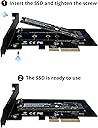
Works great and has allowed me to repurpose my Samsung 960 EVO drive as a very, very fast spare drive. Excellent speeds on the 960, roughly the same as when it was mounted on my motherboard, which hit or exceeded Samsung’s published speeds using both Magician and Crystal DiskMark. No drivers required and it booted from the drive until I figured out how to erase it so I could boot from my new motherboard mounted 970 PRO. Comes with mounting screw and nut. Super simple installation and I highly recommend it!
S**R
Works, but not with all M key PCIe drives.
Simply does not work. I have tried this adapter with 3 different M.2 Key M PCIe drives. Two Liteon CX2 256gb, and a Samsung PM951. Maybe I got a bad unit? The blue power led comes on and all three drives work in my M.2 slot in my ASRock Fatal1ty Z97X Killer motherboard but are capped at PCIe Gen2 speeds. Will update review if/when I get this working. As promised I said I would update my review if I got the adapter working. As it turns out my Samsung PM951 had issues, it would work fine when plugged directly to the motherboard (however is a Gen2 M.2). I plugged my PM951 into a Gen3 PCIe a different machine (laptop) and it would not recognize it either. I purchased a 512gb Samsung 950 pro and it worked. As for the two Liteon CX2 256gb's, they worked in the other machine so I am just going to chalk that up to this adapter not supporting the CX2 drives from Liteon.
C**N
Not sure how this is working for others, it certainly isn't for me
EDIT: I decided to keep this adapter and instead swap the 860 EVO with a 970 Evo Plus once I realized this adapter will actually allow you to use an NVMe drive on a motherboard that lacks official support for them. I also realized that the 860 EVO isn't M key like I had originally thought (this product does state that it only works with M key drives). I have moved this up to 5 stars as a result. My favorite part of this adapter is that it doesn't require SATA power and it allows an NVMe to work on a PCIe x1 slot, which to me is pretty impressive. Have this adapter plugged into my open PCIe x1 slot with a Samsung 860 Evo plugged firmly into it. I'm using a 2017 model HP 580-023w with an Odense2-K motherboard. The PCIe x1 slot is enabled in my Slot Security settings in my BIOs and the blue power light is illuminated on the adapter, and yet Windows does not detect the SSD at all. The description on the product page clearly reads "Intuitive design accommodates 2230 2242 2260 and 2280 form factor M 2 SSDs (NVMe or AHCI)". This drive is AHCI. Perhaps this description is an error and it is only meant for NVMe SSDs? On a side note, I do also want to mention that like other users, there was no screw included in the box. Fortunately, I had a leftover screw from a WiFi card I had replaced a few months ago that fit, but this really would have been a major inconvenience had this not been the case seeing as those screw sizes are not easy to find in brick and mortar stores; I would have had to order another one online and wait for it to ship.
B**.
Easy to install ethernet adapter
The card installed easily. Driver installed automatically in Windows 10. Download speeds are good. Gave it 4 stars because there is a problem with my computer, When I reboot my computer, it disconnects the internet on my router. So I can not fully test this ethernet card.
ترست بايلوت
منذ أسبوع
منذ أسبوعين