Desertcart purchases this item on your behalf and handles shipping, customs, and support to KUWAIT.
🎧 Elevate your sound, wherever creativity strikes.
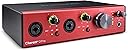
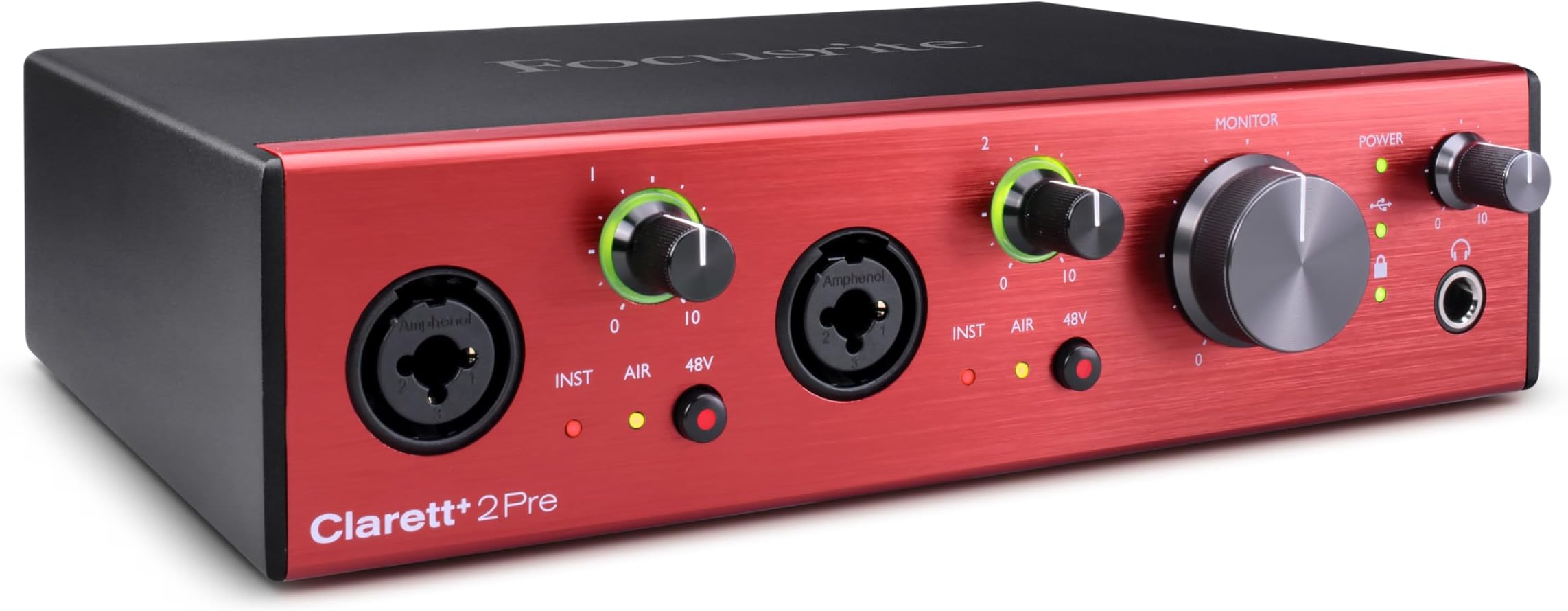
The Focusrite Clarett+ 2Pre is a compact, USB-C bus-powered audio interface featuring two premium Clarett⁺ preamps with All-analogue Air for enhanced vocal brightness, ultra-low noise A-D/D-A converters for transparent sound, and JFET instrument inputs that preserve guitar tone. Expandable via ADAT for up to 10 inputs, it’s designed for professional-quality recording on the go, compatible with Mac and PC, and bundled with powerful software for complete control.


| ASIN | B099DQVKV2 |
| Audio Input | XLR, 1/4" |
| Best Sellers Rank | #15,765 in Musical Instruments ( See Top 100 in Musical Instruments ) #99 in Computer Recording Audio Interfaces |
| Brand | Focusrite |
| Brand Name | Focusrite |
| Compatible Devices | Microphone, Instrument, Personal Computer, Headphones, Studio Monitors |
| Connectivity Technology | USB |
| Customer Reviews | 4.4 out of 5 stars 117 Reviews |
| Frequency Response | 35 KHz |
| Global Trade Identification Number | 00815301001416 |
| Impedance | 2.2 kiloohms |
| Included Components | Clarett⁺ 2Pre, 2 x USB Cable to support standard USB connector and USB Type C connector, Power Supply |
| Item Type Name | Clarett+ 2Pre 10-in / 4-Out Audio Interface |
| Item Weight | 4.1 pounds |
| Manufacturer | Focusrite |
| Manufacturer Part Number | AMS-CLARETT-PLUS-2PRE |
| Maximum Sample Rate | 192 KHz |
| Model Number | AMS-CLARETT-PLUS-2PRE |
| Number of Channels | 10 |
| Number of Items | 1 |
| Operating System | Mac OS, Windows OS |
| Supported Software | All audio recording software |
| UPC | 815301001416 |
| Unit Count | 1 Count |
| Warranty Description | 3 year. |
F**D
good but...
I liked the sound quality and the range, 24 bit is a quite native but does not support 24 bit and 192 kHz at the same time which is a weird thing, many products are much cheaper than it and they support it. If you activate 24bit with 192kHz the device has Alzheimer's disease or madness, frankly, I was confused about what exactly and nothing can be done but factory reset. regardless what a problem I faced it is a quite good audio interface.
T**S
Quality and clarity
Big step up from the scarlet I would recommend it and its very easy to use.
T**S
Flawless on my M1
Was having trouble with my favorite Focusrite on the new M1. (Clarett 8pre / Thunderbolt) Switched to this smaller unit and it's had absolutely zero issues in 3 months. Same great sound quality but better drivers with the Usb C interface.
X**O
Great build quality, but not for everyday users.
I bought this audio interface after some research on audio interfaces. The reason I bought it is because I also bought the Shure mic, which needs an audio interface. This would be my first audio interface. Unfortunately, I ended up returning all products. Not because of the product but because my lack of audio engineering. In my setup, this is connected directly to the Square Mic, the sound is so low even after I turned the gain to max. Some research indicated I might need the "Cloud" booster device. that leads to the final return decision. My mistake here is not knowing enough audio engineering. So be warned, this is not for everyday users. So be warned, if you plan to use this with the Shure mic, you also need a signal booster. My recommendation is just use the USB mic and be done with it. It is really not worth it to get all those products and go through a whole course of "audio engineering" just to make a somewhat "working" system.
R**S
For vocals, I'm not convinced this is worth the upgrade over the Scarlett
I've had the Scarlett 2i2 (3rd gen) for a while and have been reasonably satisfied with it. I use it for purely vocal usage, mostly recording my voiceover for gameplay. My microphone is an AKG C214. Several people suggested upgrading to the Clarett over the Scarlett, so I decided to buy the Clarett to try it out. I'm not immediately impressed, especially for the price difference. A Scarlett 2i2 is $189, whereas the Clarett is $469, but the Clarett is not really $300 better. I made a video showing the difference between a Clarett and a Scarlett using the same exact setup -- gain at the same level, same AIR preset. You be the judge and decide whether it's worth the upgrade or not.
S**R
Does not worth the price
Have no idea why this item costs nearly $500. Its mic gain the very week, only at most 40db or so. Cannot really drive dynamic microphone.
S**U
Huge improvement over Scarlett 2i2
I've had a Scarlett 2i2 for about a year and found that despite running on a 64 core Pro machine w/256 gb ram, I was still just hitting a wall when it came to stacking VST effects in Ableton and Reason. I've dealt frequently with dropping latency values until the track wouldn't play and worse, having to bounce tracks that may not have been ready to bounce. This is all because the Scarlett 2i2 is a USB 2.0 hub and the Clarett+ is a proper USB 3.0 interface. The Clarett+ arrived today. I opened my most complex track, latency was set to 64 and everything is just flying, no random glitching, no latency drop outs and even reduced temps in HWInfo, that would routinely hit 80° during playback. Everything just works now. Better yet, my AKG c414 (mic), sounded like garbage on the 2i2, requiring constant tweaking and tons of additional sweetening to get a half way decent sound (more than you'd expect) The difference w/ the Clarett+ was like night and day. Besides obvious compression and gating requirements for any mic, I'm able to forgo a lot of additional plugins that I used before to make it sound present and clear. A simple before/after EQ, some compression and my recording are very professional. Overall, very very pleased with this purchase. If this hadn't worked, I was going to get the Apollo. Save yourself a $1000. This little box is incredible.
J**N
Great for recording the acoustic piano
Trying to find the perfect recording equipment has been a journey for me. I had tried the little external mics for my iPhone and iPad. I had tried Blue Yeti. I had tried Apogee Mic Plus. Then, I got Earthworks PM40 and Audient iD14 MKii. I knew that Earthworks PM40 was as good as I could get. But I still got a clipping problem and the sound wasn't clear or natural. Then, I had trouble updating the Audient firmware. I have M1 Mac Mini. Maybe they weren't as compatible. So, I thought I should try a different interface. What a difference! I was shocked at how clear and natural sound it was. And no clipping with fortissimo! This is the best equipment I could ask for. Compact and simple to use. I highly recommend Focusrite Clarett+ 2 Pre to anyone who is trying to record the acoustic piano, especially the grand piano.
B**R
Kristallklarer sound
Für mich die beste variante für usb interface... Akustikgitarre mit passiven TA...klarer natürlicher Sound...kopfhörer ausgang super... Monitorfunktion für Amp (Marshall) sehr gut ...
C**N
Buena tarjeta de sonido
Sonido muy nítido. Mi anterior tarjeta era la Scarlett y la mejora es muy notable.
J**N
Ultra low noise and plenty of microphone gain!
Unlike many other brands of cheaper USB audio interface, the Clarett+ 2Pre has enough microphone gain to max out the USB audio headroom. M-Track audio and Behringer units don't seem to be able to do this. I've done lots of recordings in Audacity and everything is as you'd expect it to be. The Focusrite control software (downloadable) is more than a little confusing, though. I found I didn't need it to get the unit up and running, and you may never need it. Remember to install Focusrite's ASIO driver too. One thing I found that has been reported by other users is a potential issue with selecting the Clarett for sound OUTPUT from the PC. If I plug this into a USB-C socket on my laptop (Acer Nitro 11th gen i7) then sometimes when I try and select the Clarett as the sound output device, I get sound for just a second or two, then it cuts out. Selecting the device through Windows doesn't help, nor does reinstalling drivers, etc. My fix is to run the unit from another USB socket on my laptop (I have a combined hub / SSD unit) and then it works. Of course, if you're not connecting to USB-C then you need to use the power adapter as no other socket type will provide the power required for the unit (power light will flash and the unit won't work). I think the recommendation is USB-C or USB-2, and don't use a USB-3 socket. No idea why (noise perhaps?) This problem is only apparent with playback sound output. Recording sound input to the PC always works, even on my USB-C socket. Users have pointed to driver problems as the cause. I think it could be about how Windows prioritises one audio device over another, regardless of the settings you change. But given the ultra-low noise and distortion and the flat frequency response over the audible range, this unit has to be high on your buy list. It's useful not just for home recording but also for audio analysis as you can't argue with the accuracy of the results obtained. If you're reading this and you like the positive comments about the MIC gain but don't want to spend out on the Clarett+ 2Pre, I'd recommend trying the Scarlett range on the basis that if Focusrite have seen fit to provide decent MIC gain on this unit, they have probably done the same on the Scarlett range too, although I can't confirm this. Worth a try.
J**T
Amazing quality audio interface
Fantastic high quality audio interface, low latency, good driver support, perfect recording quality can ask for more of a high end product
R**G
Audio pro
Scheda audio di qualità pro. Utilizzo intuitivo.
Trustpilot
5 days ago
1 day ago