We remain fully operational. Our teams are working around the clock to ensure your deliveries continue safely.

قم بتنزيل التطبيق


معلومات عنا
حقوق الطبع والنشر © 2024 Desertcart Holdings Limited
قم بتنزيل التطبيق
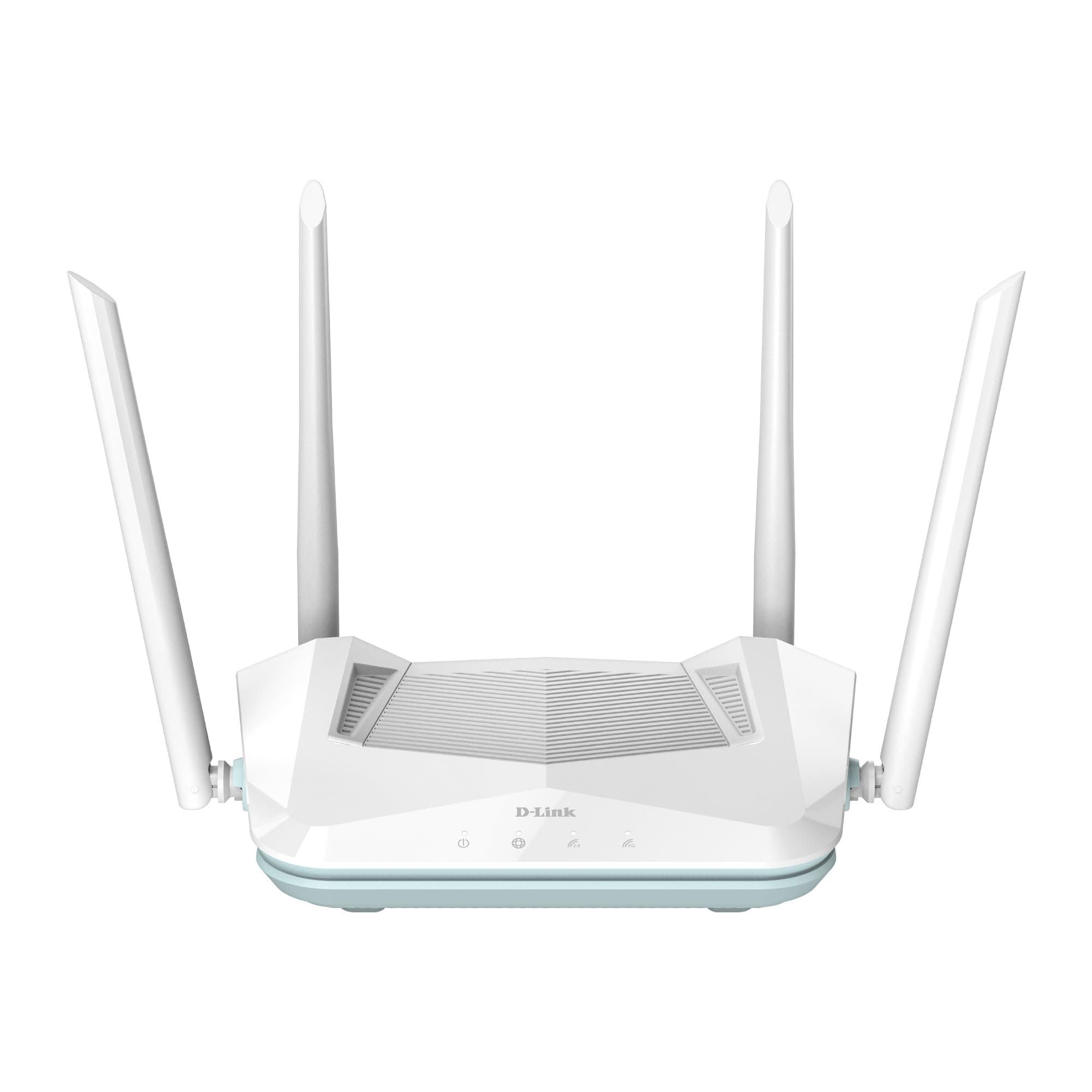

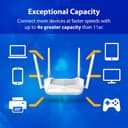

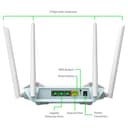

🚀 Elevate your home network to pro-level speed & coverage — because buffering is so last decade!
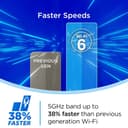
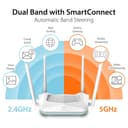
The D-Link R15 is a WiFi 6 AX1500 dual-band router designed for high-performance home networking. It covers up to 2500 sq.ft. with 4 high-gain antennas and supports gigabit wired connections via 1 WAN and 3 LAN ports. Featuring AI-powered mesh technology and smart optimizers, it ensures smooth connectivity for multiple devices simultaneously. Easy to set up via the Eagle Pro AI app, it also offers advanced WPA3 security and parental controls, backed by a 3-year warranty.


| ASIN | B09GFXGGZD |
| Antenna Location | Business, Home |
| Best Sellers Rank | #2,456 in Computers & Accessories ( See Top 100 in Computers & Accessories ) #31 in Routers (Computers & Accessories) |
| Box Contents | Router, Power Adapter, ethernet cable, QIG |
| Brand | D-Link |
| Brand Name | D-Link |
| Colour | White |
| Compatible Devices | Smartphones, Tablets, Laptops, Aleza, Google Assistant |
| Connectivity Protocol | Wi-Fi, Ethernet |
| Connectivity Range | 2500 Square Feet |
| Connectivity Technology | Wi-Fi Ethernet |
| Control Method | Voice |
| Controller Type | Google Assistant, Alexa |
| Coverage | 2500 square feet |
| Customer Reviews | 3.8 out of 5 stars 1,247 Reviews |
| Data Transfer Rate | 1500 Megabits Per Second |
| Frequency Band Class | Dual-Band |
| Importer Contact Information | D-Link India Ltd. |
| Is Modem Compatible | No |
| Item Dimensions L x W x H | 25.2L x 16.6W x 19.4H Centimeters |
| Item Type Name | ROUTER |
| Item Weight Unit of Measure | 300 Grams |
| LAN Port Bandwidth | 10/100/1000 |
| Manufacturer | D-Link, D-Link Corporation. No 289, Xinhu 3rd Road, Neihu District, Taipei City 114, Taiwan, R.O.C |
| Manufacturer Contact Information | D-Link Corporation. No 289, Xinhu 3rd Road, Neihu District, Taipei City 114, Taiwan, R.O.C |
| Manufacturer Part Number | R15 |
| Maximum Upstream Data Transfer Rate | 1500 Megabits Per Second |
| Model Name | R15 |
| Model Number | R15 |
| Number of Ports | 4 |
| Operating System | Windows |
| Other Special Features of the Product | Parental Control |
| Packer Contact Information | D-Link Corporation |
| Security Protocol | WPA2-PSK |
| Special Feature | Parental Control |
| UPC | 790069459610 |
| Unit Count | 1 Count |
| Warranty Description | 3 years Brand Warranty |
| Wi-Fi Generation | Wi-Fi 6 |
| Wireless Communication Standard | 802.11ac, 802.11ax, 802.11b, 802.11g, 802.11n |
| Wireless Compability | 802.11ac, 802.11ax, 802.11b, 802.11g, 802.11n |
R**A
Long Review - Will Help You Decide
Update - Returning this, worked well for a while but giving random issues which are as below: * First one was randomly disocnnection and / or rebooting, replaced and got a fresh piece. * Fresh piece didnt have issues of disconnection but the speeds I get are low. * My connection is 400mbps but max this router reached was 300mbps. Thought it to be an issue with ISP , complained but was checked with their device and speeds were as much as 380-390mbps on a 400mbps connection * Even on 2.4Ghz signal range was ok but max speed attained even sitting besides the router was just 75-80mbps max, no setting nothing made it reach more than that. Once it reached 135mbps but that was about it. CONCLUSION: Requested to return this, probably this router still has some software / hardware issues which I am not willing to deal with anymore. Specs on paper are extemely good for the given price point but product fails to delivers in real world. Most of the AI features are just gimmick, doesnt work in real life. For those confused by Negative Reviews and don't know whether to buy. Has been in a same situation before I bought. Router has no issues at all in anything. Following are the common complaints that all the people mentioned: 1. Low download speeds 2. High ping rates 3. Rebooting issues 4. Heating issues My experience initially: Got it in evening, called my ISP for I'd password and got MAC reset done by then so I can get new router connected. Setup through phone using Eagle Pro App, took hardly 10 minutes coz app is a bit buggy. Then comes the hard part. Speed on wifi is 20 Mbps, on a 300 Mbps connection, I am shocked to see it. Look at the router login and see the firmware version. Remedy: Router had firmware version as 1.4.4, due to my previous experience I knew that updating firmware to latest would most likely resolve the issues. So I search "D-Link R15 Firmware" in Google and first link has all the zip files. Download latest version i.e. 1.6.10. Extract the zip and you would get a bin file. Now go to router interface in system, Management and then to upgrade, click on advanced, select bin file and update. Would take few minutes and you have latest firmware. Now just to be sure, I reset the router to factory defaults by using reset button at back of router. It restarts and I do the configuration again. And now that I connect it to my ISP ont device I get close to 300 Mbps speed everytime. Nutshell: Update the firmware and you will get all that the specifications of this router promise. Haven't found any issues since 2 days, will update if I find any. Wanted to help those who are lured by Wifi 6 at such a reasonable price but are afraid that it might not work. So I am giving complete process here so no one holds back on buying this going by Negative Reviews. It's bang for the buck.
B**H
Good budget range wifi 6
I have 200mbps Bsnl fiber 999/- plan via netlink ont I've connected netlink to this dlink ai router in bridge mode.. Setup is very easy and android app is also good. Good budget range router and I grabbed this for around 2800/- during sale Cons:- As the router is mentioned as pro.. Some pro features are provided which are mostly unnecessary like led turning off and on.. I don't know how that's useful to anyone Android app is buggy. It automatically closes down and asks to sign in again. Connected clients list is buggy and its not getting updated frequently. My xiaomi 11i hypercharge is frequently getting disconnected from wifi and I don't know Where's the issue lying with.. I have to frequently connect it manually and it started saying wrong password and sometimes with the same password it's getting connected. Try selecting to emit 2.4 and 5Ghz bands separately, otherwise it's forcing my mobile to select 2.4 only no matter how close it is. Speedtest powered results within in eagle ai pro app is not showing accurate results when compared to test results from speedtest.net website
Y**H
DISASTER!!! WASTE OF MONEY
DISASTER!!! WASTE OF MONEY I have bought this router just seeing it's discounted price, but that was trap Its just worked for 2 months and stopped working. Then I have wasted my time again concerning to D-link customer care support And they have denied the repairs saying it's got water in side Now I don't know from where the water came in the electric box And finally I have wasted my money time energy PLZ DON'T BUY
P**R
4.5/5 star product if you're looking an EXTENDER
Router is great...received firmware update 1.7.01. Connection is totally stable from last 1 day and I am using it as an EXTENDER(Wifi-to-Wifi) that extends the network from Airtel Fiber Nokia router which is i believe wifi-5 AC1500 device. I haven't use an app yet. It has option to keep the wifi stays always ON or schedule it on your own timings. I haven't noticed the auto reboot scheduling feature yet. The 4.5 ⭐ is leaving because it doesn't have automatic signal hoping feature, means it doesn't automatically connect to the device having low signal and doesn't leave the signal having low signal strength. My Asus 2.4ghz Repeater has this automatic signal hopping feature. So better buy Repeater, not extender. Signal is enough for 2500sq.ft. house if using as EXTENDER and having main router signal Currently, I am keeping this extender accross 12inch wall partition of 2 rooms due to almirah covering those partitions and doors closed, getting 200mbps speed on 300mbps connection and stable enough to connect 7 devices working 24 hours on the router. Moreover, my cellphone is showing wifi-6 on wifi icon and laptop also recognising proper channels of wifi-6. LED are bright enough that can be turned off. I haven't used an app for this router yet, so can't say about this feature. It has got a very strong signal that I never expected from the reviews of other users. It uses one network to extend into 2.4ghz and 5ghz. So if you've scanned and connected to 5ghz, the 2.4ghz and 5ghz will have a stream connection from 5ghz network that you selected. You can sperately create 2.4ghz and 5ghz SSID by disabling Smart Coonect. Main thing is to check with Jio Fibre router because most of the Repeater disconnect frequently with Jio Fibre routers. As a mesh device and extender, blindly go with it.
S**I
Router D Link
Not very good product but ok
S**A
Just good for home usage
I'm sharing feedback after 15 days of usage. It is a decent router that does it's job. It's connectivity is decent in both the bands. Just because it is a higher priced router doesn't mean it has a wider range. The higher band has a range of around 10 feet and drops considerably beyond 10ft. The lower band also has the same range as that of a basic router in the market. It definitely doesn't support a duplex house. You need an extender. The switching between bands happens smoothly. 'The Eagle Pro AI' app gives you easy access to monitor & control the router & connections. It is helpful if you want to check frequently. The app demands you to share your location constantly. So better not to use the app. But using the app , the installation is much easier. Pros: It does its job well. Gives very good bandwidth in the higher band. Cons: The white led lights are very bright and flicker a lot. It might be annoying at nights if it is somewhere close to the tv. Definitely causes distraction. Range is average. It could have been much better. Antennae are slightly big and looks like a huge crab sitting in your house. Will update my review if any issue shows up.
S**L
Perfect WIFI Range Extender and Router
This is much better than the TP Link wifi extenders. Wifi Extender cut the wifi speed into half but this router does not, it gives the exact speed that your main modem gives. It's perfect as a router and a range extender. No need to use cat6 cable as it connects to the wifi perfectly because of it's Mesh Wifi 6 technology. Just use the app and connect it in a minute. Size and looks are good.
A**N
Had to get a replacement because first one was faulty
Needed to replace my old D-link 841 which decided to die on me. Saw this as a replacement over another router due to WiFi 6 compatibility and ordered it. While installing it, I kept having WAN connection drops every 10 minutes which lasted anywhere from a few seconds to hours at a stretch. Tried troubleshooting and upgrading the firmware but no luck so I asked for a replacement. This was the first time I've had such an issue with D-Link products. Thankfully Amazon's return policy helped sort the issue pretty quickly with the replacement. The replacement is working fine and didn't create problems during setup either.
ترست بايلوت
منذ شهر
منذ أسبوعين