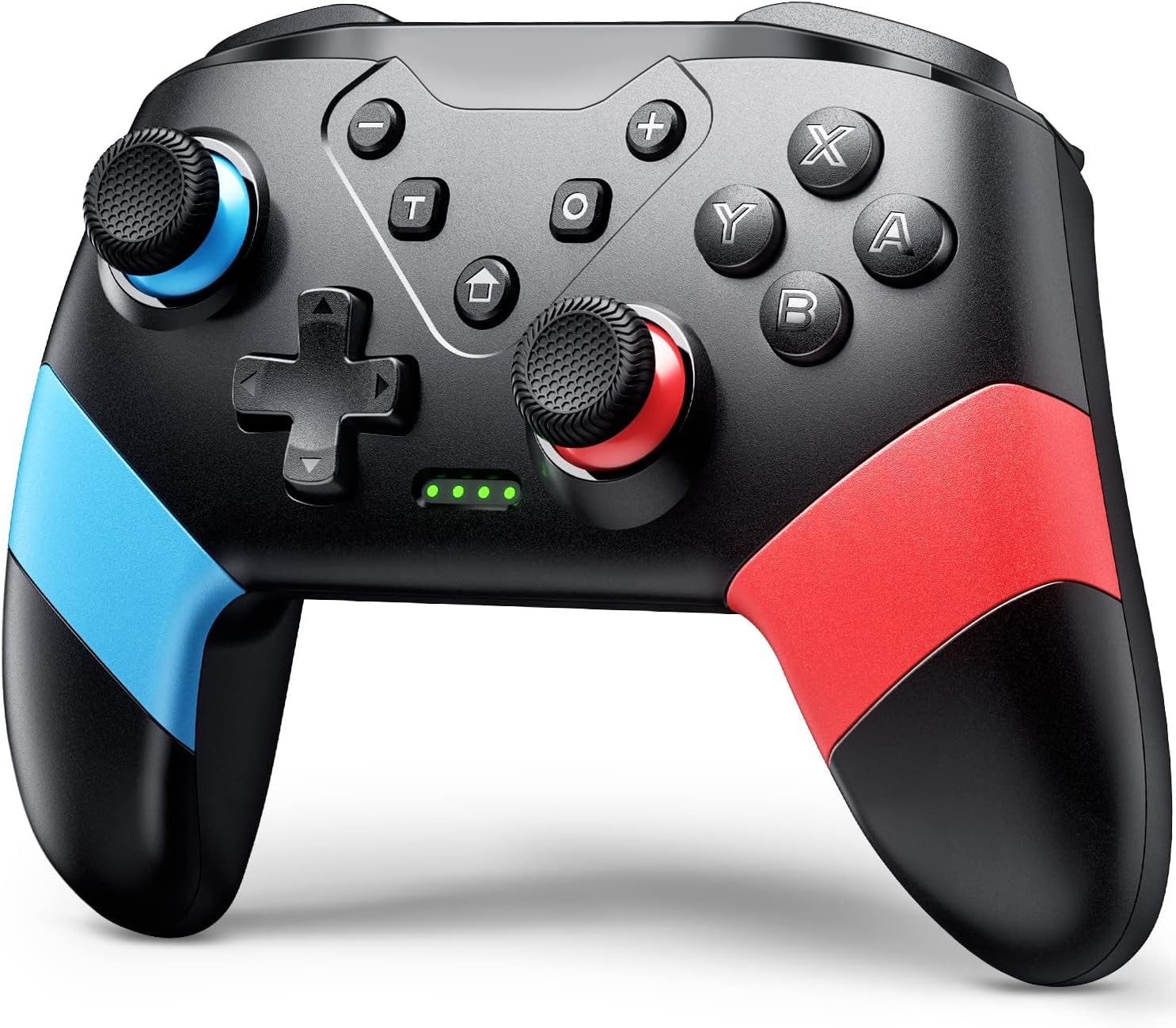
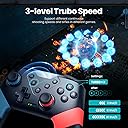


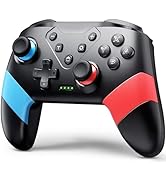
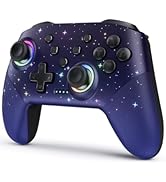
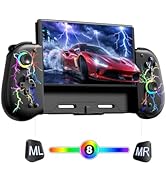
Switch Controllers Compatible with Switch/Lite/OLED, Programming Wireless Pro Controller with Motion Control, Vibration, Wake-up, Turbo, Screenshot
Product ID: 369326457
🎮33ft wireless range
⚙️16-key programmable buttons
🕹️6-axis gyro sensor
Buy anything from 5,000+ international stores. One checkout price. No surprise fees. Join 2M+ shoppers on Desertcart.
Desertcart purchases this item on your behalf and handles shipping, customs, and support to KUWAIT.
🎯 Elevate your game with pro-level precision and freedom!
The VOYEE Switch Controller is a versatile, wireless pro controller compatible with Switch, Switch Lite, OLED, and PC. Featuring 16-key programmable buttons, a 6-axis gyro sensor for motion control, and 4-level vibration feedback, it offers immersive and customizable gameplay. Its ergonomic design and 15-hour battery life ensure comfort during extended sessions, while a 33ft wireless range provides freedom of movement. Ideal for gamers seeking a high-performance, budget-friendly alternative to first-party controllers.









| ASIN | B097XLJX89 |
| Additional Features | Ergonomic, Rumble, Turbo |
| Best Sellers Rank | #366 in Video Games ( See Top 100 in Video Games ) #16 in Nintendo Switch Controllers #25 in PC Game Controllers |
| Brand Name | VOYEE |
| Button Quantity | 10 |
| Color | Red+Blue |
| Compatible Devices | Nintendo Switch, Switch Lite, OLED, PC |
| Compatible Video Game Console Models | Nintendo Switch, Nintendo Switch Lite |
| Connectivity Technology | Bluetooth, USB A |
| Controller Type | Gamepad |
| Customer Reviews | 4.4 4.4 out of 5 stars (4,528) |
| Hardware Platform | PC |
| Item Dimensions | 5.9 x 2.59 x 4.17 inches |
| Item Weight | 6.88 ounces |
| Manufacturer | Dongguan Chenhao Electronic Technology Co.,LTD. VOYEE |
| Manufacturer Part Number | S03 |
| Model Number | S03 |
| Package Quantity | 1 |
| Power Source | Battery Powered |
S**.
Good Quality for a Low Price
I wasn’t sure what to expect because of the low price, but this controller exceeded my expectations. It feels solid, works smoothly with no noticeable lag, and all buttons respond well. The built-in rechargeable battery is also very convenient so I don’t have to keep swapping batteries. Definitely a great value.
A**R
Guide on How to Use the VOYEE Switch Controller (Console Pairing, Turbo, Button Mapping)
Yes, the turbo works for the bench method in Pokemon Legends ZA for shiny hunting if you have a rubber band or something to press down on your control stick for you IRL. But no, it will not run macros for you. Here is a general guide on how to use this controller! ********How to pair the controller to your Switch or Switch 2:******** (Note: I was unable to do this while the controller was plugged in.) 1. Turn on your console. 2. On the home screen, click the Controllers icon at the bottom. (Looks like a joycon.) 3. Select 'Change Grip/Order' 4. On your controller, press the 'Home' and 'Y' buttons simultaneously. You do not need to hold. 5. Wait a moment. Green dots should move on the bottom of your controller. Once they have stopped moving and you see a controller has been connected, you can press A, then Home and leave that menu. Your controller is now paired! (If your controller goes to sleep due to inactivity, pressing the Home button again will wake it.) ********How to use the Turbo function on this controller:******** 1. Press the 'T' button on your controller and the button you wish to be repetitively input into your game simultaneously. For example, if you want to press 'A' over and over again, press 'T' and 'A' at the same time. (You don't have to hold--but you might have to try twice.) 2. To change the speed of your input, press the 'T' button and the up or down button of your D-Pad simultaneously. 'T' and the up on your D-Pad will increase the speed. 'T' and the down on your D-Pad will decrease the speed. 3. To turn off turbo inputs, press the 'T' button as well as the button that you originally selected for the input. For example, if you chose to have the 'A' button on turbo mode, then to turn this off you would need to press 'T' and 'A' simultaneously again. You can have turbo running for multiple buttons at once (A, B, Y, X, ZL, L, ZR, R). But it will not function for the M1, M2, +, -, D-pad buttons, or control stick clicks/directions. D-pad up and D-pad down are exclusively used to control the speed of Turbo. If you want to use turbo on one of the buttons in the category that is ineligible for Turbo, such as the + button, then you are able to circumvent the limitations by changing your button mapping. ********How to change your button mapping:******** 1. Go to the home page of your console. 2. Select 'System Settings' at the bottom (looks like a gear) 3. Find the 'Accessibility' section 4. Select 'Button Mapping' and 'Edit Controller Mapping' for your controller 5. Change the mapping for one of the Turbo-eligible buttons (like R) to an ineligible Turbo-button output (like +) then save. This makes it so that if you use 'T' and 'R', instead of the R button output, you will get + as your turbo output. Buttons that turbo works on without any mapping needed: A B Y X ZL L ZR R Buttons that would require button mapping for turbo to work: D-Pad buttons Control stick presses - and + buttons (Note that the 'Button Mapping in Quick Settings' toggle in System Settings allows you to access this menu by holding your Home button. Selecting 'Reset Controller Mapping' restores default settings for button mapping.)
K**N
Pretty great controller
Got this for my daughter so she can play on my switch without messing up the joy cons. Absolutely durable. Great grip, for a toddler it’s big but for a controller it’s an average size. Looks just like the picture and the colors are just as vibrant. Connected super easy, did have to look up how to connect it though. Super durable. I have a 2.5 year old and 14 month old and they play with it all the time and it still works fine
T**L
Good
Automatically shuts off after like 2 or 3 mins of no input which is annoying and also connecting it to the console if you dont know how already is annoying its the home button+Y if you are looking for it. But it works good and is cheap!
M**L
Actually a pretty decent controller
Actually a really great controller for the price! Works great and pretty sturdy. The buttons are loud when you press them, but you just sound like you’re going crazy on someone so I’m not mad about it lol. It will automatically power off of your idle for too long (idk probably 30 mins or so), which is great for keeping my battery filled, especially if your an idler like me. Keeps a charge for a good amount of time and pretty sturdy.
A**A
This is the #1 alternative to a first party controller
This is one of the best third party controllers I've ever used, especially considering the price (which was $16 for me at the time of purchase). The controller is comfy, I love how the ZL and ZR buttons are actually triggers akin to an Xbox controller. The nice pop of color is great too. Turbo function works great and even has 3 different speed settings to use in different scenarios. And it's wireless too! Most other controllers like this are wired only. Highly recommend this controller!
E**J
Finally found a switch pro alternative..
I've been looking a long time for a switch pro controller alternative that's affordable and, well, basically WORKS. It's quite a bit lighter than a switch pro controller, but it feels good in the hand. The back buttons are nice, although a little too 'light'. I actually wanted a controller with back buttons...and these buttons are in a great spot for your middle fingers to rest on. I'm not complaining about accidentally pressing them because of their placement, I'm just saying that I wish they had a touch more resistance, with a tighter click....but they do work, and work well. A pleasantly surprising aspect is thumbstick accuracy/sensitivity, and this controller doesn't disappoint. I've tried so many third party controllers that have WAY too sensitive thumbsticks, resulting in erratic movements when trying to make small, precise inputs...such as gently moving Mario (in Odyssey) over a ledge or something, vs. having him run wildly after barely touching the stick. The joystick calibration shows the sticks in an accurate, controlled position relative to the stick, as it should be, vs tiny movements resulting in full tilt directional inputs. The buttons, dpad, and bumpers feel good...not ultra premium but not bad at all. The triggers are analog style, but have a short throw allowing for quick repetitive actions (I know the switch registers trigger inputs as on or off, so the shorter throw is welcome). The controller is supposedly Android compatible too, so maybe that's where the analog trigger action comes in, registering analog position along it's throw/travel. All in all, I'm happy with this purchase, and can't believe it was the price it was for a controller that actually works, and doesn't have hap-hazard control over the game's character like so many other cheap offerings.
M**T
Good Controller, but should not be your Primary
This wireless controller is a decent controller for the price. The quality of the controller is not great but not terrible. It is very light weight and you can feel it has a lot of empty space under the plastic grips. The buttons are responsive and we have not had any issues with lag or buttons not working. We it them for a Nintendo Switch console and the pairing is easy by simply holding the "House" button in the middle of the controller. After a few seconds you should see the lights on the controller flash and it will lock into whatever player the controller was assigned. 1 light for 1st player, 2 lights for 2nd player, all the way up to 4 lights for 4th player. The controller is a bit noisy, in the sense that every time you press a button you can hear a rather loud plastic clacking sound. The size of the controller is on the larger side and the buttons are also big. The battery life has been great and last several days without needing to charge. Charging is quick and uses a standard USB C port. Overall, this is a good controller to have so that others can play together but you will probably not want to use this as your primary controller LIKES: Affordable Great Battery Life Bigger size Great Battery Life DISLIKES: Not the best quality Loud Clacking sounds when you press buttons
V**S
Excelente custo benefício
Embora seja mais leve que o original, não deixa a desejar quanto ao desempenho e não compromete a jogabilidade. O Modo turbo é um diferencial para a experiência.
M**D
يمشي الحال
عيبها انها تحتاج الي سلك للتوصيل علي الكمبيوتر
Trustpilot
2 months ago
3 weeks ago