

Buy anything from 5,000+ international stores. One checkout price. No surprise fees. Join 2M+ shoppers on Desertcart.
Desertcart purchases this item on your behalf and handles shipping, customs, and support to KUWAIT.
💾 Upgrade your storage game—because running out of space is so last decade!
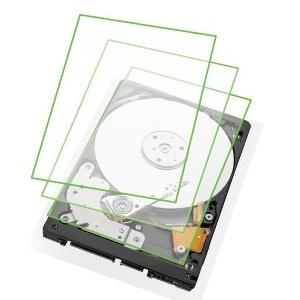
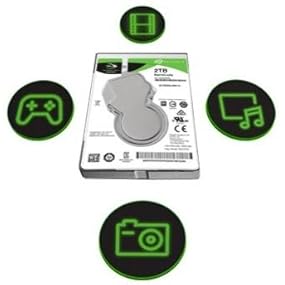
The Seagate BarraCuda 4TB 2.5-inch internal hard drive combines massive storage capacity with a high-speed SATA 6Gb/s interface and 128MB cache. Designed for laptops and mobile devices, its 15mm form factor supports extensive multimedia, gaming, and business needs with reliable mechanical performance and efficient power consumption.


| ASIN | B01LZMUNGR |
| Additional Features | Not_Performance_Used |
| Best Sellers Rank | #82 in Internal Hard Drives |
| Brand | Seagate |
| Cache Memory Installed Size | 128 |
| Compatible Devices | Laptop |
| Connectivity Technology | SATA |
| Customer Package Type | Standard Packaging |
| Customer Reviews | 4.0 4.0 out of 5 stars (448) |
| Data Transfer Rate | 750 Megabits Per Second |
| Digital Storage Capacity | 4 TB |
| Enclosure Material | Aluminum |
| Form Factor | 2.5-inch |
| Global Trade Identification Number | 00763649091661 |
| Hard Disk Description | Mechanical Hard Disk |
| Hard Disk Form Factor | 2 Inches |
| Hard Disk Interface | Serial ATA |
| Hard-Drive Size | 4 TB |
| Hardware Connectivity | SATA 6.0 Gb/s |
| Installation Type | Internal Hard Drive |
| Item Dimensions L x W x Thickness | 9"L x 6"W x 3"Th |
| Item Type Name | Seagate 4TB BarraCuda SATA 6Gb/s 128MB Cache 2.5-Inch 15mm Internal Hard Drive (ST4000LM024) |
| Item Weight | 190 Grams |
| Manufacturer | SEAGATE |
| Media Speed | ~130-140 MB/s |
| Model Name | BarraCudau00a0 |
| Model Number | ST4000LM024 |
| Number of Items | 1 |
| Read Speed | 140 Megabytes Per Second |
| Specific Uses For Product | Personal, Business, Gaming, Multimedia |
| UPC | 763649091661 763649078983 |
R**A
Very happy with this
I purchased this to install as a second hard drive in my 2010 MacBook Pro 17 inch laptop . It works great! The case didn’t want to close all the way in one corner. Since I have a hardshell case on my laptop I just added a piece of gaffers tape over the corner to seal the little open part on the bottom. Then I just put the hardshell case over it. No problem. Having an extra 4 TB internal is awesome! - Update: While I am very happy having the extra memory on my laptop, my computer started not liking the torque the 15mm drive put on the chassis. It started behaving erratically today showing purple lines on browsers and some white program windows. If I put pressure on the corner where the hard drive is, the lines disappear. I removed the hard drive and the line went away. I have grown fond of the 4tb of internal memory. I am so sad right now. But the hard drive is still working so I am not changing the 5-star review. The problem is due to the drive being too thick for the laptop. I didn't realize this was an issue until I received the item.
C**S
Awesome 4TB HD for Playstation 4!
I purchased the 4TB model of this HD to replace my PS4 500GB hard drive which was constantly running out of space. Anyone who has enough games or DLC downloaded will know that 500GB doesn't add up to much. Some of the PS4 games are 75GB or more... JUST FOR ONE GAME! So anything less than a 4TB just seemed silly to me! SO HERE ARE THE IMPORTANT DETAILS: -The 4TB model of this hard drive will NOT FIT your PS4 without modification! - YES! It is possible to use the 4TB version with your PS4 if you're willing to do a very simple modification. - If you choose to do this modification the responsibility of the system falls complete on you, I do not advise anyone to do this if you're not capable of doing things to this degree and I will not be held responsible if you mess up or destroy your system. HERE IS HOW TO DO THE MODIFICATION: After you've saved all your data and you're now ready to pull the old hard drive out; 1-Remove the try holding the old HD and just place it away somewhere, YOU WILL NOT BE USING THE TRAY AGAIN! 2- Use small, but very sharp and very strong metal shears to cut away the caging that is covering the area that houses the HD. 3- After you have complete opened the HD area by removing the caging covering it, you will need to place 2 strips of double stick foam tape for the HD to rest on so that it is at the correct height to mate with the plug, this tape will also be what now holds your HD in place. TAKE NOTE; ONLY USE 2 strips of the tape and allow half an inch to one inch in between them! You DO NOT want your HD to over heat and you need the ventilation that only using the 2 small strips will give you. It will also be more than enough to secure the HD so DO NOT use more! If you completely cover the HD slot in double stick foam tape do not be surprised if your system freezes and fails/shuts down/reboots/or fries out. 4-Once you have the 2 strips of tape in place remove the backside of the sticky tape and start to insert the HD at an angle and move it down and you plug it in until the HD comes in contact with the tape (swooping motion) and now your new 4TB HD is installed. 5 - Replace the top of the PS4 unit, I was able to get mine to fit back on with a little bit of play and force. There is a very very very slight bulge, but you would NEVER EVER be able to tell. I will try to add pictures of the HD and my modification, again if you choose to do this all responsibility falls upon you! But it does work and it is VERY easy and simple to do! ***UPDATE*** 12/2018 I’ve been running this HD in my PS4 for a few months now. There is a slight lag/sluggishness at times when multitasking and in the menu. Otherwise it’s been great! Tons of space for what I need! Only way it could be better is if I put a 4tb solid state drive in. Maybe in a future system! PS5?
B**E
SEAGATE WARRANTY EXPIRATION IS INCORRECT - THESE ARE NEW DRIVES!
UPDATE 4/10/2018: I left the title to this review the same as it was when I originally posted it so that those people who had already read it could still find it. MY ORIGINAL REVIEW IS 100% INCORRECT - BOTH DRIVES I PURCHASED WERE TAKEN FROM SEAGATE EXTERNAL ENCLOSURES AND SOLD BY OCEANSIDE STORE AS NEW DRIVES. While technically these drives are new (as in never been used) THEY ARE NOT COVERED BY A SEAGATE WARRANTY. I only learned this when Seagate called me AFTER they had already told me that the drives would be covered under a Seagate warranty (read my original post, below). I had a Seagate manager escalate this issue to his management to tell me why I had been told by one of their employees that there was a warranty expiration date error on my drives and that my drives would now be covered under a Seagate warranty. The Manager told me that the Seagate employee that told me my drives would be covered under a Seagate warranty didn't check all of the databases he was supposed to check. If he had I would have been told ORIGINALLY that the drives would not be covered under a Seagate warranty. NET MESSAGE - THE DRIVES BEING SOLD BY OCEANSIDE STORE DO NOT CARRY A SEAGATE WARRANTY. I actually spoke with Oceanside Store and they told me that they would warranty the drive for two years. Seagate told me that Oceanside Store is not an authorized Seagate retailer. So, caveat emptor (buyer beware) - you have to make the call whether or not you want a Seagate warranty or an Oceanside Store warranty. ************ ORIGINAL POST ************* SEAGATE HAS A WARRANTY RECORDS ISSUE THAT AFFECTS THE EXPIRATION DATE OF THE WARRANTY ASSOCIATED WITH THIS HARD DRIVE. THE ISSUE IS SEAGATE'S, NOT AMAZON'S OR OCEANSIDE STORE'S. Let me explain. I ordered two (2) Seagate 4TB 2.5" Barracuda ST4000LM024 hard drives from Oceanside Store that were fulfilled by Amazon. I had read some of the negative Amazon reviews on this hard drive regarding how Amazon had shipped drives furnished by Oceanside Store that had supposedly been removed from external drive enclosures and sold as new drives whose warranty had expired. Because of these reviews I called Seagate as soon as I received my drives (3/28/2018) to check their warranty status. I was told that both drives' warranties had expired - on the same day - 12/13/2017. I thought that was pretty coincidental. So I decided to check out a few things just to confirm that the issue was Oceanside Store's, and not Seagate's, before I called Oceanside Store to complain. First, I Googled to see if other online retailers had the drive in stock. Nope, not at B & H Photo - they actually showed it was out of stock. I couldn't find it at Fry's, either (I may have missed it, though). At this point I began to wonder if the drive was a currently shipping model. So I checked the Seagate website and, sure enough, the ST4000LM024 is a currently shipping drive. So if it's a current drive, why wasn't it widely available? I never answered that question, but I decided to check the Seagate User Manual for the ST4000LM024 to see when the drive was first released. The Revision History in the User Manual said 7/19/2016. So how could my 2 year warranty have already expired if the drives weren't introduced until July 2016, and it's now March 2018, assuming I had received drives from the first batch released in 2016, which was highly unlikely? Something didn't add up. So I called Seagate again. This time I asked them to tell me when the ST4000LM024 drive was initially released. I was put on hold for about 15 minutes, which I thought was odd. When the support guy came back on the line he told me that the drive had initially been released "sometime between Q3 and Q4 of 2017." The support guy had already realized that the warranty expiration date of 12/13/2017 was a bogus date. What took him 15 minutes to answer my question about initial release date was mainly spent uncovering the fact that the warranty expiration date for both of my drives was bogus! He said there was an error in their warranty system that had cause the 12/13/2017 date to be entered incorrectly. He immediately updated the warranty expiration date for both of my drives to 12/17/2019. I've been in the computer industry for 30 years and I have seen these kind of manufacturer screw-ups before - especially from Seagate. Don't get me wrong, Seagate makes a great product, but they've always struggled with customer service (much improved over the last 3 years!) AND RECORDKEEPING. With that said, I'd encourage anyone who buys any of the 3, 4, or 5 TB 2.5" hard drives to call Seagate to confirm that your warranty expiration date is correct. If you don't call, and your drive fails, you may hear that your warranty coverage has already expired. It will be too late at that point to get them to change the warranty expiration date on you drive. I gave this drive a one-star review ONLY so that it would be seen near the top of the negative reviews. I haven't actually installed and used these drives, yet. However, based on my past experience with Seagate drives in general, I'd give these drives and "advance" rating of 4 stars.
F**Y
Performing strong after 3 years
The Seagate BarraCuda is a great price for the size. Of course year after year, the cost per gb goes down so i'm sure there are better prices for larger drives. I'm writing this review 3 years later so I can speak on the quality. It has been fitted in an external hard drive and used on a weekly basis for music production. The read/write speed has been excellent and is only limited by the external hard drive interface. It has been quiet and has performed flawlessly. The only negative is the size. At 15mm it won't fit in all enclosures. I'm a big fan of Seagate HDDs and I have yet to have a failure. I highly recommend this brand, just make sure you get the best price per gb (or tb).
ざ**ん
若干駆動音がしますが、PCケースに組み込むと消える程度です。 BarraCudaは3.5インチも使用してますが、2年ほど問題なく使用できています。 このまま特に問題がなければ、このシリーズをリピートしてもいいかな。安いし。
T**M
Die Festplatte verrichtet ihren Dienst ohne Probleme in meinem PC, sie ist schön leise und ausreichend schnell. Bin sehr zufrieden damit.
ミ**ク
例えば、故障前にHDDを更新するような場合で、移行元のHDDから本製品へファイルをコピーするとき、 大量にデータがあると、コピー開始後ある時点(百数十GB位)を堺に書き込み速度が一気に低下する。 今1.6TiB位のファイル群を移行しているが、10時間経過後 207GiBしか書けていない。(5.75MiB/s) SMRの弱点を隠蔽すべく仕組みは工夫されているが完全に解決していないためその点を理解して導入することをおすすめする。 2020/1/10追記 1年経たずしてファイルI/Oで障害が発生するようになったためCHKDSKを掛けたところ、大量の不良セクターが検出された。
J**H
Gute Wahl
A**R
2~3分毎に鳥の鳴き声のような異音がします。ずっと水冷ポンプのせいだと思って使っていたので返品期間を過ぎてしまいました。ハズレを引いたのか2.5インチ大容量のせいか分かりませんが、価格が3.5インチの倍ほどするので次のを買う気になれません。
ترست بايلوت
منذ أسبوعين
منذ شهر