We remain fully operational. Our teams are working around the clock to ensure your deliveries continue safely.

قم بتنزيل التطبيق


معلومات عنا
حقوق الطبع والنشر © 2024 Desertcart Holdings Limited
قم بتنزيل التطبيق


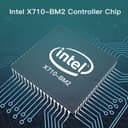


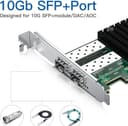


🚀 Upgrade your network game with ipolex 10Gb — speed, stability, and versatility in one sleek card!
The ipolex 10Gb Network Card with Intel X710-DA2 controller features dual 10G SFP+ ports and PCI Express 3.0 x8 interface, delivering ultra-fast, reliable Ethernet connectivity. Designed for professional environments, it supports advanced virtualization, QoS, and broad OS compatibility including Windows Server, Linux, and VMware. Its flexible bracket options ensure easy installation in various systems, backed by a 3-year warranty and dedicated technical support.


| ASIN | B09LYS7RXY |
| Best Sellers Rank | #62 in Internal Computer Networking Cards |
| Brand | ipolex |
| Built-In Media | Low profile bracket |
| Color | 1pc |
| Compatible Devices | Windows Server 2003/2008/2012, Windows7/8/9/10/Vista/XP, Linux, FreeBSD 9*/10, UEFI* 2.1/2.3, VMware ESX/ESXi* |
| Customer Reviews | 4.3 4.3 out of 5 stars (3) |
| Data Link Protocol | Ethernet |
| Data Transfer Rate | 10 Gigabytes Per Second |
| Hardware Interface | PCIE x 8 |
| Item Weight | 0.2 Kilograms |
| Manufacturer | ipolex |
| Mfr Part Number | X710-DA2(Intel) |
| Model Number | X710-DA2(Intel) |
B**N
Works in my Synology DS-1621+
After swapping the tall bracket with the included low-profile bracket, the card slipped right into the Synology NAS and was recognized on bootup. I connected to my switch using the same manufacturer's SFP+ adapters and all went smoothly. I have no prior experience installing fiber cabling, so it was a relief how easy this went. In my case, I left the bonded Gigabit copper Cat6 connected until I went into the Synology software to configure this NIC. In hindsight, that was probably unnecessary. I have not tested performance/throughput objectively, so my comments are about compatibility and installation.
A**R
An X710 without the hassle
The product shown is not what the received product looked like. It was a 10Gtek brand card. I was using this card on an OPNSense router build with a Gigabyte H610I DDR5 motherboard and it worked pretty well. The only issues I found was latency when playing video games. Not unplayable, but my consumer grade router did better. World of Warcraft was consistently showing 16ms latency for home and 26ms for the server. My old RoG Router showed 10ms on both with game prioritisation on. I wound up returning it and getting a brand new Dell version. The latency on that card is 10ms on both home and server without any game prioritisation on as OPNSense lacks such a feature. It wasn't a bad card. It worked with non Intel SFP+ modules and was less finicky than my current Dell card. The Dell card was also over double the price new. I am not sure what the latency issues were. Again they were not unplayable by any means. The plus to this card is that it's half the price for a new card and it works with all SFP+ modules. My Dell card only works with Intel SFP+ modules and DAC's and will only reluctantly accepts my Trendnet RJ45 module (there are no officially supported RJ45 modules per Intel). If I restart my router, I have to pull that module or the card will soft brick. Then I have to reset the router with the Intel module for it to work again and then plug the RJ45 module back in when everything boots up. The Intel card I bought as a server pull (2016 production) from eBay will only work with Intel modules and DAC's. It absolutely will not accept my RJ45 module. I can see why very few places offer the SFP+ Intel network cards. They are finicky and definitely not for novices. This card is a good alternative for people who just want a X710 NIC without the hassle.
ترست بايلوت
منذ شهر
منذ يومين