We remain fully operational. Our teams are working around the clock to ensure your deliveries continue safely.

قم بتنزيل التطبيق


معلومات عنا
حقوق الطبع والنشر © 2024 Desertcart Holdings Limited
قم بتنزيل التطبيق


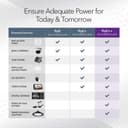
⚡ Power up your network with silent speed and smart control!
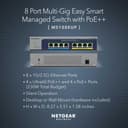
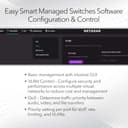
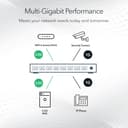
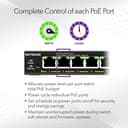
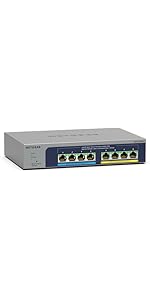
The NETGEAR MS108EUP is an 8-port Multi-Gigabit Ethernet switch featuring 4 Ultra60 PoE++ and 4 PoE+ ports delivering a combined 230W power budget. It supports 1G and 2.5G speeds with auto-negotiation, offers a fanless design for silent operation, and includes a user-friendly managed interface for VLAN and PoE scheduling. Designed for flexible deployment with desktop or wall mounting, it comes backed by NETGEAR’s Limited Lifetime Warranty and 24/7 expert support, making it ideal for future-proofing professional networks.



| ASIN | B09M1JMJS7 |
| Best Sellers Rank | #98,057 in Computers ( See Top 100 in Computers ) #638 in Network Switches |
| Brand | NETGEAR |
| Built-In Media | Mounting ties, Installation guide, NETGEAR 8-port Ultra60 PoE++ Multi-Gigabit (2. |
| Case Material Type | Metal |
| Color | Gray |
| Compatible Devices | Desktop |
| Customer Reviews | 4.3 4.3 out of 5 stars (67) |
| Data Transfer Rate | 2.5 Gigabits Per Second |
| Interface | RJ45, PoE, PoE+ |
| Item Dimensions L x W x H | 21.1L x 14W x 4.1H centimeters |
| Item Type Name | Ethernet Switch |
| Item Weight | 1.98 Pounds |
| Manufacturer | Netgear |
| Maximum Power | 57.5 Watts |
| Mfr Part Number | MS108EUP-100NAS |
| Model Number | MS108EUP |
| Number of Ports | 8 |
| Platform | Not Machine Specific |
| Switch Type | PoE++ |
| UPC | 606449156942 |
| Unit Count | 1 Square Feet |
| Voltage | 120 Volts |
| Warranty Description | Limited Lifetime |
A**R
Gets warm when under full load but nice piece of gear.
N**S
I haven't actually installed the switch yet, and will update this if it falls short on performance expectations. I wanted to be sure it was shared that the power supply is almost as large as the switch; absolutely huge. This is understandable in hindsight as it can deliver a ton of power via PoE, but will be an installation challenge for me due cramped space.
F**4
Arrived undamaged and as described
K**K
Works great for my home network. I just need a switch that can configure vlan and support 2.5gbe this works perfectly. Plus, it has POE and POE+. There are not many cheap options on the market but I got it with heavy discount from Amazon Warehouse. Really nice
R**Y
I would give it 5 stars but why Netgear designed it with no vents and / or fan kind of worries me. I found out the hard way to never stack this on another piece of equipment since my internet connection kept going down. I found out in case that happened, I would just log into the switch and select reboot and the connection came back up. I have since then repositioned the switch and so far, so good. I like the fact that it is 1)2.5Gbe 2) POE and 3) managed. So it can do VLANS. Since I'm new to VLANS, I watched a few videos before receiving the switch. After a few tries, I finally got it the way I want. So to those that are just starting out and expanding from an all in one firewall / router / wifi box, get something like this. Setting up vlans... the basics so remember this... T = tagged (or just say trunk); imagine a tree trunk and all of your vlans are running through the trunk from the firewall / router to this switch. Then the vlans branch out. Ports to a computer can be thought as leaves. Okay, enough with the tree analogy. Also, a port that runs to another managed switch can be tagged as well. A "regular" switch will be untagged. U= untagged (or let's just say access port). And you can set a port / ports to a certain vlan or vlans. The connection from your firewall / router to this switch must be set to Tagged. Your computers will be untagged. An access point like a Unifi will be set to tagged if you have vlan traffic. E= exclude - excludes ports from the vlans. Lots of vlan videos on youtube so go watch them if you're getting your feet wet. :)
ترست بايلوت
منذ 4 أيام
منذ أسبوعين