

🚀 Upgrade your PC front bay with speed and versatility — don’t get left behind!
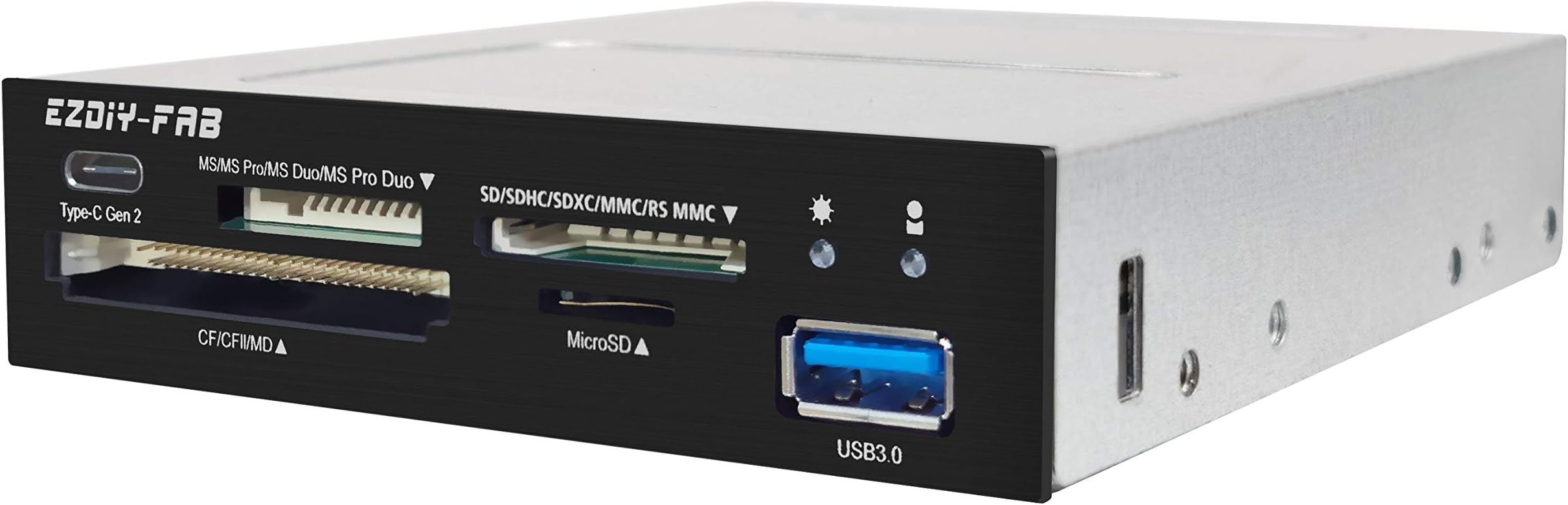
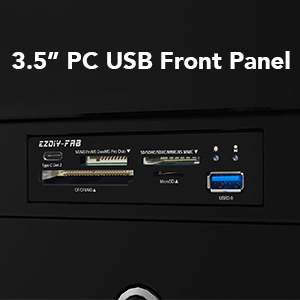
The EZDIY-FAB PC Front Panel Card Reader USB Hub combines a high-speed USB 3.1 Gen2 Type-C port with a versatile 4-slot card reader supporting CF, SD, MS, XD, and TF cards. Designed to fit any 3.5" computer case front bay, it offers plug-and-play installation without drivers or external power. Perfect for professionals needing fast, reliable data transfer and multi-device connectivity in one sleek hub.





| ASIN | B07ZHBT4S6 |
| Additional Features | Fast |
| Brand | EZDIY-FAB |
| Color | Black |
| Compatible Devices | Camera, Card Readers, Keyboards, MP3 Player, Printer, Scanners, Speaker |
| Connectivity Technology | USB |
| Customer Reviews | 4.0 4.0 out of 5 stars (84) |
| Data Transfer Rate | 10000 Megabits Per Second |
| Hardware Interface | USB |
| Manufacturer | EZDIY-FAB |
| Media Type | CompactFlash, MMC, Memory Stick, Memory Stick PRO Duo, Memory Stick Pro, SD Card, SDHC, TF Card, xD Picture Card |
| Operating System | All operating systems |
R**E
Great 3.5" unit that provides USB 3 card reader + 1 x USB 3 port + 1 x USB 3 Type-C port with motherboard header cable. My only disappointment is that the card reader doesn't read XD cards, but that's only a minor problem as nearly everything is SD and micro SD cards these days.
L**I
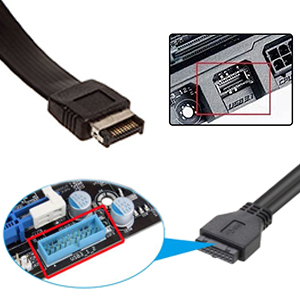
Installation is easy. If you don't have a 3.5" front bay in your case, you will need to buy a 5.25" to 3.5" adapter. These are readily available and don't cost a lot. For the price, in my opinion, an adapter should have been included. The USB type C connector requires a 3.2 Gen 2 type connector on the motherboard (which mine had). Most newer motherboards only have a single USB 3.0 port connector (normally used for front USB sockets on the PC case), so be sure you have a free 3.0 connector on your motherboard (I had to purchase a USB 3 inter adapter which I inserted into a PCIe x1 slot). No USB 2 connector needed ... apparently the card reader slots use the 3.0 connector. So, other than having to purchase the adapter separately, it works good for me.
C**R
Easy to install, this card and USB C and USB 2.0 reader has most memory devices covered. If your motherboard has USB3.0 20p connectors and a mini20p connector, installation is easy and the drivers self-install. Great reader!
A**R
Work well, easy to install and arrived quickly
D**A
*update* It turned out the unit is fine, but you have to pay attention at the splitter cables, or better said do not use such a cable if you have anything else USB3 that also needs a mobo header connection. If you are like me and have USB3 ports on the front of your case and a mobo with only one 20 pin header, you need a way to connect both this unit 20pin connector and the case front panel connector to that single mobo header. Note that this unit already has two cables connected to its 20pin connector (probably one is from the USB3 UAS-A port and the other is for the card reader), besides the type-E connector cable. The popular option is to use a cable splitter. That sort of works but the speed on one of the splitter legs was USB2 speed even if the other leg had nothing connected to it. I tried a couple of these splitters and even some that have some kind of chip (not sure if that did something or just a gimmick), but none improved the situation. The solution is using an internal USB hub. AFAI could find there is only one option on amazon and other sites: Cablecc 5Gbps Single 19/20Pin Header to USB 3.0 19/20Pin Dual Ports Female PCBA Type 1 to 2 Adapter Splitter HUB, sold under different names but the same hardware. If you run into similar problem but on the Type-E connector, the same USB hub listed above has versions for that to.
ترست بايلوت
منذ أسبوعين
منذ 5 أيام