Desert Online General Trading LLC
Dubai, United Arab Emirates
Desert Online General Trading LLC
Dubai, United Arab Emirates


✨ Elevate Your Typing Game with Style!
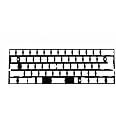
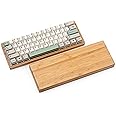
The bm60rgb bm60 Poker RGB 60% mechanical keyboard PCB is a compact, fully programmable board featuring 61 keys, hot-swappable switch sockets, and vibrant RGB lighting, including pre-soldered underglow LEDs. Perfect for gamers and professionals alike, this keyboard offers customization and aesthetic appeal.
C**R
Replaced my KBDFans DZ60RGB-ANSI V2 for this PCB, let me tell you why.
First of all the BM60 Poker and the DZ60RGB are similar in a lot of ways except for SMD LED placement and switch orientation. DZ60 is south facing and BM60 is north facing. I mostly type in the dark with dim lighting. With that said even with the LED lighting at its brightest was still hard to read the legends because the light barely shined through and the LED sitting at the bottom shinning in my face making it blurry. The keycaps I have are made for a north facing LED. I bought the KBDFans ABS keycaps which are made for their south facing PCB's but they are cheap, the Q,R, and G keycaps broke in about 3-4 weeks splitting in half where the stem goes into. Shine through keycaps made for a south facing LED configuration are hard to find and limited in color and styles too. Since the LED's are at the bottom of the key switches, the light shinned in my face all the time which was so annoying. The light glared into my eyes. I could of dimmed the lighting but then it would of made reading the legends even harder since again I'm in a dark room. But if you don't care about lighting, the DZ60 is a very good board.I will also go through a bit on how to get the BM60 to work with VIA instead of QMK which in my opinion sucks. With QMK Configurator when you make changes you have to then compile the new firmware, save the new firmware, Flash the new firmware with QMK Toolbox which is another program you have to use, and repeat every time you make changes to your layout. With VIA all changes you make are instant without all of those steps, just change a key layout and done, you don't even have to click on a save button because there is no save button to make those changes, it's instant, that's it.So now the Pros and Cons of the BM60 PokerPros:-Hot swappable switches.-North facing LED for larger range of shine through keycaps.-Very bright RGB.-Very customizable.-Uses screw-in stabilizers-NKRO (6 Key Rollover-6KRO)-Reset button under the keyboard is right over the hole that many other case makers use unlike other PCB's that have the reset button anywhere else other than that reset hole.-RGB lighting underneath the PCB for clear cases.Cons:-Installing the stabilizers can be a bit hard to go in the hole. It seems the holes are a tad small at which I had a hard time making them go in. I even broke two of the plastic clips on the stabilizers to make it go in. Its holding in with the screw and a part of the plastic part of the clip went into the hole.-My PCB came in slightly warped. The mid section was sunken in and was a little twisted too. It might have been the heat or something during shipping but I got it some what straightened out and the two posts in the middle of my case is pushing it up and leveling it out.-The USB-C port is shallow and my cable doesn't go all the way in like it did with my other PCB by 1mm and the cable easily disconnects if I wiggle the cable side to side. I might end up unsoldering that port and soldering on a deeper one later if it becomes annoying.-RGB lighting underneath the PCB gets very very warm. My aluminum low profile case gets uncomfortably warm. I have my brightness set to medium low to medium because of that.- Not compatible with Cherry profile keycaps because of clearance issues with many of north facing switches.On to the Firmware flashing. Not going to go in detail but here we go.PCB comes with QMK firmware, we need to reflash it with VIA firmware. Follow the link here at the store page for the firmware or KPRepublic website or which I did because I couldn't get it to work with VIA after trying both of those out is to go to VIA's site and directly download it from them.Once you have your firmware make sure to download and install the drivers too, download and install QMK Toolbox and flash VIA firmware. Download and install VIA, open VIA and you should see your keyboard and its name at the top right corner.Make changes to your layout to your hearts content. When done save your layout as a json file and keep that and your VIA firmware in a safe place just in case you need to flash your board again for whatever reason and you can then load your layout without starting from scratch too. Done.
A**.
Can Support Screw-In Stabs, but Hard to Insert.
I recently set this PCB up with the Durock V2 Screw-In stabs and had one hell of a time inserting the hooks because of the size of the PCB's hole.Also, they said that an NKRO firmware would be easy to find, but I am having a hard time tracking it down. Besides that, the PCB is decent for the price.
C**Z
Great product and delivery time
10/10 recommend this product. If you're building a keyboard this PCB is perfect having great RGB, great plug and play also provides great package updates, and has a great delivery time
Y**.
pcb
very good lighting is hard to use
ترست بايلوت
منذ يومين
منذ أسبوعين