
قم بتنزيل التطبيق


معلومات عنا
حقوق الطبع والنشر © 2024 Desertcart Holdings Limited
قم بتنزيل التطبيق


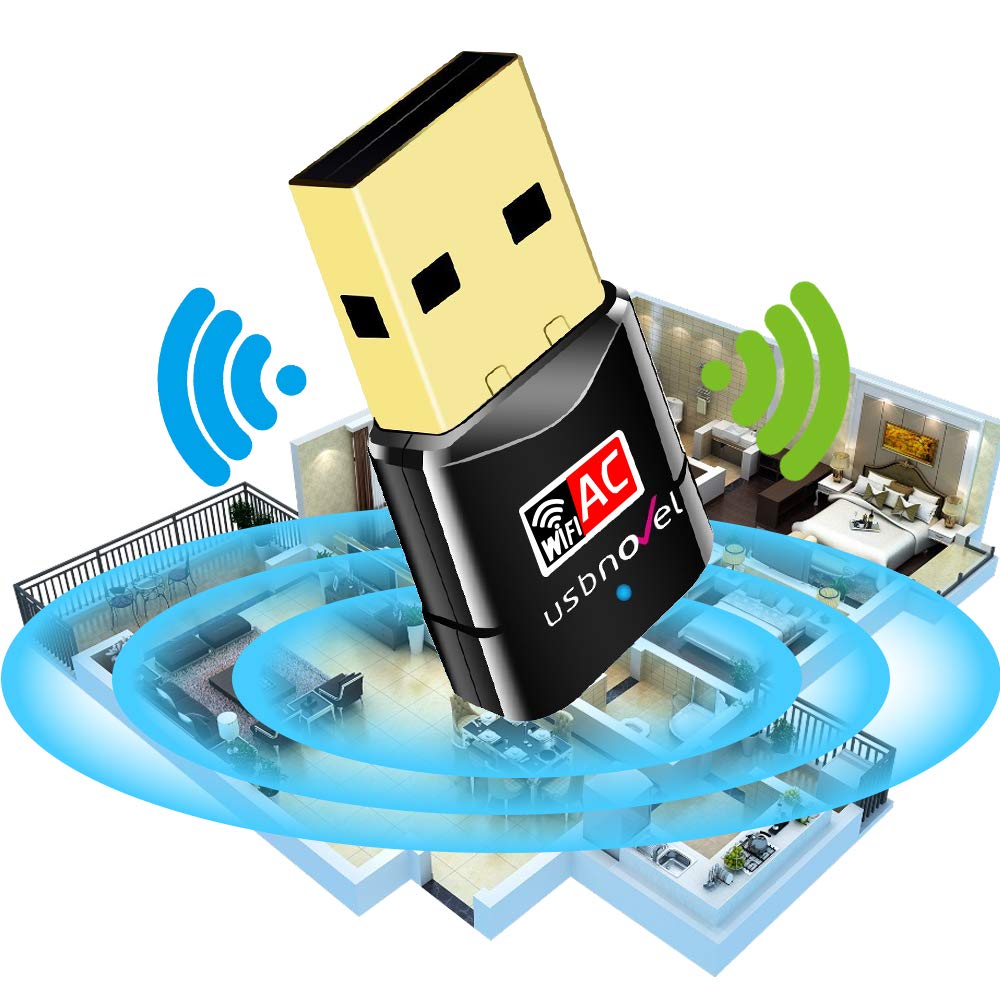
🚀 Upgrade your connection, upgrade your hustle.
The USBNOVEL Wifi Adapter 600M delivers dual-band 802.11ac wireless speeds up to 600Mbps in a sleek, ultra-compact design. Compatible with a wide range of Windows and Mac OS systems, it offers easy plug-and-play setup and advanced Soft-AP functionality to convert wired connections into WiFi hotspots. Ideal for professionals seeking reliable, high-speed internet for gaming, streaming, and remote work without the bulk of traditional adapters.


| ASIN | B06XRG9QDV |
| Batteries | 1 Lithium Ion batteries required. |
| Best Sellers Rank | #364 in USB Computer Network Adapters |
| Brand | USBNOVEL |
| Color | Gold-Black600Mbps |
| Customer Reviews | 4.3 4.3 out of 5 stars (6,488) |
| Date First Available | March 20, 2017 |
| Department | USB Wifi Adapter |
| Is Discontinued By Manufacturer | No |
| Item Dimensions LxWxH | 1.25 x 0.62 x 0.3 inches |
| Item Weight | 1.23 ounces |
| Item model number | USBNOVEL01 |
| Manufacturer | USBNOVEL Company |
| Number of USB 2.0 Ports | 1 |
| Operating System | All Windows Server Versions 2000, Mac OS 10.6-Mac OS 10.13 |
| Product Dimensions | 1.25 x 0.62 x 0.3 inches |
| Voltage | 5 Volts |
H**1
Simple to install and runs like a champ!
I needed to add wifi to a refurb Dell computer I had gotten that didn't have wireless. I looked at many options and compared prices and this seemed like a good value if it worked as others had described. I was a bit skeptical at first as it had no antenna like my other wifi adapters. When the unit arrived I plugged it in and the computer first saw it as a memory stick, not a wifi adapter. This seemed strange but then I realized it had a built in program to install it. I clicked on the self install program and in seconds this thing was up and running, very easy! My fears about how well it would pick up the wifi signals was unfounded. This thing was picking up all the networks from nearby houses (and they are not that close!) so I know it is sensitive. I was in the basement an it had a very strong signal from a router two stories up in my office. Needless to say it was easy to connect it and get on-line. Lastly I ran a speed test to see how it was doing. To my surprise, and pleasure, it was easily equal to the fastest wireless connection I have in the house. In fact, on the speed test it showed the same speeds as I seen on my office computers that are wired directly into the router. Now, that was impressive! It is the equal or better than any of my other wifi cards with big antennas sticking out of the computer. I can simplify this review: The darn little thing works great, its easy to install and the price is right. Heck yes I would buy another one!
L**I
Amazing adapter for your money
I bought this adapter back in 2020 for an old PC I was using and it worked amazingly. For the speeds I have, this product was surprisingly stable and kept me going for years., the connection range was huge as well. I recently purchased a new PC with Windows 11 and I genuinely thought it wouldn't work since this product only supports up to Windows 10 but I was wrong. I plugged it in, went through the process of installing the drivers through the setup and Device Manager and I was able to get it working on my Windows 11 PC. I'm not sure about the other reviewers but I was able to get it connected. For anyone that has this product currently, try reinstalling the drivers and then updating them through Device Manager; thats what worked for me!
D**E
No more 50ft network cable
At the old house, I was able to "hard wire" my PC to the router. But, after we moved, my den is now located in a different room than where the router is located, which is in the living room. I didn't want to run the 50ft cable across the house, so I looked into getting a USB dongle. I did alot of research and came across the USBNOVEL. Let me just say, "I am soo glad I got this one". It's USB, very tiny, and it works flawlessly, after installing the driver, 'cause I'm running Win 7. I only gave it a 3 star for gaming, it's because I don't use it to play games. I use this solely on my flight simulator. I download a lot of big scenery files and this little gem works like a charm. Not only it's a USB, but the tiny size makes it very tidy. I highly recommend this if you're looking for a USB dongle. If you're using any OS but Win 10, READ THE INSTRUCTIONS AND INSTALL THE DRIVER. The seller automatically send you the driver after you placed your order, which is awesome, since I don't have a disc drive. I also had to contact the seller for some support, and they are very responsive. But, it was my fault because I DIDN'T FOLLOW INSTRUCTIONS AND INSTALL THE DRIVER. :-)
J**E
Great device . . . No instructions for Windows 10 users
My home office is located in the basement directly below the placement of the router on the ground level. I noticed that my laptop (Dell Latitude) started dropping the wireless signal frequently (about every 30 - 90 minutes). The computer is about 5 years old. After doing some troubleshooting, I concluded the wireless adapter was likely beginning to fail. After researching options on Amazon, I settled on this wifi adapter. I received the adapter yesterday. I am running Windows 10 Pro. I inserted the wifi adapter into a free USB slot, and Windows 10 installed it perfectly. Since I installed the adapter, I have not lost a wifi signal and the wireless performance in noticeably faster on my machine. The four star rating has nothing to do with the performance of the wifi adapter. I gave it four stars because the instructions and CD disk are only valuable if you are running older versions of Windows (Win7, XP, Vista). This could be confusing to someone who is a novice at dealing with these kinds of issues and who is running Windows 10. If your current wireless adapter is not completely dead (which was my case), you must disable your current wireless adapter. To do this on Windows 10 go to Control Panel/All Control Panel Items/Network Connections. Select your current wireless adapter (it should be showing some active bars) right click and chose "disable" from the context menu. Now select the new wireless adapter. On my installation it comes up as Realtek RTL8811 AU wireless LAN 802.11ac USB 2.0 Network Adapter (so don't be surprised if you do not see the brand name of the device - USBNOVEL). Right click on this device and chose enable from the context menu. Your new wireless adapter should show active bars and work perfectly. I am pleased with the performance of this device. I love the low profile. Also, it has a small flashing blue light on the device, which provides a visual confirmation that it is working. My only concern is that there are no installation instructions provided for Windows 10 users. I've tried to remedy that in this review. However, it is an oversight on the manufacture's part that could cause some people to have problems with the installation.
S**X
wifi card on my PC had been flaky for months, it drove me mad. This dongle did exactly what it said it would, plug it in, load the software, configure the settings, and now the signal is fast and reliable. Took 10 minutes to set up, works with Windows 10. No more wifi stress. Very pleased.
"**"
通信が安定しています。小さくてもしっかりと仕事をしてくれます。
M**N
Arrived with fast next day delivery. Once the product arrived i unpackaged it and plugged it into my computer. I was confused at first because nothing was happening but I realized there were instructions in the packaging. After that it was an easy install and it works like a charm.
高**司
ただ、日本語の説明文はありません、 経験者なら問題ないが、初めての人にとっては、つまずくかも知れませんが、、。 機能、性能については、何の問題もありません、、、。
K**Y
Extremely easy to use, Adds wifi to my pc and works immediately. I would absolutely buy it again if I need a wifi Adapter!
ترست بايلوت
منذ أسبوع
منذ شهر