Desertcart purchases this item on your behalf and handles shipping, customs, and support to KUWAIT.
⚡ Unlock pro-level speed and versatility in the palm of your hand!
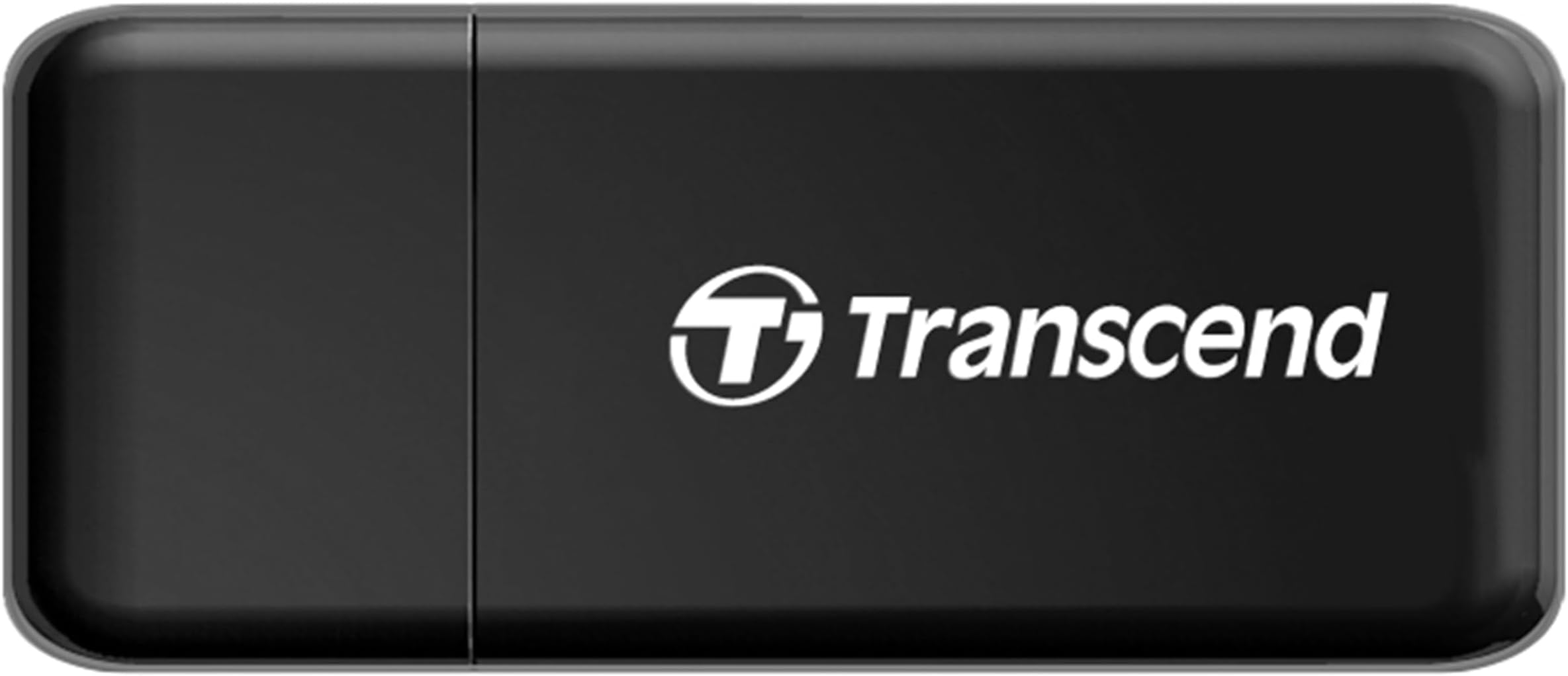
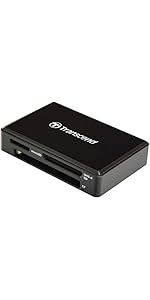
The Transcend RDF5 is a dual-slot USB Type-A card reader supporting SD, SDHC, SDXC, microSD, and UHS-I formats. Featuring USB 3.1 Gen1 interface with up to 12Gbps transfer speeds, it offers backward compatibility with USB 2.0 and an LED indicator for transfer status. Compatible across Windows, Mac, and Linux, it’s a compact, plug-and-play solution ideal for fast, reliable file transfers with added data recovery software included.


| ASIN | B009D79VH4 |
| Additional Features | Easy Setup, Plug & Play, Portable |
| Best Sellers Rank | #180 in Computer Memory Card Readers |
| Brand | Transcend |
| Color | Black |
| Compatible Devices | Desktop, Laptop |
| Connectivity Technology | USB Type A |
| Customer Reviews | 4.6 out of 5 stars 27,957 Reviews |
| Data Transfer Rate | 12 gigabits_per_second |
| Global Trade Identification Number | 00760557823483, 00809390017632 |
| Hardware Interface | USB, USB 2.0, USB 3.0 |
| Item Dimensions L x W x H | 2.2"L x 0.35"W x 0.94"H |
| Item Highlight | USB 3.1 Gen1, Card Viewer for SDXC, SDHC, SD, Micro SDXC, Micro SD, Micro SDHC, TF, UHS-I Cards, Black |
| Item Part Number | TS-RDF5K, TSRDF5K |
| Item Weight | 18.14 g |
| Manufacturer | Transcend Information |
| Media Type | SD Card, SDXC, UHS-1, microSD, microSDXC |
| Mfr Part Number | TS-RDF5K |
| Model Name | TS-RDF5K |
| Model Number | TS-RDF5K |
| Number of Items | 1 |
| Operating System | Linux, Mac OS, Windows |
| Slot Count | 2 |
| Special Feature | Easy Setup, Plug & Play, Portable |
| UPC | 760557823483 078433166020 |
| Unit Count | 1 count |
| Warranty Description | 2 year limited warranty |
B**.
A Life Saver!
Great, cheap card reader! When I built my mid-high end machine in August, I was planning on getting a card reader for one of the slots in the front, just under the Blu-Ray drive I decided to put in... However, it would have put me just above my budget, and internal cables may have been problematic... So, with the several USB 3.0 ports I had available, I figured I'd find a USB card reader. I wasn't expecting a 3.0 device to be so cheap, but I guess I was wrong! Speeds are fast. I want to say... 50-60 MBps. That's with the Sandisk Class 10 card I have in my point and shoot camera... I'm just ballparking it. But it's running at actual USB 3.0 speeds, and not the 10-20 MBps I would normally get when transferring something via USB 2.0, especially when using a USB cable to transfer directly from the camera. But that in itself is another plus. You don't waste battery doing transfers from your card to your computer when using a card reader. So what's bad about it? Not much at all. However, some things to mention... The card doesn't spring/lock into place. It's a friction fit. For someone who is going to be transferring every day, the fit may become really loose on the part of both the card, and this card reader... However, I usually do transfers a couple times a month, sometimes more, depending on what I've just used my cameras for. And that is my primary use. Transferring my videos and pictures from my cameras. So for a hardcore photographer, this may not be the best option... However, for someone who is simply looking for an easy way to transfer their casual pics and videos to their computer, this may very well be the solution you're looking for... Another thing to know... After transferring a ton of files, this thing will get fairly hot. It's not something I would use to transfer files, and then use it to watch the videos directly from the card. When doing that, it gets hotter than I'm comfortable with. I'm sure it's not even a concern, but it is something worth noting. Don't play a bunch of files off of it, and do large transfers. I personally don't trust the heat. Bottom line... If you're a moderate SD card user (or micro SD as well), and want something cheap, fast, and compact, then this may very well be what you're looking for! It MAY have potential downsides, but I haven't run into any problems. If I do, I will try to remember to report back. But for the last several months, it's been a great little accessory that replaces a whole card reader drive-thing to take up a slot in my computer. Not to mention, it does it's job and it's cheaper. Definitely give it a try! P.S., I lost the cap. It was hard to get off anyway, so I'm sure I just threw it somewhere... No worries, though!
R**L
Cheapest, best USB 3.0 Reader Available
I did a good bit of research on USB 3.0 readers before purchasing this one and found many of the reviews for other units to be hit or miss. This reader from Transcend scores mostly 4 and 5 stars and I can see why. This thing just works, and works with blazing FAST USB 3.0 speeds. The size of the adapter is good, it is wider than most USB sticks, but on my computer chassis with 2 USB 3.0 ports right next to each other, I can still use the adjacent port to charge a device or connect an external drive with a standard USB plug. Clean aesthetics, piano black glossy finish with a blue activity LED that is faint enough so that it does not bother. The main reason I got this drive was because I wanted to test some high-capacity Class10/UHS-I microSD cards I had recently bought since these are known to be counterfeit targets. I only had an older generic USB 2.0 adapter that was capping out at 30MB/s Read and 10MB/s Write, and the devices themselves were not much better over USB 2.0. I also needed the reader to transfer video files from my head-mounted action camera as the transfer speeds over USB 2.0 are excruciatingly slow. I was ecstatic to see the following transfer speeds with the following microSDs: ***USB3.0 Port*** (Intel Z87 chipset) Samsung Pro Class10/UHS-I microSDXC 64GB: 77MB/s Read | 32MB/s Write Samsung Plus Class10/UHS-I microSDHC 32GB: 77MB/s Read | 32MB/s Write ***USB2.0 Port*** (Intel Z87 chipset) Samsung Pro Class10/UHS-I microSDXC 64GB: 42MB/s Read | 22MB/s Write Samsung Plus Class10/UHS-I microSDHC 32GB: 42MB/s Read | 22MB/s Write I was amazed to see 2 things, the Samsung Plus microSD which is only guaranteed transfer speeds of 48MB/s Read and 10MB/s Write actually matched the much more expensive Samsung Pro! I guess this is more of a function of Samsung's flash memory just improving that much to the point there is virtually no difference between the Pro and Plus models now other than capacity. Secondly, as I mentioned earlier, the generic USB 2.0 reader and various devices connected over USB 2.0 were limited to 30MB/s Read and 10MB/s Write, but even over USB 2.0 this reader very nearly reached the maximum throughput of USB 2.0 at 42MB/s Read and also doubled the Write speeds. Very impressed! You will find USB 3.0 readers for much more, but I think you will be hard pressed to find a better performing reader at any price, much less one for <$10! Also, if you are having trouble attaining these speeds with this reader, first verify you have a card that is capable of achieving these transfer speeds. You will most likely need Class10/UHS-1 to benefit from the USB 3.0 speeds. Also make sure you have the Intel USB 3.0 drivers or the drivers for your USB 3.0 controller installed. I thought I had installed my Intel USB 3.0 drivers in the main driver package, but they were separate.
"**Y
Great Laptop USB 3.0 And HDTV Video Playback Results
This worked very well for the USB 3.0 results I was looking for. I bought this to use in conjunction with a (Class 10) 64GB SD XC card. The laptop I have has both an SD card reader and a USB 3.0 slot. By mounting the SD card in this Transcend Card Reader (and plugging it into a USB 3.0 port) I saw a noticeable improvement in speed when reading and writing (2GB to 4GB) files over using the built-in SD card reader. I also used this Transcend Card Reader to play MKV and MP4 video files from the SD card on my Samsung (Smart) HDTV. Excellent alternative to using just a USB thumb (flash) drive. I also have read some of the other positive reviews. Please read them as well. I will agree that the SD cards get a little warm to the touch when in use. I will also agree with some claims witnessing increases in transfer speeds that almost double alternate or previous methods. There are many variables that come into play (buffering, channels, IO, controllers, etc.), so I'll just say that the increase in speed is quite noticeable over all the alternate methods I've explored. Yes, I will agree that this card reader takes up some of the space around the USB port and the purchaser should take that into consideration, as with any USB device, the dimensions and product usage. I've purchased a couple of USB "pigtails" and have them on-hand for dealing with USB "real estate" issues. Reading reviews is a great way to learn more about a product, it's pros & cons, it's limitations, and features. When I put an SD card in the reader and plug it into the USB port on the back of my HDTV, it's very snug. Attached is a picture demonstrating how the card reader can interfere with a laptop's DVD RW drive's tray. But all I have to do is attach a USB "pigtail" and problem is solved. This card reader outperforms the other card readers I own and have used. I like it, even if I have to use an USB extension cable. I still give this product the max, 5 stars. I hope this review was helpful. The SD XC card I used (formatted as "exFAT"): o) 64GB SD XC Class 10 SCT Secure Digital Ultimate Extreme High Speed SDXC Flash Memory Card o) Amazon Link: http://www.amazon.com/gp/product/B008YL8GLW The Samsung Smart HDTV: o) Link: http://www.samsung.com/us/video/tvs/UN32F5500AFXZA
A**R
Very good reader, got speed boost using in 2.0 usb
I've only had it a week so I hate to give it four stars but if it starts acting up, I'll come back and update. The top review for this is currently "Nlee the eng..". My experience matches his pretty closely. But perhaps the very best thing I can comment on for this item is that the data transfer rate for my SD class 10 cards has increased significantly. Jsuk, I currently use a lenovo R500 laptop (w/ an SSD). It's fine for what I use it for but it is NOT anywhere close to state of the art. The card reader it has onboard may have been state of the art (I doubt it) 7-8 years ago when I bought it. 8-10 MB/s is the standard transfer (both write & read are typically in this range) speed. SOMETIMES I get a whopping 12-13MB/s. I plugged this Transend card reader into one of the 2.0 usb's and the transfer write speed went up to about 20 MB/s, read speed was similar. This in itself is worth the $6 for me. The 3.0 speed is also nice given that I have to transfer rather large photo files to other computers, some w/ old readers but also a couple w/ 3.0 usb ports. I will say there has been a negative. The increased transfer rate is not as steady as my other readers or my built in reader. It is usually high but does vary, all the way down in the kb/s, more than I'm used to. Hence only 4 stars. If this is just temporary or limited to just a certain card or brand, I'll come back and update this review. Still, even w/ the fairly frequent and significant swings, this card is the one I currently carry w/ my photo gear.
S**S
The card reader works well and is easy to use.
This card reader works much better than the past ones I have had. I hope it works longer than the last one (a different brand), that only lasted SEVEN MONTHS. I love the way this one works, and it's great so far! Easy to use, connects well, and compact.
N**R
Makes my fastest cards run 50% faster - even from an USB 2.0 port
I have been using several USB 2.0 card readers in the past, including the Transcend M5 Multi-Card Reader and Sandisk Mobilemate SD Plus Memory Card Reader . With memory cards getting faster over the years, I started to get the feeling that my old card readers are limiting the Read/Write speed of my newer memory cards. That's why I purchased this Transcend Information USB 3.0 Card Reader (TS-RDF5K) just to try it out, even through all my computers only have USB 2.0 ports. Upon arrival of the RDF5, I benchmarked over one dozen of my SDHC and microSDHC memory cards, with speed rating from class-4 to class-10 and UHS-1. The program I used is called "CrystalDiskMark v3.01 x64". It reports, among other things, sequential READ and WRITE speed of memory cards. To my surprise, several of my fastest cards showed about 50% improvement in Read/Write speed compared to when using the old M5 card reader. As an example: for the HP CG790A-AZ 32 GB Flash Memory Card Class 10 SDHC I was previously getting 19.6MB/s in Write and 20.1MB/s in Read. But when used with the RDF5, its throughput jumped 50% to 29.7 and 34.8MB/s, respectively. The Transcend 32 GB Class 10 UHS Flash Memory Card TS32GSDHC10U1E also shows nearly identical improvement. The above proves that using old card reader was the bottleneck for my fastest cards. On the other hand, improvements for my slower cards were less noticeable, typically around 5% or less. That include Kingston class-4 SD10G2/16GB , Transcend Class 6 TS16GSDHC6E , etc. See the summary of benchmark results I uploaded to 'Customer Images' section for details. The only negative about this RDF5 card reader is that: it does not allow simultaneous usage of both SDHC and microSDHC slots. That is, you can only insert one card at a time, but never both. Conclusion: I am very happy with the dramatic improvement I can achieve with this card reader, even when it is connected to an USB 2.0 port. Once I upgrade to a new computer with USB 3.0 ports, I expect the benchmark results to be even better - at least for my fastest cards. In the mean time, I consider this card reader the cheapest computer upgrade I can recommend. [Update on Dec 26, 2013] I finally have a computer with USB 3.0 port, so I re-tested ~10 memory cards to see the difference. - For any card marketed as 'UHS-1', I observed huge improvements in both Read and Write speeds. - For any card marketed as 'class 10' but not UHS, I may see some increase in Read, but very little difference in Wrire. Bottom Line: If you have an UHS-1 card, make sure to use the RDF5 card reader in conjunction with USB 3.0 port, in order to get the full benefit.
L**Z
Great performance and good price.
I bought this adapter in order to benchmark a Samsung Evo micro SD (details about the memory below). However, I'm also adding some other memories to compare results. The full review on the Samsung micro SD card Some PC specs: MB: Asus Z87-Plus uP: Intel i7-4770k (O.C. to 4.4 GHz) (http://www.amazon.com/gp/product/B00CO8TBQ0) RAM: Kingston 16 GB 1600 MHz (http://www.amazon.com/gp/product/B007TTEHMW) Main SSD: Samsung Evo 850 250 GB (http://www.amazon.com/gp/product/B00OAJ412U) HDD: Western Digital Green 4 TB (http://www.amazon.com/gp/product/B00EHBEUZO) The rest I believe it's not that important, but if needed, I can share them. Memories tested : 1.- Samsung Evo 32 GB Class 10 (http://www.amazon.com/gp/product/B00IVPU786) 2.- SanDisk Ultra 64 GB Class 10 (http://www.amazon.com/gp/product/B007WTAJTO) 3.- SanDisk 32 GB Class 4 (http://www.amazon.com/gp/product/B004G60AD6) 4.- Kingston 8 GB class 4 5.- Nokia 2 GB class ? 6.- Toshiba SD 2 GB class 2 (Stock SD memory in a 3DS) 7.- Panasonic SD 1 GB class ? Note: Numbers 6 and 7 are not micro SD, but SD. The use of an adapter or not, does NOT affect performance. So they were tested without adapters. To test them I used Samsung Magician (Which supports SSD's as well) The results I get are Random Read (RR), Rendom Write (RW), Sequential Read (SR) and Sequential Write (SW). The units are IOPS, IOPS, MB/s and MB/s, respectively. Parameter: SR SW RR RW 1.- 48 - 36 - 1790 - 732 2.- 48 - 19 - 1392 - 302 3.- 24 - 06 - 1293 - 217 4.- 24 - 11 - 1216 - 016 5.- 12 - 04 - 0997 - 010 6.- 22 - 10 - 1111 - 019 7.- 10 - 04 - 0955 - 010 Conclusion: Since I was able to reach the max read speed from the Samsung memory as advertised (Samsung 32 GB EVO Class 10 Micro SDHC **UP TO** 48 MB/s), I'm assuming the adapter is working correctly and it's not creating a bottleneck, as what happened with USB 2.0 adapters. This is a cheap adapter, yet, it shows good performance. Cons: When you plug the adapter into the PC there's not a specific place to put the cap, so careless people might lose it easily. (Some other memories and adapters let you put the cap in the back part) The official dimensions are (mm): 56 x 24 x 8.9. Assuming this is width, length and depth, the length is large enough so you cannot place two of those readers one next to the other if the ports are close (Applies for horizontal USB). However, if they are placed vertically, this won't be an issue. L8er!
R**S
Great Card Reader Even on USB 2.0, But a Fingerprint and Scratch Magnet
I bought this card reader based on NLee the Engineer's review (by the way, if you haven't read any of his reviews, do so; they're extremely informative and technical). I recently bought a few new memory cards to use with my digital cameras ( SanDisk Extreme 32 GB SDHC Class 10 UHS-1 Flash Memory Card 45MB/s (SDSDX-032G-X46) ) and wanted to take advantage of the advertised speeds on the cards (up to 45MB/s). I knew I wouldn't get the maximum speed since my laptop doesn't have USB 3.0, but the built in card reader maxes out at 20MB/s read/write. Once I received the card reader I tested my cards again using CrystalDIskMark 3.0.2 x64. I'm now getting speeds of around 36MB/s read and 27MB/s write. Good enough for me until I upgrade my computer to one that has USB 3.0. Regarding the card reader itself, it's a very nice design. I love how compact it is. It's made entirely of plastic but doesn't feel flimsy. The cover snaps on very securely, but has no lanyard loop so it may eventually be lost. Not a big deal as the USB connector is very solid and doesn't wiggle at all, so I think it'll be fine over time. The card slots have a snug fit, but not too tight. Cards are easily inserted or removed. I have no doubt that the card reader will last a very long time. Cards insert from the side, which may be a problem on some laptops with the USB ports close to other connections, but for me it hasn't been an issue. I've used the card reader on my laptop, USB hub and PS3, all with no problems. Only one card can be used at a time (only an SD or Micro SD, not both) but this isn't an issue for me wither. The latest version of the card reader has a glossy black front and back with matte black edges and white/silver writing. The previous version had gold writing, but I'm not sure of the finish on that one. The glossy black on the current version is a fingerprint and scratch magnet. Not a big deal, but certainly not preferable for something that will get handled a lot. I'm extremely pleased with performance and build quality of this reader, and will be buying a few more so I can have one at the pc, one in the camera bag, one at the PS3, etc. Money well spent.
G**T
Affordable and usable
Glad this is available in Amazon. Shops don’t sell it. Quite useful
K**S
Transcend TS-RDF5K Memory Card Reader USB 3.0
Prima USB card-reader. Werkt zonder problemen en de snelheid is ook prima in orde. Echter wel een ster aftrek voor de bouwkwaliteit. Het is afgewerkt met pianolak en daardoor een vingerafdruk-magneet. Ik had het liever in mat-zwart gezien. Ook rammelt de inhoud van de stick als je ermee schud, terwijl het dopje eraf is. Dit doet niks af aan de werking van het product, maar het komt wel een beetje goedkoop over. Anders dan dat doet het wat het moet doen.
M**N
Bueno, bonito, y barato
Me gustó por portable, buen diseño, y funciona de forma excelente con el USB 3.0, la velocidad de transferencia ayuda bastante, cuando paso las fotos de mi cámara, puesto que son bastante pesados los archivos.
A**S
Decisamente delicato, già si è graffiato ma funziona alla perfezione!
Arrivato stamattina, l'ho usato per copiare i dati da una vecchia MicroSD da 64 GB ad una nuova da 512 GB. La velocità di scrittura è 79 MB/s quindi ottima ma indubbiamente delicato questo dispositivo USB 3.1 Gen 1 perché appena ho tolto la pellicola protettiva il solo fatto di averci passato sopra il pollice l'ha già graffiato perché la superficie è troppo liscia quasi satinata dunque ho dovuto fare attenzione a non produrre ulteriori graffi, un po' plasticosa ma funziona perfettamente, avrei preferito avesse un corpo in alluminio ma per € 9.99 vale tutto il denaro speso. Inoltre, presa su Amazon, avevo anche la versione USB 2.0 (stessa identica) ma con USB 3.1 non c'è paragone! La data di fabbricazione risale a dicembre 2021. Venduta e spedita da Amazon, consigliatissima!
G**O
Rien à dire excellent
Excellent produit, bonne conception, rapport qualité prix imbattable. Une led bleu quand le lecteur fonctionne. A noter que physiquement, on peut placer une SD et une micro-sd dans le lecteur en même temps: Cependant le lecteur ne fonctionne que si une seule carte mémoire est introduite (je m'y attendais). Compatibilté sans problème avec des slot USB 3 & 2 dans mon cas sur mes Laptops (ASUS & HP Win 7 & 8.1 et PC tablette ACER iconia W700P Win 8.1). Le lecteur de carte fonctionne également sur le port micro USB OTG Android sur ma tablette Asus ME302C) + cable TechExpert Câble USB OTG + micro sd 64 Go (ou SD 64 Go); ceci en complément de la carte micro sd 64 Go en place dans le port micro Sd de la tablette. Le backup entre les 2 micro sd devient ainsi possible directement sur la tablette Android sans avoir recours à un PC ou le réseau. Fonctionne aussi en OTG sur un Smartphone HTC One V7. Je le recommande vivement. J'utilise ce lecteur pour des backups et comme extension mémoire sur Android en OTG. Dans mon cas je n'ai pas fait de test de rapidité par rapport au slotSD intégré des PC. J'ai aussi pu voir l'énorme différence de performances pour des cartes SD rapides lorsqu'elles sont utilisées sur ce lecteur, et lorsqu'elles sont utilisées sur le lecteur interne du PC (rapport 1 à 4 sur les gros fichiers). L'essayer c'est l'adopter.... CrystalMark 3.03 64 Bits sur port USB 3 lecteur transcend poiur une carte rapide Komputerbay SD x600 de 128 Go et sur le port SD interne au PC pour les chiffres entre parenthèses. 94.7 Mo/s (19.9) lecture et 63.8 Mo/s (18.6) écriture sur des fichiers séquentiels de 500 Mo) 86.7 Mo/s lecture (19.35) et 27 Mo/s (9.8) écriture sur des fichiers de 512 ko. 6.8 Mo/s (2.82) lecture et 0.7 Mo/s (0.33) en écriture sur des fichier 4K (non QD32) 6.645 Mo/s (2.84) lecture et 0.912 Mo/s (0.36) en écriture sur des fichier 4K QD32
Trustpilot
5 days ago
3 weeks ago